
Many developers try embedding images directly into HTML emails using Base64 Data URI format , while this works in browsers, most email clients like especially Outlook block or ignore Data URI images for security reasons.
Stepwise Implementation
1 - Create a flow
Go to make.powerautomate.com.
Choose flow type based on your requirements, here i have selected instant type.
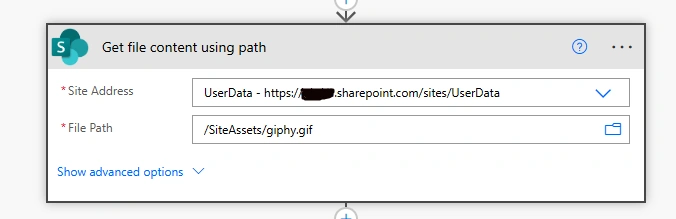
2 - Get image or gif from Dcument library
Add action of SharePoint like Get file content using path.
You can also use action of OneDrive, if your assets are saved in OneDrive folder.
3 - Add img tag with image Content ID

Where cid is Content ID which is method to display an image embedded inside an email instead of loading it from the internet.
4 - Add HTTP action
Here i have used Invoke an HTTP request (preauthorized) for graph api call for sending mail.
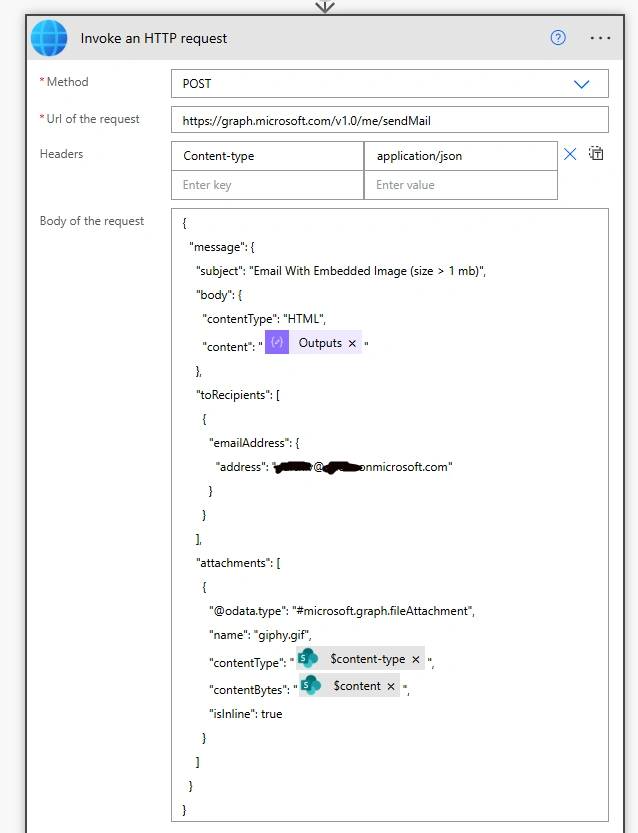
Url: https://graph.microsoft.com/v1.0/me/sendMailBody: {
"message": {
"subject": "Email With Embedded Image (size > 1 mb)",
"body": {
"contentType": "HTML",
"content": "@{outputs('Compose_2')}"
},
"toRecipients": [
{
"emailAddress": {
"address": "[email protected]"
}
}
],
"attachments": [
{
"@odata.type": "#microsoft.graph.fileAttachment",
"name": "giphy.gif",
"contentType": "@{body('Get_file_content_using_path')?['$content-type']}",
"contentBytes": "@{body('Get_file_content_using_path')?['$content']}",
"isInline": true
}
]
}
}5 - Run the flow
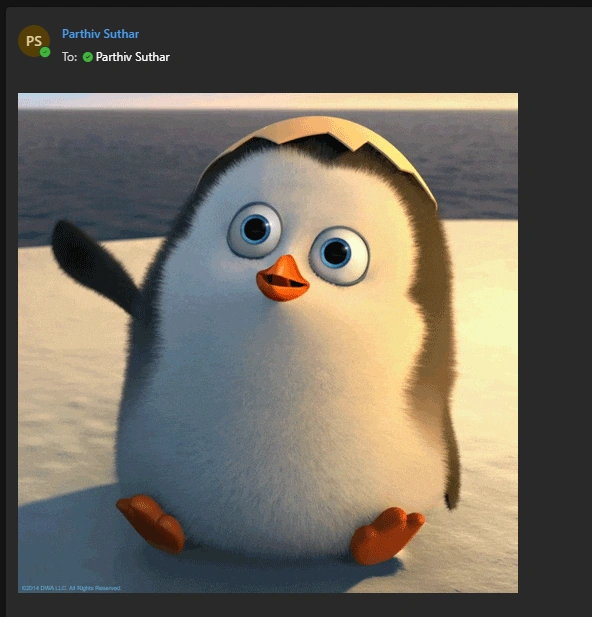
After flow run successfully, as it will show image in email body.
Conclusion
Here we have learnt that embedding images using the Data URI method may not work properly in many email clients, especially Microsoft Outlook. Using the cid: approach in Power Automate is a more reliable way to display inline images in email bodies by attaching the image and referencing it through a Content-ID.

Join the conversation! Your thoughts help the community grow.