
In this article we will learn how to get Instagram images using Instagram API. First off, we need to get the Instagram client id. Please follow these simple steps to get the Instagram client id:
Step 1: Login on Instagram.
Step 2: Click on API link in footer or directly open url.
Step 3: Click on Register Your Application,
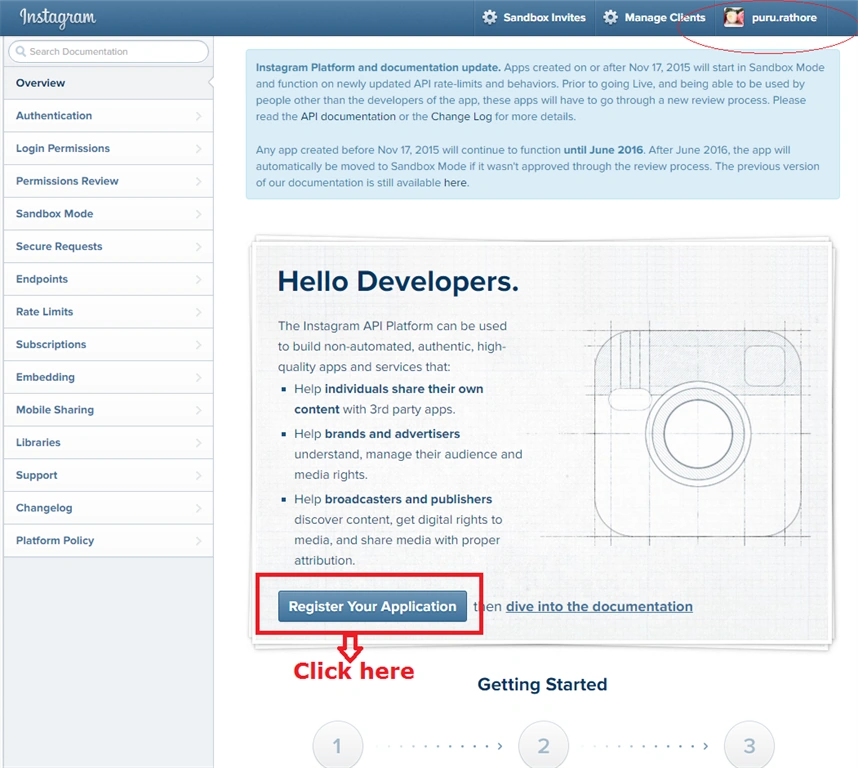
Step 4: Developer Signup will open.
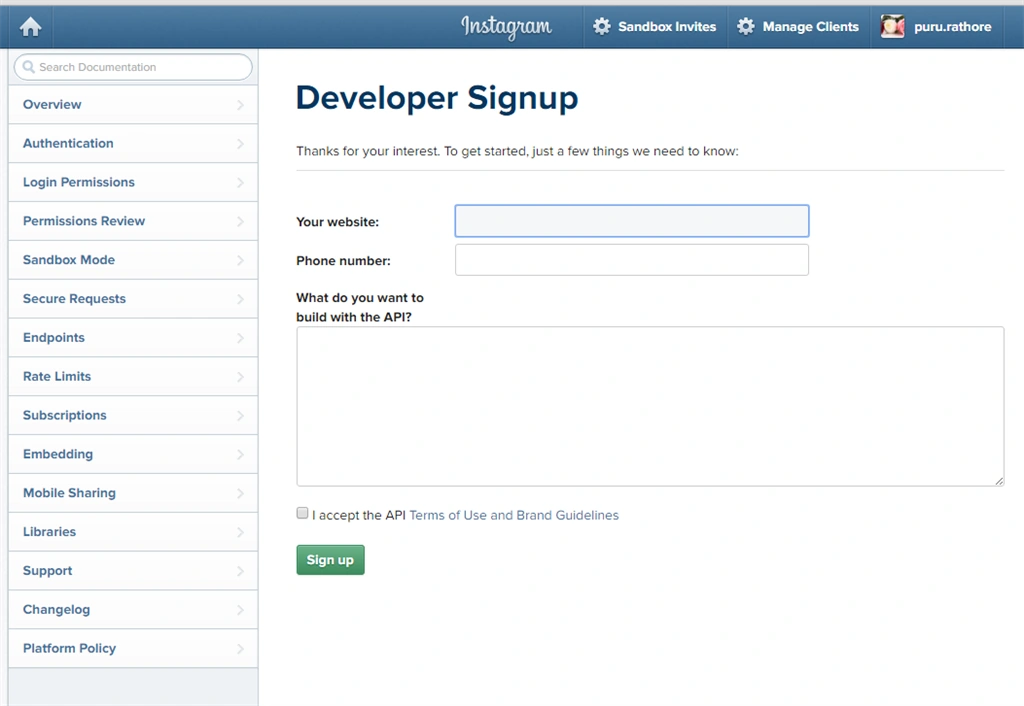
Step 5: Fill your website, phone number, and what you want to build with the API.
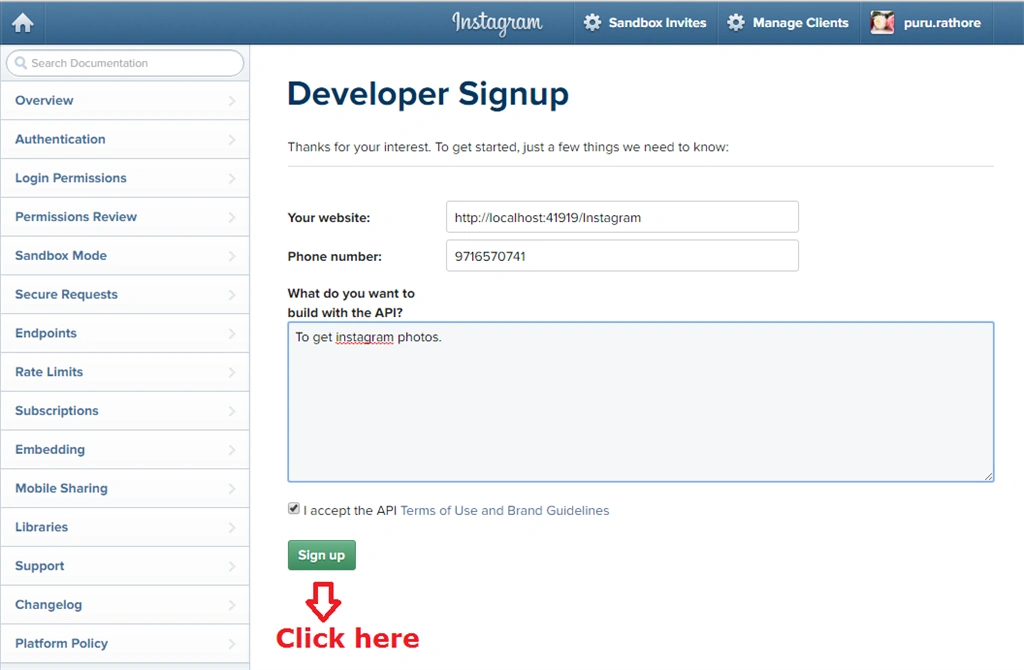
Step 6: Click on Sign up button
Step 7: Register new client id will open. Fill the form and click on register.
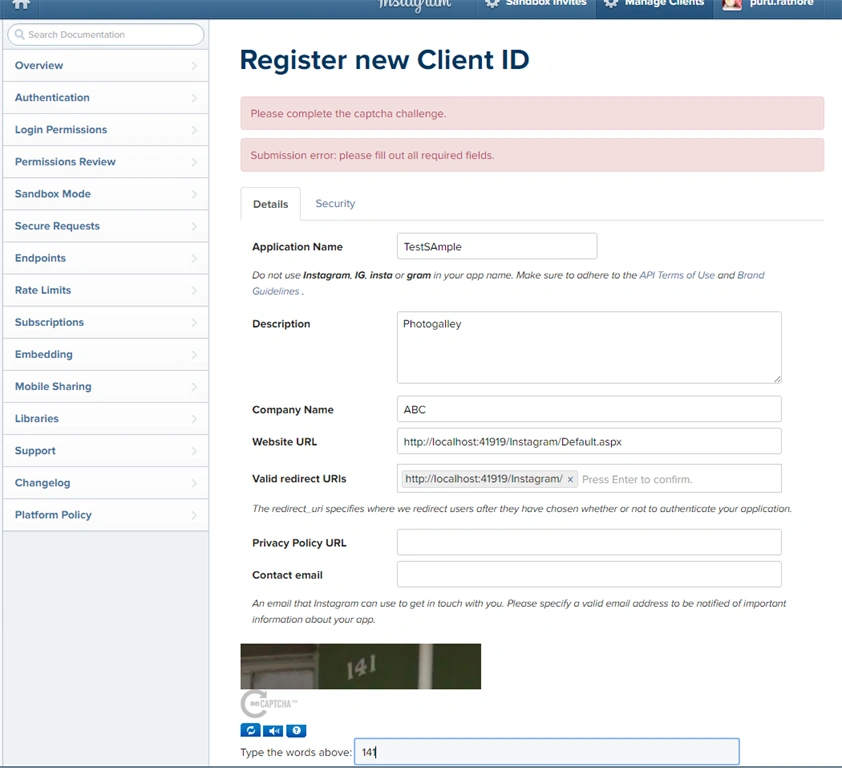
Step 8: Now you will get client id as below:
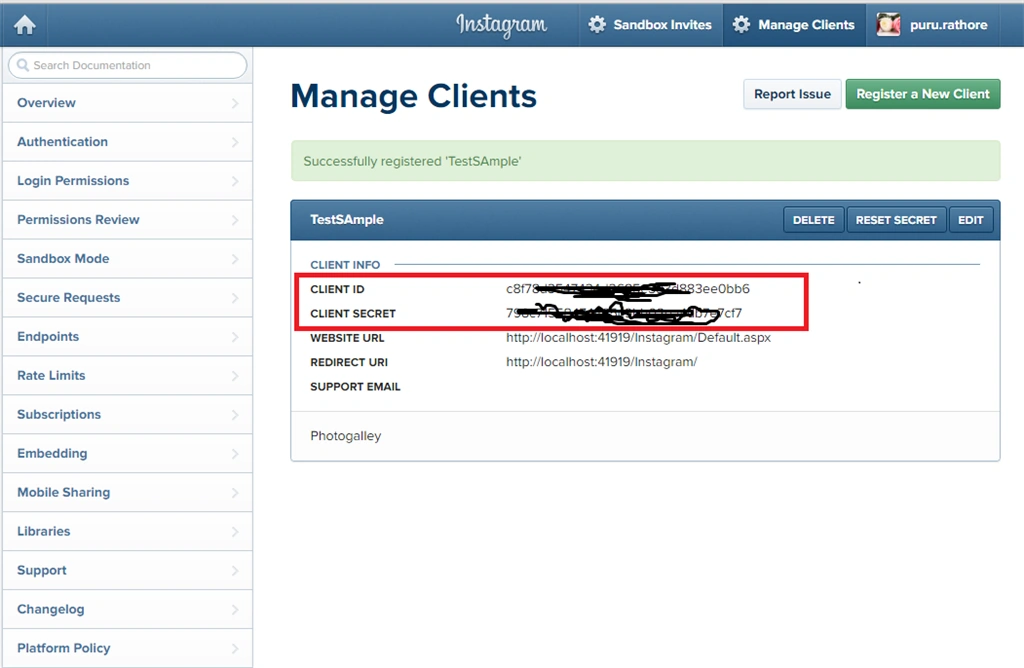
Now write the following code to get images using Instragram API.
- <script src='<%= ResolveUrl("~/Scripts/jquery-1.7.1.min.js")%>' type="text/javascript"></script>
- <script type="text/jscript">
- var clientsId = "clientid"; //instagram client id is here (xxx44662ae4a4ffxxx321e0f178a6xxx)
- function GetPhoto() {
- if ($.trim($("#TextBoxInstagram").val()) != "") {
- GetUserIdFromInstragram($.trim($("#TextBoxInstagram").val()));
- }
- }
- function GetUserIdFromInstragram(InstragramUrl) {
- var stringLength = InstragramUrl.length; // this will be 16
- var lastChar = InstragramUrl.charAt(stringLength - 1); // th
- if (lastChar == "/") {
- InstragramUrl = InstragramUrl.substring(0, InstragramUrl.length - 1);
- }
- var Username = InstragramUrl.substr(InstragramUrl.lastIndexOf('/') + 1);
- $.ajax({
- type: "GET",
- url: "https://api.instagram.com/v1/users/search?q=" + Username + "&client_id=" + clientsId + "",
- dataType: "jsonp",
- crossDomain: true,
- beforeSend: function () {
- },
- complete: function () {
- },
- success: function (data) {
- GetPhotoFromInstragram(data["data"][0]["id"])
- }
- });
- }
- // This method is used to get Photos from Instragram with the help of user id and clients id
- function GetPhotoFromInstragram(UserId) {
- jQuery("#MyInstagramPhoto").html("");
- $.ajax({
- type: "GET",
- url: "https://api.instagram.com/v1/users/" + UserId + "/media/recent/?client_id=" + clientsId + "&count=12",
- dataType: "jsonp",
- crossDomain: true,
- beforeSend: function () {
- ShowLoading();
- },
- complete: function () {
- HideLoading();
- },
- success: function (data) {
- if (data != "") {
- if (data["data"].length > 0) {
- for (var i = 0; i < data["data"].length; i++) {
- jQuery("#MyInstagramPhoto").append("<li><a href='" + data.data[i].link + "' target=\"_blank\"><img src='" + data.data[i].images.low_resolution.url + "' class=\"instpics small\" /></a></li>");
- }
- }
- }
- }
- });
- }
- function ShowLoading() {
- var scrollTop = jQuery(window).scrollTop();
- jQuery('.overlay-bg').show();
- return true;
- }
- function HideLoading() {
- jQuery("#divoverlay").hide();
- }
- </script>
- <style type="text/css">
- /*For loader and masking */
- .overlay-bg
- {
- display: none;
- position: absolute;
- top: 0;
- left: 0;
- z-index: 1000;
- background: black !important;
- opacity: 0.30;
- height: 100%;
- width: 100%;
- }
- .overlay-content
- {
- background: #fff;
- padding: 1%;
- width: 32px;
- height: 32px;
- position: relative;
- cursor: default;
- border-radius: 4px;
- box-shadow: 0 0 5px rgba(0,0,0,0.9);
- left: 50%;
- top: 20% !important;
- }
- /* style for Image */
- ul.ImageStyle li
- {
- list-style-type: none;
- width: 24%;
- float: left;
- padding: 1px 5px 0px 0px;
- border: none;
- }
- .instpics
- {
- width: 100%;
- }
- </style>
- <div class="row" id="divInstagram">
- <div>
- Instagram Url
- <input type="text" id="TextBoxInstagram" placeholder="Enter your instagram url" style="width: 300px" />
- <input type="button" onclick="GetPhoto(); return false;" value="Get Instagram Photos" />
- </div>
- <div>
- <%--display Images--%>
- <ul id="MyInstagramPhoto" class="ImageStyle">
- </ul>
- </div>
- </div>
- <%--Masking- This div will hide content untill data will fetch--%>
- <div class="overlay-bg" id="divoverlay">
- <div class="overlay-content">
- <img src="<%= ResolveUrl("~/images/loader.gif") %>" alt="loading" />
- </div>
- </div>
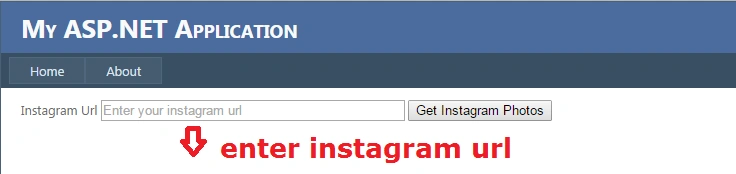
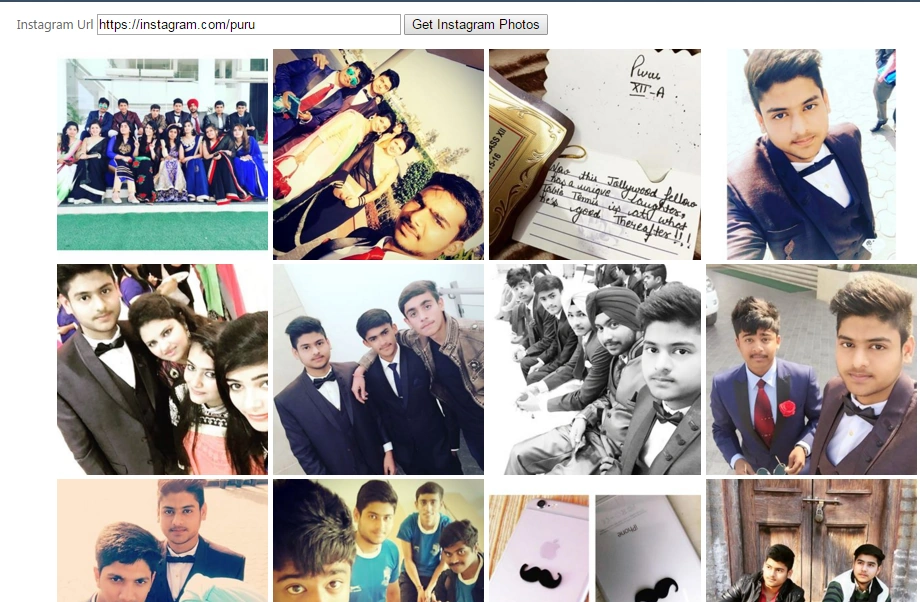
Enter your instagram url and click on 'Get Instagram Photos' button. Now you will get Instagram images as follows:
Happy coding.
Read more articles on jQuery:


Imam NPosted Sep 17, 2018, 1:17 AM EDT
Hai. How to Get Instagram Videos using c# and Jquery
SubashPosted Sep 28, 2016, 3:53 AM EDT
Super feature nice one sir
Praveen KumarPosted Aug 16, 2016, 7:19 AM EDT
hi
Praveen KumarPosted Aug 16, 2016, 7:18 AM EDT
hello sir nice article
Praveen KumarPosted Aug 16, 2016, 7:17 AM EDT
hello
Omid NasriPosted Jun 22, 2016, 8:08 PM EDT
Yes, the version author explained here is outdated and this article must be update now.
Bhuvanesh MohankumarPosted Jun 20, 2016, 7:54 AM EDT
Omid Nasri Article expired means, the version author explained here is outdated?
Omid NasriPosted Jun 17, 2016, 2:51 AM EDT
This article has expired
Thiruppathi RPosted May 22, 2016, 1:47 AM EDT
Good Info..
Bhuvanesh MohankumarPosted May 12, 2016, 10:15 AM EDT
Good one..
Manoj KulkarniPosted Apr 23, 2016, 8:23 PM EDT
Nice article. Thank you for sharing
Omid NasriPosted Apr 23, 2016, 12:26 AM EDT
like.
NitinPosted Apr 22, 2016, 7:46 PM EDT
Good one
Debendra DashPosted Apr 22, 2016, 4:32 PM EDT
nice.......
Vignesh ManiTOP 100Posted Apr 22, 2016, 1:33 PM EDT
Nice
Gowtham KTOP 100Posted Apr 22, 2016, 8:55 AM EDT
Good One, Thanks for sharing:)
Kuppurasu NagarajTOP 100Posted Apr 22, 2016, 7:49 AM EDT
Nice Sharing..
Debasis SahaTOP 100Posted Apr 22, 2016, 6:16 AM EDT
Good One..
Gowtham RajamanickamTOP 100Posted Apr 22, 2016, 4:49 AM EDT
good article..