

Understanding record growth in Microsoft Dataverse is essential for monitoring system usage, analyzing business trends, and validating data migrations. One of the easiest ways to analyze record creation trends is by using the SQL 4 CDS plugin available in XrmToolBox.
In this article, I will show you how to retrieve the count of records created each month and year from any Dataverse table using a simple SQL query.
This query is useful when you want to:
Analyze monthly record growth
Monitor user adoption
Validate migrated records
Generate dashboard statistics
Track business activity trends
Estimate database growth
Since the query groups records by Year and Month, it provides a clean summary instead of returning every individual record.
Prerequisites
Before running the query, ensure you have:
XrmToolBox installed.
SQL 4 CDS plugin installed.
Access to a Dataverse environment.
Appropriate permissions to read the target table.
Follow the below steps after the Prerequisites.
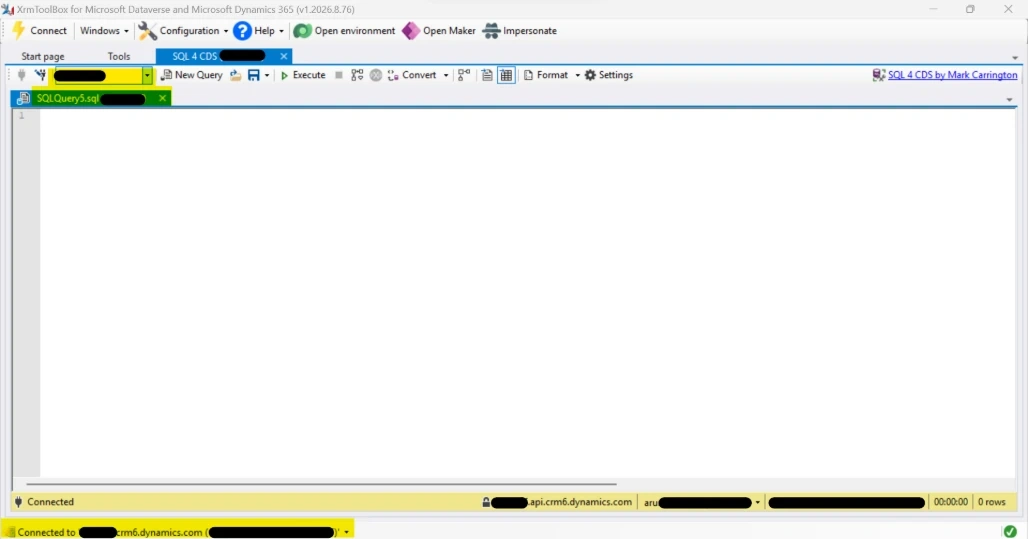
Step 1: Open XrmToolBox.
Launch XrmToolBox and connect to your Dataverse or Dynamics 365 environment.
After connecting successfully:
Open SQL 4 CDS
Wait for metadata to load
Select the connected environment
Step 2: Enter the SQL Query
Use the following SQL query:
SELECT

YEAR(createdon) AS [Year],

MONTH(createdon) AS [Month],

COUNT(*) AS RecordCount

FROM CONTACT

GROUP BY

YEAR(createdon),

MONTH(createdon)

ORDER BY

[Year],

[Month]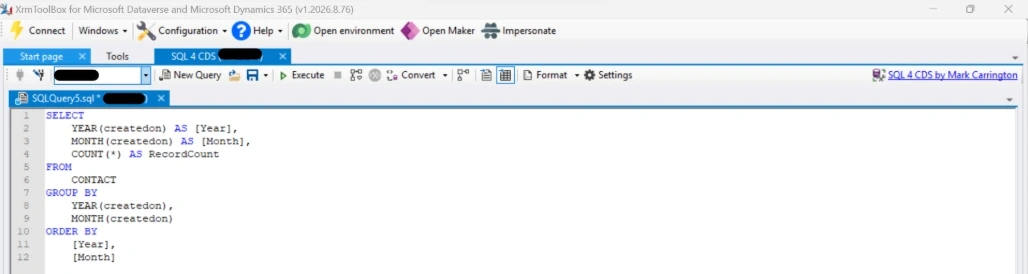
Step 3: Run the Query
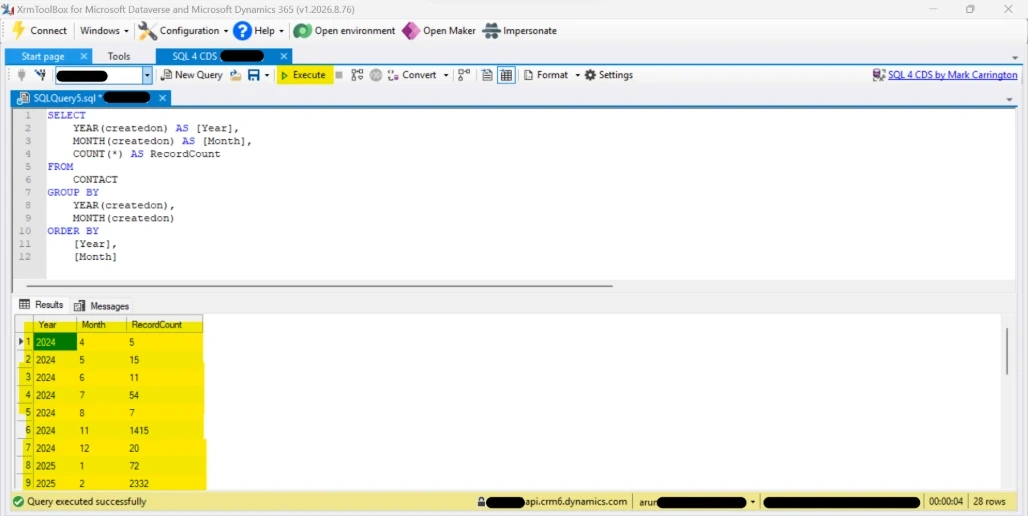
Click Execute in SQL 4 CDS.
The plugin will process the query and return grouped results showing:
Year
Month
RecordCount
Using the Same Query for Other Dataverse Tables.
One of the biggest advantages of this query is that it can be reused across nearly any Dataverse table.
Simply replace the table name.
Lead Table
SELECT
YEAR(createdon) AS [Year],
MONTH(createdon) AS [Month],
COUNT(*) AS RecordCount
FROM lead
GROUP BY
YEAR(createdon),
MONTH(createdon)
ORDER BY
[Year],
[Month]
Opportunity Table
SELECT
YEAR(createdon) AS [Year],
MONTH(createdon) AS [Month],
COUNT(*) AS RecordCount
FROM opportunity
GROUP BY
YEAR(createdon),
MONTH(createdon)
ORDER BY
[Year],
[Month]
Conclusion
SQL 4 CDS in XrmToolBox provides a powerful and familiar SQL experience for querying Dataverse data. By using the YEAR(), MONTH(), and COUNT() functions together, you can quickly analyze record creation trends and generate valuable insights for reporting, auditing, migration validation, and business analytics.
The best part is that this approach works for virtually any Dataverse table. Simply replace the table name and you can instantly obtain monthly creation statistics across your environment.
If you're a Power Platform administrator, developer, or consultant, this query is a handy addition to your Dataverse toolkit.




Join the conversation! Your thoughts help the community grow.