
Introduction
Today we will learn how to host a website in Azure. I hope you will like this article.
Please read this article in my blog here: How to host websites in Azure.
Azure
Azure contains managed services, pre-built templates and integrated tools that makes it easier to build mobile, enterprise and IOT applications. It is pretty much faster and provides much space on the cloud for us. The simplicity of Azure make users more productive.
Background
Previously I had hosted my personal website on GoDaddy. As my one year hosting plan expired, I was thinking where I should host my Website.
Finally I decided to host it on Azure. Thanks to Prabhjot Sir for giving me a platform to work on Azure. So this article shows how to host a website in Azure. Shall we start?
Procedure
If you are new to Azure, please read some basics here: Azure Basics.
Creating a Web App
What you need to do first is creating a web App. Once created, you can see the following screen:
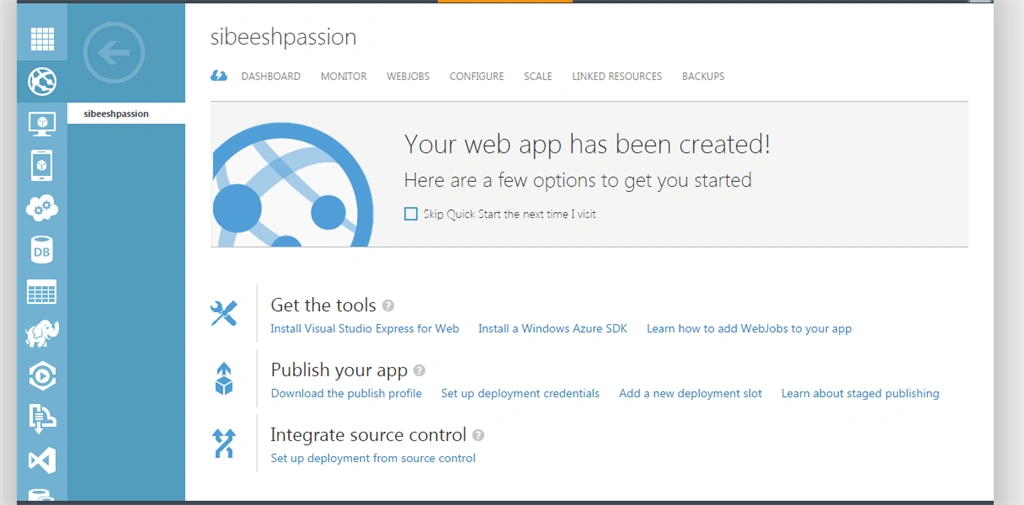
Now it is the time to move on.
Configure FTP
Click on the Dashboard and download the publish profile.
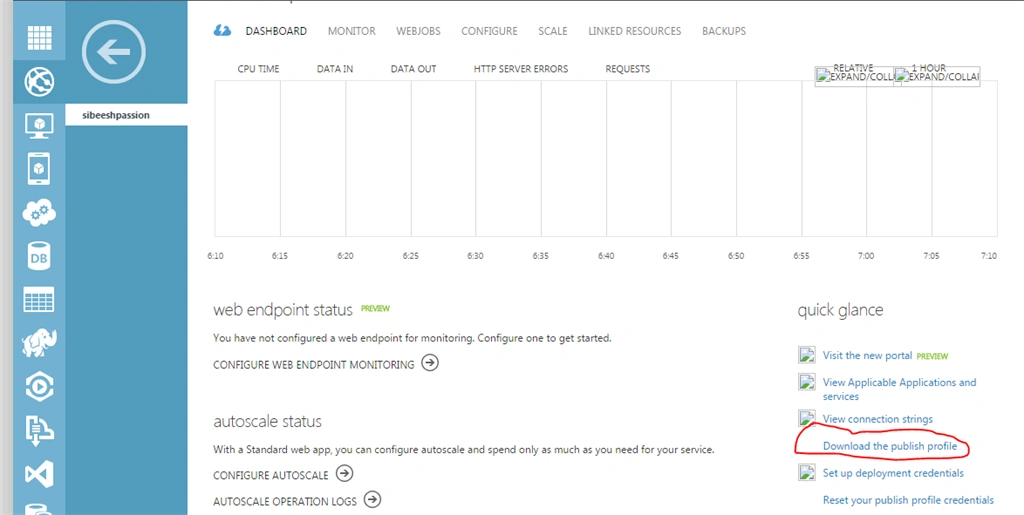
Once you downloaded, please open that file and find the FTP details.

Use CTRL+F and find "ftp".
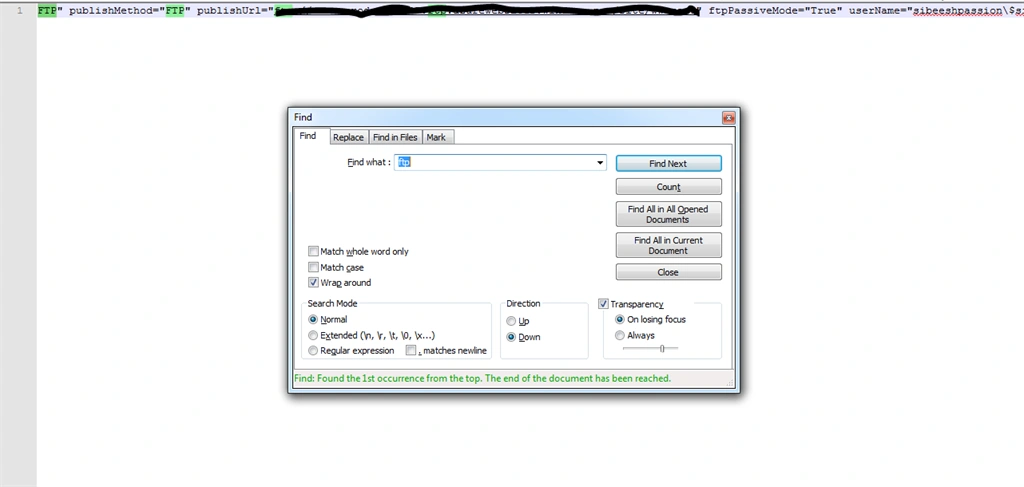
Now download the Filezilla application that makes your file transferring much easier than anything. Open it and paste the FTP details (FTP address, user name and password) that you copied from the downloaded file from Azure.
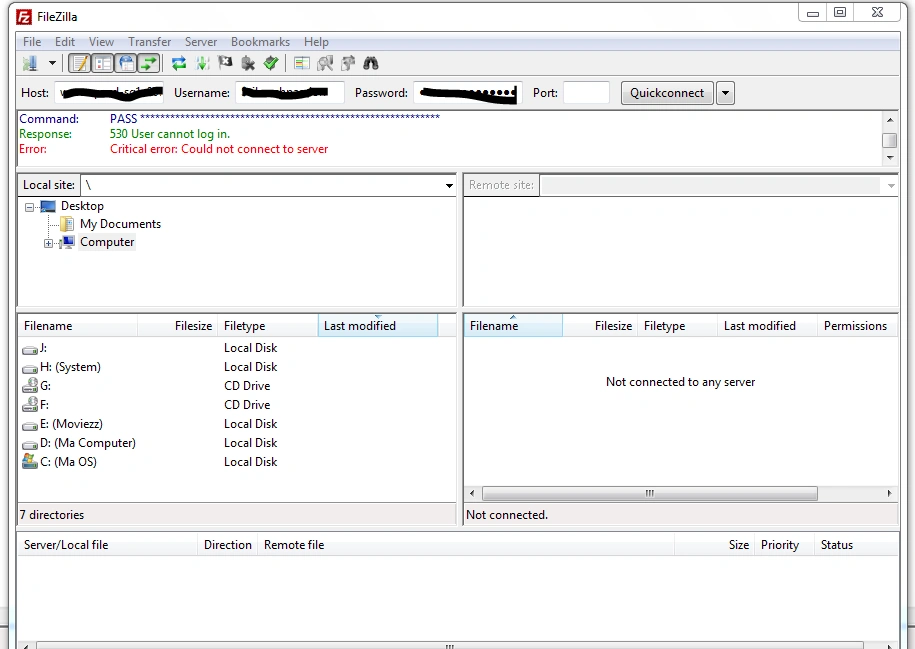
Go to File and click on Site Manager.
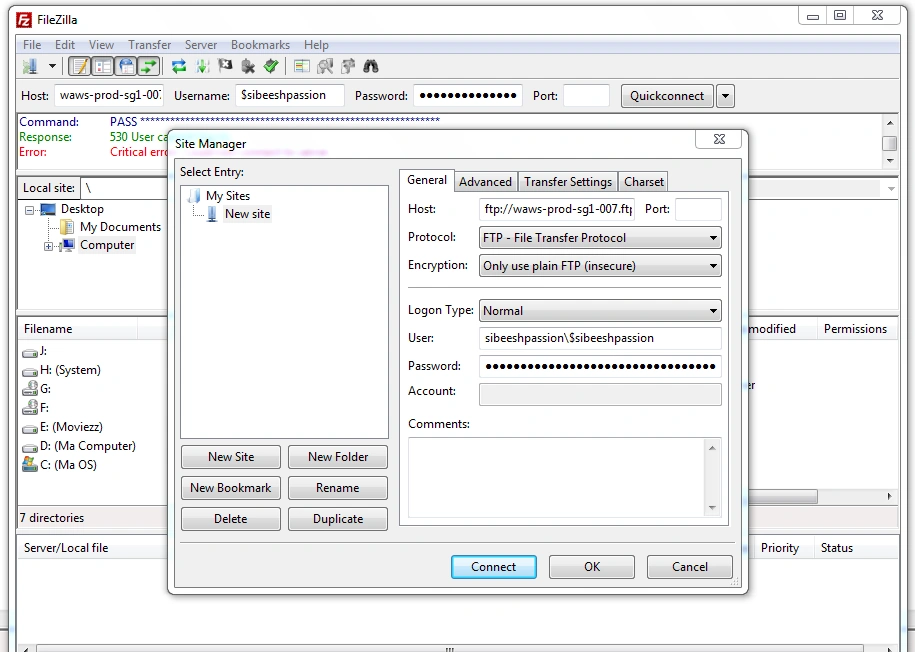
Click Connect after you have given the settings as shown in the preceding image. Once you are done with that, in the right side there will be some folders listed in the Filezilla application, please paste your website contents into the site www folder.
Now if you return to your webapp, you can see the URL. Please click on that link.

So you will get our site in running condition.
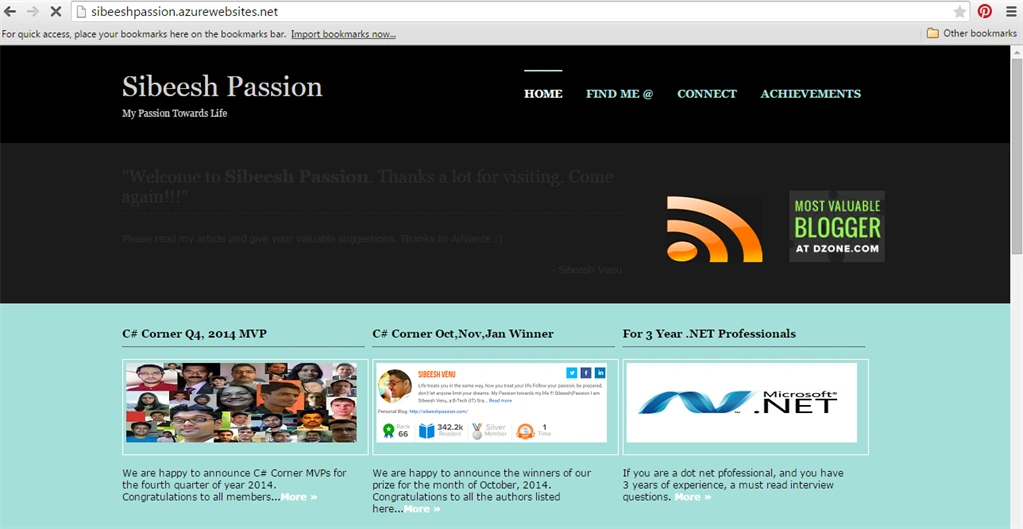
So we have successfully hosted a website in Azure.
Conclusion
I hope you enjoyed reading this article. We will meet soon with another article. Please share your feedback with me.


Jitendra KumarPosted Aug 12, 2015, 4:23 AM EDT
Good
Santhakumar MunuswamyPosted Jun 3, 2015, 10:53 AM EDT
Good work
Gopi ChandPosted Jun 3, 2015, 9:25 AM EDT
Great
Sibeesh VenuTOP 100Posted Jun 3, 2015, 5:18 AM EDT
Manoj Kulkarni Thank you
Manoj KulkarniPosted Jun 3, 2015, 5:12 AM EDT
Nice. Thank you for sharing
Sibeesh VenuTOP 100Posted Jun 3, 2015, 2:51 AM EDT
Manish Kumar Choudhary Thank you
Sibeesh VenuTOP 100Posted Jun 3, 2015, 2:51 AM EDT
Nitin Tyagi Thank you
Manish Kumar ChoudharyPosted Jun 3, 2015, 1:39 AM EDT
Nice one.
NitinPosted Jun 3, 2015, 1:07 AM EDT
nice
Sibeesh VenuTOP 100Posted Jun 3, 2015, 12:55 AM EDT
Akhil Mittal Thank you :)
Akhil MittalPosted Jun 3, 2015, 12:18 AM EDT
Good