
Step 1: Finding the columns of the source tables from which we can determine that a particular records is a new record or it is the old one.
For e.g. I am taking a Student (Source) table. It's structure is:
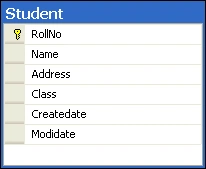
By looking at it's table structure we easily find that we can determine whether a record is old/new by the createdate and modidate.
New record -> Createdate = Modidate
Old Record -> Createdate <> Modidate
Step 2: Create an SSIS Package
- Open BIDS
- File – New Project
- Name - InsertUpdate
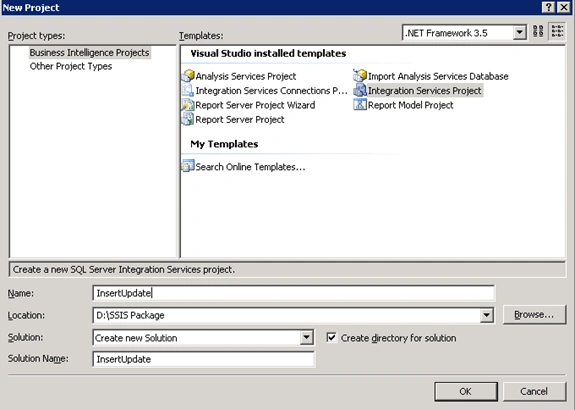
- Click Ok
Step 3: Add Oledb connection for source and destination
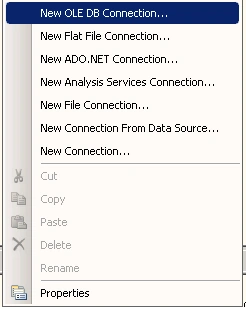
- Right click on connection manager pane and select new OLE DB Connection
- Enter Server name or IP and then select database name
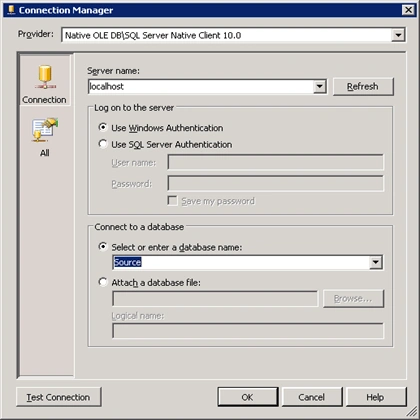
- Click on Test Connection
- Click OK.
- Repeat step (a) to step (d) to create an OLE DB connection for the destination
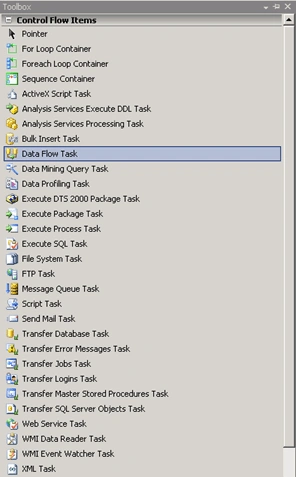
Step 5: Rename it to Student_incr
Step 6: Add three variable of the package level scope
Date_From : Int32,
Date_To: Int32
Query_Student: String
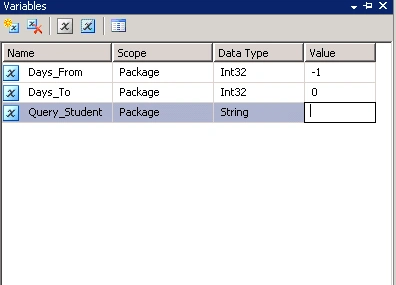
Set the value of package variable as shown above.
Here Query_Student variable will contain the SQL incremental query:
- SELECT * from Student
- WHERE (CAST(CONVERT(VARCHAR(10), Createdate, 111) AS DATETIME) >= CAST(CONVERT(VARCHAR(10), DATEADD(Day, " +(DT_WSTR,50)@[User::Days_From]+", GETDATE()), 111) AS DATETIME)) AND (CAST(CONVERT(VARCHAR(10), Createdate, 111) AS DATETIME) < CAST(CONVERT(VARCHAR(10),DATEADD(Day, "+(DT_WSTR,50)@[User::Days_To]+", GETDATE()), 111) AS DATETIME))
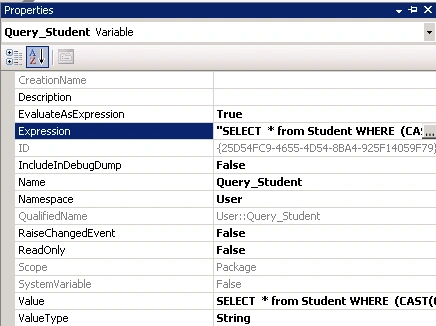
Step 7: Double click Student_incr dataflow task
- Drag and drop OLE DB Source onto the Package
- Right click on the OLE DB Source and then select edit
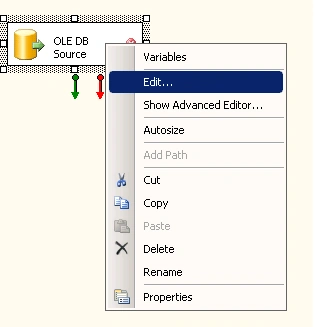
- Set properties as shown following:
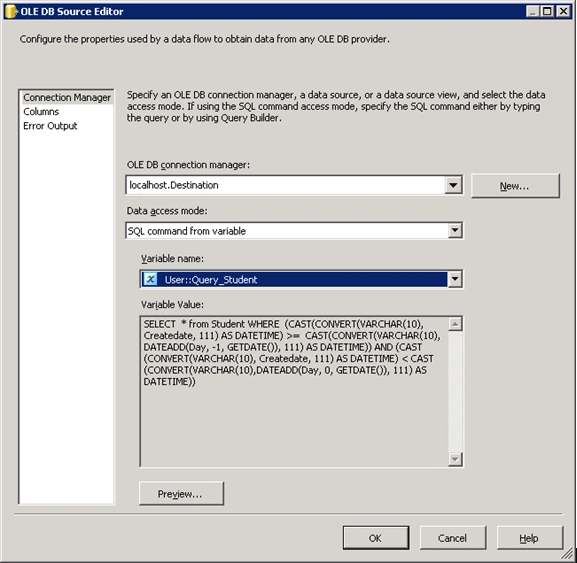
- Click Ok.
- Drag and drop Conditional Split component onto the package
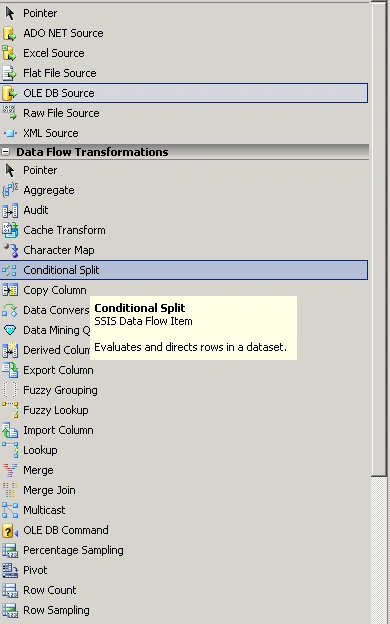
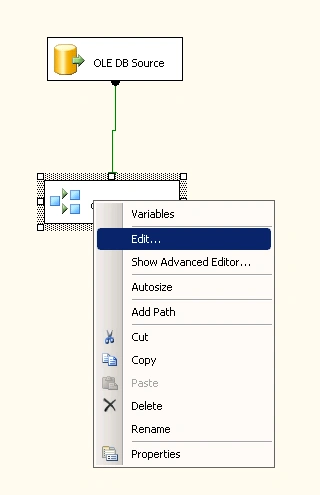
- Connect it to OLE DB Source and then right click on it and then select edit
- Make two mutually exclusive condition as shown
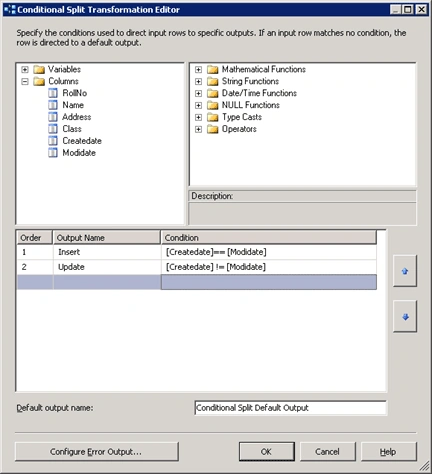
- Click ok.
- Drag and drop OLE DB destination and OLE DB Command components onto the package
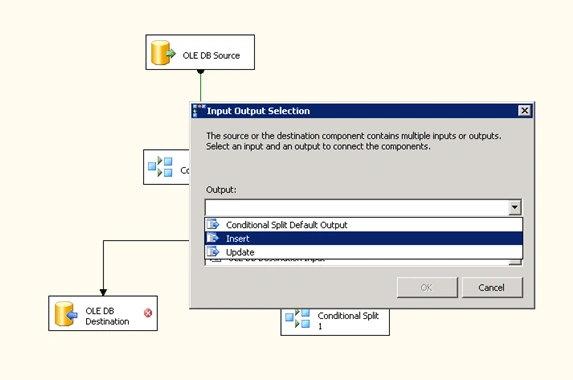
- Connect OLE DB destination and OLE DB Command to Conditinal split.
Insert -> OLE DB destination
Update -> OLE DB Command
- Right click on the OLE DB destination and select Edit and then set properties
as shown below
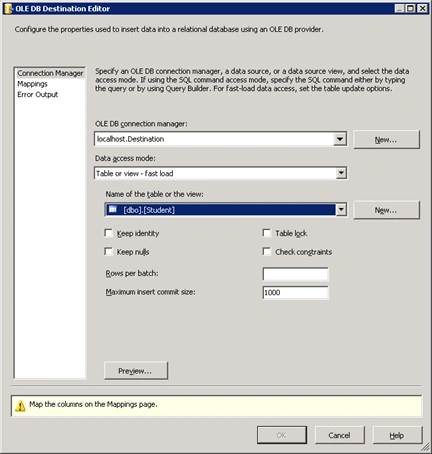
- Map the column on the mapping page and then click ok.
- Create a stored procedure in the destination database named
"UpdateStudentProc" which has the following definition
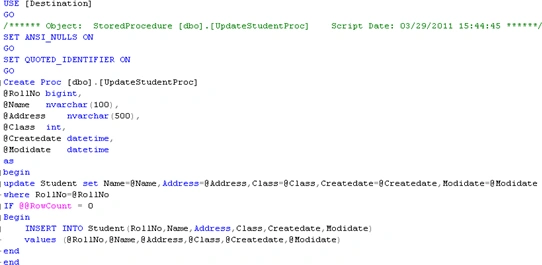
This procedure will update the existing records and will insert the new ones.
- Right click on OLE DB Command and then select edit
- In the connection manager, select localhost.destination
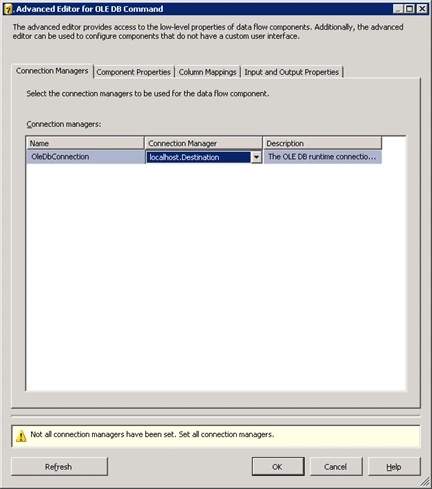
- In the Component Properties set as
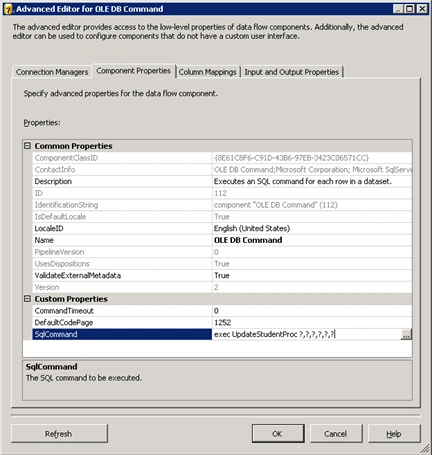
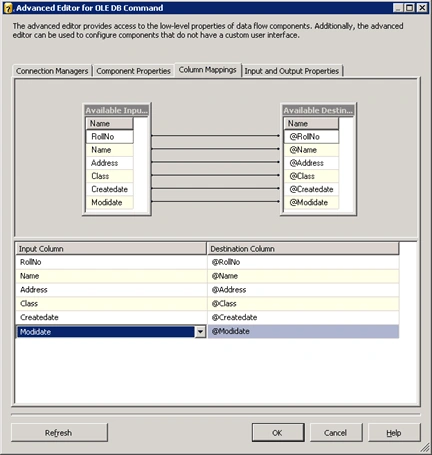
- In the Column mappings tab map the output column to parameters of UpdateStudentProc and then click ok.


A JPosted Jun 25, 2019, 5:35 AM EDT
Good article. However, for a newbie reading and working through it, there can be more details added. I had to spend a lot of time trying to figure out how some of the actions could be added to the data package. I have finally been able to save and compile the package. Can you please add some steps on how to run this package in Visual Studio 2017 and SSIS? Thanks.
Raja TPosted Jul 30, 2016, 12:50 AM EDT
Nice one...Thanks for sharing..