
Overview of MongoDB
MongoDB is an open-source database that uses a document-oriented data model. It provides high performance, high availability and easy scalability.
The following are the features of MongoDB:
- Documents (objects) map nicely to programming language data types.
- Embedded documents and arrays reduce need for joins.
- Dynamic schema makes polymorphism easier.
- Embedding makes reads and writes fast.
- Replicated servers with automatic master failover.
I will go into more detail about MongoDB since this article focuses on the installation process of MongoDB.
Installation of MongoDB
Please download the respective version that suits your operating system.
https://www.mongodb.org/downloads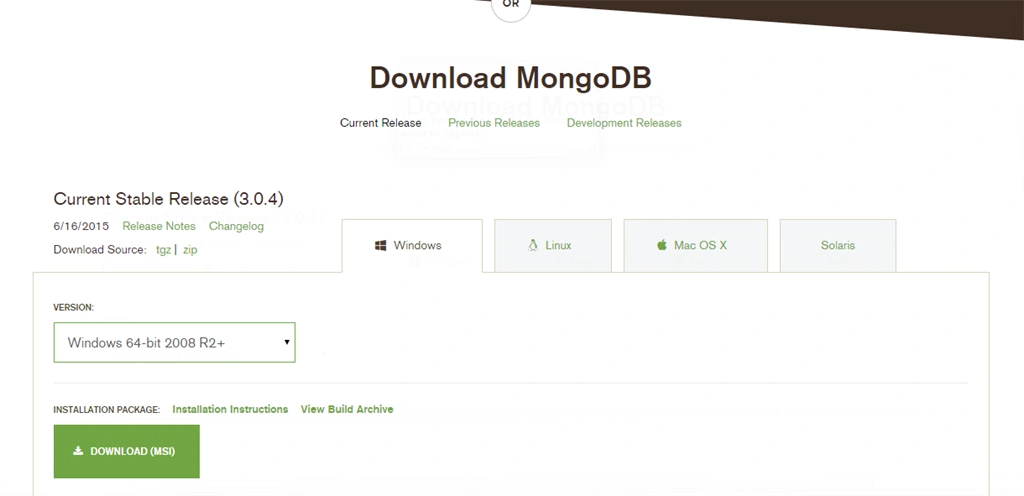
Figure 1: Download Mongo DB
After downloading run the MSI file, then the following step will come during installation.
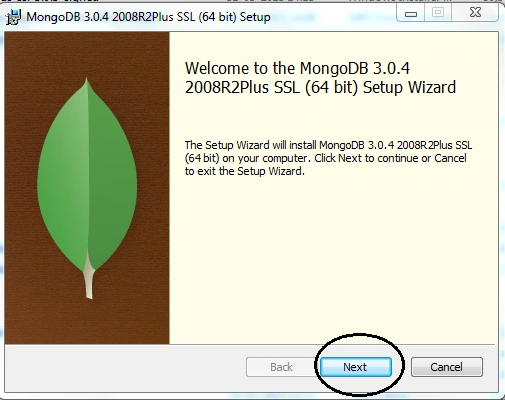
Figure 2: Welcome to the Mongo DB
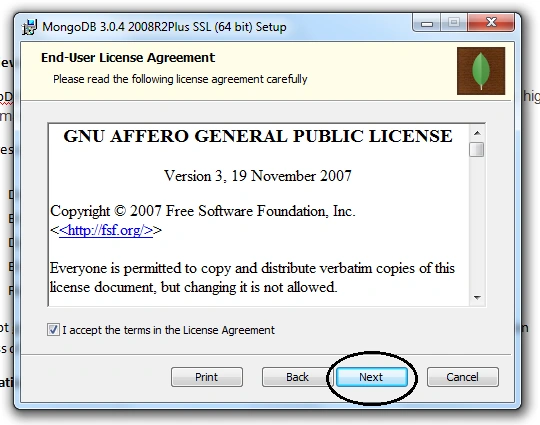
Figure 3: End User Licence
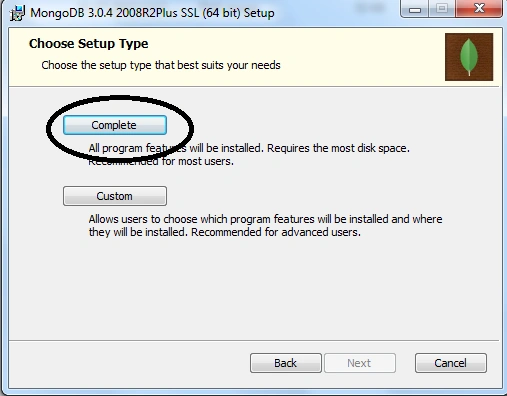
Figure 4: Choose Setup Type
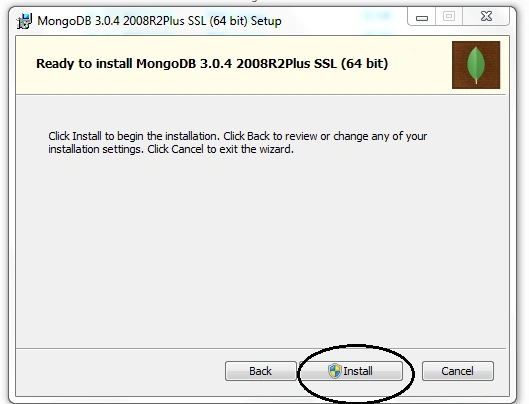
Figure 5: Ready To Install
Once the installation is complete then validate this. It should be in your directory where the Windows operating system is installed. In my systems it's in “C:\Program Files\MongoDB\Server\3.0\bin”.
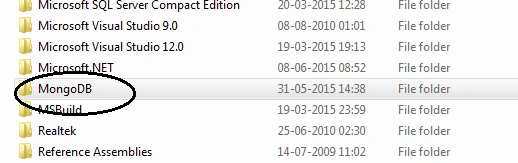
Figure 6: Select the path
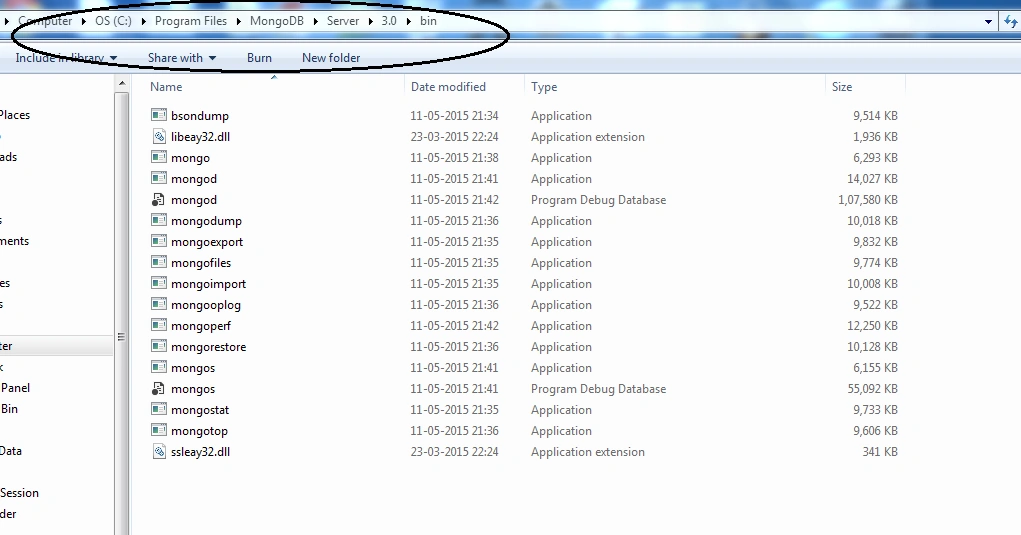
Figure 7: Bin Folder
Then you need to set the environment variable. In the environment variable you need to update the“Path” value and add the mongoDB installation path.
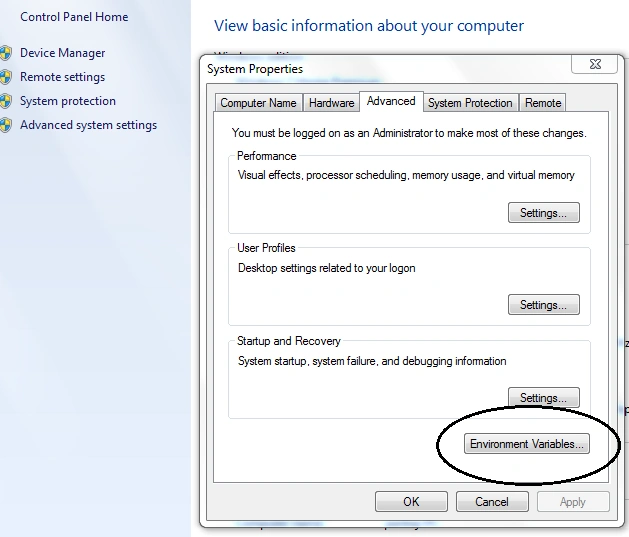
Figure 8: Environment Variable
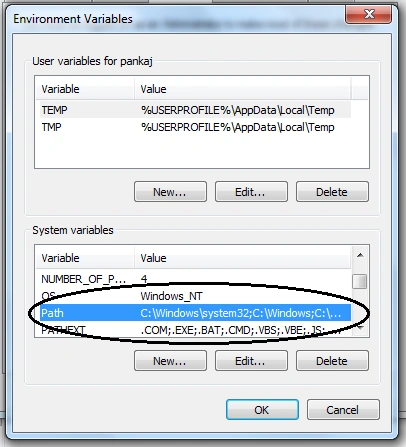
Figure 9: Select the path
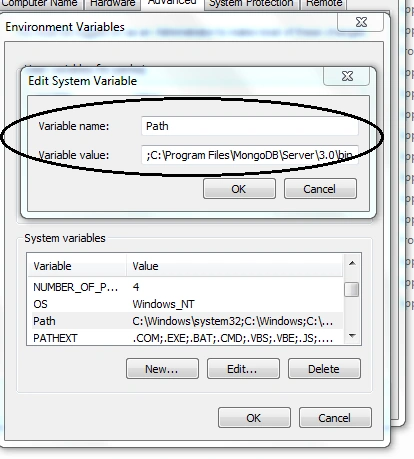
Figure 10: Path
Now the setup is complete. Open a Command Prompt. Before starting you need to create the default directory where the data will be stored by MongoDB. You need to create a directory “C:\data\db”.
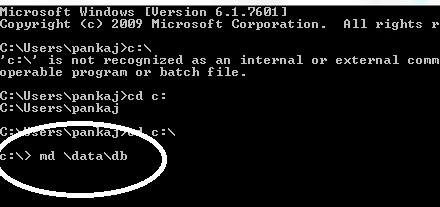
Figure 11: C:\data\db
Now close the Command Prompt and open it again.
Run the “mongod” command. This will show the message as shown below. This command starts the Mongo Server.
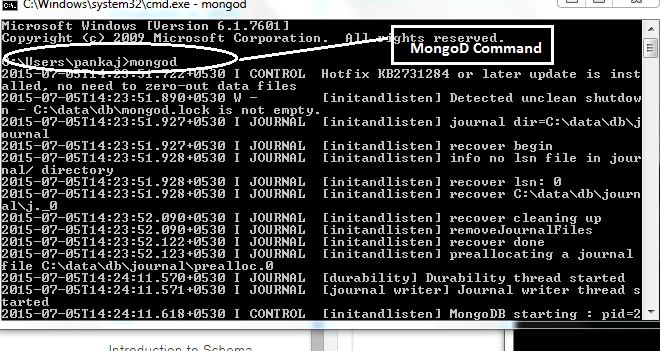
Figure 12: Mongod
Now open a new command prompt window and run the Mongo command. Ensure that the command prompt window is still open. If you close that window then the DB won't run.
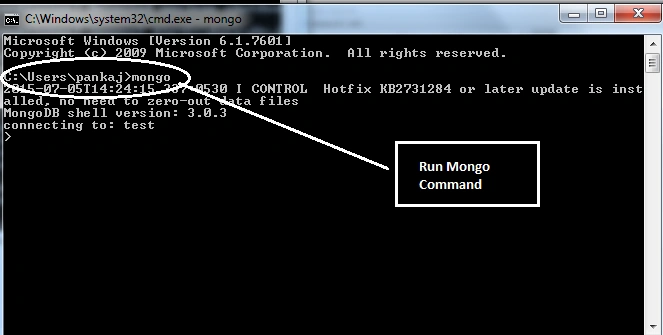
Figure 13: RunMango Command
If you see the preceding window, it is showing connecting to: Test. This means that everything is installed correctly and now you enjoy the fun with MongoDB .
Thanks for reading.


Bidyasagar MishraPosted Jul 29, 2019, 5:10 PM EDT
Good steps