
Introduction
This article shows how to install or uninstall a Windows Service. The Windows Service is written in .NET using C#. To install or uninstall Windows Service (that was created using the .NET Framework) use the utility InstallUtil.exe.
Step 1. Open the Command Prompt window.
Open InstallUtil.exe in the directory for Framework 2.0; the path is “C:\WINDOWS\Microsoft.NET\Framework\v2.0.50727\”.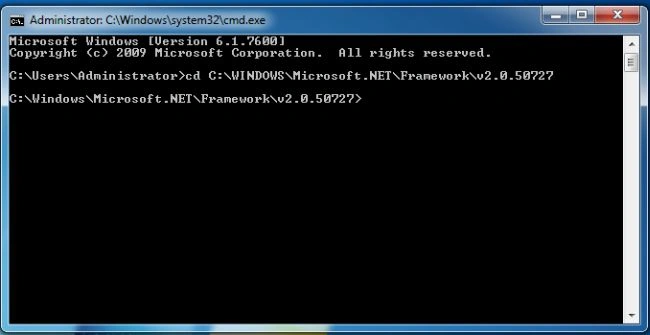
Figure 1
Note: The path will be different for different versions of .NET. You may just want to search on your machine where InstallUtil.exe is stored.
Step 2
Then .NET service runs as a command similar to this (specify the full path to your service):
“InstallUtil.exe C:\DemoService\DemoWindowsService.exe”
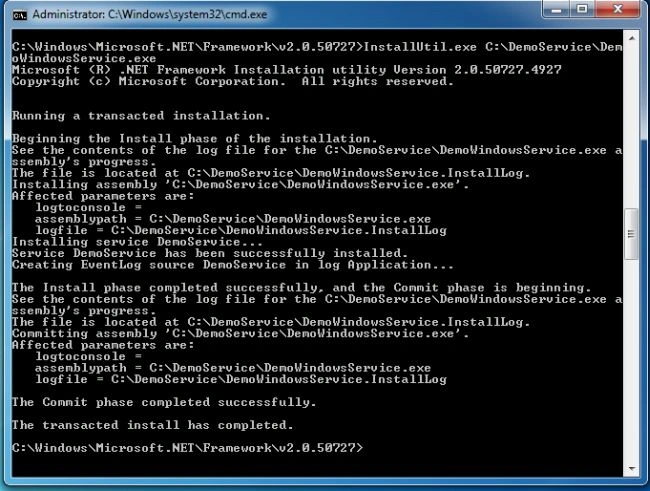
Figure 2
Step 3
And if you want to uninstall a Windows Service then you just add ‘/u’ between installutil.exe and the path as in the following:
“InstallUtil.exe /u C:\DemoService\DemoWindowsService.exe”
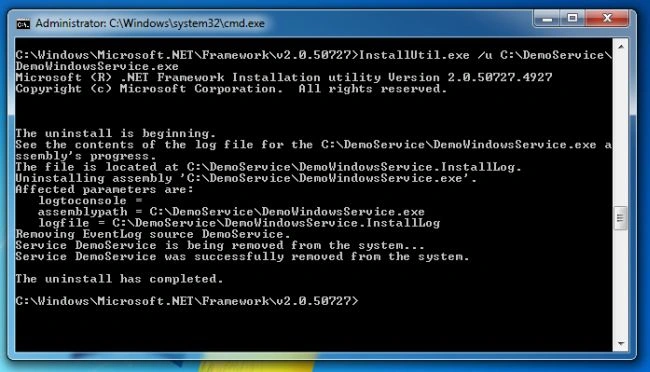
Figure 3
Final Step
For doing a service check after installing you just open to the local services and find your service as in the following:
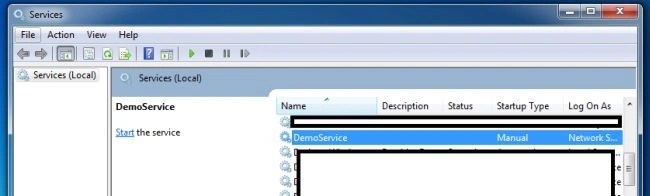
Figure 4
Summary
In this article, I explained how to install or uninstall a .NET Windows Service using InstallUtil.exe.
Step 2
Then .NET service runs as a command similar to this (specify the full path to your service):
“InstallUtil.exe C:\DemoService\DemoWindowsService.exe”
Figure 2
Step 3
And if you want to uninstall a Windows Service then you just add ‘/u’ between installutil.exe and the path as in the following:
“InstallUtil.exe /u C:\DemoService\DemoWindowsService.exe”
Figure 3
Final Step
For doing a service check after installing you just open to the local services and find your service as in the following:
Figure 4
Summary
In this article, I explained how to install or uninstall a .NET Windows Service using InstallUtil.exe.
Next
If you're new to Windows Services, here is a tutorial: How to Create a Windows Service in C#


Ahmar AliPosted Aug 2, 2018, 12:53 AM EDT
The path of Framework and Your Service should be in the same drive.ie C:\