
This article explains how to show the Serial Number in reports automatically using expressions in .NET.
Description
Note: I am assuming that you can create the report. If you are a beginner to reports then follow my earlier article "Getting Started with Reports in .NET".
Use the following procedure to understand this article.
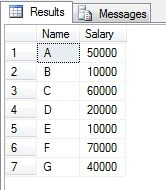
Step 1: I will create a table named "Employee" in my database "Test"
CREATE TABLE [dbo].[Employee](
[Name] [varchar](50) NULL,
[Salary] [int] NULL
)
insert into Employee (Name,Salary)values('A',50000)
insert into Employee (Name,Salary)values('B',10000)
insert into Employee (Name,Salary)values('C',60000)
insert into Employee (Name,Salary)values('D',20000)
insert into Employee (Name,Salary)values('E',10000)
insert into Employee (Name,Salary)values('F',70000)
insert into Employee (Name,Salary)values('G',40000)
select * from employee
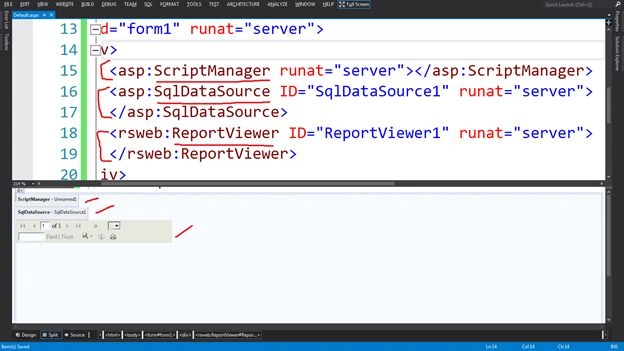
Step 2: Create a page named "Default.aspx" with "ScriptManager" from the Ajax Extensions section, "SQLDataSource" from the Data section and "ReportViewer" Control from the Reporting section.
Bind the table columns with "SQLDataSource" to access the data.
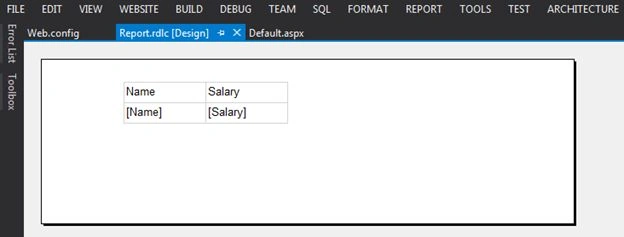
Step 3: Add a report named "Report.rdlc" and bind the dataset into the reports using Table.
Run the "Default.aspx" after adding the report named "Report.rdlc" to the "ReportViewer" control
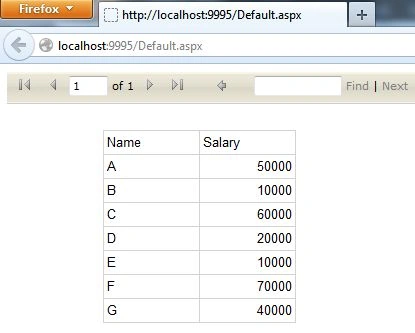
Purpose: I want to add the sequence number or serial number to every row.
Solution
To do this I will use an expression named "RowNumber".
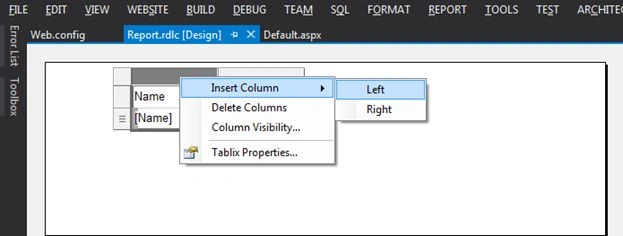
- Insert a new column on the left side and name it "Serial No."
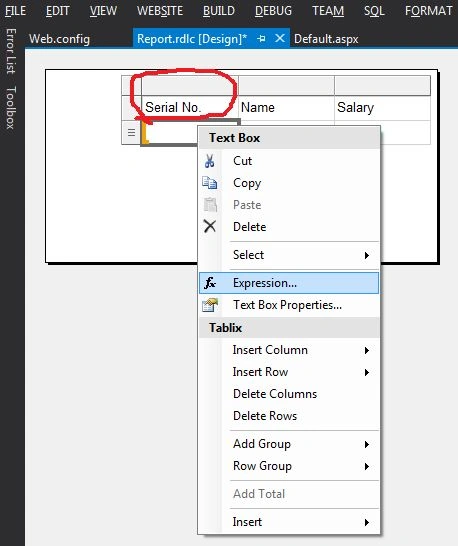
- Create the expression by right-clicking on that column as in the following:
- Select the "Miscellaneous" as a category and "RowNumber" as an item, then expression will be like:
=RowNumber(nothing)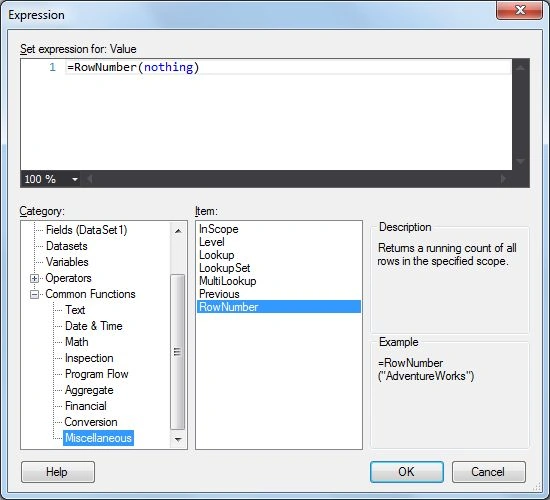
Where the nothing keyword indicates that the function will begin counting at the first row in the outermost data region. Click the "OK" button.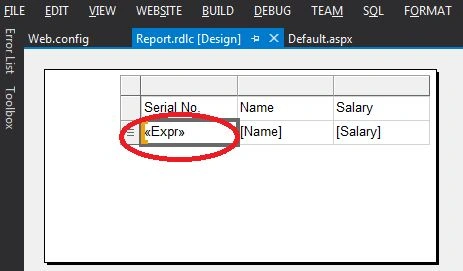
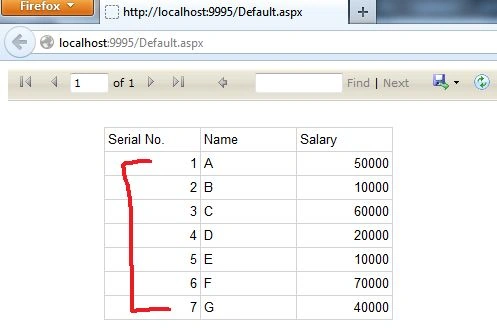
- Run the "Default.aspx" page.


ratnesh kumarPosted Feb 16, 2021, 4:58 AM EST
After splitting the use of exp. (=JOIN(Split(Fields!FileName.Value,"?"), System.Environment.NewLine)) splitting row into column and add serial number 1, 2, 3 so on. how to do. ?
shivaram santoshPosted Feb 19, 2018, 1:11 AM EST
Thanks for useful information
Shovan SahaPosted Jun 19, 2017, 9:26 AM EDT
Serial number is essential. Thanks for sharing.
Shovan SahaPosted Jun 19, 2017, 9:25 AM EDT
Serial number is essential. Thanks for sharing.
veera muthuPosted Jan 10, 2016, 7:33 PM EST
Thankyu For your useful information
Nikunj TrivediPosted Aug 18, 2015, 2:18 AM EDT
Good One Article Sir....Its Very helpful to us.......But I have One Query Regarding Crystal Report..How to print crystal report programatically on button click ?? bcoz in Visual studio 2010 crystal report , there are so many problems on PRINT button and Export button.
Sandeep JaglanPosted Jul 30, 2015, 2:07 PM EDT
this doesn't work well when you have row show/hide condition is enabled
majedul islamPosted Feb 15, 2015, 9:44 PM EST
thnx
Gm ArifPosted Jan 5, 2015, 4:15 AM EST
thanks
mohan ChandankarPosted Jul 5, 2014, 1:29 AM EDT
thanx