
Background
I encountered a problem in the past few days. The client wants to import many CSV data files into SQLTable. I have no idea how to do this but my friend once heard about the SSIS package. So I decided to search on Google and after some time I got the solution using the SSIS package.
Introduction
This article describes how to import data into SQL Server. This article will be help you step-by-step.
First open the SQL Server Import and Export wizard. This article focuses on the import of CSV data. You can import every type of data in SQL Server.
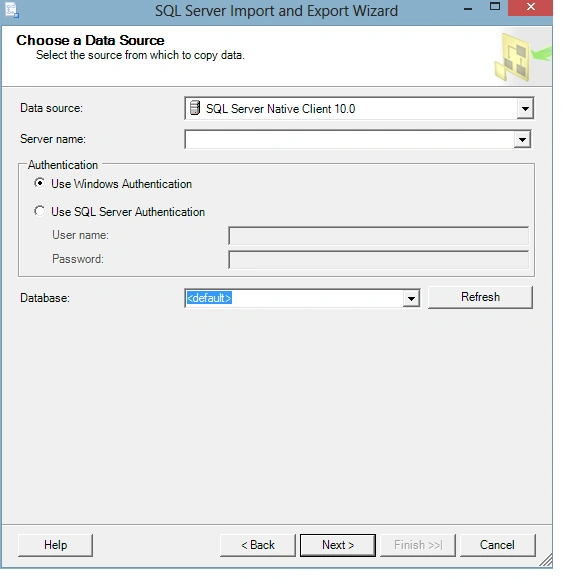
Fig: 1
Everyone, meet the Import wizard. It will by default select a SQL Server Native Client 10.0 data source. You can change that depending on requirements. Many options exist, you can choose as needed. I selected Flat File Source. A flat file is a simple data file with no structured relationship. A CSV file is a flat file. A CSV file's data is separated by commas as in "jogi,singh,banger".
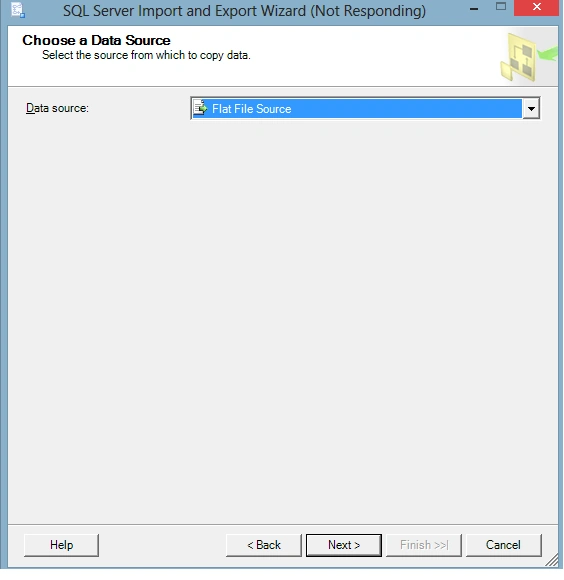
Fig: 2
When we select a Flat File data source then will automatically change the designe of the Import and Export wizard.
You can see the automatic change of the design when the flat file is selected.
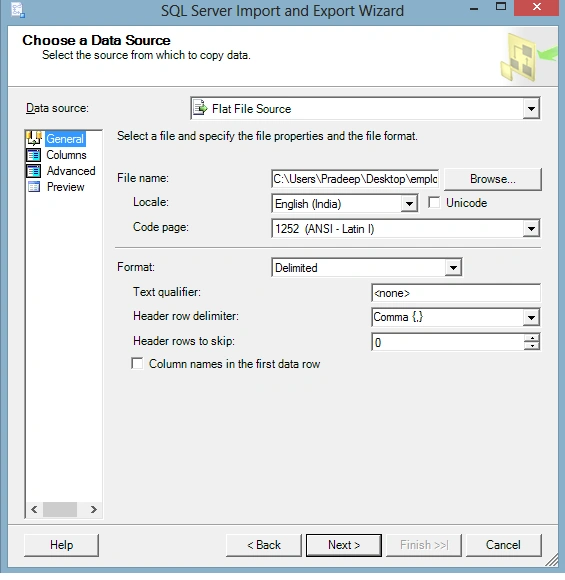
You can see the automatic change of the design when the flat file is selected.
Fig: 3
I have selected the one text file.
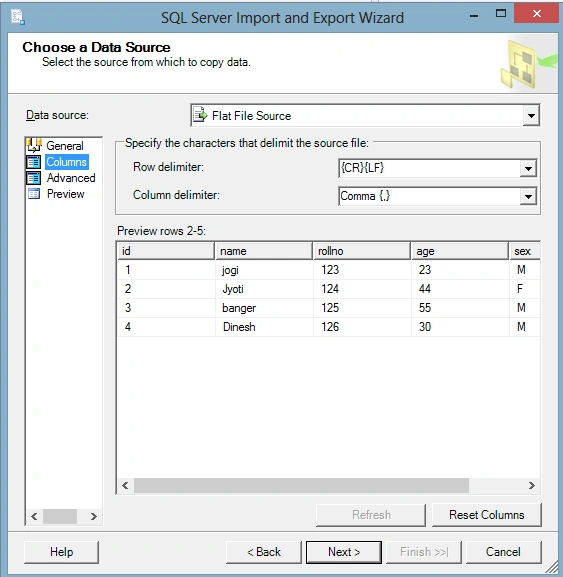
Fig: 4
When columns are selected the view is changed to include a preview of your data.
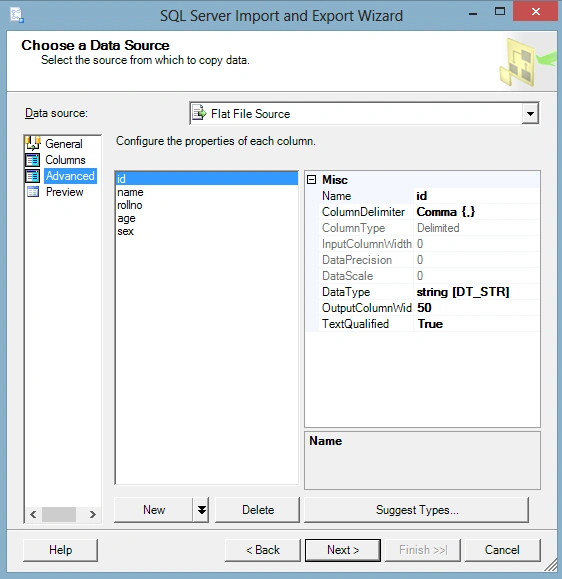
Fig: 5
If you want to change a column name then select the advanced option and make changes depending on your requirements. I select the ID column, then checked the Misc column Name option there. You can set other options, many options are available.
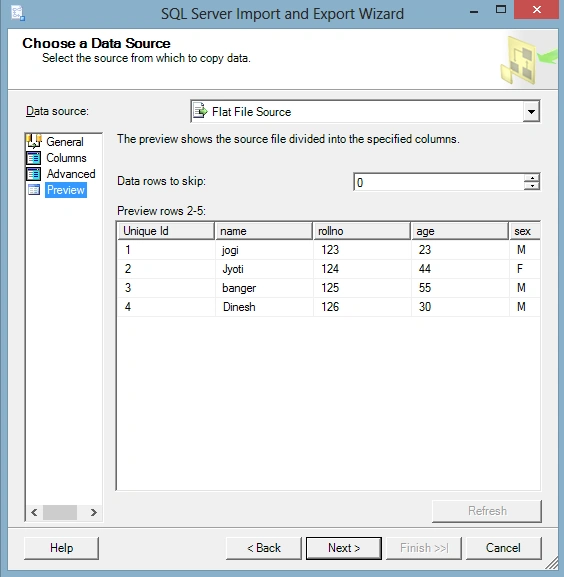
Fig: 6
You can see in the preceding image that I changed the column Name and showed data depending on the format. If you want, you can skip a row. This option is shown in the preceding image.
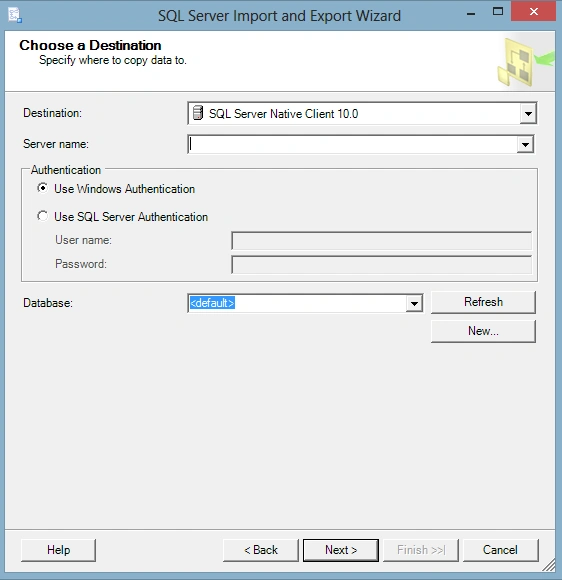
Fig: 7
After completing the flat work move to the next option. In this section we are connecting to the server. Enter your server name, then enter your user name and password or if you are working on the local machine then select the use Window Authentication. IF you enter everything correctly the database dropdown will show your database name otherwise nothing.
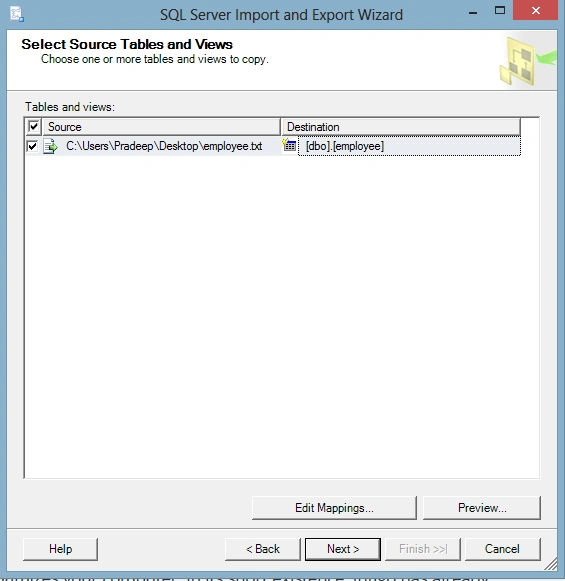
Fig: 8
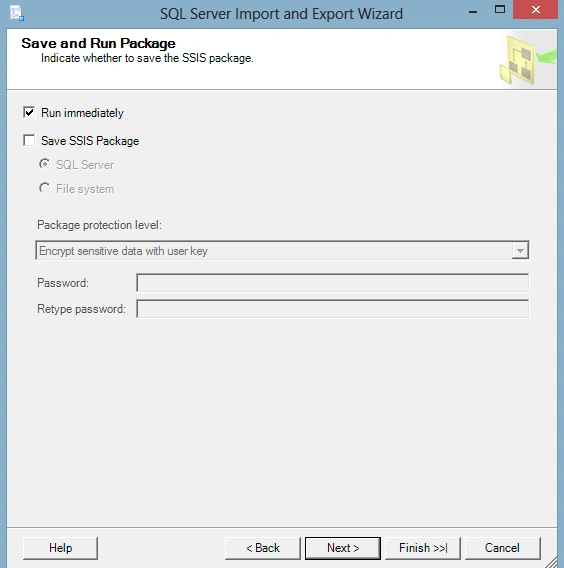
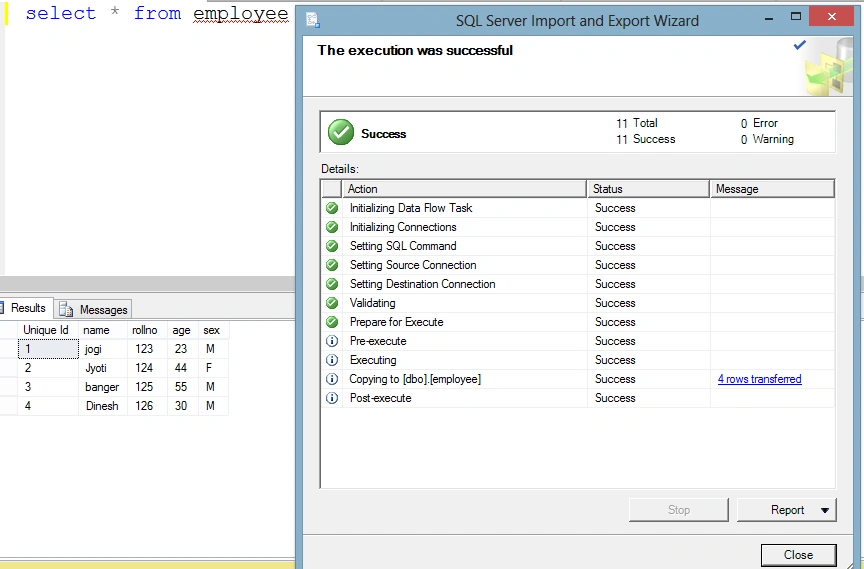
The next work is to select the SQL table.
Note: If you want the same name for the file name as of the table then click the Next button or change the something name changed the table. Select the destination column changed the table as needed. Two more options exist for the Edit Mapping and Preview.
Fig: 9
You can save the package for the import and export file. If you think this is not necessary then just press Next or select otherwise save the SSIS package.
Fig: 10
After doing all that you can check in the database. I hope all the data is stored in the database. You can check that flat file data shown in the preceding image has been stored in the table.
Final Words
I think this is a small article but helpful for everyone. If you have any query about this article then drop your comments.


SubashPosted Aug 26, 2016, 9:43 PM EDT
Very intresting article thank you bro