
We use PictureBox control to add pictures and then that picture will get inserted into the DataGridView.
Initial chamber
Step 1: Open Visual Studio 2010, Go to File, New, Projects and under Visual C# select Windows.
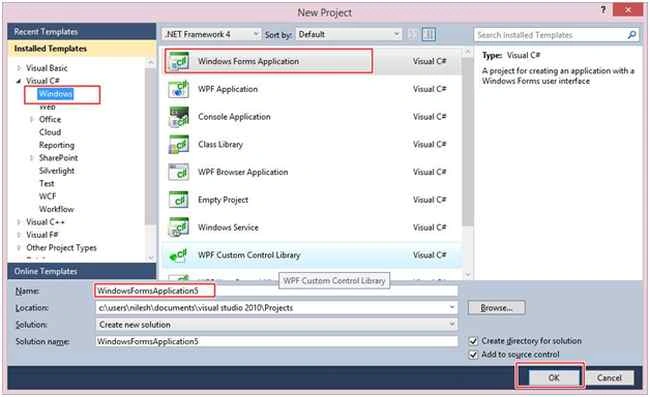
You can change the name of the project and browse your project to different location too. And then press – OK.
Design chamber
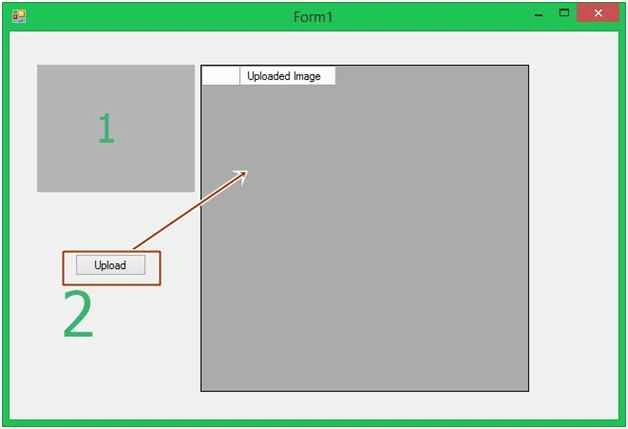
Step 2: Now open your Form1.cs file, where we create our design for DataGridView and Picture Image Control. We will drag a PictureBox, a button, and a DataGridView from toolbox to Form1.cs. You will see your Form look like this.
Form1.cs [Design]

Code chamber
Right Click on the blank part of Form1.cs and View Code. You will see you are entered in the code part of the form. Write the following code for Form1.cs.
Form1.cs
- using System;
- using System.Collections.Generic;
- using System.ComponentModel;
- using System.Data;
- using System.Drawing;
- using System.Linq;
- using System.Text;
- using System.Windows.Forms;
- using System.IO;
- namespace WindowsFormsApplication4
- {
- public partial class Form1 : Form
- {
- public Form1()
- {
- InitializeComponent();
- }
- private void pictureBox1_Click(object sender, EventArgs e)
- {
- OpenFileDialog opnfd = new OpenFileDialog();
- opnfd.Filter = "Image Files (*.jpg;*.jpeg;.*.gif;)|*.jpg;*.jpeg;.*.gif";
- if (opnfd.ShowDialog() == DialogResult.OK)
- {
- pictureBox1.Image = new Bitmap(opnfd.FileName);
- }
- }
- private void button1_Click(object sender, EventArgs e)
- {
- MemoryStream mmst = new MemoryStream();
- pictureBox1.Image.Save(mmst, pictureBox1.Image.RawFormat);
- byte[] img = mmst.ToArray();
- dataGridView1.Rows.Add(img);
- }
- private void Form1_Load(object sender, EventArgs e)
- {
- DataGridViewImageColumn dgvimgcol = new DataGridViewImageColumn();
- dgvimgcol.HeaderText = "Uploaded Image";
- dgvimgcol.ImageLayout = DataGridViewImageCellLayout.Stretch;
- dataGridView1.Columns.Add(dgvimgcol);
- dataGridView1.RowTemplate.Height = 250;
- dataGridView1.AllowUserToAddRows = false;
- }
- }
- }
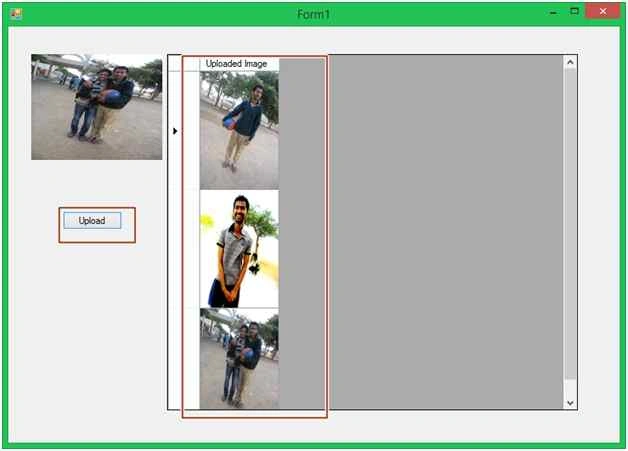
Hope you liked it. Thank you for reading. Have a good day.


Samuel MasukuPosted Feb 2, 2022, 6:29 AM EST
Needed this so much, thank you.
Ali AhmedPosted Nov 1, 2015, 9:07 PM EST
Simple but very constructive.
Arul RPosted Oct 28, 2015, 1:25 AM EDT
Good one !!!
Upendra Pratap ShahiPosted Oct 26, 2015, 2:30 AM EDT
nice one..
Isham KhanPosted Oct 25, 2015, 10:24 PM EDT
nyc
Sibeesh VenuTOP 100Posted Oct 25, 2015, 9:18 PM EDT
Nice Share
Harshad PansuriyaPosted Oct 25, 2015, 8:35 PM EDT
Nice one
Mohammed IbrahimPosted Oct 25, 2015, 6:52 PM EDT
nice
Mukesh KumarPosted Oct 25, 2015, 10:58 AM EDT
Great One Sir
Vinodh NarayananPosted Oct 25, 2015, 10:50 AM EDT
Gud one
Gowtham KTOP 100Posted Oct 25, 2015, 8:47 AM EDT
Good One, Thanks for Sharing