
- Download the Ruby installer from:
http://rubyinstaller.org/downloads/ — Look for the version with x64 on it. Be sure the Ruby installer is version is 1.9x. SASS doesn't work on 2.x versions.
- Open the Command Line (CMD) by pressing the Windows Key + R and type: CMD, then press Enter.

- Type the following command in the CMD:
gem install sass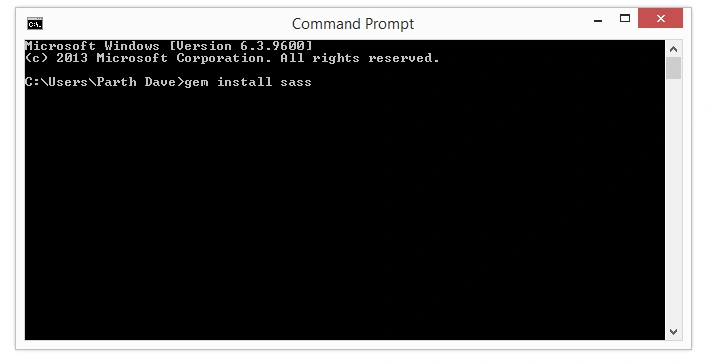
It will take a few seconds to install SASS. At the end you will see this in CMD.
That's it! SASS is now installed on your machine.
Procedure to use SASS
- Create a Demo folder anywhere on your PC.

- Inside that folder create the two sub folders /css and /scss.

- Create a .scss file.
Go into the /scss folder and create a file called: demo-styles.scss.
Notice the file extension .scss. This is your SASS file.
- Return to the CMD line. In CMD you need to go to the Demo Folder as in the following:


- Make SASS “watch” to your /scss and /css folders.

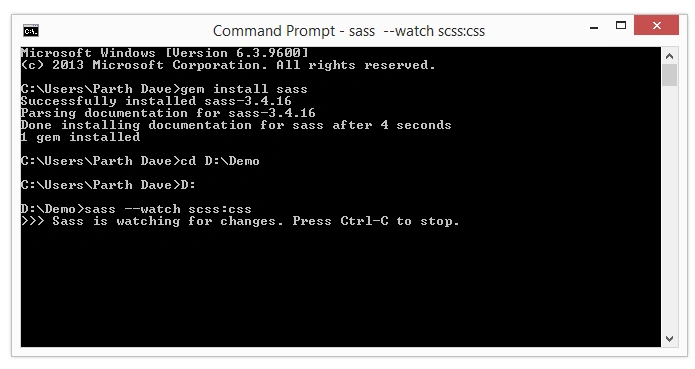
- Edit the .scss file and watch SASS compile it into a .css file.


Updated CSS File
Included 'reset.scss' File in demo-styles.scss

You have now leveled up by knowing how to use SASS.
Happy Coding Guys!


Vaikesh K PPosted Aug 20, 2015, 3:08 AM EDT
Good One
Prasanna BhosalePosted Aug 17, 2015, 10:17 PM EDT
Good One Bhai. . .
Parth DavePosted Aug 14, 2015, 9:48 PM EDT
Pankaj Sir,Thanks fo inspiration
Pankaj BajajPosted Aug 14, 2015, 9:02 PM EDT
Gud one Parth..nice to see your first article..Keep writing
Sandeep KumarPosted Aug 14, 2015, 6:09 PM EDT
Nice Article sir :)
Santhakumar MunuswamyPosted Aug 14, 2015, 12:18 PM EDT
Nice article. Thanks for sharing..
RakeshPosted Aug 14, 2015, 6:23 AM EDT
Good one
Gopi ChandPosted Aug 14, 2015, 3:39 AM EDT
Good start...welcome
Sibeesh VenuTOP 100Posted Aug 14, 2015, 2:55 AM EDT
Nice Share :)
Karthikeyan KPosted Aug 14, 2015, 12:26 AM EDT
Good one..Thanks for sharing
Ankit BansalPosted Aug 13, 2015, 10:59 PM EDT
nice..
Van LaiPosted Aug 13, 2015, 10:30 PM EDT
Good start, go ahead!
Rajeesh MenothPosted Aug 13, 2015, 10:05 PM EDT
Nice Share
Vaikesh K PPosted Aug 13, 2015, 9:53 PM EDT
Good Work :)