
Before reading this article, I highly recommend reading my previous article,
Step 1:
After successful installation of Oracle VM Virtualbox click on Settings, Storage, Host Drive - Choose Virtual Option Disk File.
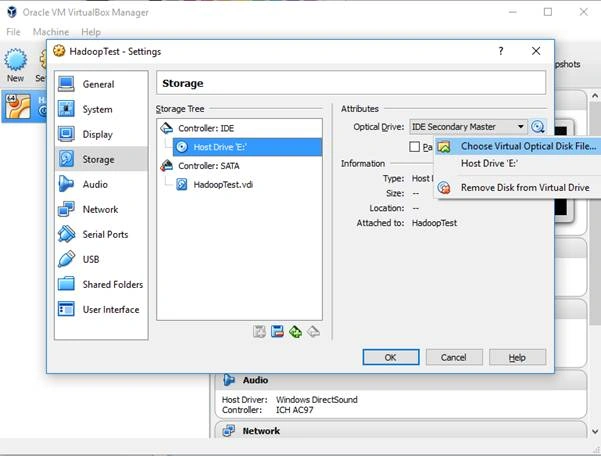
And choose the ubuntu disc file. If you don’t have that file then download that file first and select it.
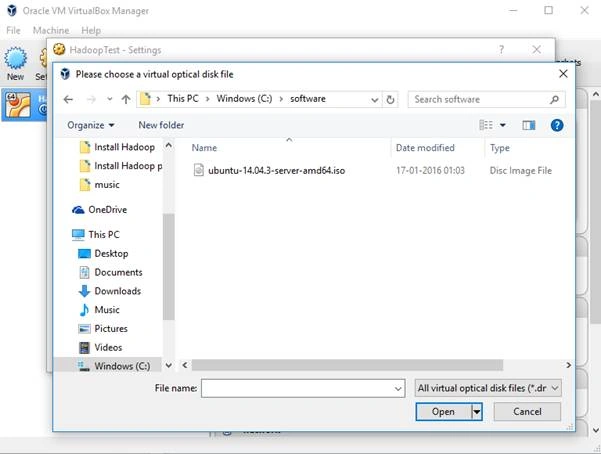
Click OK.
Step 2: Click on 'Start' button.
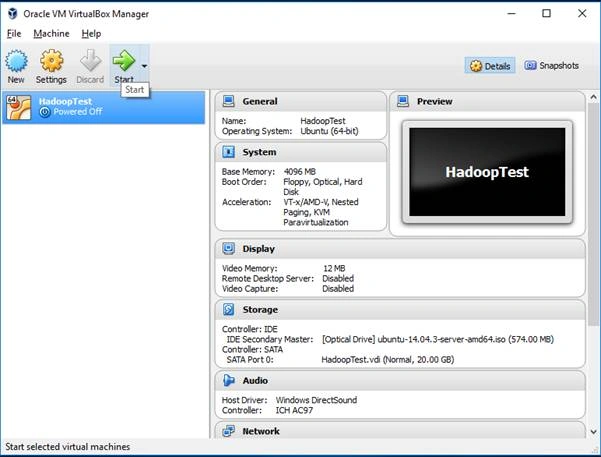
You will find the following screen:
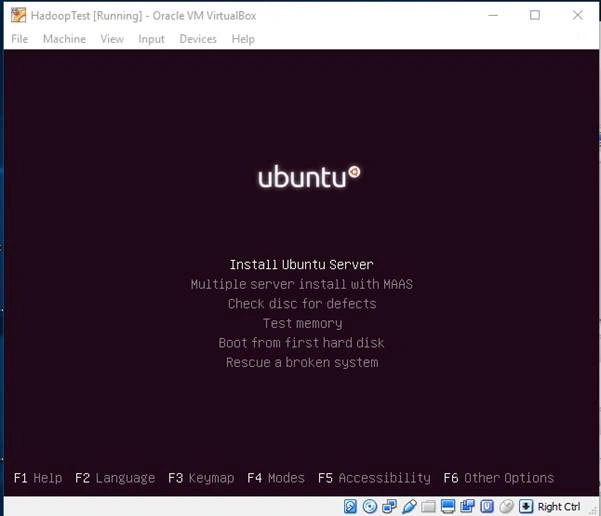
Press enter.
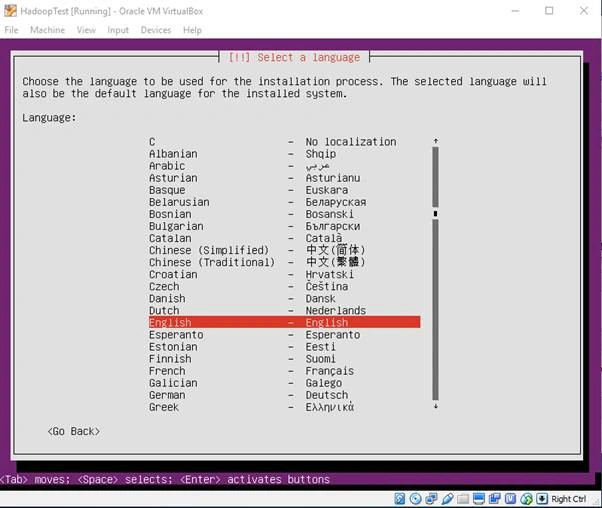
Press enter.
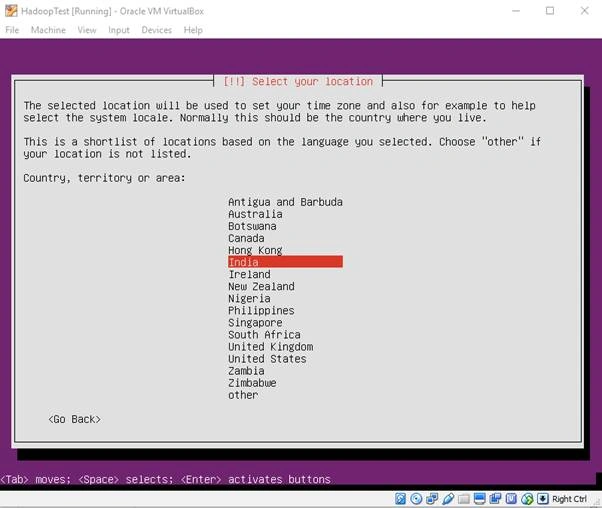
Press enter.
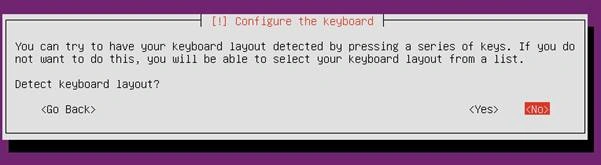
Select NO and press enter.
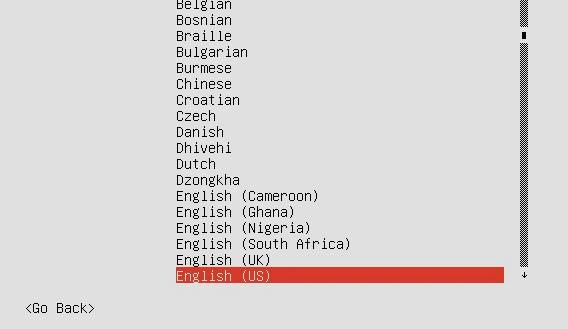
Press enter.
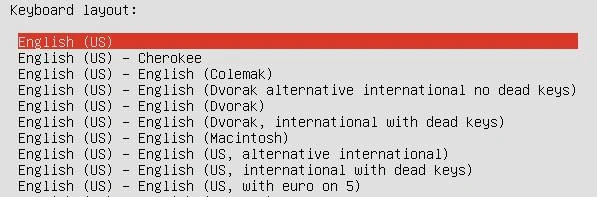
Press enter.
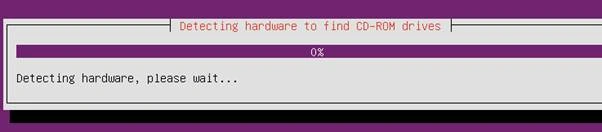
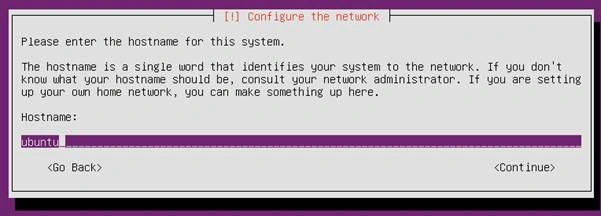
Set your host name. I am having ubuntu and say 'Continue'.
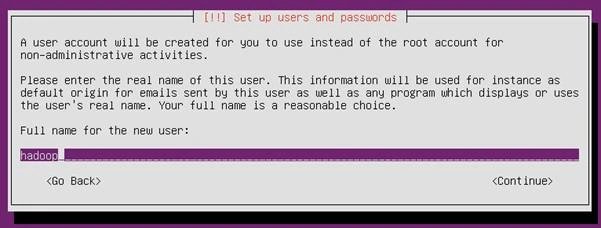
Set your user name. I am having hadoop and say continue.
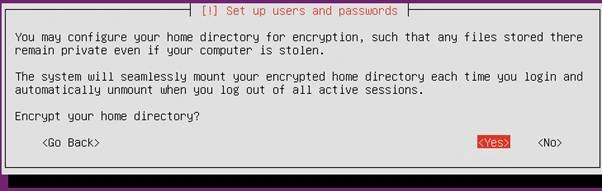
Say yes and press enter.
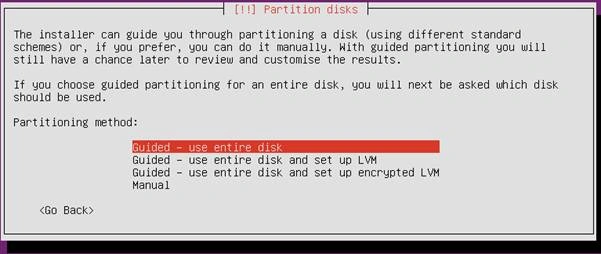
Select first option and press enter.
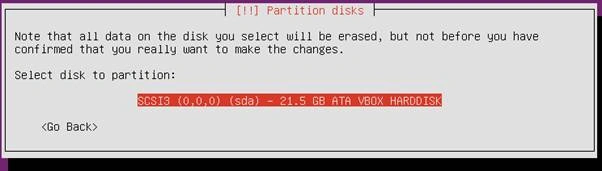
Press enter.
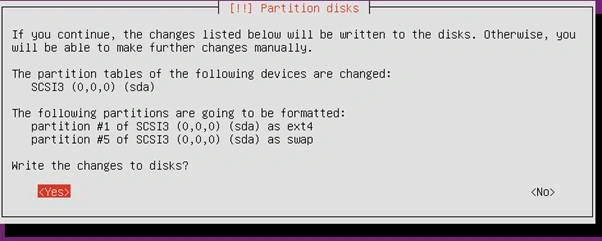
Press enter.
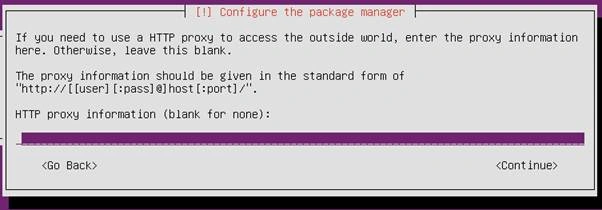
Say Continue.
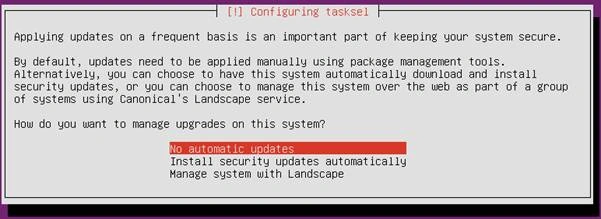
Select 'No automatic updates' and press enter.
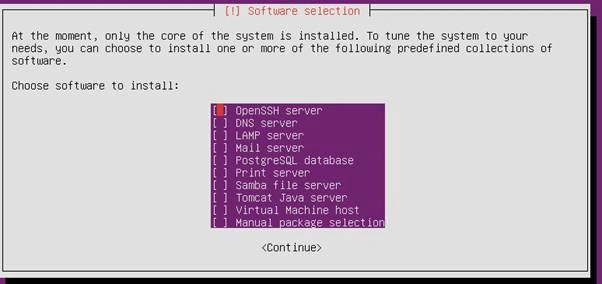
Say Continue.
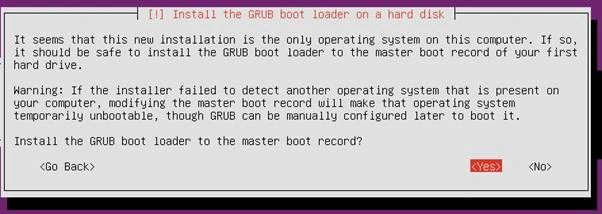
Say Yes and after that you will find this cmd prompt screen.
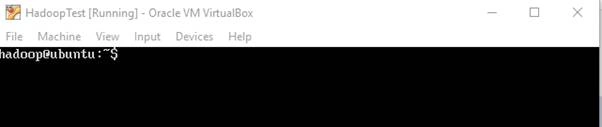
Write the following command:
- sudo apt-get update
- and press enter
Ubuntu installation is complete.
In next article, we will learn installation of hadoop.
Hope this article is helpful.


Hadshana KamalanathanTOP 100Posted Jul 18, 2018, 11:01 PM EDT
Thanks for sharing
SubashPosted Aug 17, 2016, 8:25 PM EDT
Nice sir
Pramod ThakurPosted Mar 12, 2016, 6:08 AM EST
pramod prasad nothing difference between both of two.. becoz we are using linux internally.using virtual machine on windows.. go to my prev article http://www.c-sharpcorner.com/UploadFile/b182bf/install-hadoop-on-windows-part-1/ you will find the answer..
pramod prasadPosted Mar 12, 2016, 2:13 AM EST
What is differences between Hadoop on Linux with Java and Hadoop on windows ?
Pramod ThakurPosted Feb 14, 2016, 6:12 AM EST
tnx Kumaresh Rajalingam..
Kumaresh RajalingamPosted Feb 13, 2016, 8:34 PM EST
Nice share sir
Pramod ThakurPosted Feb 4, 2016, 9:45 PM EST
thx Nitin Pandit..
Nitin PanditTOP 100Posted Feb 4, 2016, 9:40 PM EST
nice article Pramod Thakur and waiting for next article :)
Santhakumar MunuswamyPosted Feb 3, 2016, 10:09 AM EST
Thanks for nice share
Pramod ThakurPosted Feb 2, 2016, 8:15 PM EST
Sibeesh Venu tnx...
Pramod ThakurPosted Feb 2, 2016, 8:15 PM EST
Debasis Saha tnx..
Pramod ThakurPosted Feb 2, 2016, 8:15 PM EST
Jaipal Reddy thx..
Nanddeep NachanTOP 100Posted Feb 2, 2016, 8:14 PM EST
Nice share
Pramod ThakurPosted Feb 2, 2016, 8:14 PM EST
Abhishek Yadav thank you..
Sibeesh VenuTOP 100Posted Feb 2, 2016, 7:28 PM EST
Nice Share
Debasis SahaTOP 100Posted Feb 2, 2016, 6:47 PM EST
Nice one..
Jaipal ReddyPosted Feb 2, 2016, 6:36 PM EST
Nice
Abhishek YadavPosted Feb 2, 2016, 6:17 PM EST
Very Nice Pramod Thakur!!! Straight and Simple... :)
Pramod ThakurPosted Feb 2, 2016, 4:21 PM EST
thnx sreenivasa k
Pramod ThakurPosted Feb 2, 2016, 4:21 PM EST
thx Mohammed Ibrahim
sreenivasa kPosted Feb 2, 2016, 9:36 AM EST
very nice
Mohammed IbrahimPosted Feb 2, 2016, 9:08 AM EST
nice