
Upon many requests from my friend, I’m writing this article and we will see how to install Visual Studio with Xamarin, including all the Android SDKs where we can develop cross platform apps (iOS, Android, Windows) using Xamarin.Forms at once.
Step 1
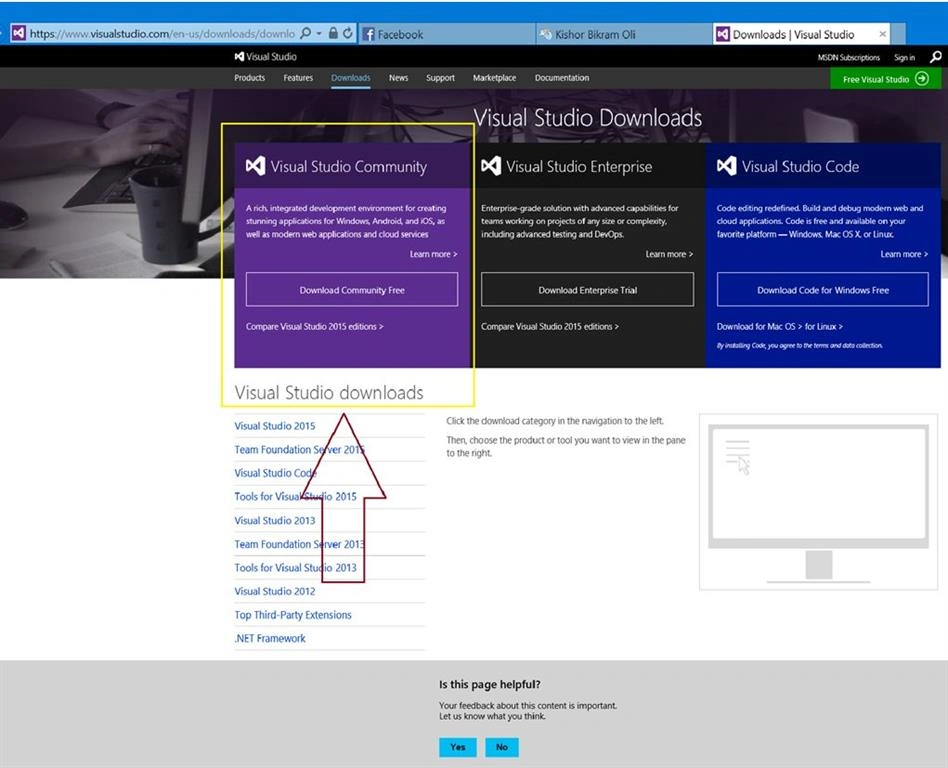
Go to Visual Studio site and download Visual Studio 2015 Community Edition which is free.
Step 2
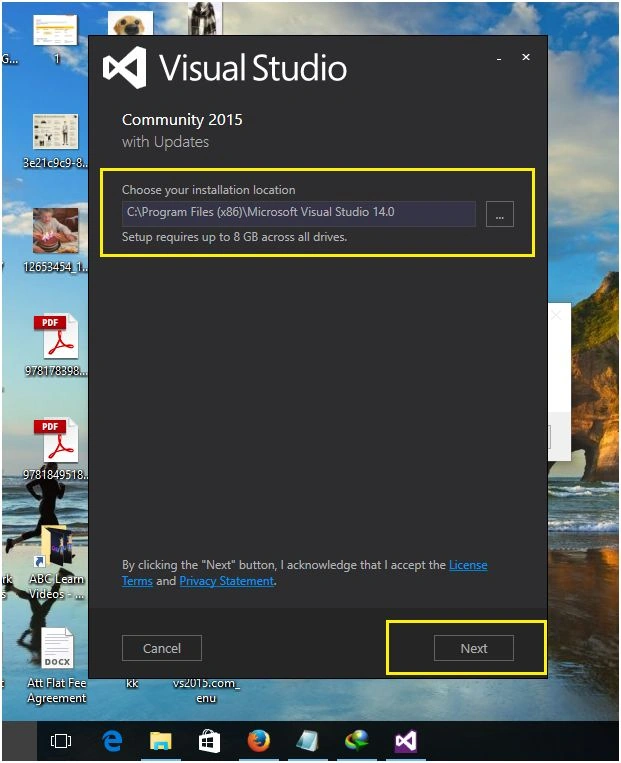
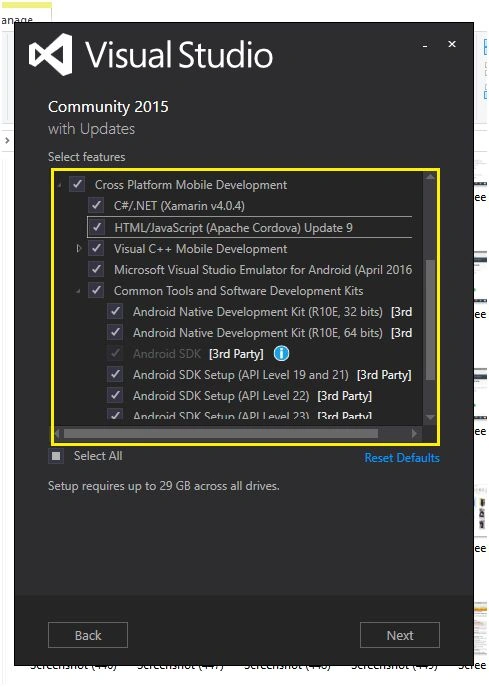
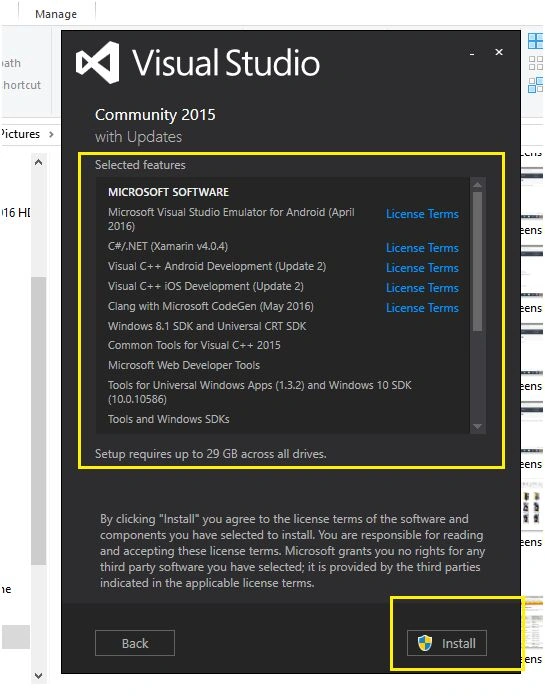
Run the installer and you will see the options window. Select Cross Platform Mobile Development also and click next to install all the required components.
Note
Alternatively, you can download the ISO file of Visual Studio and install it.
Step 3
It will take a lot of time to install all the components depending on the internet speed.
When you finish installing it, you may be required to restart your computer.
Step 4
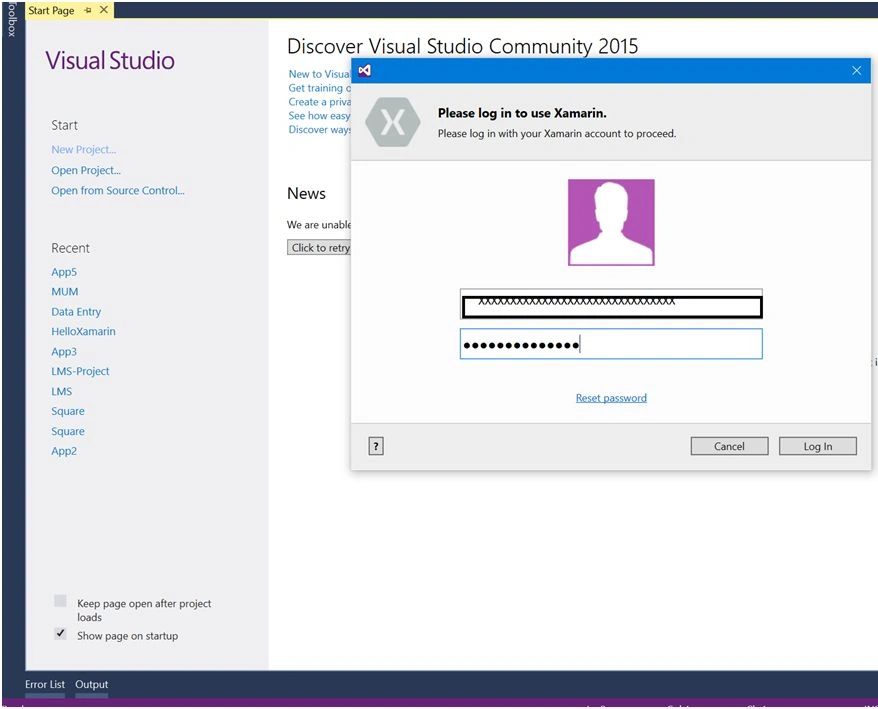
Now go to https://www.xamarin.com/ and create an account. We need to login in to Visual Studio with a Xamarin Account.
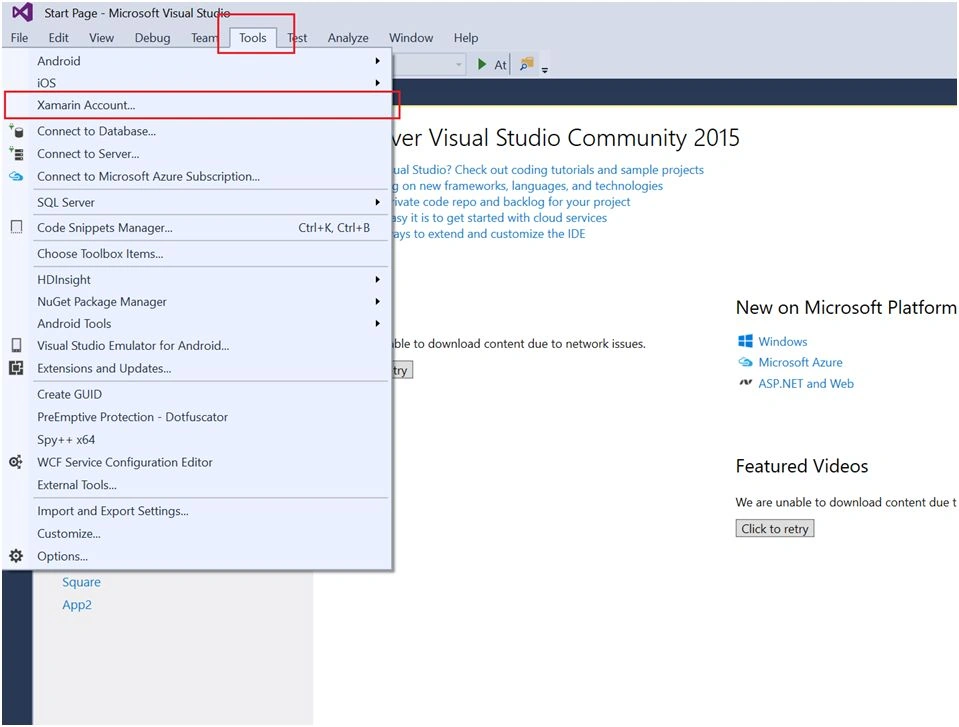
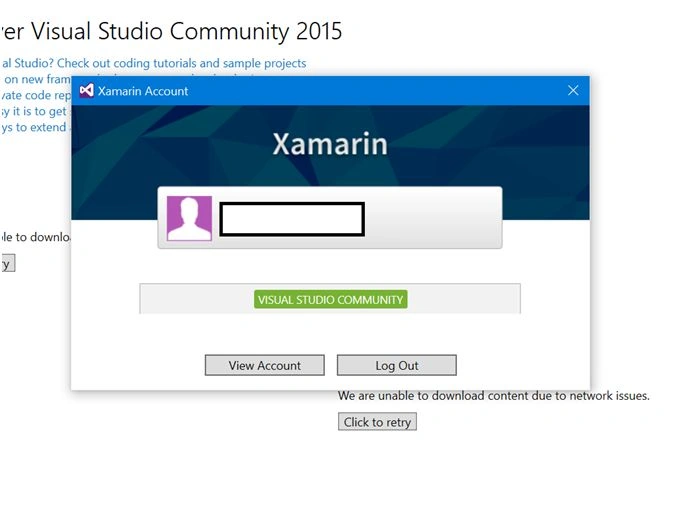
Open Visual Studio, Go to Tools >Xamarin Account and Login with your Xamarin Account.
Step 5
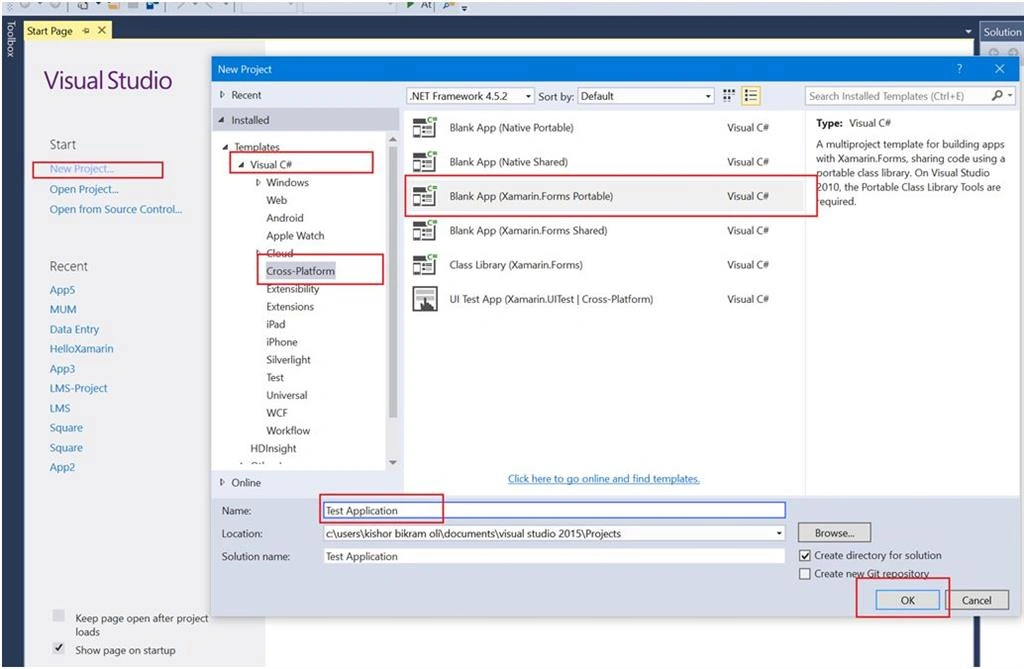
Create a project in Visual Studio. Go toFile > New Project > Visual C# > Cross Platform > Blank App (Xamarin.Forms Portable)
Step 6
Build the project. The first time, it will take some more time to build the project since it downloads android repositories while building the project which is about a 200 MB zip file.
This zip files are located in C:\Users\[Your User Name]\AppData\Local\Xamarin\zips.
So be patient while building the project the first time.
When the repositories are successfully downloaded only then will you not get any errors and you can build and finally run your project.
Troubleshooting
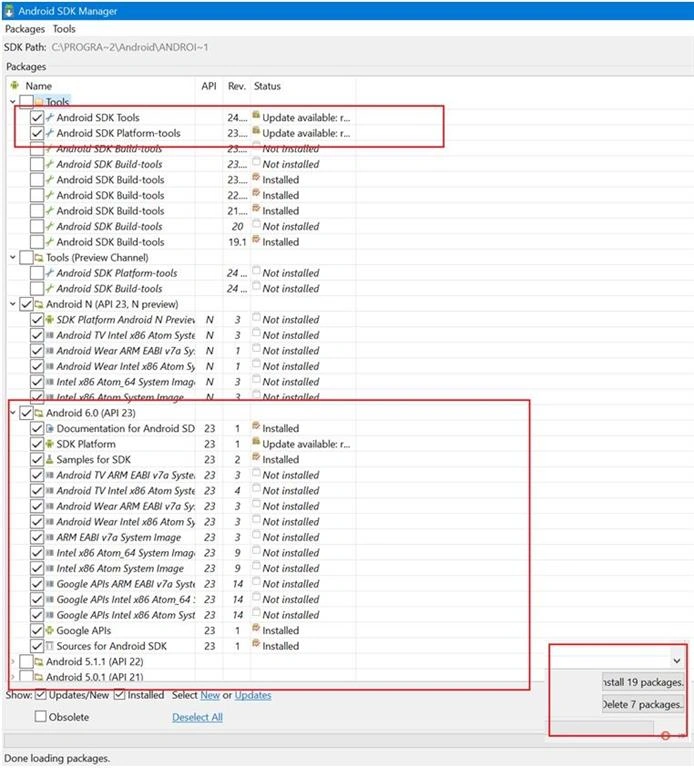
When you get some errors related to Android, this is due to the old android APIs. So you need to install latest APIs from the Android SDK manager.
For this Open the SDK Manager and install the latest APIs. This will solve the problems related to Android APIs.
I also faced many problems and errors so I updated the SDK tools and installed the latest Android 6.0 (API 23) and all my errors went away.
You can follow up on my other articles to get started with Xamarin Mobile Development.
Installing Visual Studio With Xamarin
Install Visual Studio 2015 Community with Xamarin and configure Xamarin.Forms and Android SDK components for cross-platform mobile development.


Joe WilsonPosted Oct 12, 2016, 5:22 AM EDT
Thank you very much.
Santhakumar MunuswamyPosted Jun 8, 2016, 8:39 PM EDT
Thank you for nice share
Kuppurasu NagarajTOP 100Posted Jun 6, 2016, 7:58 AM EDT
Nice Sharing..
Sonu ChaudharyPosted Jun 6, 2016, 5:42 AM EDT
good one...
Vignesh ManiTOP 100Posted Jun 6, 2016, 1:12 AM EDT
Nice one
NitinPosted Jun 5, 2016, 11:49 PM EDT
Good one
Rupali ShindePosted Jun 5, 2016, 9:08 PM EDT
thanks for sharing this article :)
RajaPosted Jun 5, 2016, 8:23 PM EDT
Good work....
Debasis SahaTOP 100Posted Jun 5, 2016, 8:17 PM EDT
Good One..
Praveen SreeramPosted Jun 5, 2016, 4:44 PM EDT
Hope it helps to someone who are in trouble.. One of my colleagues is facing issues in installing Xamarin.. I will suggest to go these articles.. Thank you
Praveen SreeramPosted Jun 5, 2016, 4:42 PM EDT
Another common error could be fixed by setting a property which is explained in the article http://www.c-sharpcorner.com/UploadFile/8c19e8/xamarin-android-and-visual-studio-build-failed-with-no-error/
Praveen SreeramPosted Jun 5, 2016, 4:39 PM EDT
If you are facing any issues ecen After following all the steps specified above.. Delete the zip files or rename it located in C:\Users\[Your User Name]\AppData\Local\Xamarin\zips folder..and rebuild the solution.. Sometimes it would help.. Just a small tip
Afzaal Ahmad ZeeshanTOP 100Posted Jun 5, 2016, 10:15 AM EDT
Just a tip: It is not required for your to install all of the provided items in the API version. You should just install the required binaries and the OS images that you want to test your application on. Nothing else.