
Prerequisite
- Create a Trigger
- Create a Journey
Click here to learn how to create a trigger and a journey.
Open Visual Studio and Create a new class file or existing file to add the logic for calling the Trigger
Initilize the Organization Request, and In the Request Name, add your trigger name.
C#
OrganizationRequest customTrigger = new OrganizationRequest() { RequestName = "Your Trigger Name" };Add the Parameters by Prefixing with "msdynmkt"
C#
customTrigger.Parameters.Add("msdynmkt_firstname", "Akhilesh");Finally, add the Organization Request i.e customTrigger, to Service as below.
C#
Service.Execute(customTrigger);Final Code view
C#
 public void IntegrateTriggerUsingC#()
        {
            OrganizationRequest customTrigger = new OrganizationRequest() { RequestName = "Your Trigger Name" };
            customTrigger.Parameters.Add("msdynmkt_firstname", "Akhilesh");
            Service.Execute(customTrigger);
        }
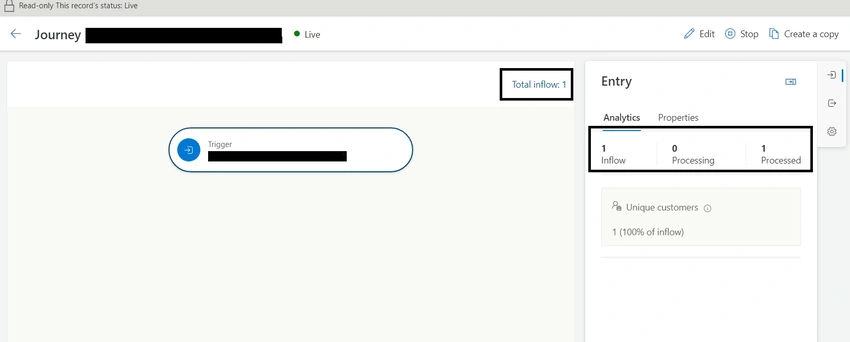
Demo


Join the conversation! Your thoughts help the community grow.