
This article is about the basics of JavaScript Object Notation (JSON). The following describes JSON:
- lightweight text data interchange format
- language-independent
- easy to understand
- self-describing
Description
JSON is nothing but a lightweight text data interchange format, that is widely used for describing data. It is easily converted to most programming languages for use in many APIs such as:
- Flicker
- Photobucket
- Google Geocoder
- Tumblr
- Yahoo Travel
- Yahoo Answers
- Yelp
And so on, now offers their result in this format.
It’s a way of annotating data that’s relatively easy for programmers to perform operations like read and write. This helps explain the current context of the use of JSON. It works similarly to Asynchronous JavaScript and XML (AJAX), which generally depends upon the concepts of JavaScript.
Programmers have searched for an easy way to transfer data. Converting JSON to something usable in JavaScript takes one line of code and automatically works in all types of web browsers.
Creation of objects in JSON is done between a pair of curly brackets. Objects in JSON can have multiple values in this scenario too.
Example
Single pair value in JSON
{ “firstname”:“abhishek” , “lastname”:”jaiswal”},
Multiple pair value in JSON
{ “firstname”:“abhishek” , “lastname”:”jaiswal”},
JSON Objects
{ “firstname”:“a1” , “lastname”:”j1”},
{ “firstname”:“a2” , “lastname”:”j2”},
{ “firstname”:“a3” , “lastname”:”j3”},
JSON Array
{“student”:[{ “firstname”:“abhishek” , “lastname”:”jaiswal”},
The preceding example shows the basic structure of the JSON.
{ “firstname”:“a1” , “lastname”:”j1”},
{ “firstname”:“a2” , “lastname”:”j2”},
{ “firstname”:“a3” , “lastname”:”j3”},]}
Why JSON?
- There are no ending Tags in JSON.
- No reverse word concept in JSON
- JSON uses the functionality of ARRAYS
- Ease of read and write operations
- Easily works with JavaScript
- can be used in enhancing functionalities of AJAX
- is shorter
- can be parsed using JavaScript
JSON vs XML
- JSON performs read and write operations much more easily than XML
- JSON can be used in AJAX apps in place of XML
- JSON works more effectively than XML
- Enhanced features than XML
JSON Parser
- It is faster
- It's more convenient
- Reduces complexities
Referenced Example
- <html>
- <head>
- <title>Record</title>
- </head>
- <body>
- <h1>Basics of JSON </h1>
- <p>
- Name <span id="”jName”"></span>
- <br />
- Roll_No <span id="”jRoll_No”"></span>
- <br />
- ID <span id="”jID”"></span>
- <br />
- DOB <span id="”jDOB”"></span>
- <br />
- </p>
- <script>
- var JSONobject= {
- “Name” : “abhishek”,
- “Roll_No” : 123,
- “ID” : “CSE”,
- “DOB” : “JAN 01”,
- );
- document.getElementById
- (“jName”)inner.HTML=JSONobject.Name
- document.getElementById
- (“jRoll_No”)inner.HTML=JSONobject. jRoll_No
- document.getElementById
- (“jID”)inner.HTML=JSONobject.ID
- document.getElementById
- (“jDOB”)inner.HTML=JSONobject.DOB
- </script>
- </body>
- </html>
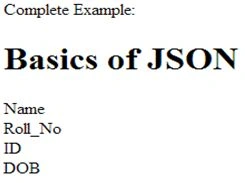
Output


Arvind SinghPosted Dec 18, 2017, 8:00 PM EST
Thanks Hrides.........
Hrides ThakurPosted Dec 17, 2017, 5:23 PM EST
Good article.........
Arvind SinghPosted Apr 24, 2016, 7:57 PM EDT
Thanks to all of you.
Rahul Kumar SaxenaTOP 100Posted Apr 24, 2016, 8:22 AM EDT
Good One
Bhuvanesh MohankumarPosted Apr 23, 2016, 2:22 PM EDT
Good
Debasis SahaTOP 100Posted Apr 23, 2016, 2:27 AM EDT
Nice One..
Subash YadavPosted Apr 22, 2016, 10:47 PM EDT
good article for json
Muhammad Aqib ShehzadPosted Apr 22, 2016, 9:29 PM EDT
nice share
NitinPosted Apr 22, 2016, 7:38 PM EDT
Good one
Sr KarthigaPosted Apr 22, 2016, 4:58 PM EDT
good one
Vignesh ManiTOP 100Posted Apr 22, 2016, 1:33 PM EDT
Nice