
The literal meaning of sway is to swing to and fro, and as your mind gets new ideas and you want to quickly put them on paper, Microsoft Office Sway is the tool. Let's take a quick tour of Microsoft Office Sway, a new app by Microsoft as part of the Office family of products. In its most basic form, Sway allows anyone to create a beautiful website from text, videos and images, it is a modern and simpler version of FrontPage. Despite that, Microsoft is taking an interesting approach with Sway, using the company’s powerful Azure cloud servers to suggest page layouts and quickly render content on the fly.
When you click on Office 365 tab, you get the Sway app icon as in the following: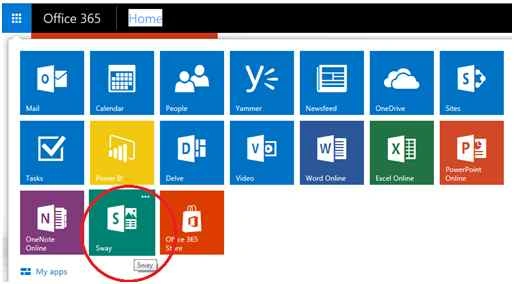
In the welcome screen, you will see some pointers on how to get started and what you can create.
So, click on Get Started and you can learn from existing sways that are created or start building your own.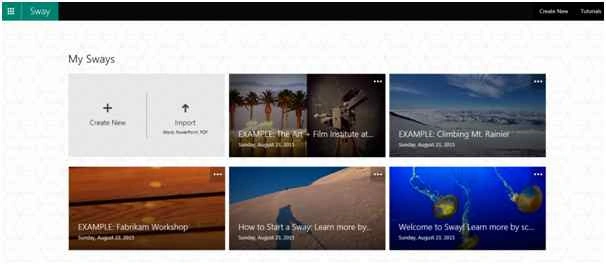
When you click Create New, you will see the following screen. You will see a card-based layout and icons on the left where you can add text and media files and also create groups of content.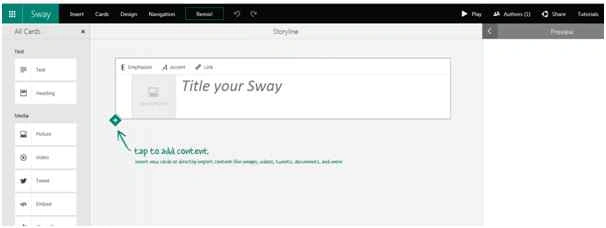
I began with a sample as to how 3D printing is changing the world. Click on the Insert Tab and here you can search images from various sources on the internet.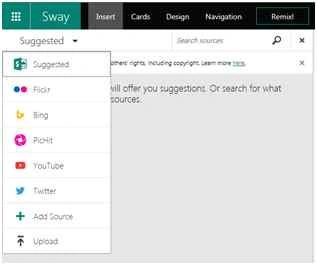
You can simply click on the image or video or Twitter feed and add it to your webpage.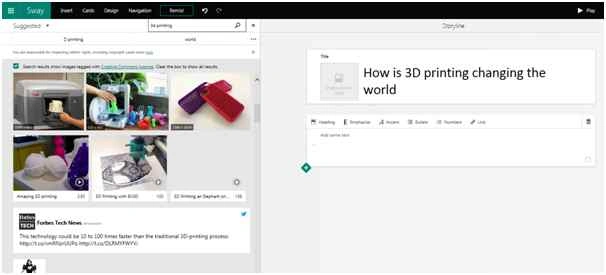
You can click on the Design tab to choose from one of the various design options.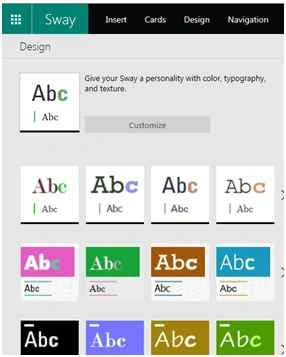
On the navigation tab, you will see the three options Scroll Vertically, Scroll Horizontally and Optimized for Presentation.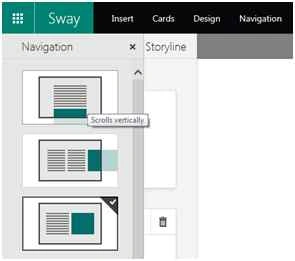
Once your Sway is created you can share it as appropriate.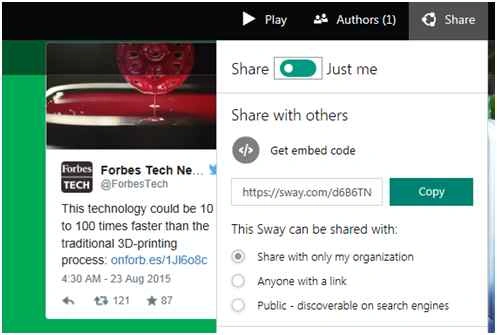
I personally found it very interesting to create tutorials, reports, dashboards, newsletters and presentations.
Introduction to Microsoft Office Sway
This article provides an introduction to Microsoft Office Sway.


Prasham SabadraPosted Aug 25, 2015, 5:32 AM EDT
Thanks for Sharing!
Vaikesh K PPosted Aug 24, 2015, 10:36 PM EDT
Nice Share
Yashwanth MuthineniPosted Aug 24, 2015, 8:55 PM EDT
Nice Share
Veena SardaTOP 100Posted Aug 24, 2015, 7:34 AM EDT
One more feature is collaborative authoring on same Sway. Multiple authors can collaborative author different sections of a Sway.
Sandeep KumarPosted Aug 24, 2015, 7:09 AM EDT
A new technology to use thank you for sharing :)
Mahesh ChandTOP 10Posted Aug 24, 2015, 6:47 AM EDT
Nice Veena. How do you like the product?
Sibeesh VenuTOP 100Posted Aug 24, 2015, 5:23 AM EDT
Nice Share :)
Rajeesh MenothPosted Aug 24, 2015, 2:08 AM EDT
Good One
Ankit BansalPosted Aug 24, 2015, 1:34 AM EDT
nice...
Gowtham KTOP 100Posted Aug 23, 2015, 11:08 PM EDT
Good one
Karthikeyan KPosted Aug 23, 2015, 10:56 PM EDT
Thanks for sharing...
Sumit JoshiPosted Aug 23, 2015, 10:38 PM EDT
Thanks for sharing...
Keyur PatelPosted Aug 23, 2015, 10:12 PM EDT
Good One
Mohammed IbrahimPosted Aug 23, 2015, 9:21 PM EDT
nice