
Scenario
You have a list to track expense claims. Multiple employees are using the same list. The following are the challenges:
- Employees should see only their items.
- Employees should not be able to edit other employee’s items.
Solution
Although using “views” will be the first solution you will think of, we can solve this using OOB and:
- List Item Level Permissions
Procedure
Create an Expense list as in the following screenshot: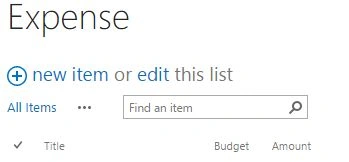
Open List Settings, then go to Advanced Settings and choose the following options.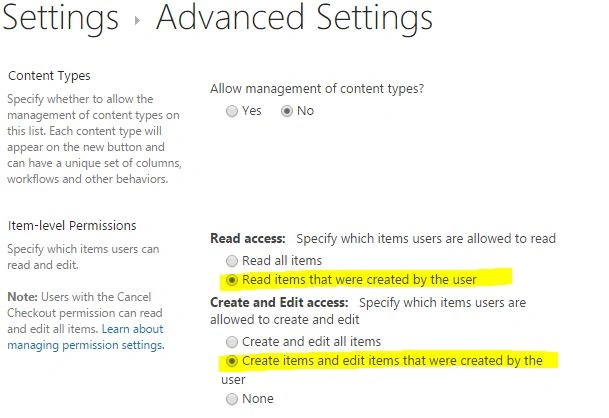
Save the changes and test it out in the following way:
- Create 2 users
- Use 2 browsers
- Add one expense-item for each user
- You can see user-1 can see only his/her item
- The same applies to editing as well
When user 1 logs in: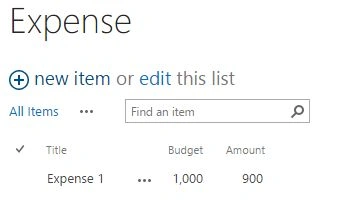
When user 2 logs in: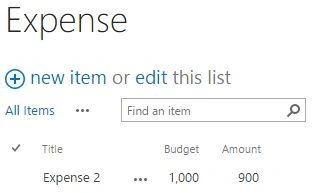
This feature is not available for Document Libraries.
References
Summary
This article explored an OOB way to manage item level permissions.


Abhay ShankerPosted Aug 25, 2015, 9:08 AM EDT
Nice sir...
Gowtham KTOP 100Posted Aug 25, 2015, 8:45 AM EDT
Nice one
Gopi ChandPosted Aug 25, 2015, 5:55 AM EDT
Good one
RakeshPosted Aug 25, 2015, 5:47 AM EDT
Good sharing sir
Rajeesh MenothPosted Aug 25, 2015, 5:33 AM EDT
Thank you for sharing :)
Ankit BansalPosted Aug 25, 2015, 2:17 AM EDT
good..
Vaikesh K PPosted Aug 25, 2015, 1:54 AM EDT
Good Work
Mohammed IbrahimPosted Aug 25, 2015, 1:41 AM EDT
nice