
Here are the steps,
Step 1: Open SQL Server Management Studio and create a database named DemoDB and use the following script to create the table, insert sample data and also to create Stored procedure which will be used in Visual Studio to retrieve data.
- CREATE TABLE [dbo].[jquerymenu] (
- [ID] INT IDENTITY (1, 1) NOT NULL,
- [Text] NVARCHAR (50) NULL,
- [parentId] INT NULL,
- [isActive] BIT NULL
- );
- SET IDENTITY_INSERT [dbo].[jquerymenu] ON
- INSERT INTO [dbo].[jquerymenu] ([ID], [Text], [parentId], [isActive]) VALUES (1, N'USA', NULL, 1)
- INSERT INTO [dbo].[jquerymenu] ([ID], [Text], [parentId], [isActive]) VALUES (2, N'India', NULL, 1)
- INSERT INTO [dbo].[jquerymenu] ([ID], [Text], [parentId], [isActive]) VALUES (3, N'UK', NULL, 1)
- INSERT INTO [dbo].[jquerymenu] ([ID], [Text], [parentId], [isActive]) VALUES (4, N'Australia', NULL, 1)
- INSERT INTO [dbo].[jquerymenu] ([ID], [Text], [parentId], [isActive]) VALUES (5, N'Virginia', 1, 1)
- INSERT INTO [dbo].[jquerymenu] ([ID], [Text], [parentId], [isActive]) VALUES (6, N'Maryland', 1, 1)
- INSERT INTO [dbo].[jquerymenu] ([ID], [Text], [parentId], [isActive]) VALUES (7, N'AP', 2, 1)
- INSERT INTO [dbo].[jquerymenu] ([ID], [Text], [parentId], [isActive]) VALUES (8, N'MP', 2, 1)
- INSERT INTO [dbo].[jquerymenu] ([ID], [Text], [parentId], [isActive]) VALUES (9, N'Karnataka', 2, 1)
- INSERT INTO [dbo].[jquerymenu] ([ID], [Text], [parentId], [isActive]) VALUES (10, N'Bangalore', 9, 1)
- INSERT INTO [dbo].[jquerymenu] ([ID], [Text], [parentId], [isActive]) VALUES (11, N'Mangalore', 9, 1)
- INSERT INTO [dbo].[jquerymenu] ([ID], [Text], [parentId], [isActive]) VALUES (12, N'Mysore', 9, 0)
- SET IDENTITY_INSERT [dbo].[jquerymenu] OFF
- Create Proc spGetMenuData
- as
- Begin
- Select * from jquerymenu
- End
Add Class file
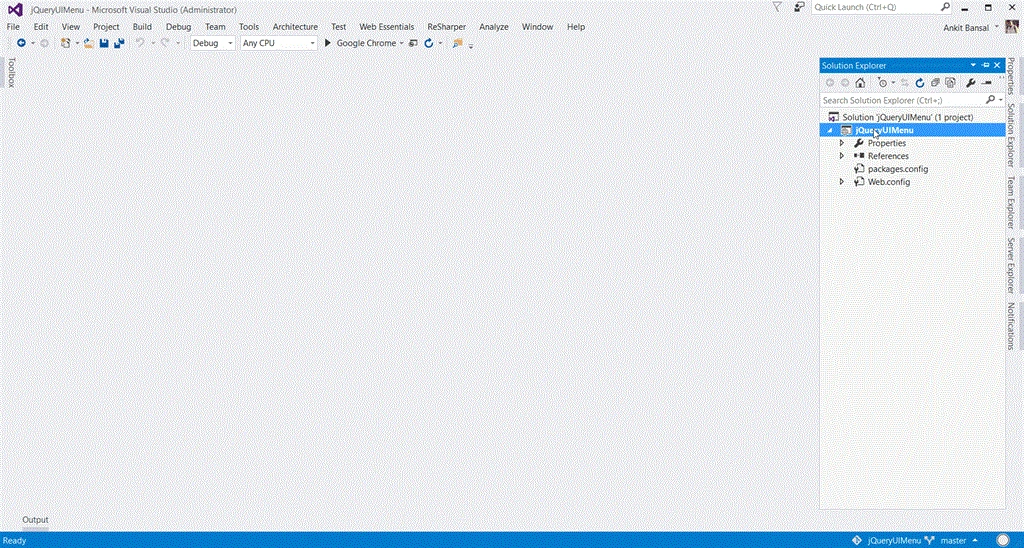
Add Webform
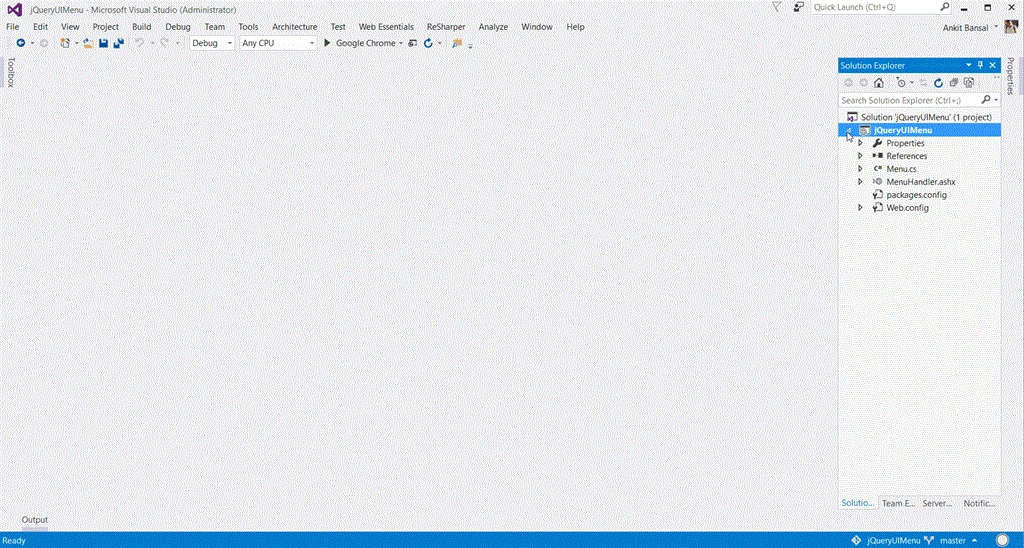
Add Handler
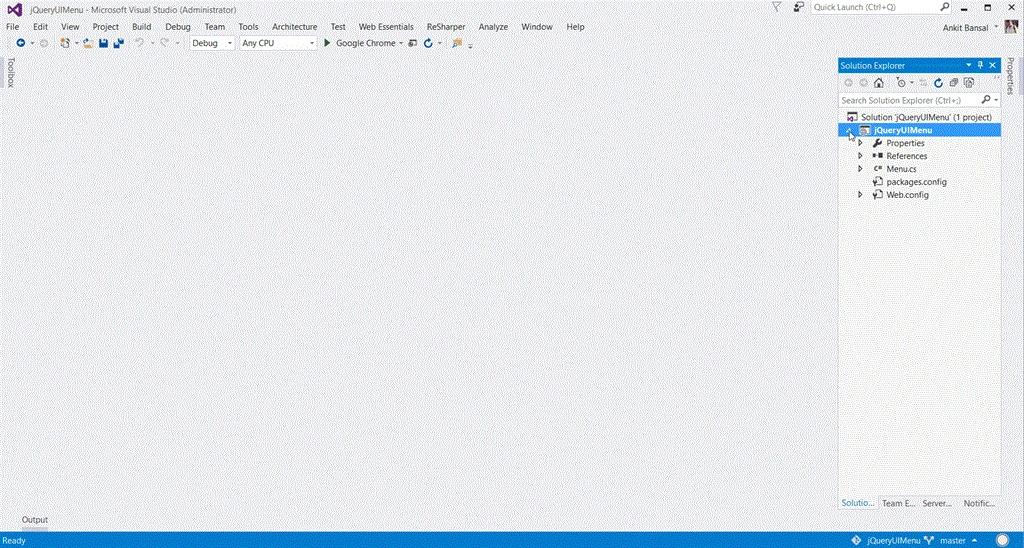
Step 3: Add a Connection String for connection to database in Web.Config file.
- <connectionStrings>
- <add name="DBCS" connectionString="server=.;database=DemoDB;integrated security=SSPI" providerName="System.Data.SqlClient"/>
- </connectionStrings>
- using System.Collections.Generic;
- namespace jQueryUIMenu
- {
- public class Menu
- {
- public int ID { get; set; }
- public string Text { get; set; }
- public int? parentId { get; set; }
- public bool isActive { get; set; }
- public List<Menu> List { get; set; }
- }
- }
- using System;
- using System.Collections.Generic;
- using System.Linq;
- using System.Web;
- using System.Data;
- using System.Data.SqlClient;
- using System.Web.Script.Serialization;
- using System.Configuration;
- namespace jQueryUIMenu
- {
- public class MenuHandler : IHttpHandler
- {
- public void ProcessRequest(HttpContext context)
- {
- var cs = ConfigurationManager.ConnectionStrings["DBCS"].ConnectionString;
- var list = new List<Menu>();
- using (var con = new SqlConnection(cs))
- {
- var cmd = new SqlCommand("spGetMenuData", con) { CommandType = CommandType.StoredProcedure };
- con.Open();
- var dr = cmd.ExecuteReader();
- while (dr.Read())
- {
- var menu = new Menu
- {
- ID = Convert.ToInt32(dr["ID"]),
- Text = dr["Text"].ToString(),
- parentId = dr["parentId"] != DBNull.Value ? Convert.ToInt32(dr["parentId"]) : (int?)null,
- isActive = Convert.ToBoolean(dr["isActive"])
- };
- list.Add(menu);
- }
- }
- var mainList = GetMenuTree(list, null);
- var js = new JavaScriptSerializer();
- context.Response.Write(js.Serialize(mainList));
- }
- private List<Menu> GetMenuTree(List<Menu> list, int? parent)
- {
- return list.Where(x => x.parentId == parent).Select(x => new Menu
- {
- ID = x.ID,
- Text = x.Text,
- parentId = x.parentId,
- isActive = x.isActive,
- List = GetMenuTree(list, x.ID)
- }).ToList();
- }
- public bool IsReusable => false;
- }
- }
- <body>
- <form id="form1" runat="server">
- <div style="width: 150px">
- <ul id="menu"></ul>
- </div>
- </form>
- </body>
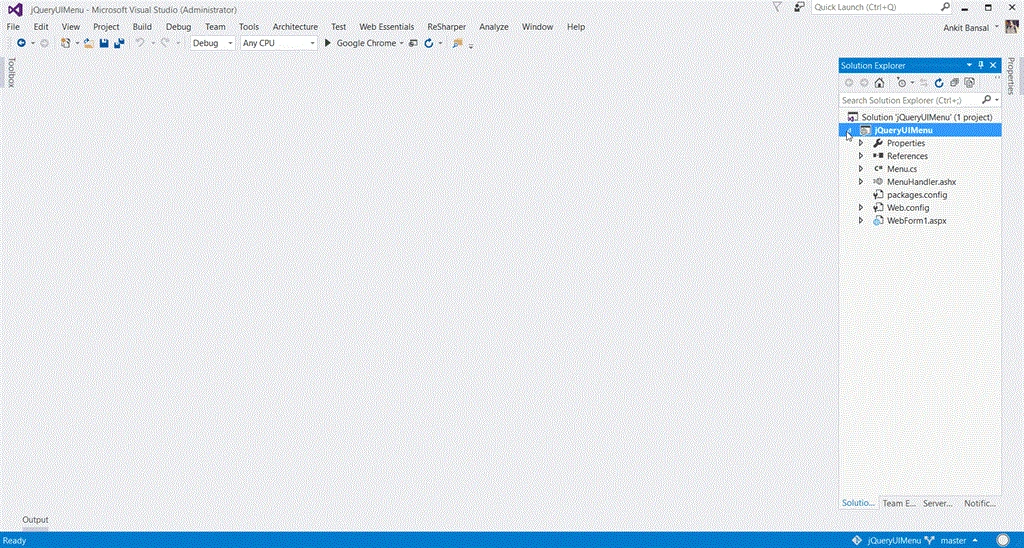
Step 8: Add the following jQuery code to the Head Tag of Webform1.aspx.
- <head runat="server">
- <title>Dynamic Menu</title>
- <script src="Scripts/jquery-1.6.4-vsdoc.js"></script>
- <script src="Scripts/jquery-1.6.4.js"></script>
- <script src="Scripts/jquery-ui-1.11.4.js"></script>
- <link href="Content/themes/base/all.css" rel="stylesheet" />
- <script type="text/javascript">
- $(document).ready(function () {
- $.ajax({
- url: 'MenuHandler.ashx',
- method: 'get',
- dataType: 'json',
- success: function (data) {
- buildMenu($('#menu'), data);
- $('#menu').menu();
- }
- });
- function buildMenu(parent, items) {
- $.each(items, function () {
- var li = $('<li>' + this.Text + '</li>');
- if (!this.isActive) {
- li.addClass("ui-state-disabled");
- }
- li.appendTo(parent);
- if (this.List && this.List.length > 0) {
- var ul = $('<ul></ul>');
- ul.appendTo(li);
- buildMenu(ul, this.List);
- }
- });
- }
- });
- </script>
- </head>
 Hope you enjoyed the example. Please share it if you think that it can be useful to others. Also comment in case of any query.


kau dinPosted Jun 3, 2018, 4:49 PM EDT
If table jquerymenu add one colunm name [urlpath],can you demo relly click to change another page. Thank you Sir.
Suresh KatariPosted Feb 19, 2018, 6:02 AM EST
Straight to the point and Well explained. Thanks for sharing.
ajay malikPosted Oct 14, 2016, 1:22 AM EDT
What should i add for $('#menuI').menu(); menu() method
Zeeshan AzimPosted Feb 10, 2016, 12:09 AM EST
Thank you. This is exactly what I was looking for. Thanks for saving my day.
Ankit BansalPosted Dec 29, 2015, 4:22 PM EST
Hi All..Thanks for the compliments..But in the above article, the animation files are not working...I don't know why...you can refer to my blog for the animation files to view the steps...
Gowtham KTOP 100Posted Dec 28, 2015, 5:42 AM EST
Good One, Thanks for sharing
Santhakumar MunuswamyPosted Dec 28, 2015, 1:27 AM EST
Thanks for nice article
Humayun Kabir MamunPosted Dec 28, 2015, 1:06 AM EST
Nice...
Sibeesh VenuTOP 100Posted Dec 28, 2015, 12:16 AM EST
Nice Share
Gowtham RajamanickamTOP 100Posted Dec 28, 2015, 12:10 AM EST
good..
Upendra Pratap ShahiPosted Dec 27, 2015, 11:09 PM EST
thanks for sharing..