
To login from Facebook into your application you need to have a Facebook app, then use the following procedure.
- Click on the link: https://developers.facebook.com/apps/?action=create It will open a window like the following image:
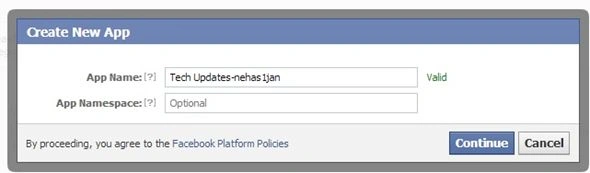
- Click on the continue button to proceed, a window will appear as in the following:
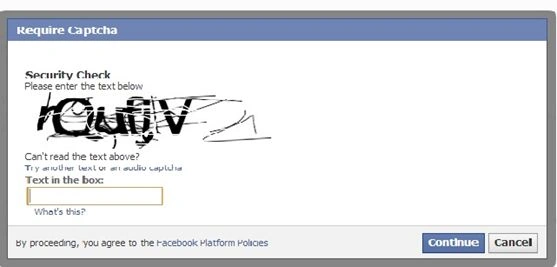
- Enter the code and click on Continue, a web page will appear having an app option; click on "app" to go to the Edit App page; it will look as in the following image:
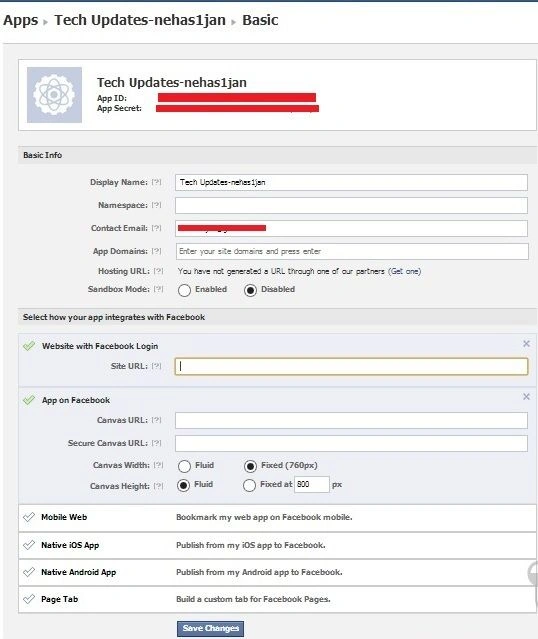
- Enter "Website with Facebook Login" and your website URL
- Enter Secure Canvas URL and your website URL.
- Click "Save changes".
- Now wait for the review of this app to become live and for its use, you'll get alerts/messages.
After you complete your Facebook app now create a new application in Visual Studio and write the following code in your aspx page:
- <html>
- <head>
- <title>Login from Facebook </title>
- <script type="text/javascript" src="http://code.jquery.com/jquery-latest.js"></script>
- </head>
- <body>
- <script>
- // Load the SDK Asynchronously
- (function (d) {
- var js, id = 'facebook-jssdk', ref = d.getElementsByTagName('script')[0];
- if (d.getElementById(id)) { return; }
- js = d.createElement('script'); js.id = id; js.async = true;
- js.src = "//connect.facebook.net/en_US/all.js";
- ref.parentNode.insertBefore(js, ref);
- }(document));
- // Init the SDK upon load
- window.fbAsyncInit = function () {
- FB.init({
- appId: 'write your app id here', // App ID
- channelUrl: '//' + window.location.hostname + '/channel', // Path to your Channel File
- status: true, // check login status
- cookie: true, // enable cookies to allow the server to access the session
- xfbml: true // parse XFBML
- });
- // listen for and handle auth.statusChange events
- FB.Event.subscribe('auth.statusChange', function (response) {
- if (response.authResponse) {
- // user has auth'd your app and is logged into Facebook
- FB.api('/me', function (me) {
- if (me.name) {
- document.getElementById('auth-displayname').innerHTML = me.name;
- }
- })
- document.getElementById('auth-loggedout').style.display = 'none';
- document.getElementById('auth-loggedin').style.display = 'block';
- } else {
- // user has not auth'd your app, or is not logged into Facebook
- document.getElementById('auth-loggedout').style.display = 'block';
- document.getElementById('auth-loggedin').style.display = 'none';
- }
- });
- $("#auth-logoutlink").click(function () { FB.logout(function () { window.location.reload(); }); });
- }
- </script>
- <h1>
- Login from Facebook</h1>
- <div id="auth-status">
- <div id="auth-loggedout">
- <div class="fb-login-button" autologoutlink="true" scope="email,user_checkins">Login with Facebook</div>
- </div>
- <div id="auth-loggedin" style="display: none">
- Hi, <span id="auth-displayname"></span>(<a href="#" id="auth-logoutlink">logout</a>)
- </div>
- </div>
- </body>
- </html>
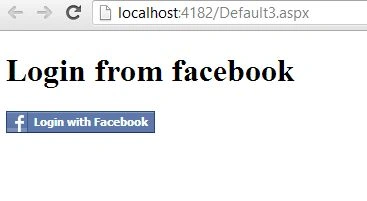
When you will click on the "Login With Facebook" button it will open a window as in the following:
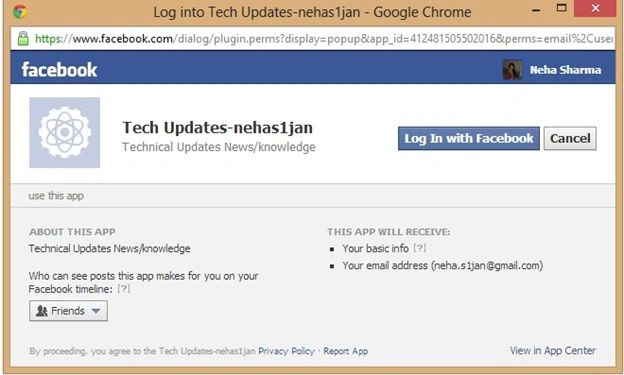
When you login from here with your Facebook credentials, it will log you into your application as well.


Faisal zubiarPosted Jul 19, 2023, 4:41 AM EDT
Neha when I follow the steps it shows me different screen kindly update the article..
Vipin MittalPosted Jan 19, 2018, 8:04 PM EST
Thank u neha mam...its very helpfull for me..
Joao GPosted Dec 21, 2017, 12:54 AM EST
Hi Neha. Good article
Sagar Pandurang KapPosted Dec 19, 2017, 9:02 PM EST
Good work ..Thank you .Keep posting.
wafa katawazaiPosted Apr 1, 2017, 12:31 AM EDT
How to access image and all profile informaiton
Hue PhamPosted Mar 23, 2017, 2:02 AM EDT
When i click on button "login with facebook", nothing happen
Apurva SinghPosted Oct 28, 2015, 10:24 PM EDT
Given URL is not allowed by the Application configuration: One or more of the given URLs is not allowed by the App's settings. It must match the Website URL or Canvas URL, or the domain must be a subdomain of one of the App's domains.
Apurva SinghPosted Oct 28, 2015, 10:24 PM EDT
i got e error in this cade. can u help me??
Ragu RamPosted Sep 2, 2015, 4:45 AM EDT
4524545454445445
iDhanush VkPosted Aug 11, 2015, 5:15 AM EDT
Hi neha,the email,sex,id is undefined..but the facebook ID is displaying..Can you help me out?
Ranjan SenapatiPosted Jul 31, 2015, 4:20 AM EDT
Thanks Neha......
Sarath KumarPosted Jun 5, 2014, 6:41 AM EDT
very nice...i have one doubt. after login i want to redirect to one page....like this..http://localhost:5711/Home.aspx...is it possible
shambhuraje desaiPosted Mar 20, 2014, 4:48 AM EDT
nice one
shambhuraje desaiPosted Mar 20, 2014, 4:47 AM EDT
nice one
vijay bhanagePosted Nov 8, 2013, 12:57 AM EST
data not displaying
rachit sharmaPosted Sep 5, 2013, 3:41 AM EDT
thanks...but what to write in canvas URL and secure canvas URL??
Prabhu RajaPosted Feb 19, 2013, 6:44 PM EST
nice one
Vithal WadjeTOP 100Posted Feb 19, 2013, 6:01 PM EST
super no challenge,thanks for posting