
Introduction
This article explains How to get data in JSON format using AngularJS.
Actually, I was trying to make an AJAX call to a web service using AngularJS. For that, I tried this code.
<script>
    var myapp = angular.module('myApp', []);

    myapp.controller('control', function ($scope, $http) {
        var call = "WebService1.asmx/HelloWorld";

        $http.post(call)
            .success(function (response) {
                $scope.value = response;
            })
            .error(function (error) {
                alert(error);
            });
    });
</script>
At the WebService I created a method that was returning a string, here I am just using Hello World which is provided in each WebService by default.
[System.Web.Script.Services.ScriptService]
public class WebService1 : System.Web.Services.WebService
{
    [WebMethod]
    public string HelloWorld()
    {
        return "Hello World";
    }
}
After making the call I bound the value into a span using ng-bind.
<body>
    <form id="form1" runat="server">
        <div ng-app="myApp" ng-controller="control">
            <span ng-bind="value"></span>
        </div>
    </form>
</body>
On running the code I got an output like this.

This was not the output I was expecting, I realized that the data was not coming in JSON format, so I had two possible solutions, either return the data from the WebService after converting it to JSON or make every incoming data JSON using AngularJS, I chose the second and changed the code to be as in the following.
<script>
    var myapp = angular.module('myApp', []);

    myapp.controller('control', function ($scope, $http) {
        $http({
            url: "WebService1.asmx/HelloWorld",
            dataType: 'json',
            method: 'POST',
            data: '',
            headers: {
                "Content-Type": "application/json"
            }
        })
        .success(function (response) {
            $scope.value = response.d;
        })
        .error(function (error) {
            alert(error);
        });
    });
</script>
Now, you can see that the call is looking something like an AJAX call made using jQuery but it's from AngularJS, so some of you might feel that this way of calling is easier than the previous one but It's just the extended version of the previous call.
Here I have added the success and error functions so that I could determine what type of error I am getting if the code is not working.
Now, we can run the code and see the output.
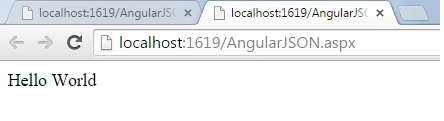
Now, we are getting the expected result.
The source code is available at the top of article.


Bhuvan PandeyPosted Sep 12, 2016, 2:31 AM EDT
Good example. Can you explain how to call web service method with parameter? Thanks in advance.
Asfend YarPosted Feb 29, 2016, 9:03 AM EST
good
Manish Kumar ChoudharyPosted May 6, 2015, 11:36 PM EDT
Nice one.
Sibeesh VenuTOP 100Posted May 6, 2015, 10:25 PM EDT
Good one :)
Anubhav ChaudharyTOP 100Posted May 6, 2015, 8:39 PM EDT
Thanks Everybody :)
Santhakumar MunuswamyPosted May 6, 2015, 10:27 AM EDT
Thanks for nice one
Gaurav TyagiPosted May 6, 2015, 3:08 AM EDT
very helpful for us
Anubhav ChaudharyTOP 100Posted May 5, 2015, 9:31 PM EDT
Thanks Abhinav and Vivek
Vivek TripathiPosted May 5, 2015, 9:26 PM EDT
nice one
abhinav kumarPosted May 5, 2015, 9:06 PM EDT
nice..very helpful