
First, open Unity in your system and click the "Create New Project" tab.
Now click on the Create button. You will see the following screen and you can adjust the Tab as you choose to.
Now open your browser and search in Google for “sprite coin image png”. From here you can also use any image.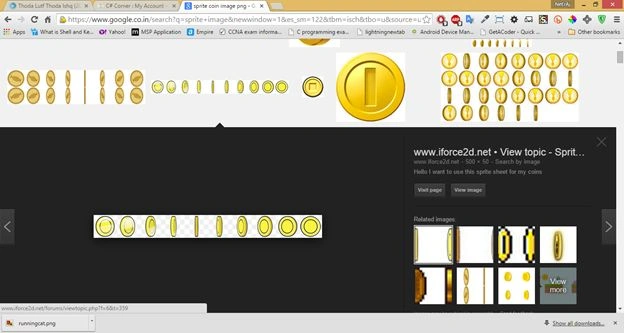
Then download the image. Now go to the Unity and open Project Tab (go to Windows, then Project and Ctrl+5).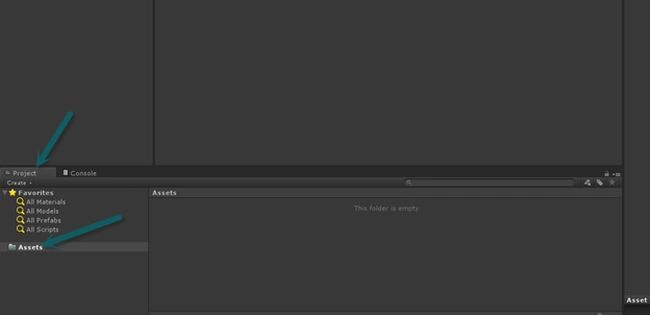
Drag your image into the Assets folder.
Open the Inspector Tab (go to Windows, then Inspector and Ctrl+3) and set the Align anywhere in Unity (Right/Left/Bottom).
Now click on the image, then you will see some properties of the image in the Inspector Tab.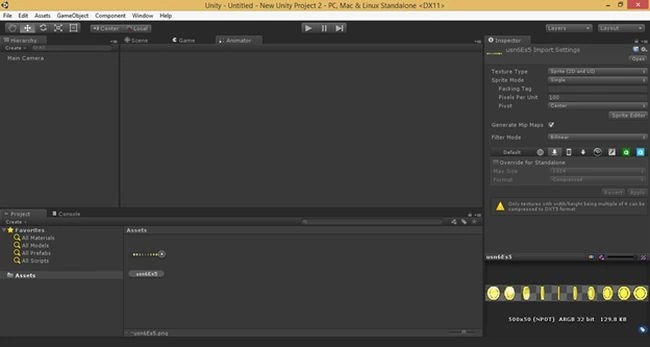
Now click on "Sprite Mode" and select Multiple, not Single and then click Sprite Editor.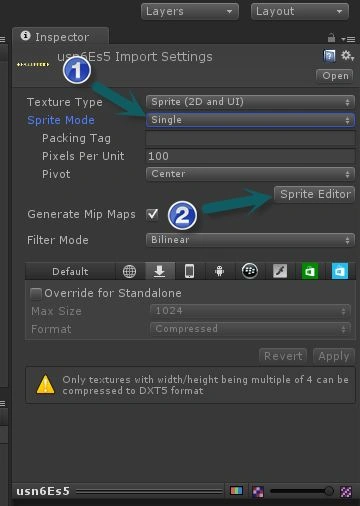
When you click on the Sprite Editor the image will show in the Sprite Editor. Now check All Properties and click on the Slice Button.
Then click on Slice, you will see your image in pieces and the selected portion is as in the following image.
Every image will be separated from another image by the selection portion.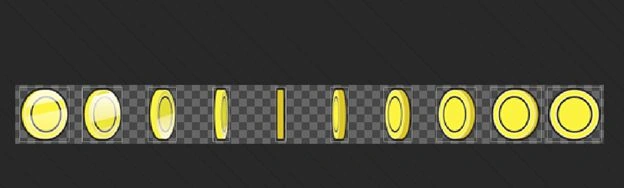
Now click on Apply at the top-right side of the Sprite Editor and close it.
Then go to the Project Tab and click the Play Button as in the following image, then all the images will be shown separately. 
Now drag one Image into the Hierarchy Tab and open the Scene Tab in the right and double-click on the image.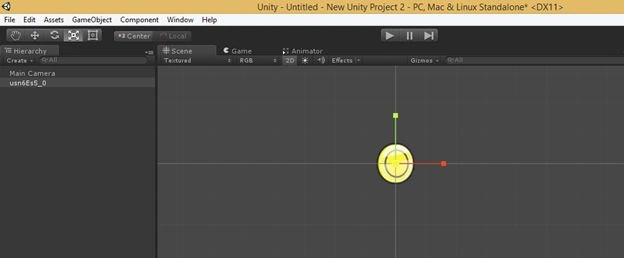
For increasing the size of the image change the value of the scale in the Inspector Tab.
Then open the Animation Tab (go to Window, then Animation and Ctrl+6) separately.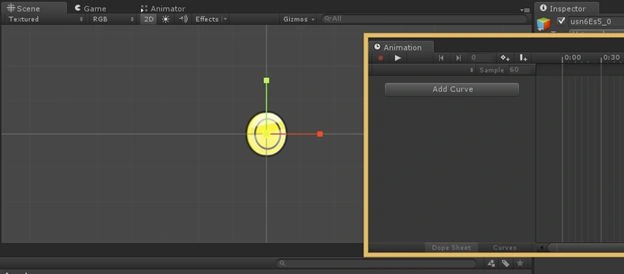
Now select all the images from the Project Tab in ascending order and drag and drop into the Animation Tab and save it.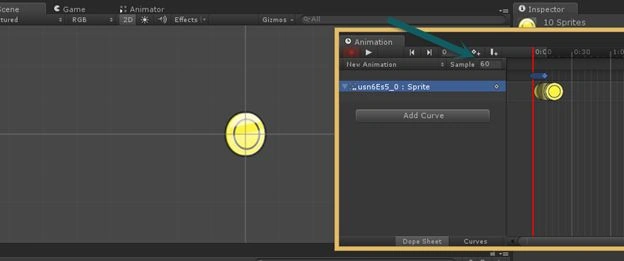
Then you can vary sample values, like 20, 30 or 50 as you like. The sample value defines the delay between each image.
Now click on the Play Button. You will then see in the Scene Tab your coin will be animated as an images sequence.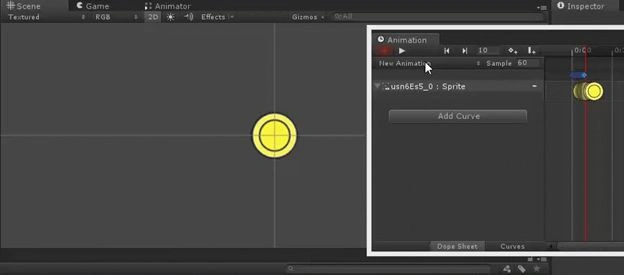
I hope you will like it.
Make Animation in Unity
In this article you will learn how to do animation in Unity Wizard.


Sibeesh VenuTOP 100Posted Jul 30, 2015, 9:58 PM EDT
Nice Share!.
Neeraj KumarPosted Jul 30, 2015, 8:55 AM EDT
Thank you Rakesh Chavda
RakeshPosted Jul 30, 2015, 8:18 AM EDT
Good one
Neeraj KumarPosted Jul 30, 2015, 7:15 AM EDT
Thank You Rajeesh Menoth , Nilesh Jadav & Santhakumar Munuswamy
Santhakumar MunuswamyPosted Jul 30, 2015, 6:48 AM EDT
Thanks for nice article
Nilesh JadavPosted Jul 30, 2015, 5:38 AM EDT
Nice one sir
Rajeesh MenothPosted Jul 30, 2015, 5:22 AM EDT
Good Article
Neeraj KumarPosted Jul 30, 2015, 3:56 AM EDT
Thank you Vipul Malhotra
Neeraj KumarPosted Jul 30, 2015, 3:56 AM EDT
Thank U Gopi Chand
Vipul MalhotraPosted Jul 30, 2015, 3:55 AM EDT
Nice article
Gopi ChandPosted Jul 30, 2015, 3:53 AM EDT
Good one