
Workflows
Workflow allows a set of pre-defined activities to be executed. Workflows work using the Windows Workflow Foundation 4.0 engine in SharePoint 2013.
Associations
We can associate workflows against a list, library or content type. Here we are focusing on associating workflow with content types.
Procedure
Use the following procedure to associate a workflow with a content type.
Create a new site content type named Expense.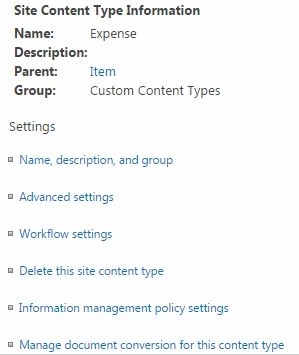
Then click the Workflow Settings and in the page that appears choose Add a workflow.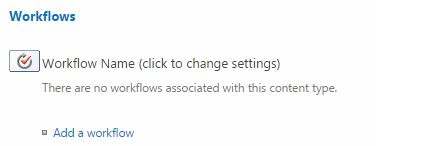
In the page that appears you can choose the workflow and enter the name and configuration settings.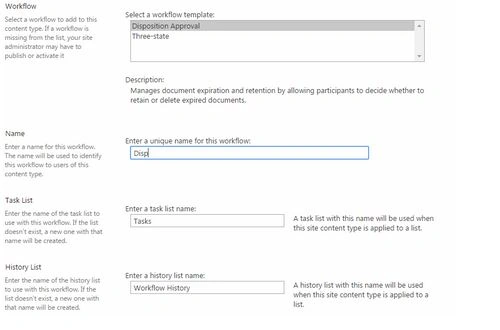
Choose the start option to start a creation of a new item.
You will get the workflow created as below.
This concludes our workflow association. You can test the code by creating a content type item.
Note: Once the workflow is created, it will fire for all the items created based on the Expense content type.
References
Add a workflow association (SharePoint Server 2010).
Summary
In this article we explored how to associate Workflows with Content Types.
Manage Workflow Associations For a Content Type in SharePoint
In this article we can explore how to associate Workflows with Content Types.


Vinodh NarayananPosted Jan 5, 2016, 6:51 PM EST
good one sir
Jean PaulTOP 100Posted Jan 4, 2015, 7:04 AM EST
Thank You Vithal!
Vithal WadjeTOP 100Posted Jan 3, 2015, 9:26 PM EST
great work keep it up