
We will discuss how to create an AngularJS menu easily and understand the sample menu application.
Steps 1:
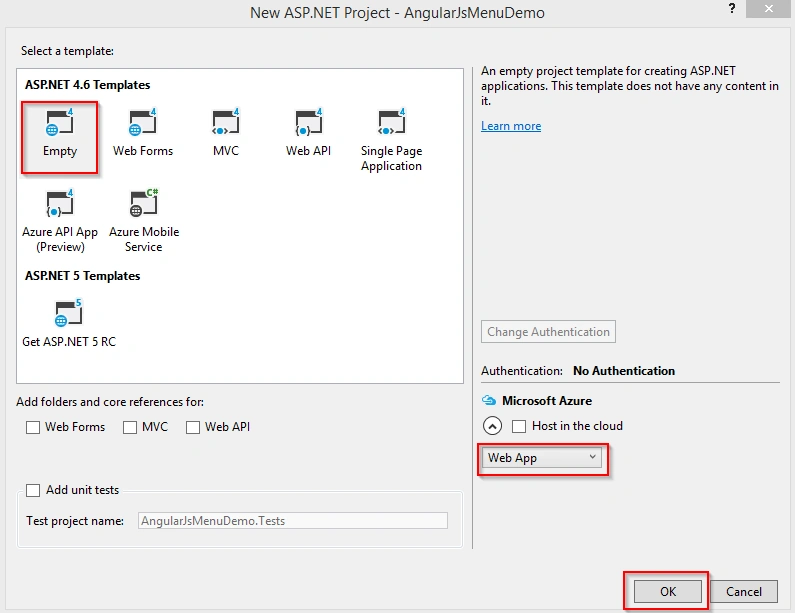
Open Visual Studio 2015 and go to file menu and point the new and then click new project. New ASP.NET project window will open, you can select a Empty Template with No Authentication and then click OK button.
Go to Solution Explorer and right click the project name and then click Manage NuGet Packages.
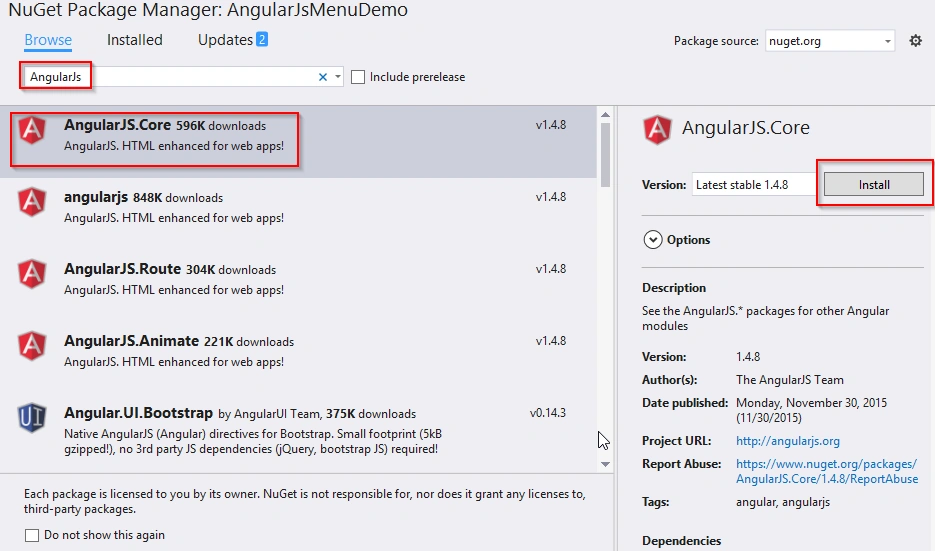
NuGet Package Manager window will open and you can type AngularJS and browse. Also select AngularJS.Core and click Install button
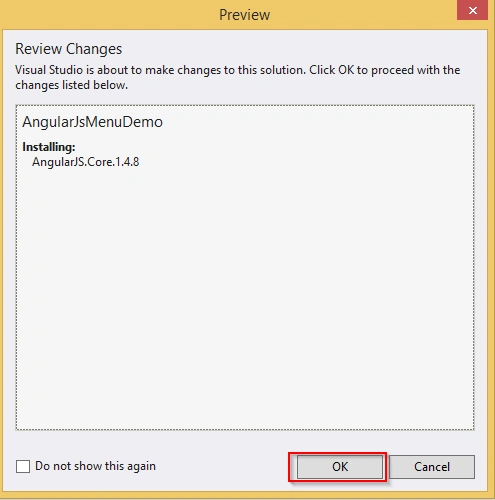
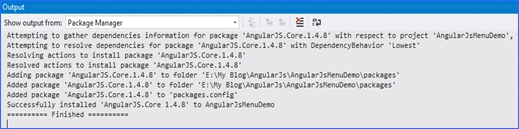
Preview window will open and you can see the AngularJS version installing details and click OK button. After it is successfully installed in AngularJS, you can see the following,
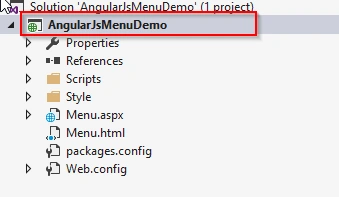
You can see AngularJsMenuDemo project structure in the following screenshot.
Steps 2:
Menu.html code here,
- <!DOCTYPE html>
- <html>
- <head>
- <title>San2Debug.net | AngularJs Menu Apps Demo</title>
- <link rel="stylesheet" href="Style/menu.css" type="text/css" />
- <meta charset="utf-8" />
- <script src="Scripts/angular.min.js"></script>
- </head>
- <body>
- <div id="main" ng-app="">
- <ul class="{{active}}" ng-click="$event.preventDefault()">
- <li><a href="#" class="home" ng-click="active='home'">Home</a></li>
- <li><a href="#" class="aboutus" ng-click="active='aboutus'">About Us</a></li>
- <li><a href="#" class="contactus" ng-click="active='contactus'">Contact Us</a></li>
- </ul>
- <p ng-show="active">Sitemap <span>> </span><b>{{active}}</b></p>
- </div>
- </body>
- </html>
- <%@ Page Language="C#" AutoEventWireup="true" CodeBehind="Menu.aspx.cs" Inherits="AngularJsMenuDemo.Menu" %>
- <!DOCTYPE html>
- <html xmlns="http://www.w3.org/1999/xhtml">
- <head runat="server">
- <title>San2Debug.net | AngularJs Menu Apps Demo</title>
- <link rel="stylesheet" href="Style/menu.css" type="text/css" />
- <script src="Scripts/angular.min.js"></script>
- </head>
- <body>
- <form id="menuform" runat="server">
- <div id="main" ng-app="">
- <ul class="{{active}}" ng-click="$event.preventDefault()">
- <li><a href="#" class="home" ng-click="active='home'">Home</a></li>
- <li><a href="#" class="aboutus" ng-click="active='aboutus'">About Us</a></li>
- <li><a href="#" class="contactus" ng-click="active='contactus'">Contact Us</a></li>
- </ul>
- <p ng-show="active">Sitemap <span>> </span><b>{{active}}</b></p>
- </div>
- </form>
- </body>
- </html>
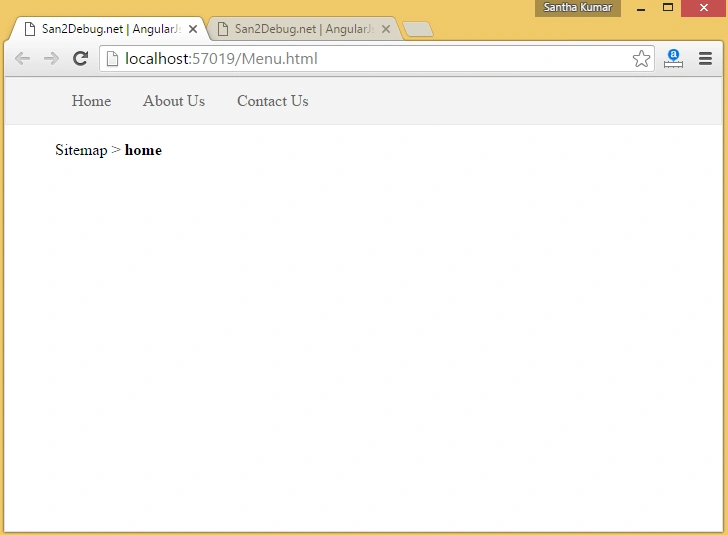
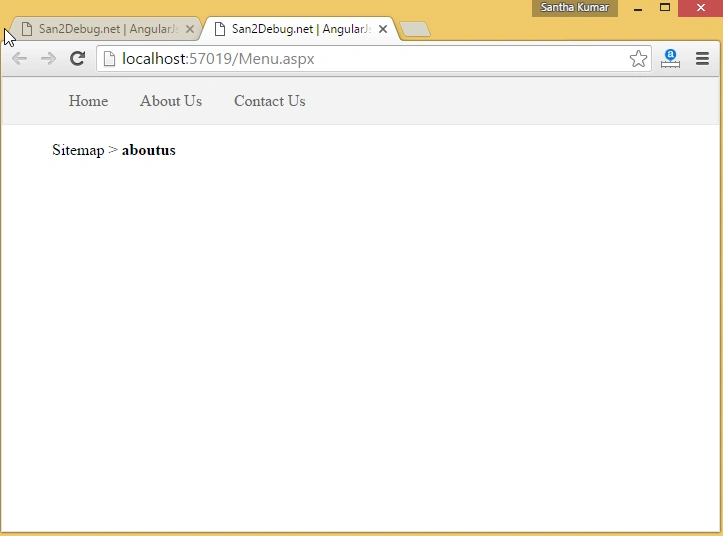
Steps 3: AngularJS Menu Application demo output as in the following screenshot,
Menu.aspx
Note:
You can also read this article in my blog here.
Conclusion:
This article helps you to understand AngularJS Menu with sample application using Visual Studio 2015. Thank you for reading my articles. Kindly share your comments or suggestion.


Pritam ZopePosted Dec 24, 2015, 8:11 PM EST
Nice...
Ankit BansalPosted Dec 24, 2015, 2:40 AM EST
nice..
Jaipal ReddyPosted Dec 24, 2015, 1:15 AM EST
Nice share sir.
Pradeep SahooPosted Dec 24, 2015, 12:22 AM EST
Good Information , Thanks for sharing.
Debasis SahaTOP 100Posted Dec 23, 2015, 11:54 PM EST
Nice one.
Sibeesh VenuTOP 100Posted Dec 23, 2015, 10:42 PM EST
Nice Share
Sridhar SharmaPosted Dec 23, 2015, 10:19 PM EST
Nice Share
Vinodh NarayananPosted Dec 23, 2015, 10:02 PM EST
Good one bro
Jignesh TrivediTOP 100Posted Dec 23, 2015, 8:54 PM EST
nice share