
Foundry Agent Service updates cover the full agent lifecycle, from build to operations.
Microsoft Foundry Agent Service updates announced at Microsoft Ignite on November 18, 2026 give beginners three practical ways to build AI agents: simple prompt agents, prompt agents using the managed Microsoft Copilot harness, and hosted agents that run your own code. The important change is not one new model. It is a fuller path for building, deploying, securing, observing, and improving an agent after real users start using it.
Microsoft’s Ignite 2026 announcement groups the work into Build, Deploy, and Operate. For a developer getting started, that is a useful mental model: define what the agent should do, give it only the tools and access it needs, then measure whether it completes the work correctly.
Key takeaways
- The Microsoft Copilot harness is in public preview and lets Microsoft manage the agent loop and sandbox while you supply instructions, skills, knowledge, and tools.
- Voice agents in Foundry Agent Service became generally available on November 18, 2026.
- Hosted agents are the option for applications that need custom code, a chosen framework, custom middleware, or direct control over runtime behavior.
- Network egress controls and long-running resiliency are generally available for hosted agents, while several other capabilities remain in preview.
- Production traces, annotations, evaluation datasets, and optimization features help teams turn failures seen in production into testable improvements.
What Foundry Agent Service does
An AI agent is an application that can reason through a request, retrieve context, call tools, and return a result. A customer support agent, for example, might look up an order, check a delivery status, create a support case, and send a follow-up message. A normal chat completion may answer a question. An agent can take a sequence of controlled actions.
Foundry Agent Service is Microsoft Foundry’s managed platform for that agent lifecycle. You can define a prompt-driven agent, or deploy an application that contains your own agent code. In the hosted model, Foundry handles the endpoint, identity, scaling, session state, observability, and lifecycle management around the container that holds your application code.
This distinction matters for beginners. You do not need to start by writing an agent framework, a task planner, a sandbox manager, and a tool-calling loop. Start with a small business task that has a clear success condition. For example: “Given a support ticket ID, summarize the issue and draft a response using approved knowledge.”
Choose the right agent approach
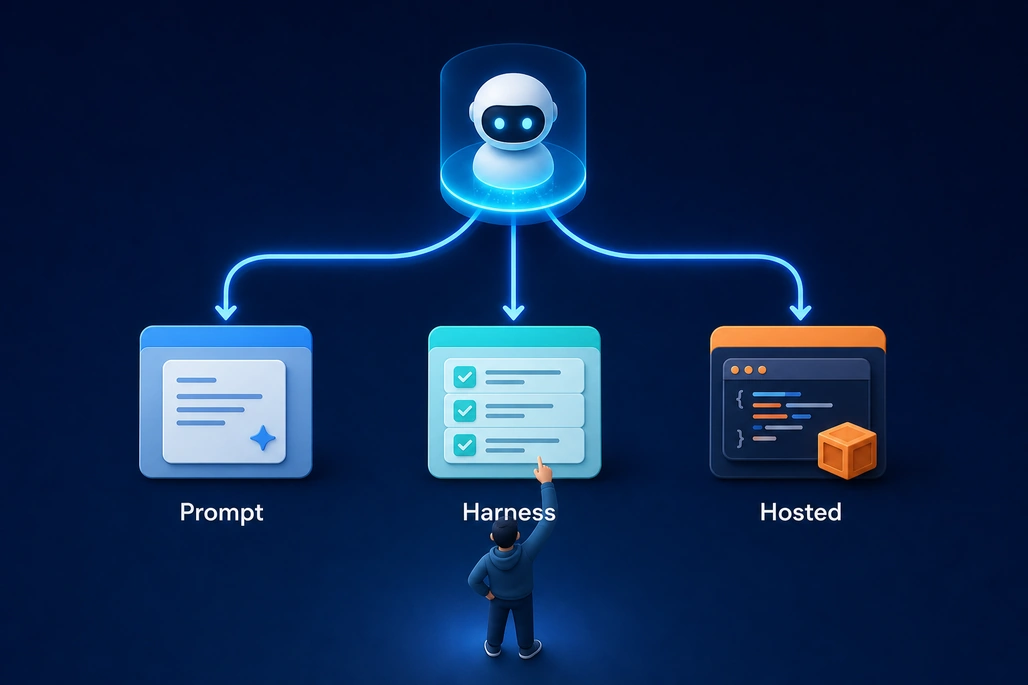
Choose the level of agent ownership that fits the work you need to do.
Microsoft now presents three main choices. They are not competing products. They represent different levels of ownership. The right choice depends on how much behavior and infrastructure your application needs you to control.
| Approach | Choose it when | What you own | Status at Ignite 2026 |
|---|---|---|---|
| Prompt agent | Your task works with instructions and supported tools. | Instructions, model selection, tools, knowledge, and testing. | Available |
| Prompt agent with Microsoft Copilot harness | You need managed execution, reusable skills, files, subagents, or more involved tool coordination. | Agent definition, instructions, skills, tools, knowledge, and evaluations. | Public preview |
| Hosted agent | You need your own framework, custom code, middleware, dependencies, or runtime behavior. | Your containerized agent application and its state and recovery design. | Available |
The Microsoft Copilot harness is the middle option. Microsoft runs the agent loop and sandbox. Your team provides the business knowledge and connected tools. In plain words, the loop is the repeated work of reading the task, deciding the next action, calling a tool if needed, checking the result, and continuing until the agent can respond.
Hosted agents give you more freedom, but they also give you more responsibility. Microsoft Learn says hosted agents are designed for cases where you bring your own code, use custom protocols, choose CPU and memory allocations, keep stateful workloads, or need resilient long-running work. You package the application as a container image and push it to Azure Container Registry.
Do not pick hosted agents only because they sound more advanced. If your first agent only needs well-written instructions and one or two managed tools, a prompt agent is easier to build, review, and debug. Move to a hosted agent when you can name the missing requirement, such as a custom webhook, an existing .NET orchestration service, or a workflow that must preserve application state across long-running work.
What changed in Foundry Agent Service at Ignite 2026
The Microsoft Copilot harness is a managed execution option
The Microsoft Copilot harness was introduced in public preview in late October 2026 and is highlighted again in the Ignite announcement. It supports declarative prompt agents, which means much of the agent is described as configuration, instructions, tools, and skills rather than as a custom service that you host yourself.
You can author these agents in the Foundry portal, the GitHub Copilot app, the Foundry CLI through azd ai, or the Foundry Toolkit for Visual Studio Code. Keeping an agent definition in source control is useful because prompts, tool settings, and policies change the behavior of your production application. They should be reviewed like code.
There are preview limits to plan for. Microsoft says you must choose the harness when you create the agent, and you cannot switch an existing agent to it later during this preview. Microsoft also manages CPU, memory, and idle settings for the harness environment. Billing for harness runtime starts on December 1, 2026, at listed consumption rates for sandbox compute and memory, while model inference and separately billed services can still add cost.
Voice agents are generally available
Voice agents in Foundry Agent Service became generally available on November 18, 2026. This is for real-time speech-to-speech applications where users may interrupt, pause, or change direction during a conversation. Microsoft positions it for customer service, employee support, in-car assistants, and in-app experiences.
Voice does not remove the usual agent work. You still need clear instructions, approved data sources, safe tool permissions, monitoring, and tests. It changes the interface. A phone or voice user expects a fast, clear response and needs a path to a human when the agent cannot complete the task.
Tools and browser automation have expanded
Agents become useful when they can work with the systems where business work happens. At Ignite, Microsoft announced preview integrations for Work IQ and Fabric IQ, general availability for Web Search powered by Web IQ for prompt agents, and general availability for the A2A tool that connects Foundry agents with external agents.
Toolboxes package reusable tools and expose them through a managed Model Context Protocol, or MCP, endpoint. Browser automation and computer use are also generally available for work that requires a user interface instead of an API. But use browser automation carefully. An API is usually more reliable, easier to authorize, and easier to test. Browser automation is a fallback for cases where the application has no usable API.
Build a first harness agent with C#
A good first project is an internal knowledge assistant that answers only from approved materials and can later call a read-only business tool. Keep the first version narrow. Do not begin with email sending, record deletion, or a tool that changes customer data.
First, create a Foundry project and a prompt agent that uses the Microsoft Copilot harness. You can create it in the Foundry portal or define it through the Foundry developer workflow. The Microsoft Learn documentation shows the harness setting in azure.yaml and shows that Web Search can be attached as a declared tool.
services:
  support-agent:
    host: azure.ai.agent
    kind: prompt
    harness:
      type: microsoft_copilot_preview
    tools:
      - type: web_search
The web-search example is useful for current public information. Do not put customer data, credentials, internal ticket details, or other sensitive values in a web-search query. For internal knowledge, use an approved enterprise data connection and apply the access controls that match the data.
After deployment, a C# application can invoke a harness agent through an agent-scoped client and an explicit conversation. The explicit conversation is required for a Copilot harness agent. Replace the two placeholder values with your Foundry project endpoint and deployed agent name.
#pragma warning disable OPENAI001

using Azure.AI.Extensions.OpenAI;
using Azure.AI.Projects.Agents;
using Azure.Identity;
using OpenAI.Conversations;
using OpenAI.Responses;

var foundryProjectEndpoint = "your_project_endpoint";
var foundryAgentName = "your-agent-name";

var options = new ProjectOpenAIClientOptions
{
    AgentName = foundryAgentName
};

var openAIClient = new ProjectOpenAIClient(
    projectEndpoint: new Uri(foundryProjectEndpoint),
    tokenProvider: new DefaultAzureCredential(),
    options: options);

ConversationResource conversation = openAIClient
    .GetProjectConversationsClient()
    .CreateProjectConversation();

ProjectResponsesClient responsesClient = openAIClient
    .GetProjectResponsesClientForAgentEndpoint(
        foundryAgentName,
        conversation.Id);

ResponseResult response = responsesClient.CreateResponse(
    "Summarize the supported actions you can take.");

Console.WriteLine(response.GetOutputText());
For local development, DefaultAzureCredential can use your Azure CLI or Visual Studio sign-in. In deployed Azure workloads, it can use a managed identity. Keep secrets out of prompts, source files, skills, and configuration. Microsoft’s guidance recommends Microsoft Entra identity, managed identity, or supported OAuth flows instead of embedded credentials.
Set tool permissions before you trust the result
Tool access is the boundary that matters most. An agent with a wrong answer is frustrating. An agent with broad access can create a security problem. Give the agent the least privilege needed for one job and add actions in small steps.
For an MCP tool that can take an external action, configure approval. Microsoft’s harness documentation supports require_approval for a customer-configured MCP tool. That gives your application a chance to ask for confirmation before the agent performs an action.
services:
  support-agent:
    host: azure.ai.agent
    tools:
      - type: mcp
        server_label: support
        server_url: ${MCP_SERVER_URL}
        project_connection_id: support-connection
        require_approval: always
This configuration is not a complete security design by itself. You must also grant narrow permissions to the identity behind the connection, log tool usage, and test denied cases. For example, test what the agent does when a user asks it to access another department’s data or to perform an action without approval.
Microsoft also warns that Shell is the broadest harness tool. If Shell remains enabled, turning off file or web capabilities does not create a strict boundary because Shell can work with files and network resources that the environment permits. Treat every enabled tool as code with a security review.
Deploy hosted agents when you need custom code
Hosted agents are for a different type of application. You might already have a .NET service that uses Microsoft Agent Framework, Semantic Kernel, LangGraph, LangChain, or custom orchestration. You can package that service as a container and use Foundry Agent Service for managed hosting.
At Ignite, Microsoft announced several hosted-agent updates. Shared subnet IPs are generally available and are intended to reduce pressure on private IP capacity while each session remains in its own VM-isolated sandbox. Default quotas are listed as 1,000 to 2,000 concurrent sessions per subscription and region, with higher quotas available on request.
Network egress controls are generally available. They allow teams to define which destinations a managed hosted agent can reach. Private certificate authority trust is in public preview for internal APIs, MCP servers, and model gateways that use an organization’s certificates. Azure Policy governance for egress is also in public preview.
Long-running resiliency is generally available, but developers still have work to do. If a job is interrupted, Foundry can rerun the handler with the original input. Your application must save progress outside the process and must avoid duplicate side effects. If an agent creates a report, store an idempotency key or check for an existing report before creating another one after recovery.
Deployment to customer-owned Azure Kubernetes Service clusters is targeted for public preview in early December 2026. That option is for organizations that need Foundry APIs and developer workflow while operating their own AKS cluster, networking, and capacity. Treat the date as a target, not as an available feature, until Microsoft publishes the preview.
Operate an agent with traces, reviews, and evaluations
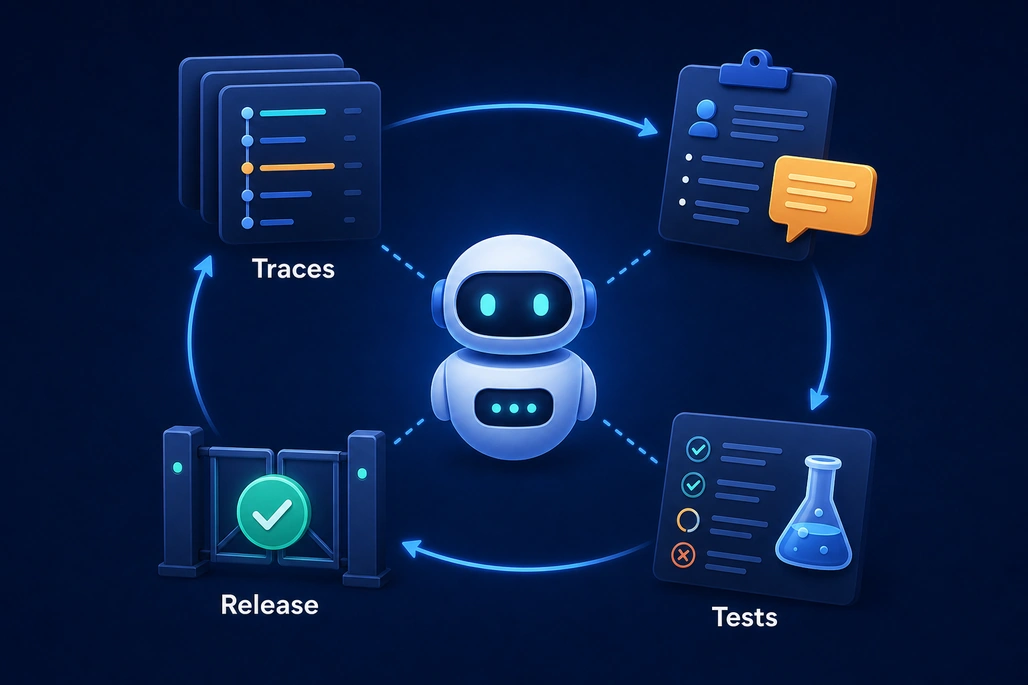
Production evidence should become a test before it becomes a release.
Production is where you find the questions your demo did not cover. Did the agent call the right tool? Did it use the correct document? Did it refuse a request it should have handled? Did it take too long or cost too much?
Foundry Insights is generally available and identifies recurring issues from production traces. Microsoft says this visibility also extends to agents built with LangGraph, LangChain, and CrewAI. Trace annotations are in public preview, so subject matter experts can add feedback about what happened and what should have happened.
Evaluation datasets are also in preview. The simple pattern is useful: take reviewed production cases, remove or protect sensitive information as required, add expected outcomes, and run that dataset before you release a new version. Do not accept an optimizer suggestion automatically. Microsoft describes Insights to Agent Optimizer and skill optimization as preview capabilities, and the announcement says candidate changes should be evaluated before a team decides what to ship.
Start with one safe workflow
I would start with one narrow request that you can verify by hand. Write the input, the expected result, the knowledge source, the tool calls allowed, the data that must never leave your environment, and the human approval point. That becomes your first evaluation set.
- Create a prompt agent with a short, specific instruction set.
- Connect one read-only knowledge source or one read-only tool.
- Test ten realistic requests, including requests the agent should refuse or escalate.
- Review traces to confirm the agent used the expected tools and evidence.
- Add a write action only after you have a clear approval and rollback plan.
The Copilot harness is a reasonable place to learn the managed path, but it is still a public preview as of November 19, 2026. A hosted agent is the better fit when your application already needs custom runtime behavior. In both cases, the quality of the agent will come from clear scope, controlled tools, good data access, and repeatable evaluations.
Frequently asked questions
What is Microsoft Foundry Agent Service?
Microsoft Foundry Agent Service is a managed platform for building, deploying, operating, and improving AI agents. It supports prompt-based agents and hosted agents that run your own containerized code.
What is the Microsoft Copilot harness?
The Microsoft Copilot harness is a public-preview managed execution system for Foundry prompt agents. Microsoft runs the agent loop and sandbox while you define the agent’s instructions, knowledge, skills, and connected tools.
Are voice agents generally available in Foundry Agent Service?
Yes. Microsoft announced general availability for voice agents in Foundry Agent Service on November 18, 2026. They support real-time speech-to-speech agent experiences on the same platform used for build, deployment, monitoring, and improvement.
When should I use a hosted agent instead of a prompt agent?
Use a hosted agent when you need your own code, framework, middleware, dependencies, custom protocol, compute control, or stateful and resilient workload behavior. Start with a prompt agent if instructions and managed tools can meet the requirement.
How should beginners secure an AI agent?
Give the agent only the permissions it needs, use Microsoft Entra identity or managed identity instead of embedded secrets, require approval for sensitive actions, restrict network destinations, and test both allowed and denied tool requests.
Based on reporting by Microsoft Foundry Blog, Microsoft Learn, Microsoft Tech Community and Aiholics.

Join the conversation! Your thoughts help the community grow.