
Entity Framework
The Microsoft ADO.NET Entity Framework is an Object/Relational Mapping (ORM) framework that enables developers to work with relational data as domain-specific objects, eliminating the need for most of the data access plumbing code that developers usually need to write.
The following Image will explain Entity Framework architecture.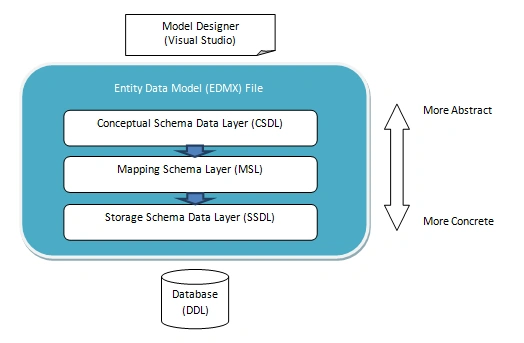
Image 1.
O/RM
ORM is a tool for storing data from domain objects to relational database like Microsoft SQL Server, in an automated way, without much programming. O/RM includes three main parts: Domain class objects, Relational database objects and Mapping information on how domain objects map to relational database objects (tables, views and Stored Procedures). ORM allows us to keep our database design separate from our domain class design.
Model First Approach step-by-step
Model first is the domain modelling approach in Entity Framework. It enables you to create a model's Entities, relationships and inheritance hierarchies on the design surface of an empty model (.edmx file) by using entity designer and then create the database from it.
Now open Visual Studio then select "File" -> "New" -> "Project...".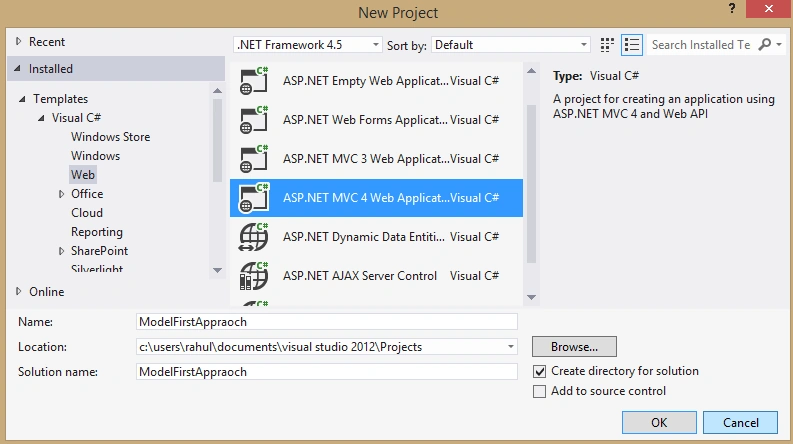
Image 2.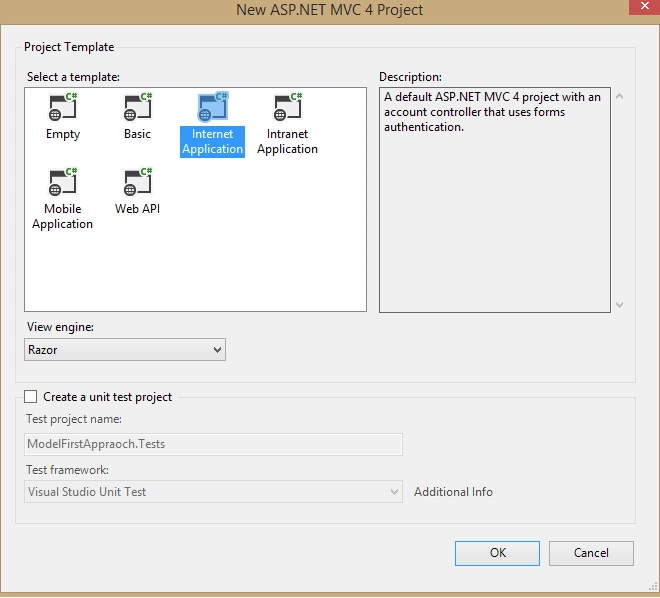
Image 3.
Now right-click on the Model Folder then select "Add" -> "ADO.NET Entity Data Model".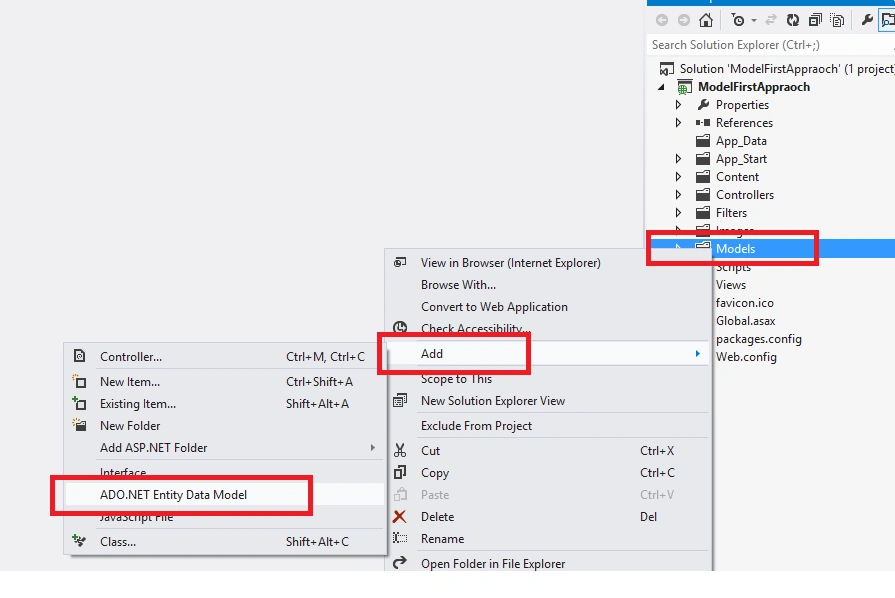
Image 4.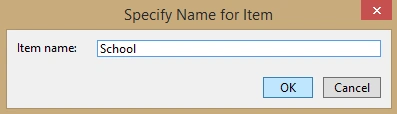
Image 5.
Select Empty model.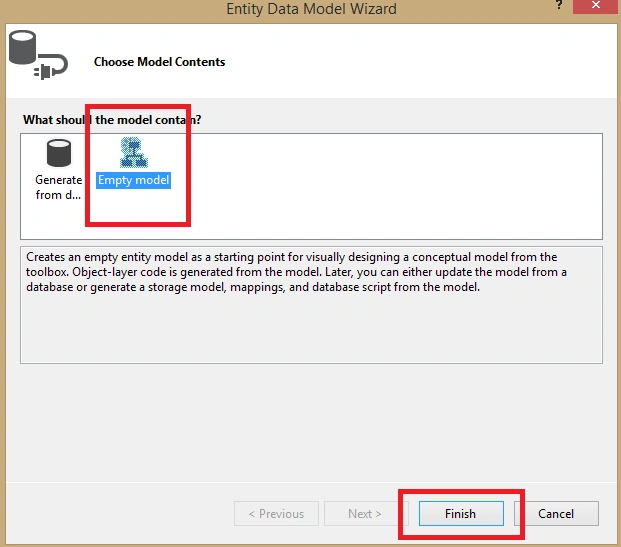
Image 6.
Now right-click then select "Add New" -> "Entity...".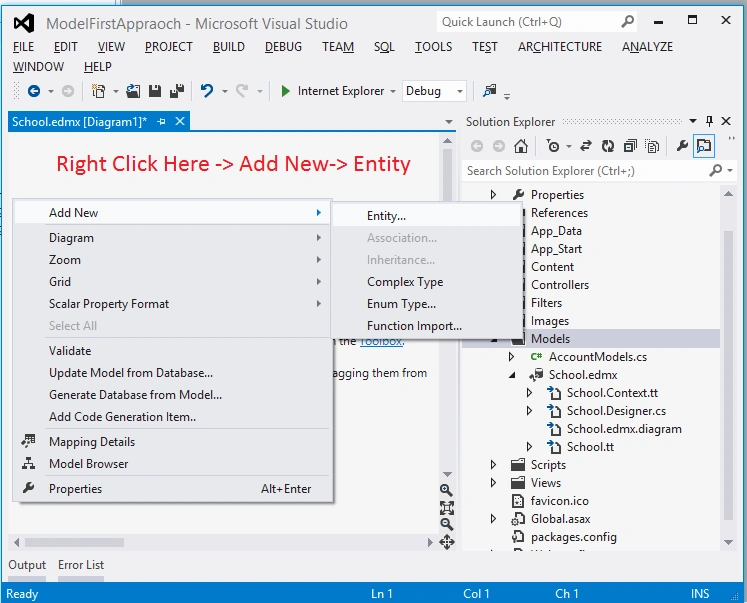
Image 7.
Provide a name then select a Data Type and Set Key.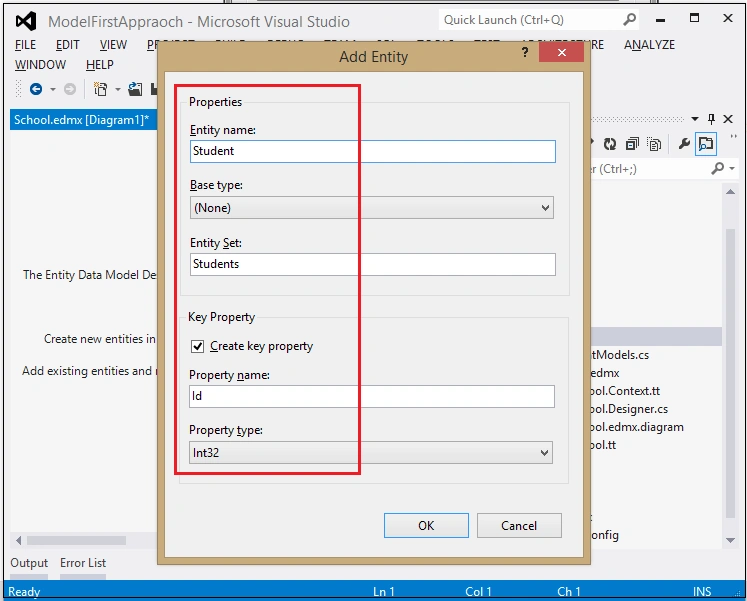
Image 8.
Click OK.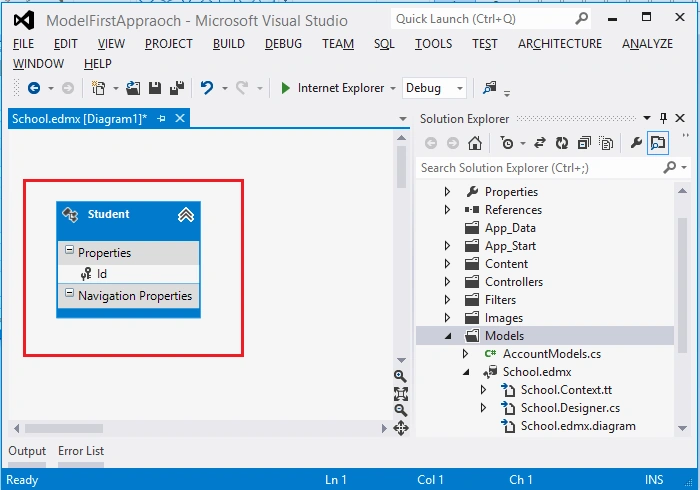
Image 9.
Now add more columns to your Entity.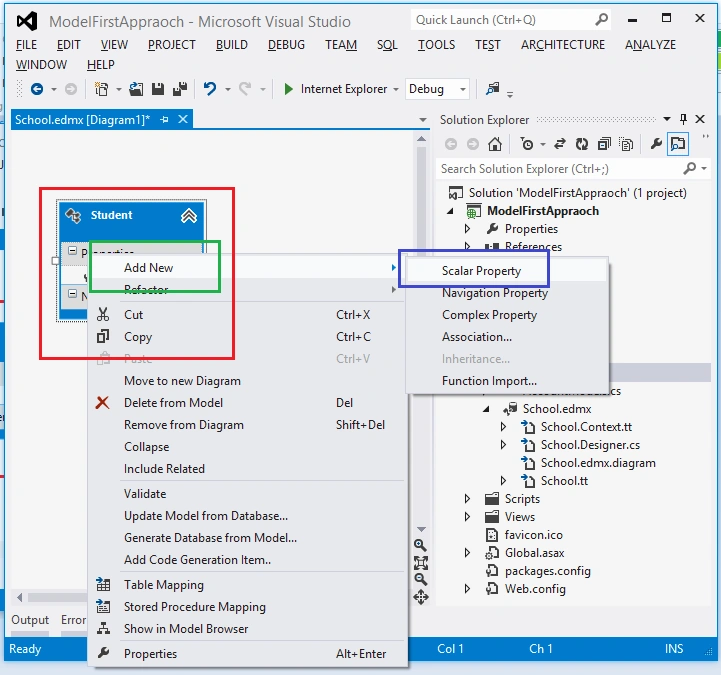
Image 10.
It will add a new property or column to your entity. Now you can set the data type and other properties of this newly added column as in the following.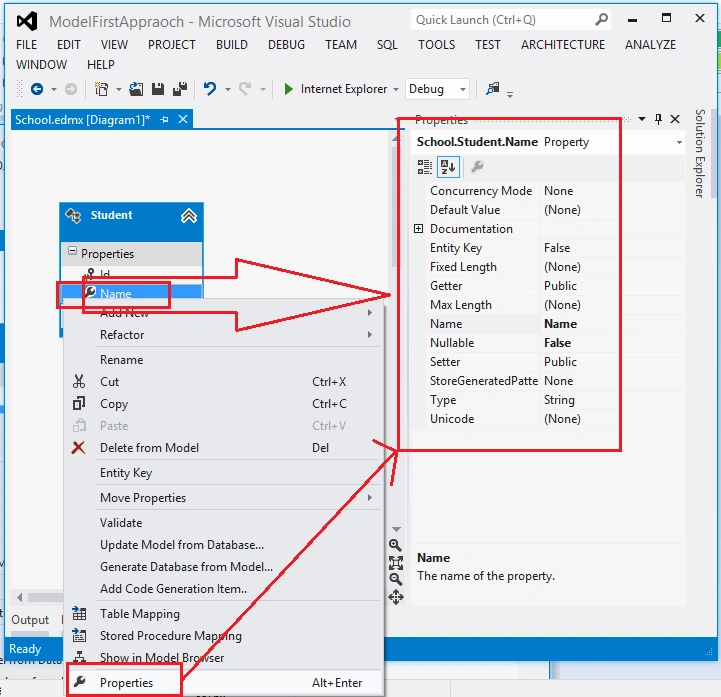
Image 11.
Now add all the columns (properties) that you want. After this our ADO.NET Entity Data Model Will look as in the following.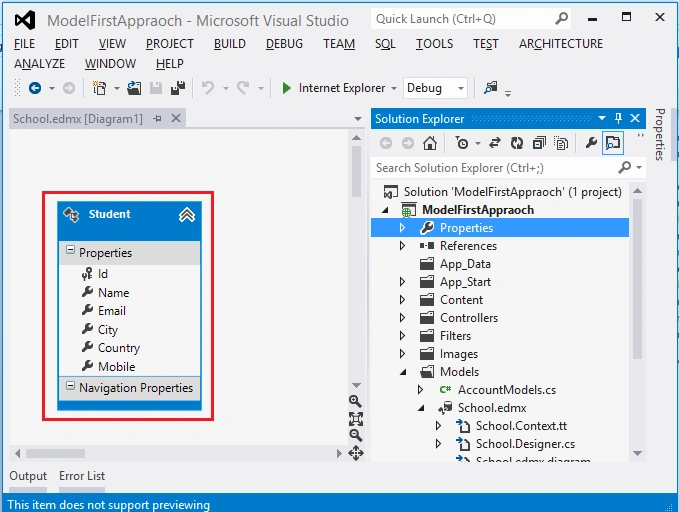
Image 12.
Now to generate the database from this model. So right-click in your edmx as in the following.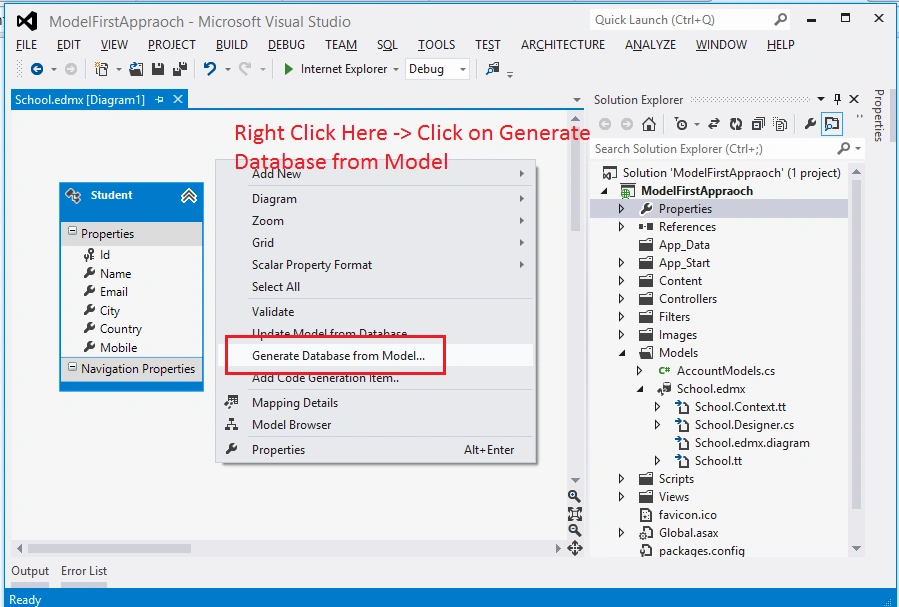
Image 13.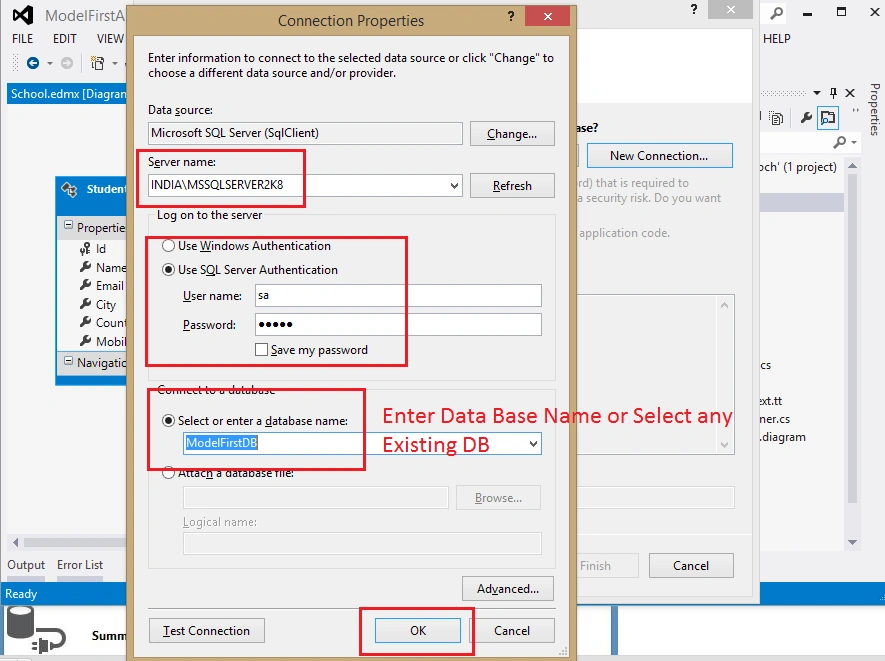
Image 14.
This will give the following Message then click Yes.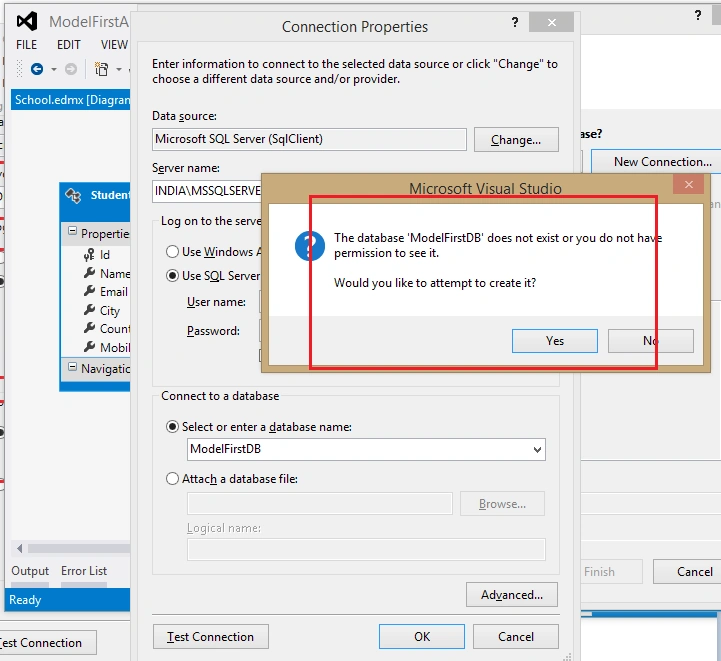
Image 15.
This will show the connection string in the next step as in the following.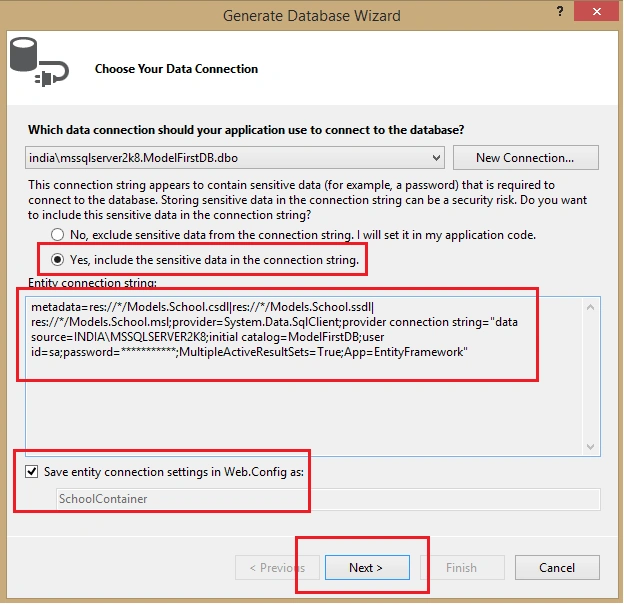
Image 16.
Click Next. That will generate a DB Script.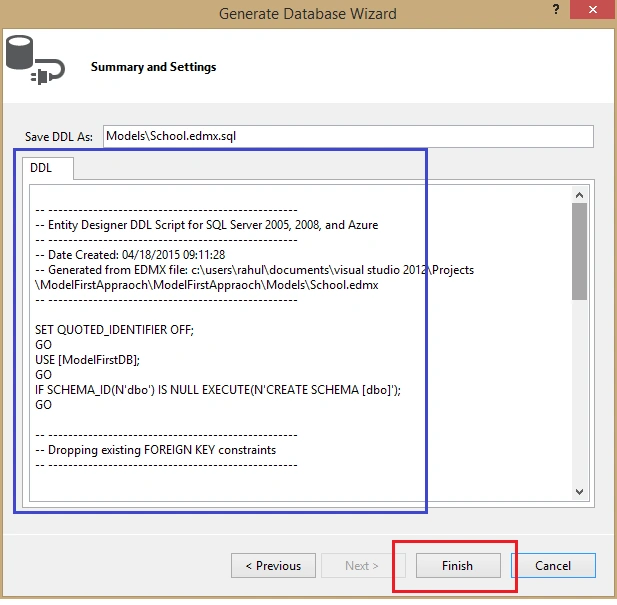
Image 17.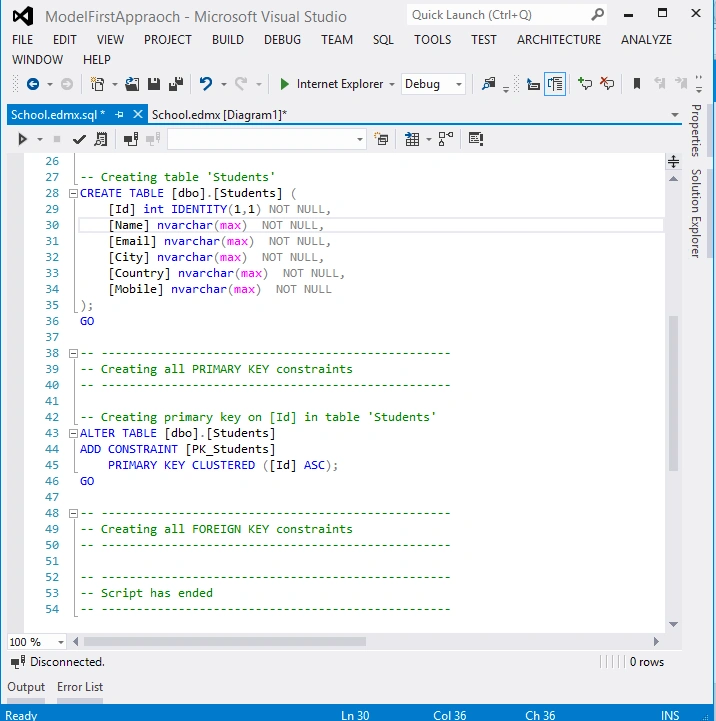
Image 18.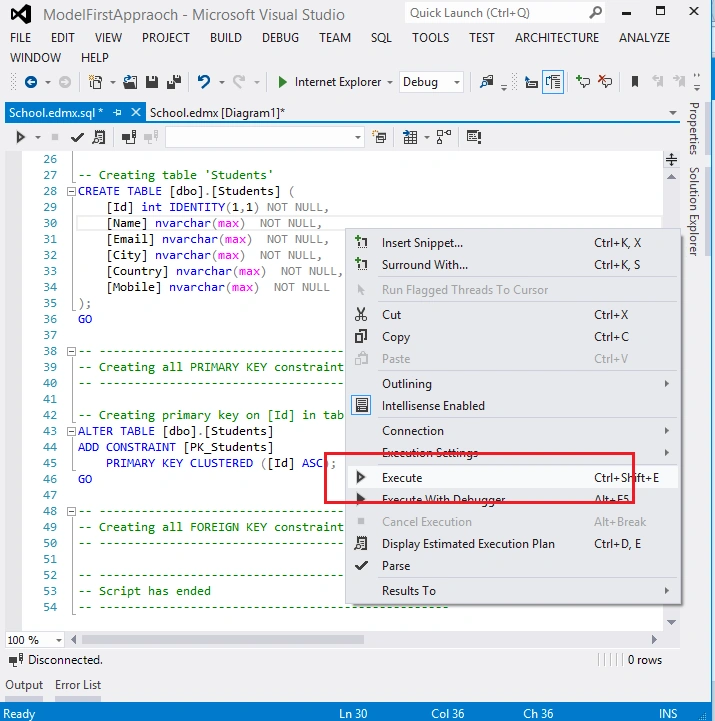
Image 19.
After the command is executed successfully check your database.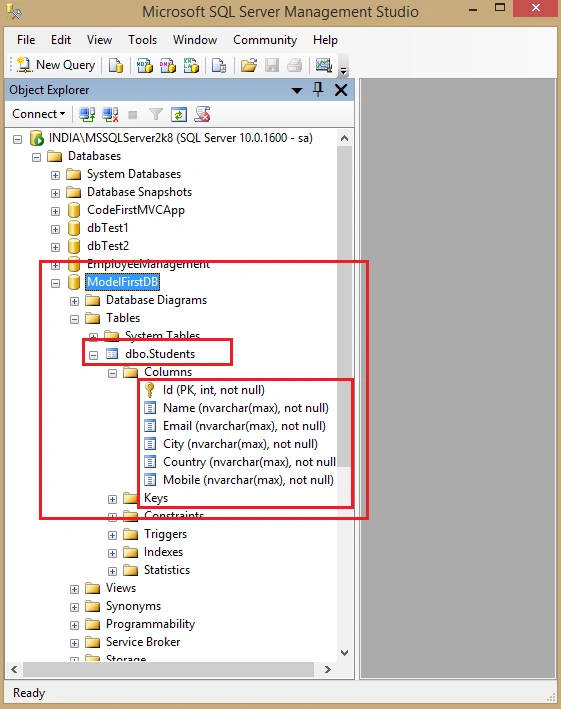
Image 20.
Now generate a class. So click on Models then select School.edmx then right-click on School.tt then select Run Custom Tool.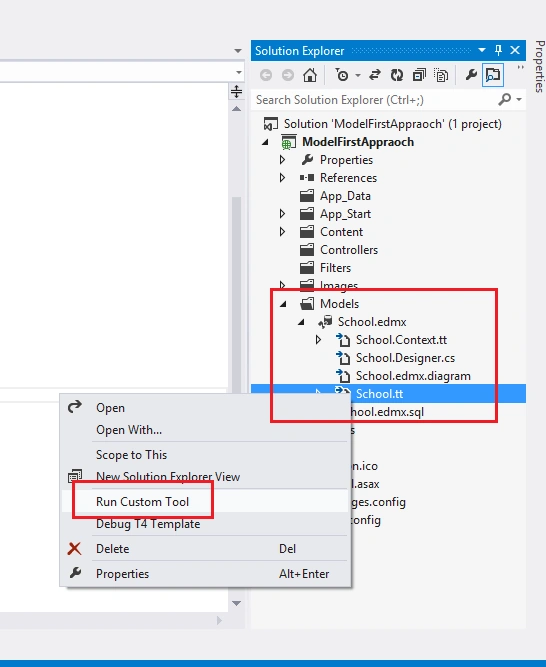
Image 21.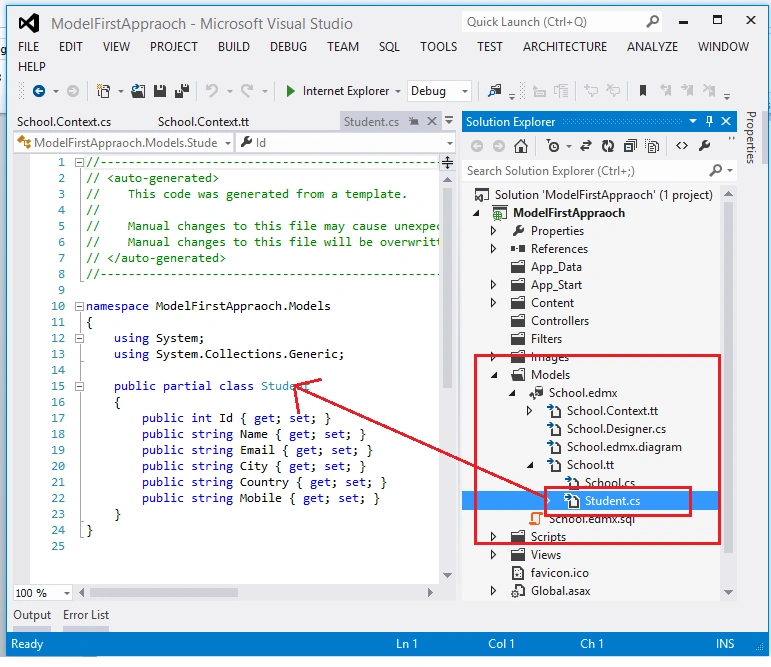
Image 22.
Now to create CRUD operations. So right-click on Controller then select Add -> Controller.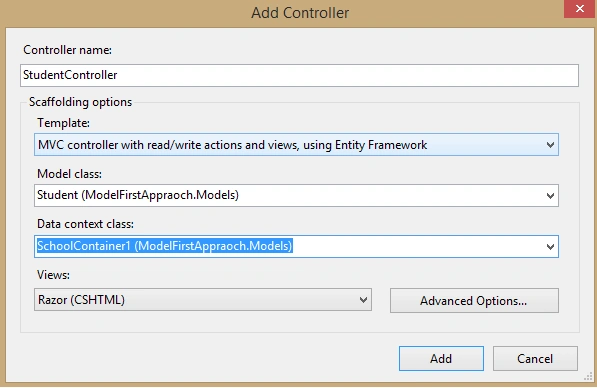
Image 23.
It will CRUD Views also as in the following.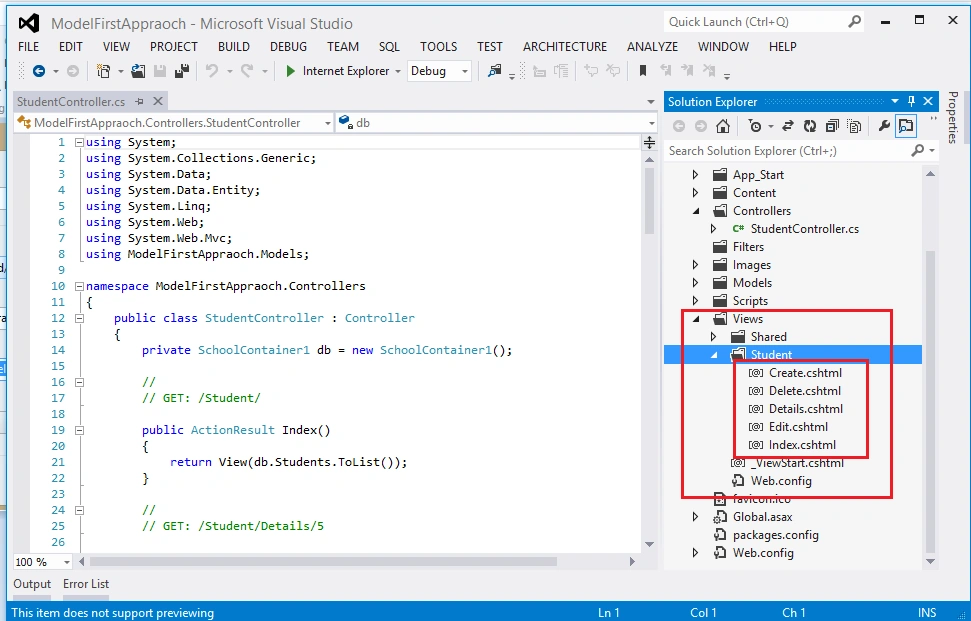
Image 24.
Now run your application.
Add New Student.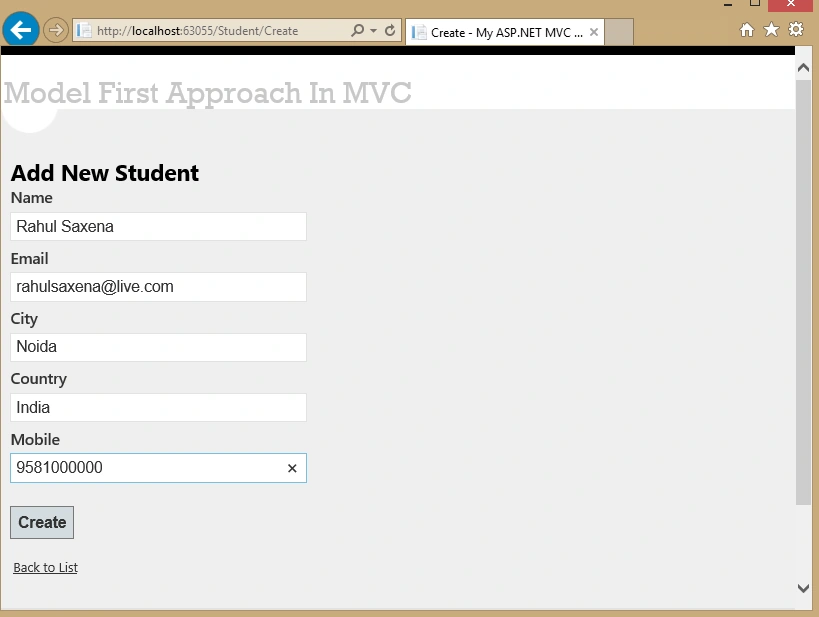
Image 25.
Showing All Students Records.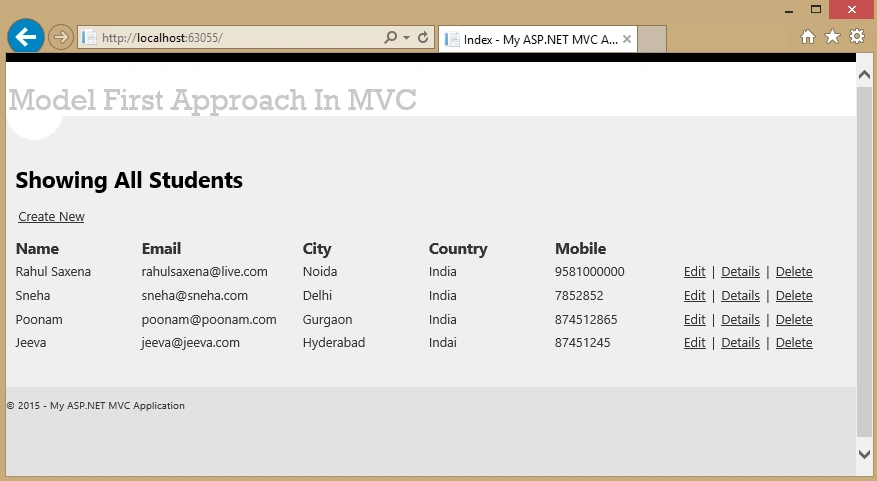
Image 26.
Edit any Student record.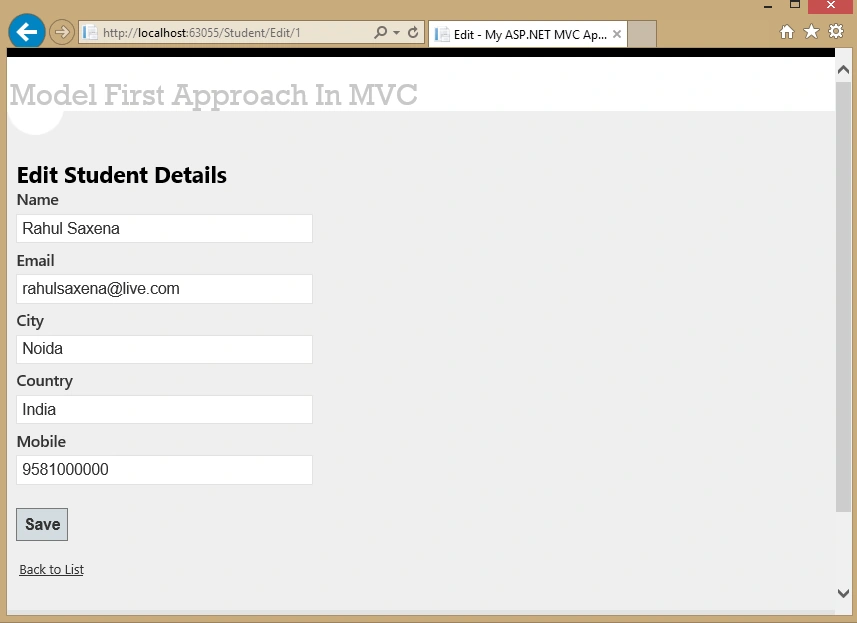
Image 27.
Showing details of Student.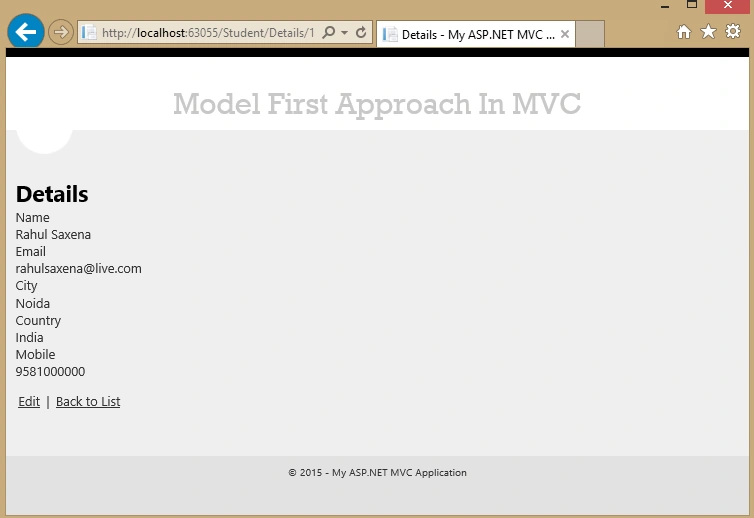
Image 28.
Delete any Student record.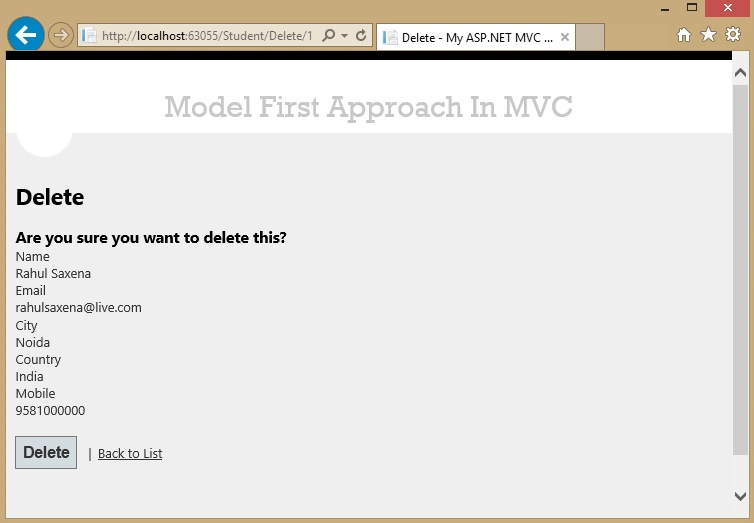
Image 29.
Now see your database.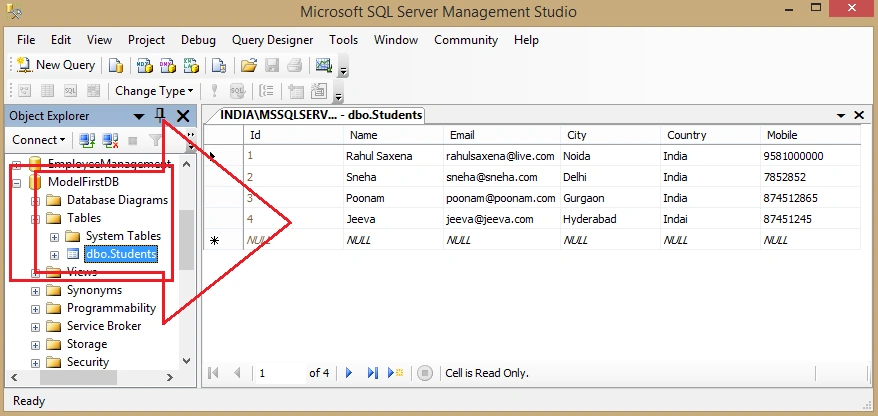
Image 30.
Model First Approach in MVC Using Entity Framework
This article explains the Model First Approach in MVC using Entity Framework.


Surya KantPosted Oct 31, 2015, 6:05 PM EDT
good one brother...
Rahul Kumar SaxenaTOP 100Posted Oct 18, 2015, 8:08 AM EDT
Welcome Shridhar Sharma
Rahul Kumar SaxenaTOP 100Posted Oct 7, 2015, 10:03 AM EDT
Thank u Shridhar Sharma
Shridhar SharmaPosted Oct 7, 2015, 6:53 AM EDT
nice share sir..congrats for Article of The Day :)
Rahul Kumar SaxenaTOP 100Posted Aug 17, 2015, 9:16 PM EDT
Thank u sreenivasa k
sreenivasa kPosted Aug 17, 2015, 2:35 PM EDT
good
Rahul Kumar SaxenaTOP 100Posted Apr 23, 2015, 10:13 AM EDT
Thanks Karthik Muthu Karuppan
Karthik Muthu KaruppanPosted Apr 23, 2015, 7:25 AM EDT
good
Rahul Kumar SaxenaTOP 100Posted Apr 21, 2015, 2:08 AM EDT
Thanks Jitendra Kumar...
Jitendra KumarPosted Apr 21, 2015, 1:40 AM EDT
Nice Article.
Rahul Kumar SaxenaTOP 100Posted Apr 20, 2015, 6:04 PM EDT
Thanks Abhishek Jaiswal...
Abhishek JaiswalPosted Apr 20, 2015, 11:44 AM EDT
Very well explained and informative. :)
Rahul Kumar SaxenaTOP 100Posted Apr 20, 2015, 8:51 AM EDT
Thanks Manoj Kulkarni...
Rahul Kumar SaxenaTOP 100Posted Apr 20, 2015, 8:50 AM EDT
Thanks Sibeesh Venu...
Manoj KulkarniPosted Apr 20, 2015, 7:13 AM EDT
Nice article. Thank you for sharing the information
Sibeesh VenuTOP 100Posted Apr 20, 2015, 2:39 AM EDT
good one.
Rahul Kumar SaxenaTOP 100Posted Apr 19, 2015, 10:58 PM EDT
Thanks Anil Kumar...
Anil KumarPosted Apr 19, 2015, 9:54 PM EDT
Rahul Saxena Like the edmx picture :) Nice explaination!
Rahul Kumar SaxenaTOP 100Posted Apr 19, 2015, 6:08 PM EDT
Thanks Santhakumar Munuswamy
Santhakumar MunuswamyPosted Apr 19, 2015, 11:57 AM EDT
Thanks for nice article
Santhakumar MunuswamyPosted Apr 19, 2015, 11:57 AM EDT
Great work.