
Introduction
In this article am explaining parsing modes/syntax used in HTML5 for various functions and how these parsing modes work and what they do.
HTML5 | Syntax
HTML5 has two syntaxes; sometimes we call these syntaxes parsing modes. These are:
- HTML
- XML
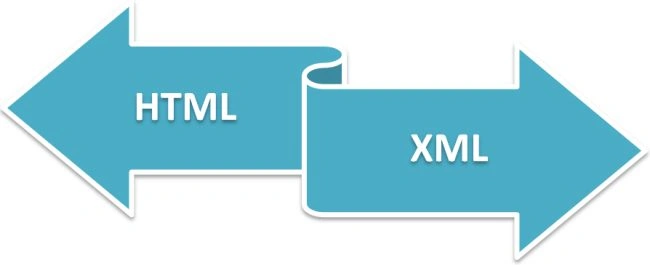
The basic difference between the functionalities of these two modes depends on whether the document is served with a content-type.
Content-Type for HTML
text/HTML
Content-Type for XML
application/xml+xhtml
Working | Parsing Modes
The functionality of the parsing modes depends only upon the content-type, so there exist the following two conditions respectively:
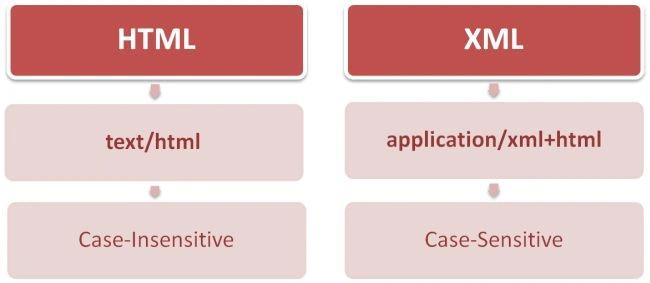
If it's served as text/html then the following rules will be applied:
- Start tags are not required for every element.
- End tag is not required for every element.
- Only void elements may be self closed with />.
(such as: br, img, link) - Tags are case-insensitive.
- Attributes don't need to be quoted.
- Attributes are case-insensitive.
- Some attributes may be empty.
(such as checked and disabled) - The document must be included in an HTML5 DOCTYPE.
Code Snippet | Example
- <!DOCTYPE html>
- <html>
- <head>
- <meta charset="utf-8"/>
- <title>NEW</title>
- <link rel=Stylesheet href="style.css" type="text/css" />
- <style>
- body
- {
- background: oceangreen;
- }
- </style>
- </head>
- <body>
- <p>
- <img src="new.png" alt="new"/>
- <!--anything u want to include in para-->
- </p>
- <script src="new1.js"/>
- </body>
- </html>
XHTML5 : HTML5's XML Syntax
If it's served as application/xml+html then the following rules will be applied:
- All elements must have a start tag.
- Non-Void elements with a start tag must have an end tag.
(such as p and li) - Any element may be self closed using/>.
- Tags are case sensitive.
- Attributes are case sensitive.
- Attributes must be enclosed in quotes.
- Empty attributes are forbidden
(such as checked=” true” or checked=” false”) - Special characters must be escaped.
Code Snippet | Example
- <!DOCTYPE html>
- <html xmlns="http://www.w3.org/1999/xhtml">
- <head>
- <meta charset="utf-8"/>
- <title>NEW</title>
- </head>
- <body>
- <p>
- <img src="new.png" alt="new"/>
- <!--anything u want to include in para-->
- </p>
- <script src="new1.js"/>
- </body>
- </html>


Abhishek JaiswalPosted Apr 22, 2014, 1:23 AM EDT
am not sure sir, but i'll find out.
Sam HobbsPosted Apr 21, 2014, 11:59 AM EDT
XHTML is abandoned for HTML5, right? See: http://programmers.stackexchange.com/questions/149839/is-xhtml5-dead-or-is-it-just-an-synonym-of-html5