
Introduction
AngularJS has many built-in directives that are used to specify the event. In this article we will discuss about mouse directives. AngularJS has the following directives to support mouse event.
ngMousedown
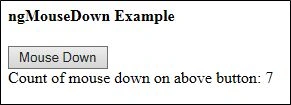
The ngMouseDown directive allows us to specify the behavior of element(s) on mousedown event. This directive has highest priority.
Syntax
<ANY ELEMENT ng-mousedown="expression">
...
</ANY ELEMENT>
Example
HTML
- <h4>ngMouseDown Example</h4>
- <div ng-controller="HomeController">
- <button ng-mousedown="count = count + 1" ng-init="count=0">
- Mouse Down
- </button>
- <br /> Count of mouse down on above button: {{count}}
- </div>
Here there is no specific item need to done in controller, hence I have defined blank controller.
- var app = angular.module("app", []);
- app.controller("HomeController", function ($scope) {
- });
ngMouseenter
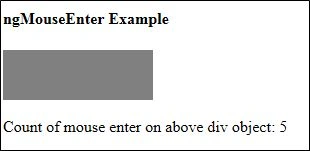
The ngMouseenter directive allows us to specify the behavior of element(s) on mouse enter event. This directive has highest priority.
Syntax
<ANY ELEMENT ng-mouseenter="expression">
...
</ANY ELEMENT>
Example
HTML
- <h4>ngMouseEnter Example</h4>
- <div ng-controller="HomeController">
- <div style="width:150px;height:50px;background-color:gray" ng-mouseenter="count = count + 1" ng-init="count=0">
- </div>
- <br /> Count of mouse enter on above div object: {{count}}
- </div>
Output
ngMouseleave
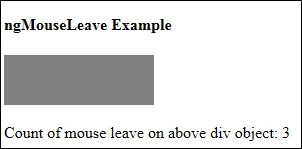
The ngMouseleave directive allows us to specify the behavior of element(s) on mouse leave event. This directive has highest priority.
Example
HTML
- <h4>ngMouseLeave Example</h4>
- <div ng-controller="HomeController">
- <div style="width:150px;height:50px;background-color:gray" ng-mouseleave="count = count + 1" ng-init="count=0">
- </div>
- <br /> Count of mouse leave on above div object: {{count}}
- </div>
Output
ngMousemove
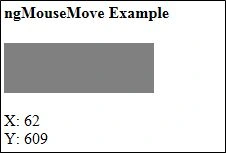
The ngMousemove directive allows us to specify the behavior of element(s) on mouse move event. This directive has highest priority.
Example
HTML:
- <h4>ngMouseMove Example</h4>
- <div ng-controller="HomeController">
- <div style="width:150px;height:50px;background-color:gray" ng-mousemove="x=$event.screenX;y=$event.screenY" ng-init="x=0;y=0;">
- </div>
- <br /> X: {{x}}
- <br /> Y: {{y}}
- </div>
Output
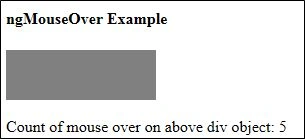
ngMouseover
The ngMouseover directive allows us to specify the behavior of element(s) on mouse over event. This directive has highest priority.
Example
HTML
- <h4>ngMouseOver Example</h4>
- <div ng-controller="HomeController">
- <div style="width:150px;height:50px;background-color:gray" ng-mouseover="count = count + 1;" ng-init="count=0">
- </div>
- <br /> Count of mouse over on above div object: {{count}}
- </div>
Output
ngMouseup
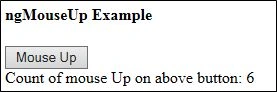
The ngMouseup directive allows us to specify the behavior of element(s) on mouse up event. This directive has highest priority.
Example
HTML
- <h4>ngMouseUp Example</h4>
- <div ng-controller="HomeController">
- <button ng-mouseup="count = count + 1" ng-init="count=0">
- Mouse Up
- </button>
- <br /> Count of mouse Up on above button: {{count}}
- </div>
Output
Summary
This article is for helping us to learn various directives to support mouse event.


Santhakumar MunuswamyPosted Dec 23, 2015, 10:33 AM EST
Thanks for nice article
Raja TPosted Dec 11, 2015, 3:25 AM EST
Nice, Thanks for sharing
Jaipal ReddyPosted Dec 11, 2015, 2:43 AM EST
nice share sir.
Harshad PansuriyaPosted Dec 11, 2015, 2:07 AM EST
Nice one
Ankur MistryTOP 100Posted Dec 11, 2015, 2:06 AM EST
good example
Sibeesh VenuTOP 100Posted Dec 11, 2015, 2:02 AM EST
Nice Share