
The following are the Microsoft SQL Server keyboard shortcuts.
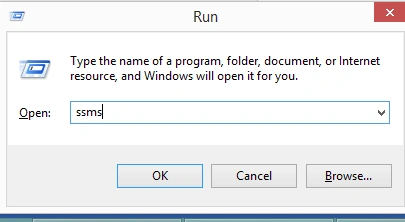
- To Run Microsoft SQL Server:
- Press Windows+R
- Type ssms
- Press the OK button
- Control+G: to go to the desired line number and display line number in the query editor window.
Go to Tools -> Options.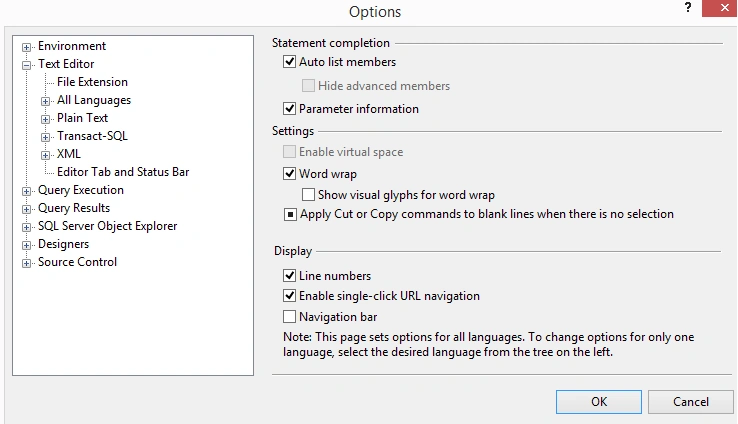
It will display numbers as in the following image.
For example: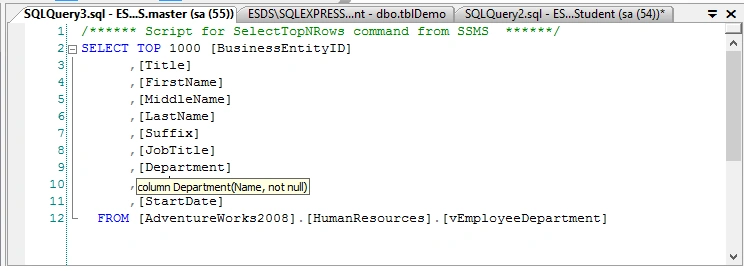
- Control+E: Executes the query.
Select the query you want to execute and then press Control+E.
- Control+L: Cost Estimation.
Select the query you want to execute and then press Control+L.
For example: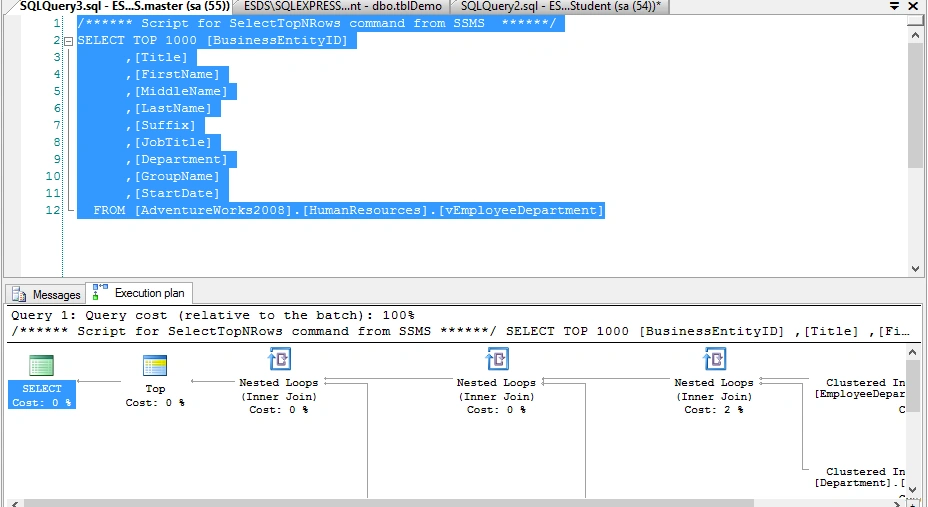
- Control+R: Hide/show the Result Pane.
- Control+N: New Query Window.
- Control+Shift+U: Convert text to UPPERCASE.
Select the text you want to convert and then press Control+Shift+U.
- Control+Shift+L: Convert text to lowercase.
Select the text you want to convert and then press Control+Shift+L.
- Control+Shift+Del: Clears the active query window.
It clears the contents of the active window.
- Control+U: Use databse.
Press Control+U, then your mouse focus will go to the database dropdown as in the following.
For example: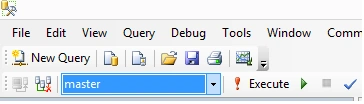
And then you can use the up and down arrow keys or type the text to choose the database.
- Control+T: displayss the result in text format.
Press Control+T and then execute the query. It will show the result as follows.
For example: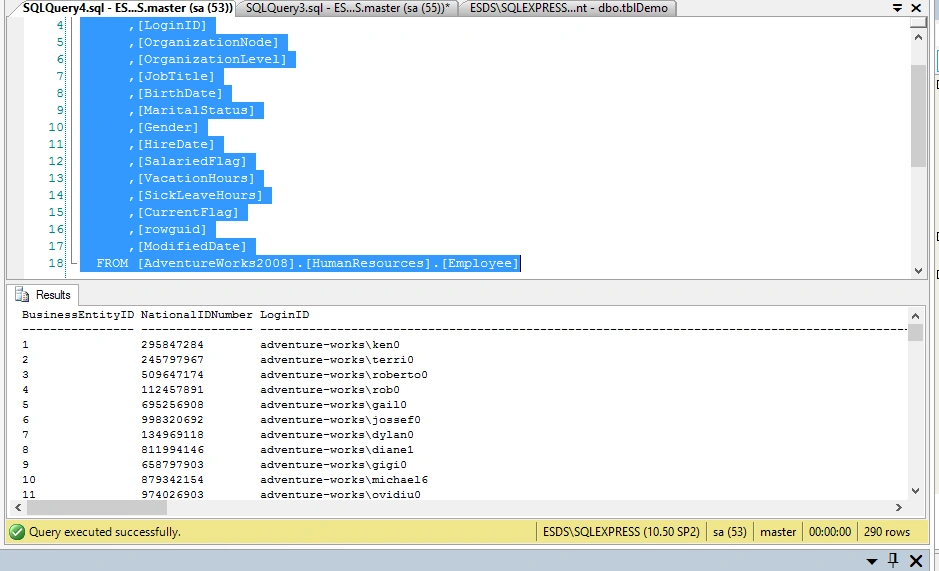
- Control + D: To display the result in Grid format.
And to display the result in grid (default format) press Control+D and then execute the query.
- Control+ Left/Right Arrow: To move the cursor to the next word.
- Control+Shift+ Left/Right Arrow: To move and select the next word.
- Alt+Shift+ Left/Right/Down Arrow: To select the text that is usually not possible using the mouse as in the following.
For example: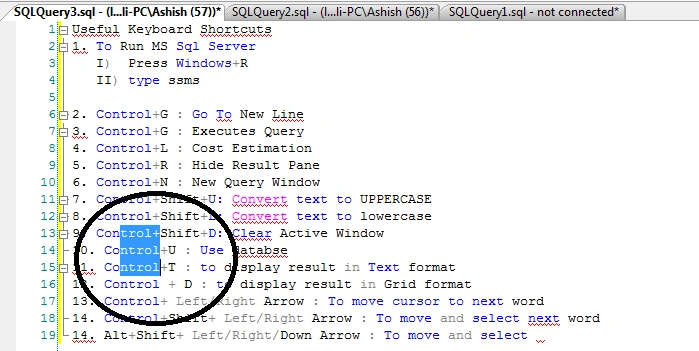
- Alt+F1
To view the table definition.
Select the table name and then press Alt+F1.
For example: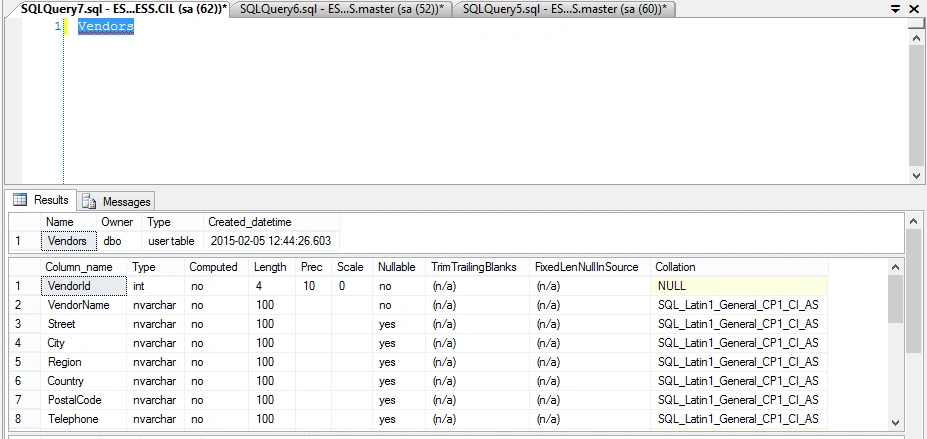


Bruno PétersonPosted May 13, 2015, 5:34 AM EDT
Very good, thank you!
Santhakumar MunuswamyPosted Apr 11, 2015, 5:25 PM EDT
thanks for sharing
Santhakumar MunuswamyPosted Apr 11, 2015, 5:25 PM EDT
good work
Bruno PétersonPosted Apr 11, 2015, 5:17 PM EDT
Very good!
Ashish NakilPosted Feb 23, 2015, 8:26 AM EST
Thanks for all comments. really inspiring me to learn more and to share more . Thanks :)
Dinesh BeniwalTOP 10Posted Feb 23, 2015, 5:44 AM EST
Thanks for sharing Ashish Nakil
Rahul Kumar SaxenaTOP 100Posted Feb 23, 2015, 4:33 AM EST
Very Usefull ... :)
Sibeesh VenuTOP 100Posted Feb 23, 2015, 3:57 AM EST
Ashish Nakil You are welcome.
Sibeesh VenuTOP 100Posted Feb 23, 2015, 2:26 AM EST
Good One.
Parag KulthePosted Feb 22, 2015, 8:06 PM EST
Thanks :-)
Prasham SabadraPosted Feb 22, 2015, 7:59 PM EST
Nice article! Thanks for sharing!
Joginder BangerPosted Feb 22, 2015, 7:18 PM EST
ALT+F5 for debug the query or store procedure. Good information sir...
Parag KulthePosted Feb 22, 2015, 6:47 PM EST
I think point 15 & 16 are shuffle
Parag KulthePosted Feb 22, 2015, 6:46 PM EST
Again very useful & nice article Ashish. Keep it on