
In this article I am going to show how we can set WebGrid row back color at run time in MVC. Here are the steps,
Open Visual Studio, then create a New Project,


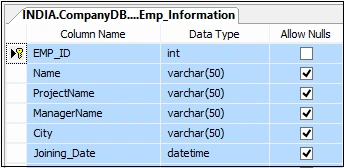
Below is my Data Table.
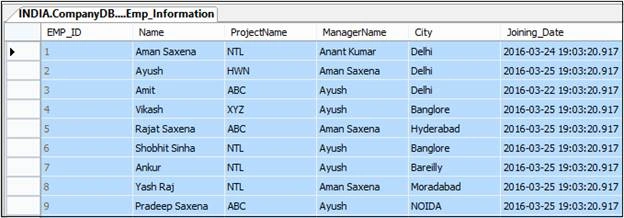
Data in my table.
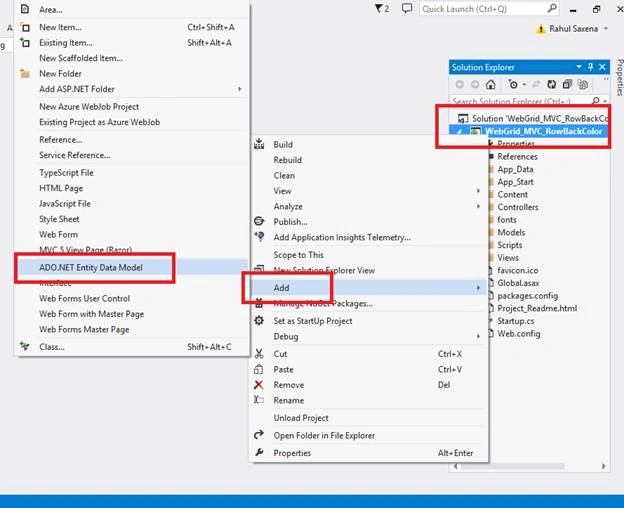
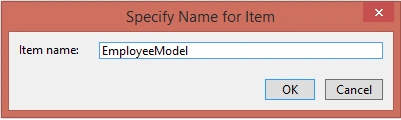
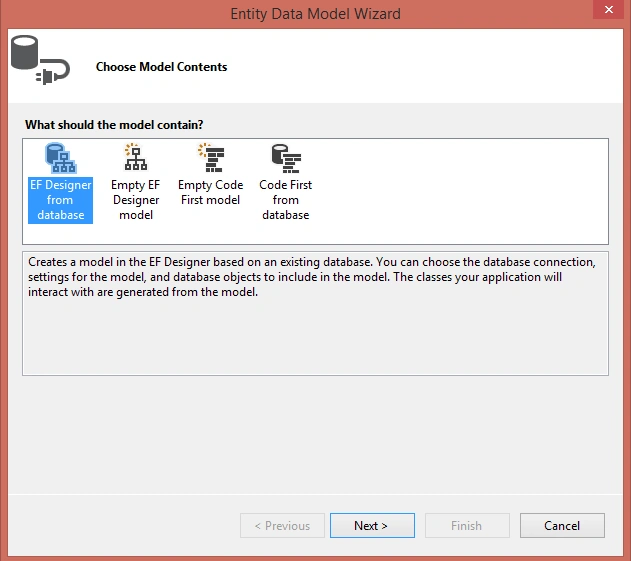
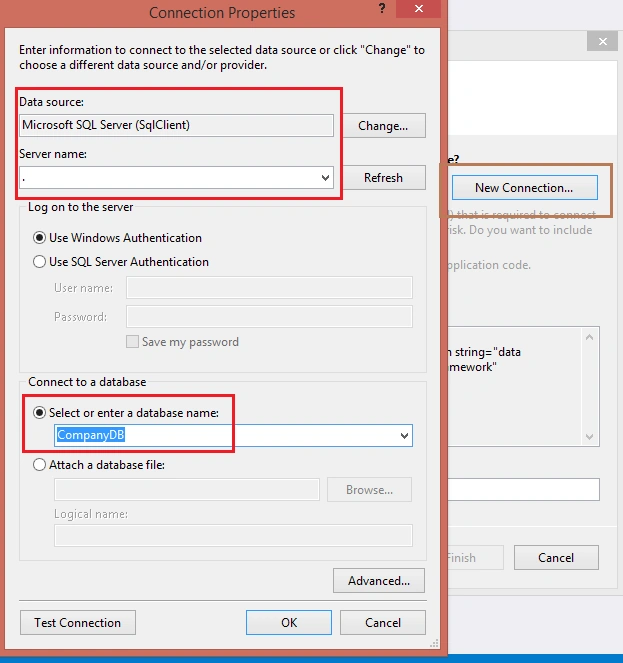
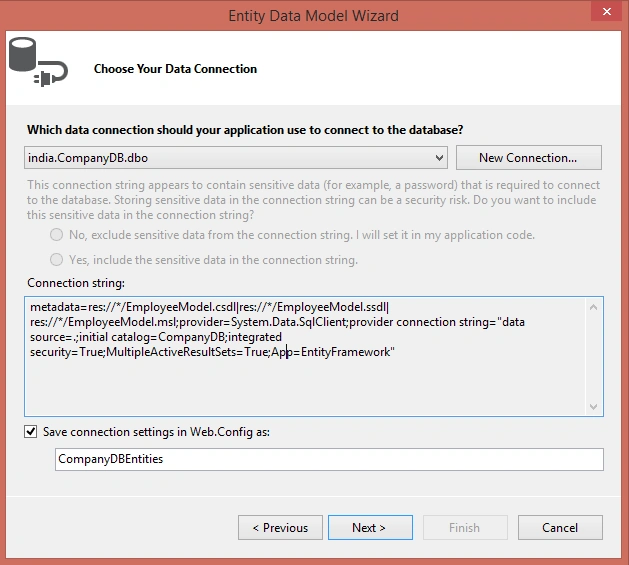
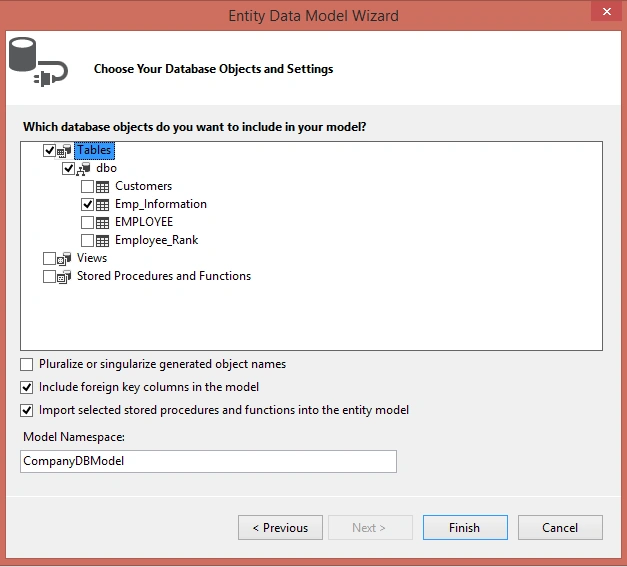
Now add ADO.NET Entity Data Model.

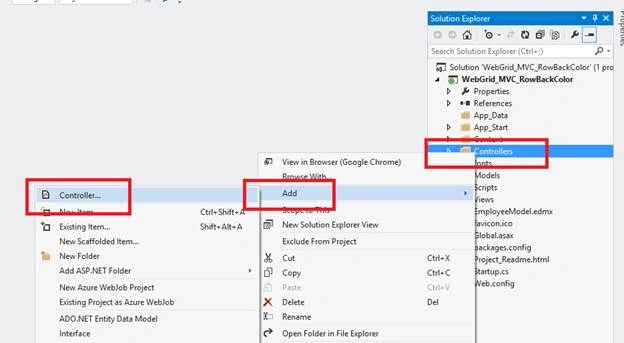
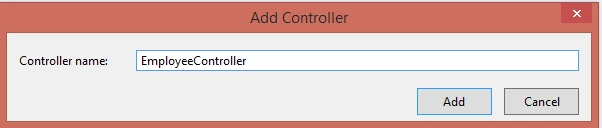
Now add a new controller.

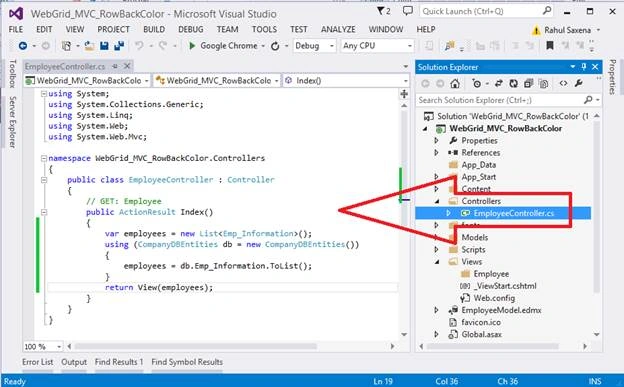
Now write the following code in your EmployeeController,
Below is my Data Table.
Data in my table.
Now add ADO.NET Entity Data Model.
Now add a new controller.
Now write the following code in your EmployeeController,
- using System;
- using System.Collections.Generic;
- using System.Linq;
- using System.Web;
- using System.Web.Mvc;
- namespace WebGrid_MVC_RowBackColor.Controllers
- {
- public class EmployeeController : Controller
- {
- // GET: Employee
- public ActionResult Index()
- {
- var employees = new List<Emp_Information>();
- using (CompanyDBEntities db = new CompanyDBEntities())
- {
- employees = db.Emp_Information.ToList();
- }
- return View(employees);
- }
- }
- }
- @model List<WebGrid_MVC_RowBackColor.Emp_Information>
- @{
- ViewBag.Title = "Employee Listing";
- var grid = new WebGrid(source: Model, canPage: true, rowsPerPage: 10);
- grid.Pager(WebGridPagerModes.All);
- }
- @section scripts
- {
- <script>
- $(document).ready(function () {
- $("#content tbody tr").each(function (i, row) {
- var $actualRow = $(row);
- if ($actualRow.find('input.cityCheck[type=text]').val() == 'Banglore') {
- $actualRow.css('background-color', '#0094ff');
- }
- });
- });
- </script>
- }
- <style type="text/css">
- .webgrid-table {
- font-family: "Trebuchet MS", Arial, Helvetica, sans-serif;
- font-size: 10pt;
- width: 100%;
- border-collapse: separate;
- border: solid 1px #ff6a00;
- background-color: white;
- }
- .webgrid-table td, th {
- border: 1px solid #ff6a00;
- padding: 3px 7px 2px;
- }
- .webgrid-header {
- background-color: #ff0000;
- color: #FFFFFF;
- padding-bottom: 4px;
- padding-top: 5px;
- text-align: left;
- }
- .webgrid-footer {
- }
- .webgrid-row-style {
- padding: 3px 7px 2px;
- }
- </style>
- <div id="content">
- @grid.GetHtml(
- tableStyle: "webgrid-table",
- headerStyle: "webgrid-header",
- footerStyle: "webgrid-footer",
- alternatingRowStyle: "webgrid-alternating-row",
- rowStyle: "webgrid-row-style",
- columns: grid.Columns(
- grid.Column(header: "Employee ID", format: @<text><div>@(item.EMP_ID)</div></text>),
- grid.Column(header: "Name", format: @<text><div>@(item.Name)</div></text>),
- grid.Column(header: "Manager Name", format: @<text><div>@(item.ManagerName)</div></text>),
- grid.Column(header: "Project Name", format: @<text><div>@(item.ProjectName)</div></text>),
- grid.Column(header:"City", format:@<text><input type="text" class="cityCheck" value="@item.City" /></text>)
- ))
- </div>
- using System;
- using System.Collections.Generic;
- using System.Linq;
- using System.Web;
- using System.Web.Mvc;
- using System.Web.Routing;
- namespace WebGrid_MVC_RowBackColor
- {
- public class RouteConfig
- {
- public static void RegisterRoutes(RouteCollection routes)
- {
- routes.IgnoreRoute("{resource}.axd/{*pathInfo}");
- routes.MapRoute(
- name: "Default",
- url: "{controller}/{action}/{id}",
- defaults: new { controller = "Employee", action = "Index", id = UrlParameter.Optional }
- );
- }
- }
- }
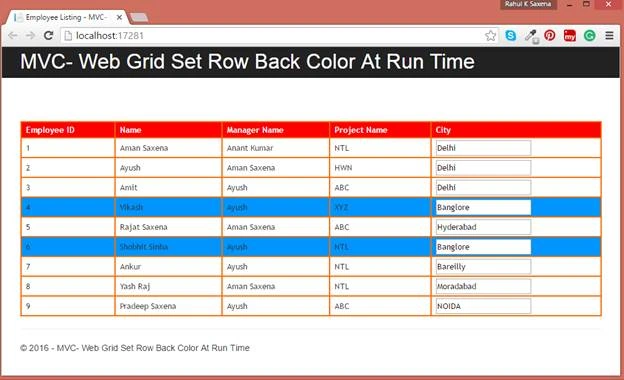
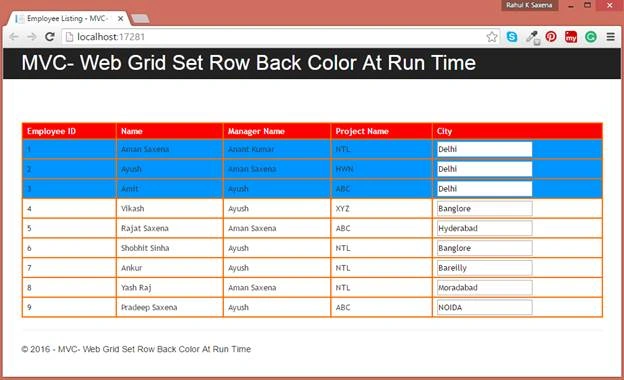
If you change your check condition in the jQuery code like below:
- <script>
- $(document).ready(function () {
- $("#content tbody tr").each(function (i, row) {
- var $actualRow = $(row);
- if ($actualRow.find('input.cityCheck[type=text]').val() == 'Delhi') {
- $actualRow.css('background-color', '#0094ff');
- }
- });
- });
- </script>
Read more articles on MVC:


Delpin Susai RajTOP 100Posted Aug 28, 2016, 2:26 AM EDT
Nice
SubashPosted Aug 1, 2016, 9:26 PM EDT
Good
Bhuvanesh MohankumarPosted May 6, 2016, 12:13 PM EDT
Good to read...
Vivek KumarPosted Apr 28, 2016, 10:40 AM EDT
Good one
Bhavik PatelPosted Apr 22, 2016, 6:48 PM EDT
good share
Atul RawatPosted Apr 20, 2016, 11:25 PM EDT
nice article sir
Jaipal ReddyPosted Apr 20, 2016, 7:55 PM EDT
Nice. .
Vignesh ManiTOP 100Posted Apr 20, 2016, 12:00 PM EDT
good one
Ankur MistryTOP 100Posted Apr 20, 2016, 9:50 AM EDT
Helpful, thanks for sharing
Rahul Kumar SaxenaTOP 100Posted Apr 20, 2016, 5:40 AM EDT
Thanks Rupali Shinde
Rahul Kumar SaxenaTOP 100Posted Apr 20, 2016, 5:40 AM EDT
Thanks Gowtham Rajamanickam
Rupali ShindePosted Apr 20, 2016, 3:46 AM EDT
nice share sir
Gowtham RajamanickamTOP 100Posted Apr 20, 2016, 3:26 AM EDT
nice article
Rahul Kumar SaxenaTOP 100Posted Apr 20, 2016, 2:30 AM EDT
Thanks Pankaj
Pankaj Kumar ChoudharyTOP 100Posted Apr 20, 2016, 1:44 AM EDT
Nice Article Sir........