
Introduction
In Windows there is a Taskbar with a Notification area (historically known as the system tray or status area) with icons. Typically in the bottom-right a notification icon notifies the user of certain information.
Example: we generally have some software installed in our machine and we periodically get the following notifications.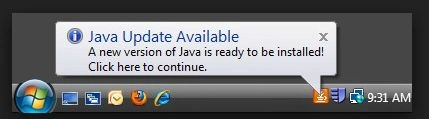
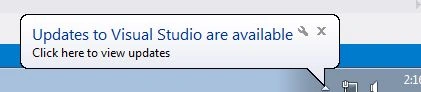
We can create a notification icon using C# Windows Forms as per requirements.
The following is a snapshot of an notification icon that pops up when the user starts the application.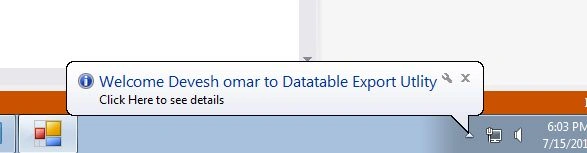
Procedure
- Add a Windows application
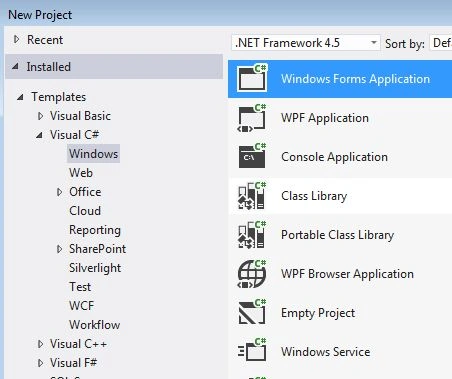
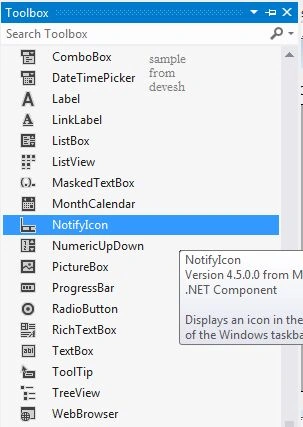
- Add a NotifyIcon as in the screen below.
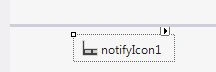
- the following control will be added (notiyicon) to the application:
- Add the following code to the form:
- protected void Displaynotify()
- {
- try
- {
- notifyIcon1.Icon = new System.Drawing.Icon(Path.GetFullPath(@"image\graph.ico"));
- notifyIcon1.Text = "Export Datatable Utlity";
- notifyIcon1.Visible = true;
- notifyIcon1.BalloonTipTitle = "Welcome Devesh omar to Datatable Export Utlity";
- notifyIcon1.BalloonTipText = "Click Here to see details";
- notifyIcon1.ShowBalloonTip(100);
- }
- catch (Exception ex)
- {
- }
- }
- Call the preceding method at form_load as in the following:
- private void Form1_Load(object sender, EventArgs e)
- {
- Displaynotify();
- }
- Complete Code:

- Running the application:
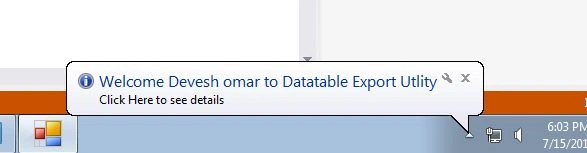
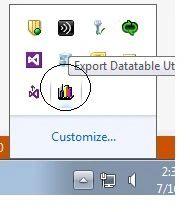
- Go to the bottom-right status bar as in the following:
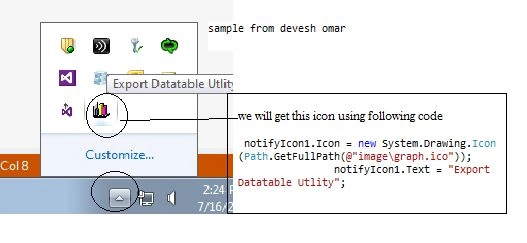
- Handling events:
Right-click on the notifyincon to see the property window: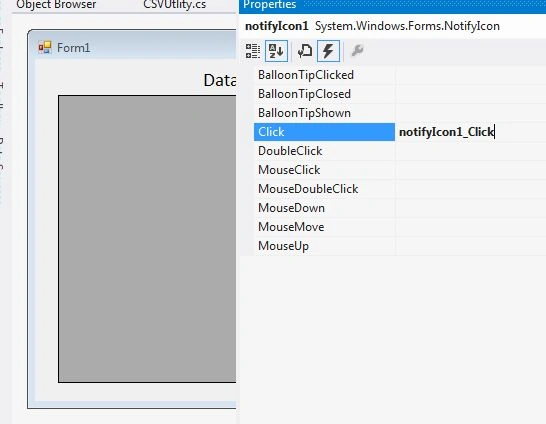
- Add code for the notifyicon click as in the following:
- private void notifyIcon1_Click(object sender, EventArgs e)
- {
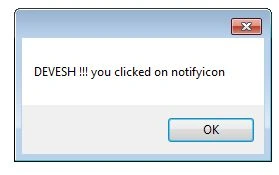
- MessageBox.Show("DEVESH !!! you clicked on notifyicon");
- }
- Run the code and click on the following icon:
Conclusion
We have learned the basics of notifyicons in C# Windoes Forms.


saad khatriPosted Oct 5, 2021, 2:05 AM EDT
Thank you! Helped me
sachin gaikwadPosted Dec 27, 2019, 8:43 PM EST
Am try but its work on my pc but not show other to that msg plz
sachin gaikwadPosted Dec 27, 2019, 8:42 PM EST
Devesh can i show same notification to all other pc how using same application and they are connected throw lan
Pandurang PailvanPosted Feb 22, 2017, 8:17 PM EST
Nice Article devesh very helpful..
Saber ShaikhPosted Jun 22, 2016, 11:58 PM EDT
Thanks
Dharam RaiPosted Mar 11, 2016, 1:14 PM EST
@ Devesh Omar is there a way to make it happen periodically say from 1st to 10th of every month. Would be really helpful for if throw light on it, thanks a ton.
Harsh SinghPosted Nov 12, 2015, 10:56 PM EST
Sir can you tell how to periodically get the following notifications.I mean how to get this notification on a desired time.thanks in advance
Devesh OmarPosted Jul 17, 2014, 4:11 AM EDT
Thanks Lakshmanan
Lakshmanan Sethu SankaranarayanPosted Jul 16, 2014, 11:08 PM EDT
Nice one!!
Max AlbishPosted Jul 16, 2014, 9:28 PM EDT
Nice
Devesh OmarPosted Jul 16, 2014, 9:00 PM EDT
thanks
Krishna Rajput SinghPosted Jul 16, 2014, 7:34 PM EDT
good article
Prerana TiwariPosted Jul 16, 2014, 6:57 PM EDT
Nice information........
Gurunatha DogiPosted Jul 16, 2014, 12:33 PM EDT
Nice Article