
Scenarios
When we upload the existing document in the Document Library by unchecking the override existing file we get SharePoint OOTB exception saying ”A file with the same name already exists and it was last modified by i:o#.w|domain\username.”
In this case we have to trim the i:o#.w| which is SID or represents the type of authentication used.
Refer the following screenshot for clear understanding of the requirement.
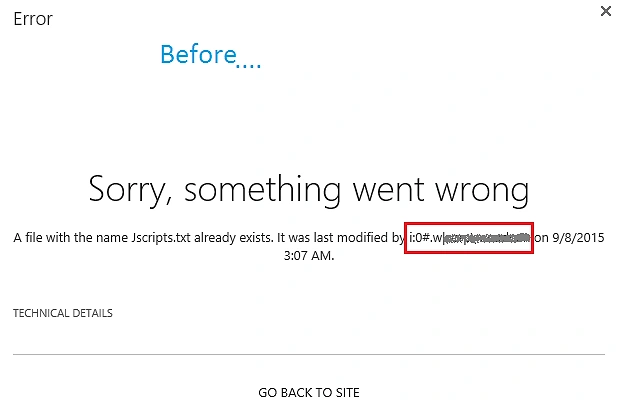
Figure 1: Before
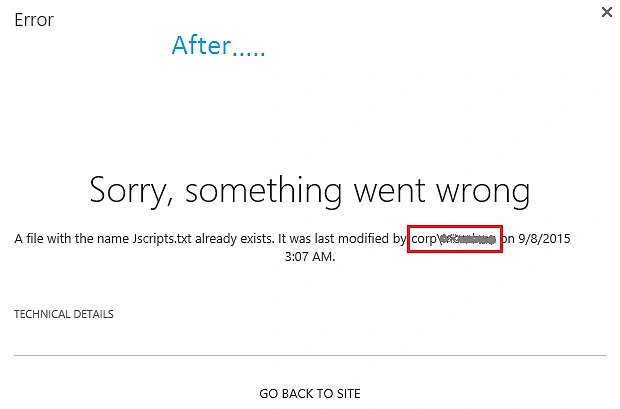
Figure 2: After
Solution
Step 1: Open the sitecollection in the browser. Go to SiteSetting, then MasterPage and check the selected Site Master Page and System Master Page.
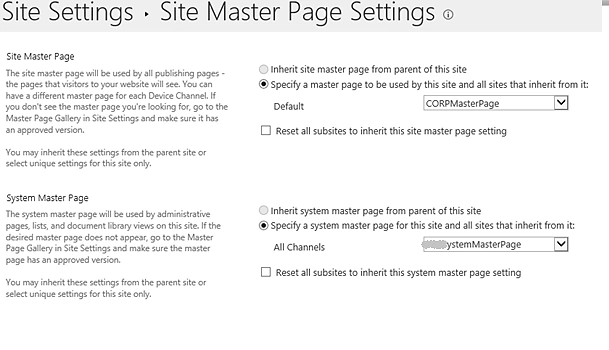
Figure 3: System Master
Step 2: Open the site in SharePoint Designer. Go to All Files, then _catalog and masterpage.
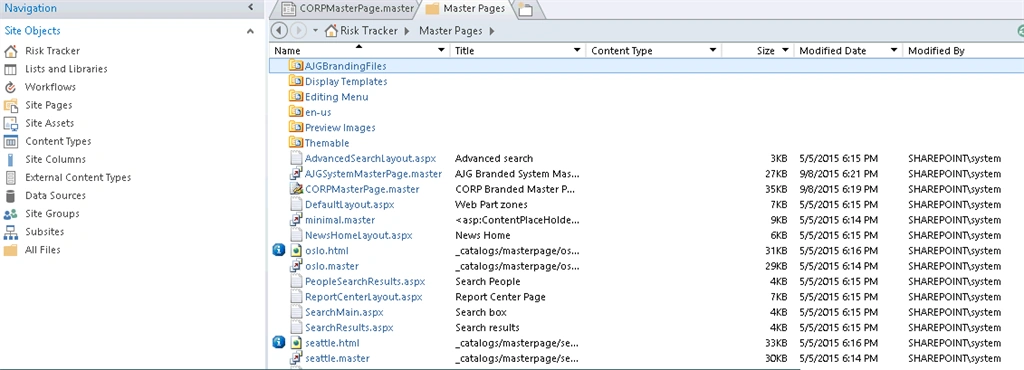
Figure 4: Masterpage
Step 3: Open any one of the selected master page in step 1 in advance mode.
Step 4: Add the following script before </head> tag. Here's the following screenshot for reference.
- <SharePoint:ScriptLink ID="ScriptLink_CustomUploadpage" name="~sitecollection/Style Library/Scripts/CustomUploadScript.js" runat="server" LoadAfterUI="true" Localizable="false"/>

Figure 5: Code
Step 5: Repeat step 4 for the other master page selected in step 1.
Step 6: Come to browser and open style library by going to site content, then style Library.
Step 7: Upload the CustomUploadScript.js file to script folder in style library.
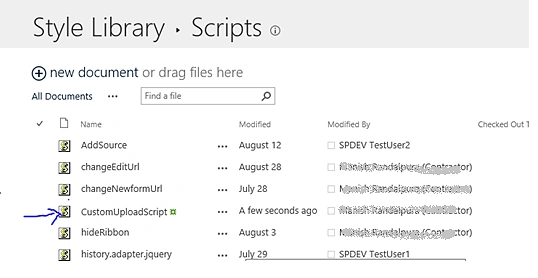
Figure 6: Library
Step 8: Test and Verify.


Vishakha PatilPosted Feb 28, 2016, 11:45 PM EST
Thanks for sharing this article...
RakeshPosted Sep 12, 2015, 3:58 AM EDT
Good one sir
Karthikeyan KPosted Sep 12, 2015, 2:26 AM EDT
Good one sir...Thanks for sharing
Santhakumar MunuswamyPosted Sep 11, 2015, 11:10 PM EDT
Thanks for nice article:)
Mohammed IbrahimPosted Sep 11, 2015, 9:52 PM EDT
nice information
Vinodh NarayananPosted Sep 11, 2015, 8:34 PM EDT
good one
Harshad PansuriyaPosted Sep 11, 2015, 8:15 PM EDT
Nice one
Nilesh JadavPosted Sep 11, 2015, 8:09 PM EDT
Great Post !!
Rajeesh MenothPosted Sep 11, 2015, 11:13 AM EDT
Thanks for sharing ...