
Introduction
In this article I am going to discuss about GCM architecture and describe how to send Push Notifications to Android Mobile. In one of my previous articles I have clearly described how to send Push Notifications to Google Chrome browser. You can view the following link:
Before this lets check what a PUSH NOTIFICATION is,
Push notification, also called server push notification, is the delivery of information from a software application to a computing device like Mobile(Android,Iphone,Windows,etc),Tablet,etc without a specific request from the client.
These Notifications looks as follow.
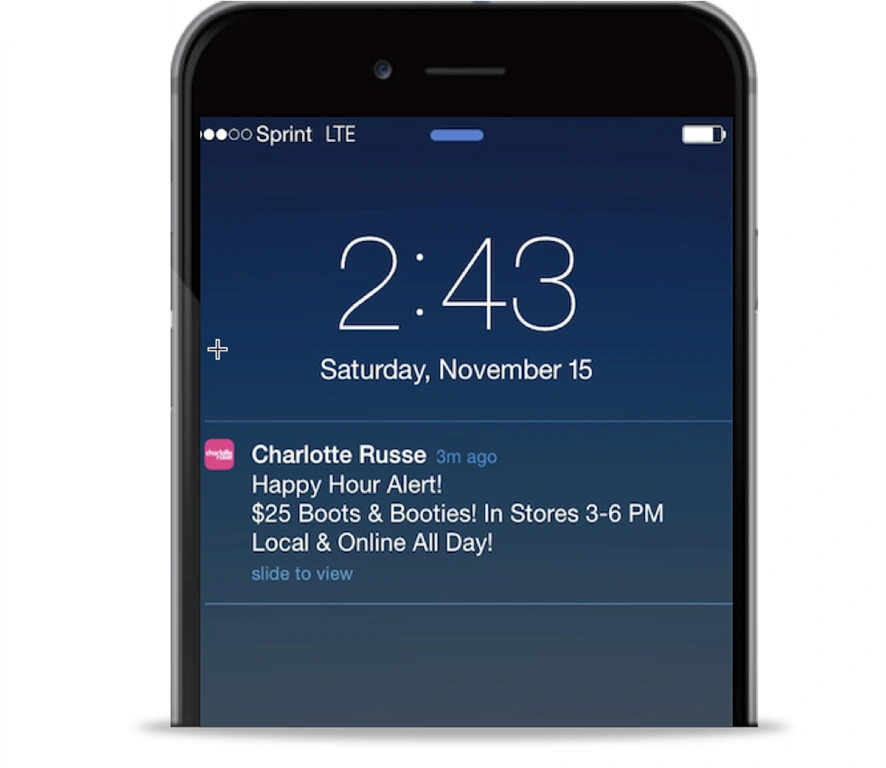
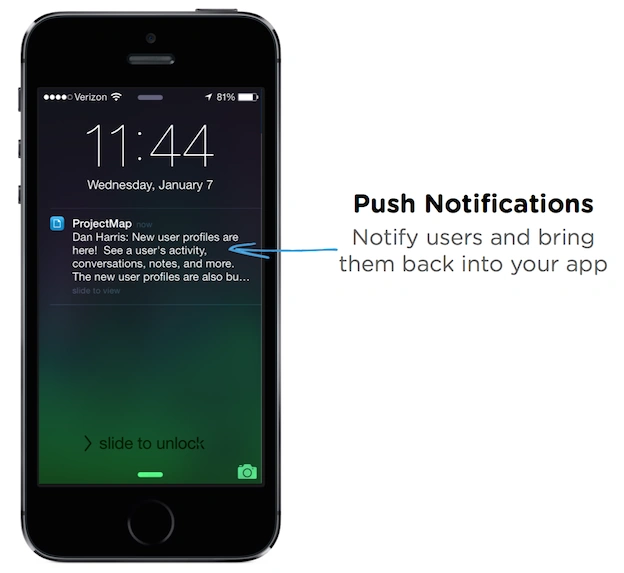 GCM (Google cloud Messaging) is a free service provided by Google to send messages to different clients like (Android, iPhone, Chrome, Blackberry, etc).
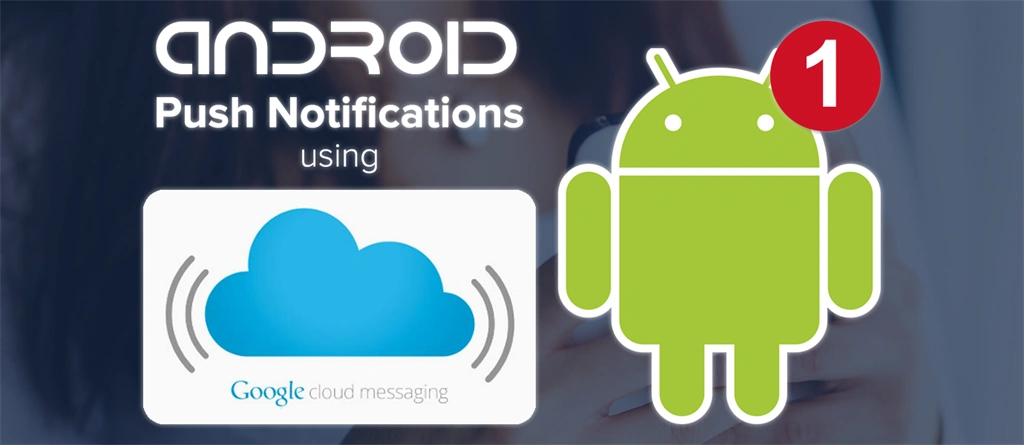
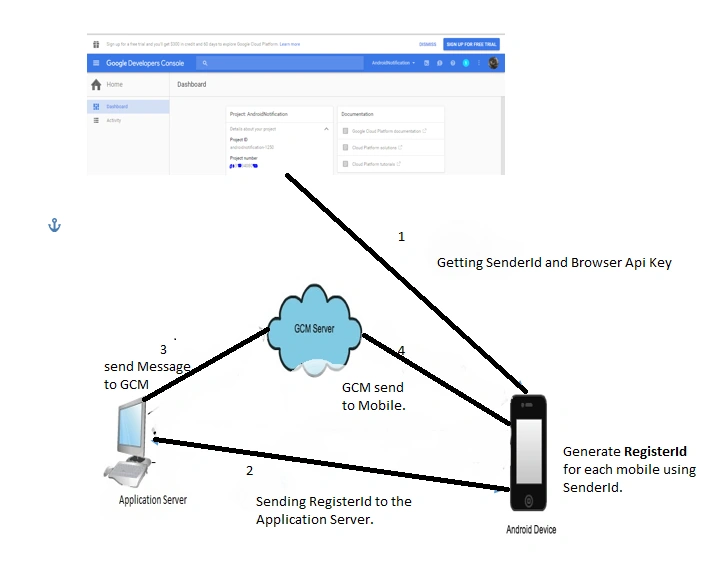
For sending push notifications to any client we need three steps.
- Create a new project in Google Console where the user will get SenderId and Browser Api Key.
- This SenderId will be used by the Android Mobile Developer to generate RegisterId. This registerId is unique for every mobile.
- Now the user sends the Push Notification to the GCM server using the RegisterId and BrowserApi Key.
- The GCM will send the Notification to the required Mobile.
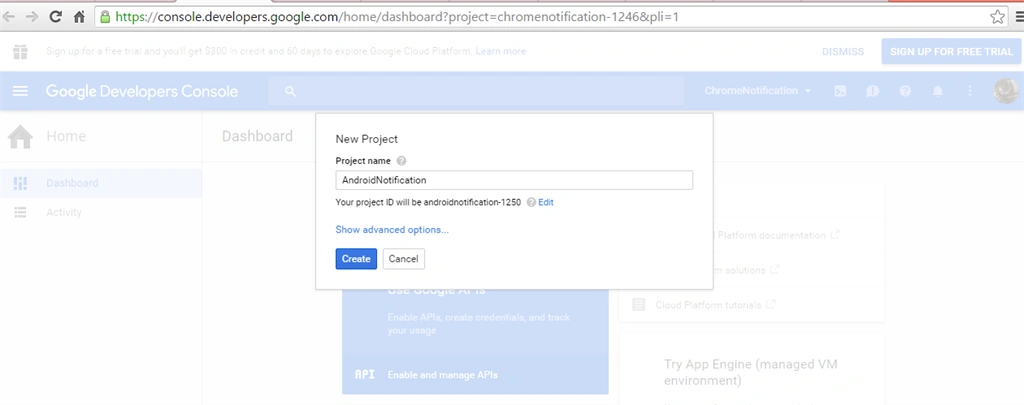
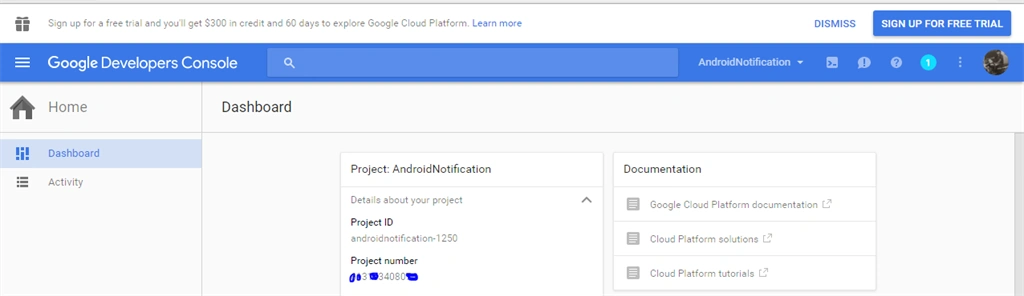
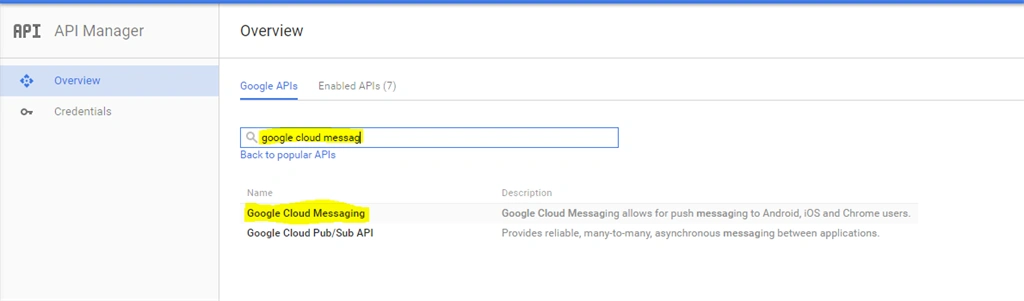
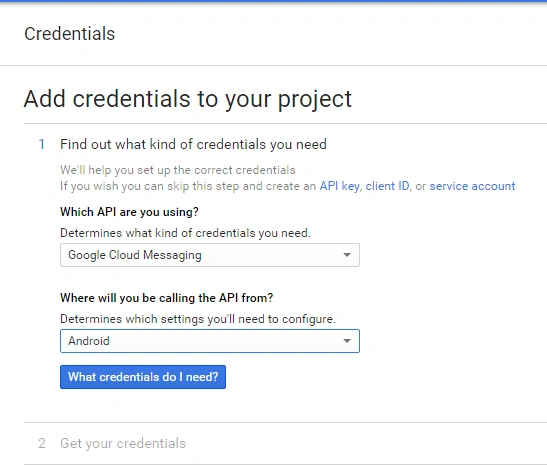
Click the Google Cloud Messaging for Android, iOS and Chrome and enable it.
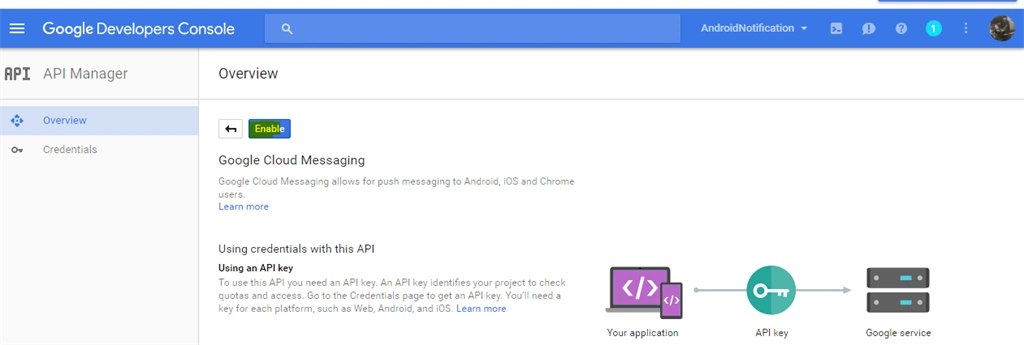 After clicking Enable click Credentials.
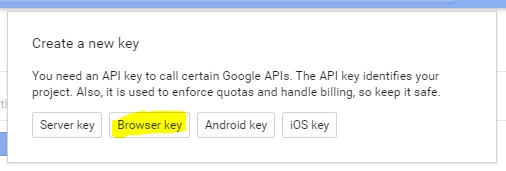
 Open the BrowserKey and save it.
 Now copy the API key from it.
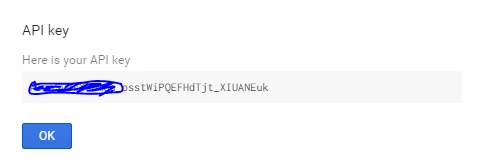 The work is finished. Now, the Android developer uses the previously created SenderId or project number to generate RegisterId.
NOTE
It is the task ofthe Aandroid developer to give you the RegisterId of the mobile using senderId. Don't waste time in searching for generating RegisterId.
You will get the RegisterId which is mentioned in Step two. Now after getting RegisterId we have to use the Register id and API key to send push notificationsto the GCM.
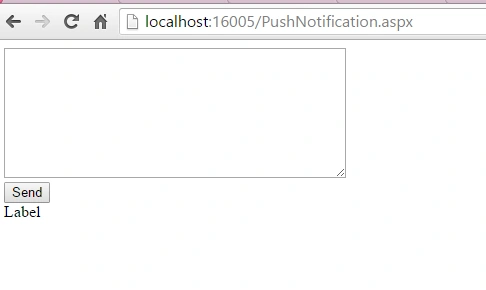
- <%@ Page Language="C#" AutoEventWireup="true" CodeFile="PushNotification.aspx.cs" Inherits="PushNotification" %>
- <!DOCTYPE html>
- <html xmlns="http://www.w3.org/1999/xhtml">
- <head runat="server">
- <title></title>
- </head>
- <body>
- <form id="form1" runat="server">
- <div>
- <asp:TextBox runat="server" ID="txt_message" TextMode="MultiLine" Height="124px" Width="336px"></asp:TextBox>
- </div>
- <div>
- <asp:Button ID="btn_send" Text="Send" runat="Server" OnClick="btn_send_Click" />
- <br />
- <asp:Label ID="Label1" runat="server" Text="Label"></asp:Label>
- </div>
- </form>
- </body>
- </html>
- using System;
- using System.Collections.Generic;
- using System.IO;
- using System.Linq;
- using System.Net;
- using System.Net.Security;
- using System.Security.Cryptography.X509Certificates;
- using System.Text;
- using System.Web;
- using System.Web.UI;
- using System.Web.UI.WebControls;
- public partial class PushNotification : System.Web.UI.Page
- {
- protected void Page_Load(object sender, EventArgs e)
- {
- }
- protected void btn_send_Click(object sender, EventArgs e)
- {
- //RegisterId you got from Android Developer.
- string deviceId = "XXXXXXXXXXXXXbQw:APA91bEU_CsohZ12YUXXXXXXXXXXXXXjJwzhzQGL2NIEKlri_9cfMHbehh7n2y03KO0s9EsupKT_ezRaOo13JNNm10xjRqxnE9pjCymPvV-PXb29z7doQRAnOqEawAXXXXXXXXXXXX";
- string message = "Demo Notification";
- string tickerText = "Patient Registration";
- string contentTitle = txt_message.Text;
- string postData =
- "{ \"registration_ids\": [ \"" + deviceId + "\" ], " +
- "\"data\": {\"tickerText\":\"" + tickerText + "\", " +
- "\"contentTitle\":\"" + contentTitle + "\", " +
- "\"message\": \"" + message + "\"}}";
- string response = SendGCMNotification("BrowserAPIKey", postData);
- Label1.Text = response;
- }
- private string SendGCMNotification(string apiKey, string postData, string postDataContentType = "application/json")
- {
- ServicePointManager.ServerCertificateValidationCallback += new RemoteCertificateValidationCallback(ValidateServerCertificate);
- //
- // MESSAGE CONTENT
- byte[] byteArray = Encoding.UTF8.GetBytes(postData);
- //
- // CREATE REQUEST
- HttpWebRequest Request = (HttpWebRequest)WebRequest.Create("https://android.googleapis.com/gcm/send");
- Request.Method = "POST";
- // Request.KeepAlive = false;
- Request.ContentType = postDataContentType;
- Request.Headers.Add(string.Format("Authorization: key={0}", apiKey));
- Request.ContentLength = byteArray.Length;
- Stream dataStream = Request.GetRequestStream();
- dataStream.Write(byteArray, 0, byteArray.Length);
- dataStream.Close();
- //
- // SEND MESSAGE
- try
- {
- WebResponse Response = Request.GetResponse();
- HttpStatusCode ResponseCode = ((HttpWebResponse)Response).StatusCode;
- if (ResponseCode.Equals(HttpStatusCode.Unauthorized) || ResponseCode.Equals(HttpStatusCode.Forbidden))
- {
- var text = "Unauthorized - need new token";
- }
- else if (!ResponseCode.Equals(HttpStatusCode.OK))
- {
- var text = "Response from web service isn't OK";
- }
- StreamReader Reader = new StreamReader(Response.GetResponseStream());
- string responseLine = Reader.ReadToEnd();
- Reader.Close();
- return responseLine;
- }
- catch (Exception e)
- {
- }
- return "error";
- }
- public static bool ValidateServerCertificate(
- object sender,
- X509Certificate certificate,
- X509Chain chain,
- SslPolicyErrors sslPolicyErrors)
- {
- return true;
- }
- }
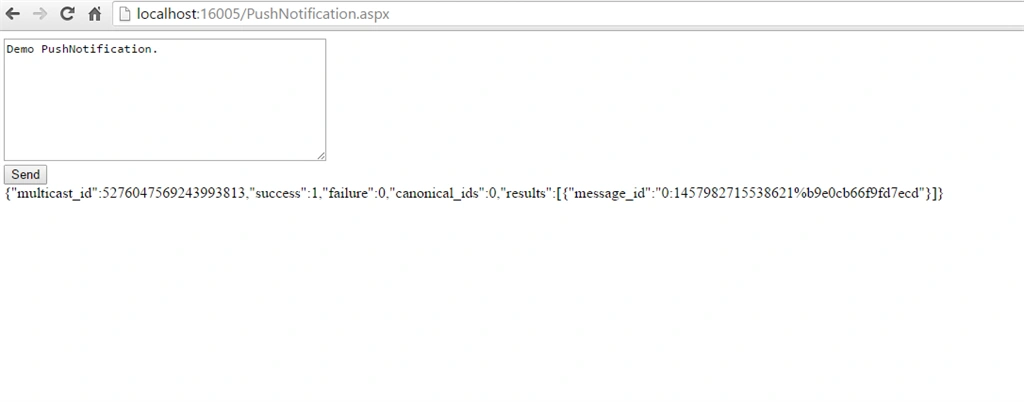
Hope this code will help you to know about GCM and sending Push Notification Using GCM.
Read more articles on Android,


Dhiraj ChauhanPosted Apr 14, 2019, 10:57 PM EDT
Response is success but i am not getting notification on my android phone
Basit KhanPosted Dec 22, 2017, 10:03 PM EST
Many Thanks for your article, but i want for Google chrome. When i sent push up notification i shows hard coded message. My service-worker.js file is self.addEventListener('push', function (event) { var data = {}; if (event.data) { data = event.data.json(); } var title = data.message || "Something Has Happened"; var body = 'We have received a push message !'; var icon = 'images/icon.png'; var tag = 'simple-push-demo-notification-tag'; console.log(event); event.waitUntil( self.registration.showNotification(title, { body: body, icon: 'images/icon.png', tag: tag }) ); }); with your above code when i pass the parameter the O/P postData is "{ \"registration_ids\": [ \"<GOOGLE CHROME ID>\" ], \"data\": {\"tickerText\":\"Patient Registration\", \"body\":\"heelo\", \"message\": \"Demo Notification\"}}" its fire but only showing hardcoded message which is in service-worker.js not showing in body which i passed. Thanks Basit
nithya mkPosted Dec 2, 2017, 5:52 AM EST
Sir, Can u upload a video of this type of project ... My need, when the asp. Net page click the button then any type changes in mobile phone...
nithya mkPosted Dec 2, 2017, 5:45 AM EST
Remote server show the 401 unauthorized error... & how to show the web request through message box.. Pls reply me..
Funvl VlerPosted Nov 26, 2017, 9:19 PM EST
The remote server returned an error: (401) Unauthorized.
Arul ManoPosted Jul 13, 2017, 11:27 PM EDT
i got this type of error"{\"multicast_id\":6430601019766681627,\"success\":0,\"failure\":1,\"canonical_ids\":0,\"results\":[{\"error\":\"MismatchSenderId\"}]}"
Arul ManoPosted Jul 13, 2017, 11:27 PM EDT
I got this type of error please resolve this error.
Kishor HingePosted Jul 13, 2017, 9:12 PM EDT
The remote server returned an error: (401) Unauthorized. this error in c# code can you plz solutaion for that
Balaji MPosted Jul 11, 2017, 10:58 AM EDT
How to get registration id to send push notification. I'm a C# developer.
vikas pagarePosted May 23, 2017, 10:53 PM EDT
Hello sir, Above code is working properly, but can u share code using FCM for above code
piyush desaniPosted Apr 13, 2017, 10:42 PM EDT
I have devicetoken stored into my database and want to send notification to all devicetoken which are stored into db. Can You tell me how to send notification to all on button click event in C# using fcm?
shweta singhPosted Apr 3, 2017, 2:07 AM EDT
Hi ..I used the same code but it is throwing Remote Server Returned an Error:401 Unauthorized. What Should i do?
Pradeep singhPosted Feb 23, 2017, 4:35 AM EST
Hi sir this is working perfectly for me....Can we use same code for Ios Push notification???.
Akash KumarPosted Feb 23, 2017, 2:29 AM EST
Above code is working properly, but can share code how to send notification to multiple devices
Priyanka AbrolPosted Feb 22, 2017, 2:05 AM EST
Hi, can anyone please guide me how registration id is coming here and still not getting it
Nikhil RajputPosted Nov 29, 2016, 7:24 PM EST
Sir How can I do same for IOS.
IM ServicesPosted Sep 19, 2016, 11:31 PM EDT
Working fine for me
Minhaj AliPosted Jun 22, 2016, 9:50 AM EDT
Notification is coming without message.
Pranav J.DevPosted Mar 29, 2016, 12:55 AM EDT
Very good article
Humayun Kabir MamunPosted Mar 19, 2016, 8:05 PM EDT
Nice...
Kirtan ParmarPosted Mar 17, 2016, 11:47 PM EDT
good one..thanks
Sibeesh VenuTOP 100Posted Mar 17, 2016, 7:15 AM EDT
Nice Share
Asfend YarPosted Mar 17, 2016, 1:46 AM EDT
good
Vignesh ManiTOP 100Posted Mar 16, 2016, 1:56 PM EDT
good
Debasis SahaTOP 100Posted Mar 16, 2016, 9:54 AM EDT
Good One..
kalu singh raoPosted Mar 16, 2016, 8:06 AM EDT
Nice...
Kashif SohailPosted Mar 16, 2016, 7:19 AM EDT
Great Article, Love to see this
Saillesh PawarPosted Mar 16, 2016, 5:47 AM EDT
NIce share
Shaili DashoraPosted Mar 16, 2016, 4:58 AM EDT
Nice Share..helpful
Mohammed IbrahimPosted Mar 16, 2016, 12:29 AM EDT
nice