
Here I have explained everything. Whenever we encounter a problem related to Search in SharePoint Online or after searching an item it does not return a result then we must use the following procedure.
- Go to your List in SharePoint where you must search items.
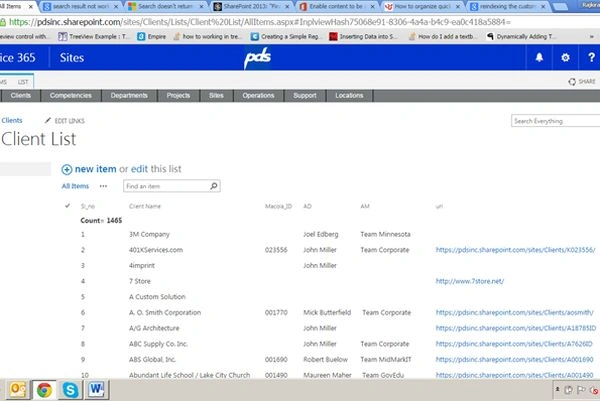
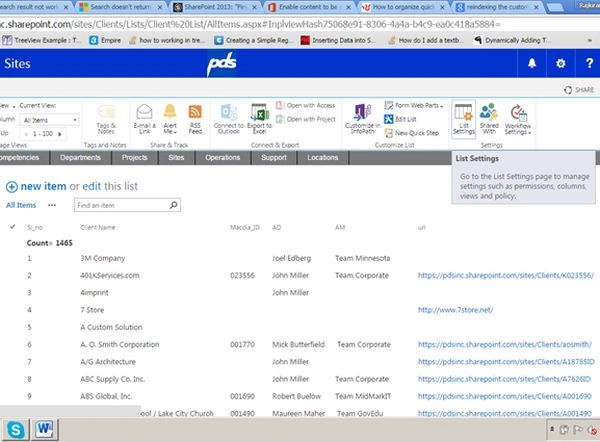
- Then go to your List Settings.
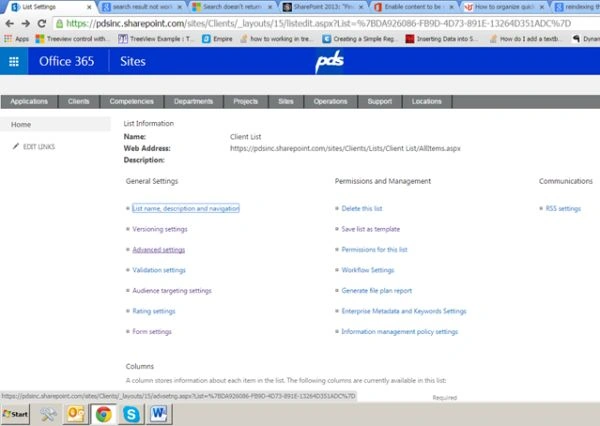
- Then click on Advanced Settings.
- Then click on re-index list.
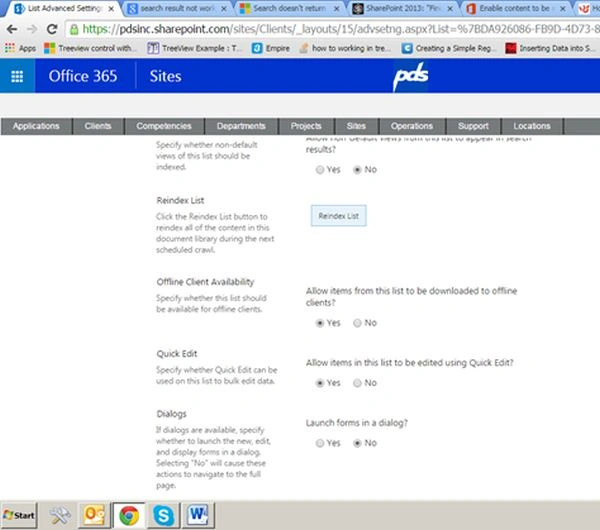
- Then click on re-index list.
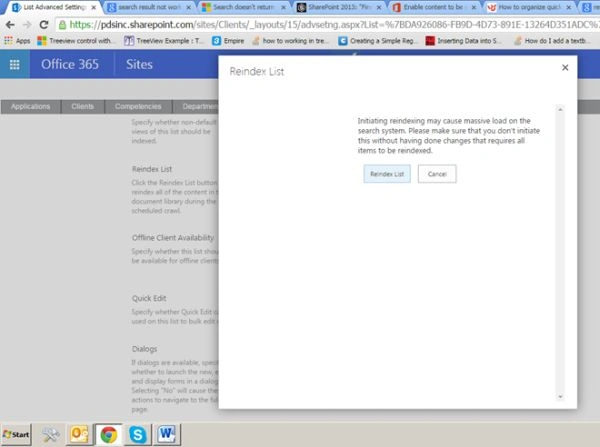
- Then click the OK button.
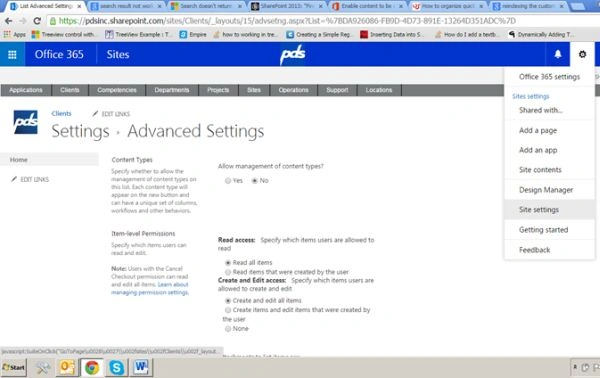
- Then go to your top-level site collection and click Site Settings.
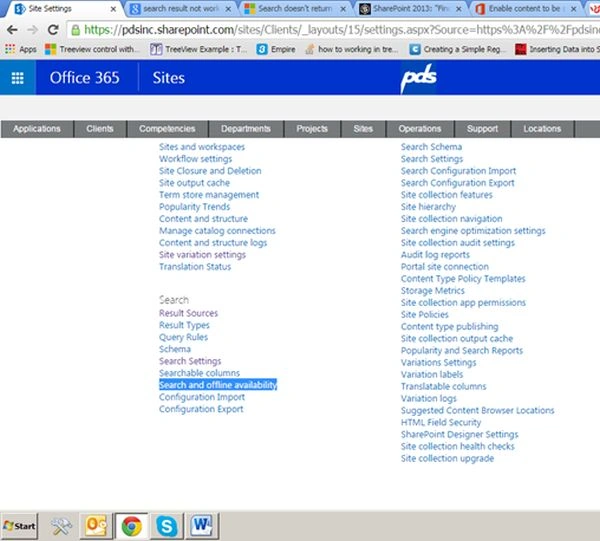
- Then click on Search and offline availability under the Search Link.
- Then click on re-index site.
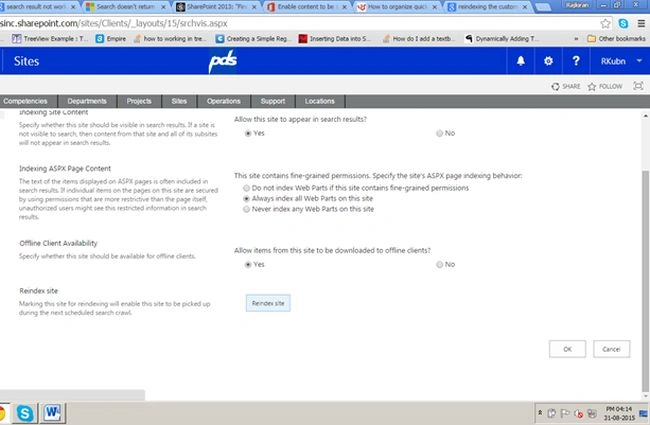
- Then click the OK button.
- Then it will take 6-8 hours to propagate the changes.


Shobana JPosted Jul 11, 2016, 11:17 PM EDT
Nice one.Keep sharing
Vaikesh K PPosted Sep 2, 2015, 10:05 PM EDT
Nice share :)
Santhakumar MunuswamyPosted Sep 1, 2015, 11:36 AM EDT
Thanks for nice article:)
Rajeesh MenothPosted Sep 1, 2015, 5:54 AM EDT
Nice Share
Vinodh NarayananPosted Sep 1, 2015, 5:29 AM EDT
good one
Sibeesh VenuTOP 100Posted Sep 1, 2015, 3:27 AM EDT
Nice Share
Jacob RobinsonPosted Aug 31, 2015, 8:23 PM EDT
Nice One..
Karthikeyan KPosted Aug 31, 2015, 7:16 PM EDT
Good one sir...Thanks for share
Pankaj Kumar ChoudharyTOP 100Posted Aug 31, 2015, 3:52 PM EDT
Nice Explain Sir...........
Mohammed IbrahimPosted Aug 31, 2015, 2:51 PM EDT
nice