
In this article I am going to show how we can read and parse a CSS file in asp.net.
This is my aspx code
<%@ Page Language="C#" AutoEventWireup="true" CodeFile="Default.aspx.cs" Inherits="_Default" %>
<!DOCTYPE html PUBLIC "-//W3C//DTD XHTML 1.0 Transitional//EN" "http://www.w3.org/TR/xhtml1/DTD/xhtml1-transitional.dtd">
<html xmlns="http://www.w3.org/1999/xhtml">
<head runat="server">
<title>Reading a css file</title>
</head>
<body>
<form id="form1" runat="server">
<div>
<table cellpadding="2" cellspacing="2" border="2" width="50%" align="center" style="padding: 20px;">
<tr>
<td>
<table cellpadding="2" cellspacing="2" width="100%" align="center">
<tr>
<td valign="top">
<span style="font-family: Verdana; font-size: 10pt; font-weight: bold;">Class Name</span>
</td>
<td valign="top">
<asp:DropDownList ID="DDLCssClass" runat="server" OnSelectedIndexChanged="DDLCssClass_SelectedIndexChanged"
AutoPostBack="true" Width="100px">
</asp:DropDownList>
</td>
<td valign="top">
<span style="font-family: Verdana; font-size: 10pt; font-weight: bold;">Class Property</span>
</td>
<td valign="top">
<asp:ListBox ID="lstClassProperty" runat="server" Width="200px" Height="200px"></asp:ListBox>
</td>
</tr>
</table>
</td>
</tr>
</table>
</div>
</form>
</body>
</html>
This is my aspx.cs code
using System;
using System.Collections.Generic;
using System.Linq;
using System.Web;
using System.Web.UI;
using System.Web.UI.WebControls;
using System.IO;
using System.Collections.Generic;
using System.Text;
using System.Text.RegularExpressions;
public partial class _Default : System.Web.UI.Page
{
string aa = null;
static string[] parts;
private List<string> styleSheets;
private SortedList<string, StyleClass> scc;
public SortedList<string, StyleClass> Styles
{
get { return this.scc; }
set { this.scc = value; }
}
protected void Page_Load(object sender, EventArgs e)
{
if (!Page.IsPostBack)
{
CssParser();
GetStyleSheet(Server.MapPath("StyleSheet.css"));
}
}
//To parse Css file.
public void CssParser()
{
this.styleSheets = new List<string>();
this.scc = new SortedList<string, StyleClass>();
}
//Get Style sheet to parse
public void GetStyleSheet(string path)
{
this.styleSheets.Add(path);
ParseStyleSheet(path);
}
public string GetStyleSheet(int index)
{
return this.styleSheets[index];
}
//Parsing style sheet
private void ParseStyleSheet(string path)
{
string content = CleanUp(File.ReadAllText(path));
parts = content.Split('}');
for (int i = 0; i < parts.Length - 1; i++)
{
string[] parts1 = parts[i].Split('{');
string str = parts1[0].ToString().Remove(0, 1);
aa = aa + str + ",";
}
int len = aa.LastIndexOf(',');
string ss = aa.Remove(len);
string ss1 = aa.Remove(len - 1);
string[] parts2 = ss.Split(',');
//Binding all class of a css file to a drop down list
DDLCssClass.DataSource = parts2;
DDLCssClass.DataBind();
lstClassProperty.Items.Clear();
//Bind all property of a selected css class
GetCssClassProperty(parts, DDLCssClass.SelectedValue);
}
private string CleanUp(string s)
{
string temp = s;
string reg = "(/\\*(.|[\r\n])*?\\*/)|(//.*)";
Regex r = new Regex(reg);
temp = r.Replace(temp, "");
temp = temp.Replace("\r", "").Replace("\n", "");
return temp;
}
public class StyleClass
{
private string _name = string.Empty;
public string Name
{
get { return _name; }
set { _name = value; }
}
private SortedList<string, string> _attributes = new SortedList<string, string>();
public SortedList<string, string> Attributes
{
get { return _attributes; }
set { _attributes = value; }
}
}
protected void DDLCssClass_SelectedIndexChanged(object sender, EventArgs e)
{
lstClassProperty.Items.Clear();
GetCssClassProperty(parts, DDLCssClass.SelectedValue);
}
//To Bind all property of a css class
private void GetCssClassProperty(string[] classArray, string className)
{
for (int i = 0; i < classArray.Length - 1; i++)
{
string[] parts1 = classArray[i].Split('{');
if ("." + className == parts1[0].ToString())
{
string[] parts3 = parts1[1].Split(';');
for (int j = 0; j < parts3.Length - 1; j++)
{
lstClassProperty.Items.Add(parts3[j].ToString());
}
}
}
}
}
When you run the application then all class of a giving style sheet file will bind in a drop down list like...
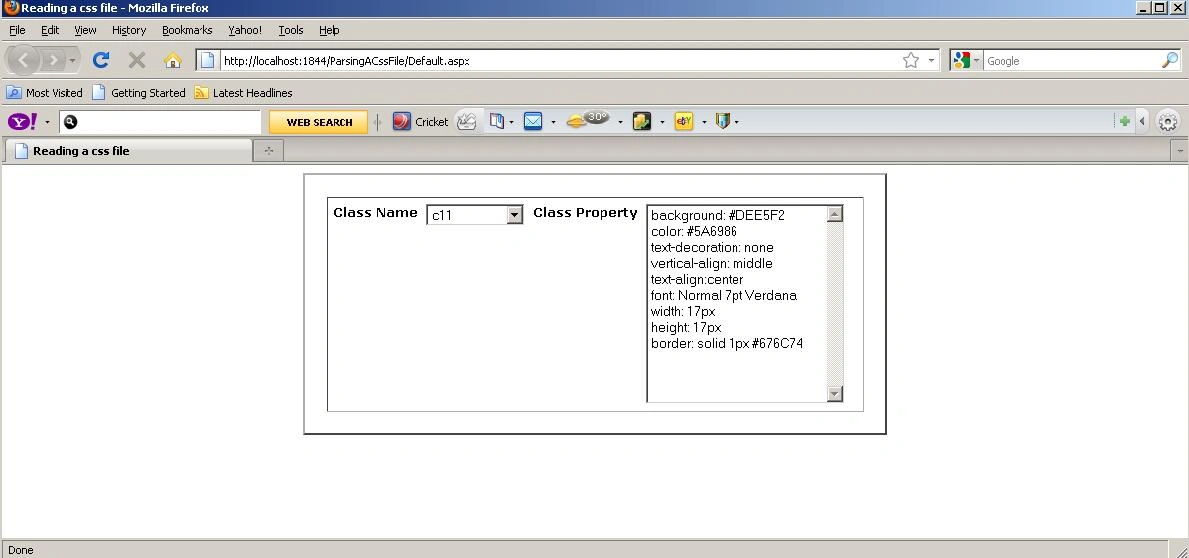
Image 1.
When you change your css class then property of that selected class will show in list box...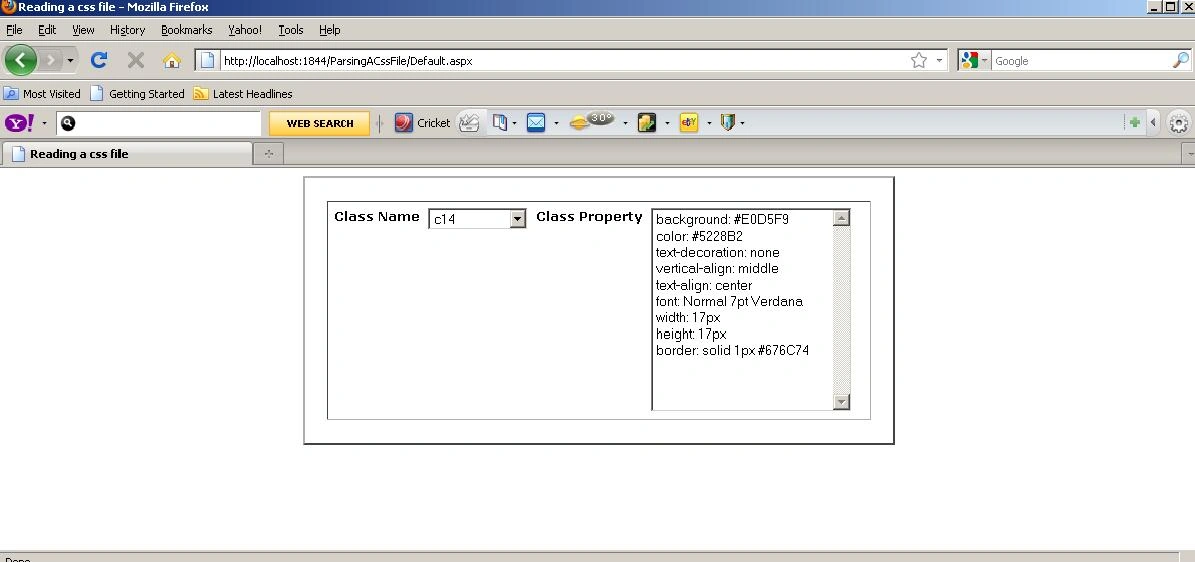
Image 2.


chap neoxPosted Aug 5, 2013, 11:03 PM EDT
thanks for posting this
Akhil MittalPosted Dec 6, 2012, 7:46 PM EST
What about tags and id tags for eg. i,body,p,div............ and #divId,#pName.......................
Lori BeckPosted Oct 18, 2011, 4:10 AM EDT
Just what I was looking for -- thank you!!
priyank bhavsarPosted Jun 19, 2011, 10:09 PM EDT
very useful article.. Thanks
sudheer reddyPosted Sep 9, 2010, 4:05 AM EDT
Helped a lot
Blocked AccountPosted Sep 1, 2010, 10:35 PM EDT
Nice Article, Keep it up.