
In this article, I will discuss how to show real-time cricket score notifications from a Chrome extension using serverless Azure Functions and Azure SignalR. I have used cricapi.com free API service to get the live cricket score updates. The purpose of this article is to show the power of serverless architecture using Azure functions and broadcasting to connected clients in real-time using Azure SignalR. The demo source code I attached to this article is for the personal educational purposes only and not production use.
Register Cricket Services API
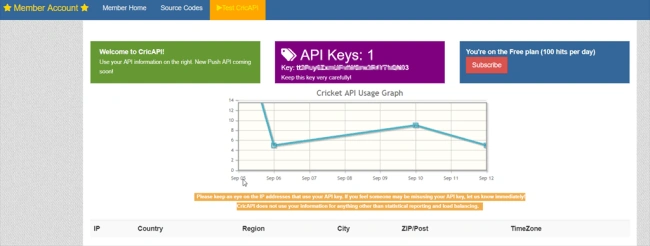
As a first step, to consume the API Service from cricapi.com, register the account with the details to get the API Key. They allow 100 free hits per day for the testing purposes.
As a first step, to consume the API Service from cricapi.com, register the account with the details to get the API Key. They allow 100 free hits per day for the testing purposes.
Creating Azure SignalR Service
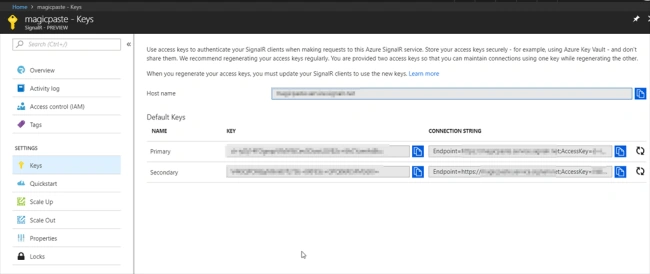
Log into your Azure Portal (https://portal.azure.com/) and create a new resource of type SignalR Service. After the service is created, copy the connection string from the Keys section.
Creating Azure Function App
Prerequisites
- Visual Studio 2017 Latest Version
- Azure Portal Account
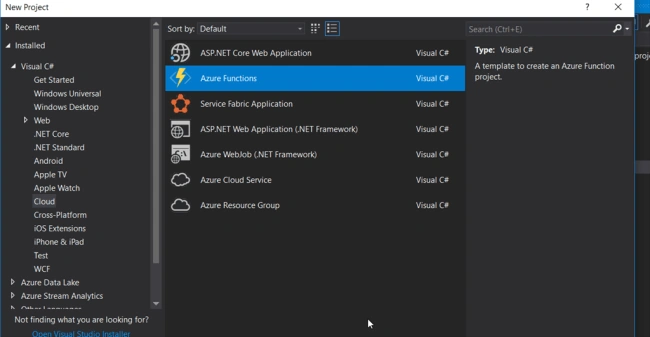
Launch the Visual Studio and Create a New Azure Function Project.
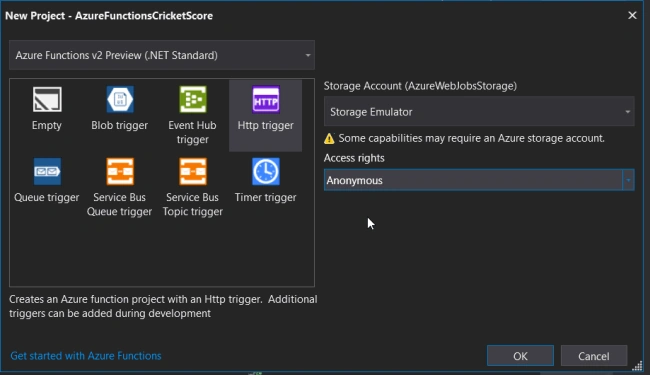
Select the Azure Function v2 Preview and the HTTP trigger template.
For this demo, we will be creating two Azure functions.
- NegotiateFunction (HttpTrigger)
- This function will get the JWT token for the client so that SignalR client can connect to Azure Signalr Service Hub.
- BroadcastFunction (TimerTrigger)
- This function runs every 1 min (configurable) and calls the CricAPI Service to get the latest score for defined match id and broadcasts it to all connected clients.
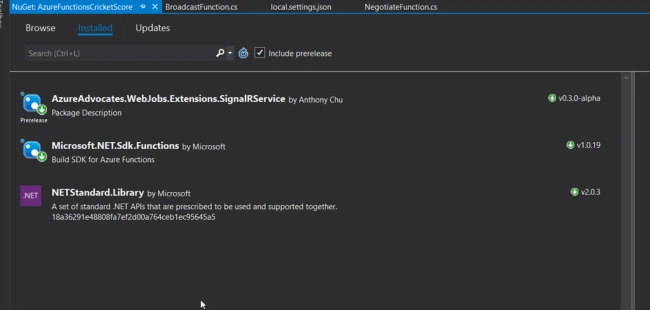
In order to use Azure SignalR Service in Azure Functions, I have used Anthony Chu's “AzureAdvocates.WebJobs.Extensions.SignalRService” library.
NegotiateFuntion.cs
- public static class NegotiateFunction
- {
- [FunctionName("negotiate")]
- public static IActionResult Run([HttpTrigger(AuthorizationLevel.Anonymous, "get", "post", Route = null)]HttpRequest req,
- [SignalRConnectionInfo(HubName = "broadcasthub")]SignalRConnectionInfo info, ILogger log)
- {
- return info != null
- ? (ActionResult)new OkObjectResult(info)
- : new NotFoundObjectResult("Failed to load SignalR Info.");
- }
- }
- public static class BroadcastFunction
- {
- private static HttpClient httpClient = new HttpClient();
- [FunctionName("broadcast")]
- public static async void Run([TimerTrigger("0 */1 * * * *")]TimerInfo myTimer,
- [SignalR(HubName = "broadcasthub")]IAsyncCollector<SignalRMessage> signalRMessages, ILogger log)
- {
- httpClient.DefaultRequestHeaders.Accept.Clear();
- httpClient.DefaultRequestHeaders.Accept.Add(new MediaTypeWithQualityHeaderValue("application/json"));
- //TODO: API key should be stored in Azure Key Vault .
- //For Demo purpose, i hard coded the value here.
- var values = new Dictionary<string, string>
- {
- //Hard coded Cricket Match Unique ID. You can change the Match id based on ongoing matchers
- {"apikey", "_API_KEY_HERE"},{"unique_id", "1119553"}
- };
- using (var response = httpClient.PostAsJsonAsync(new Uri("http://cricapi.com/api/cricketScore/"), values).Result)
- {
- var resultObj = response.Content.ReadAsStringAsync().Result;
- dynamic result = JsonConvert.DeserializeObject(resultObj);
- await signalRMessages.AddAsync(new SignalRMessage()
- {
- Target = "broadcastData",
- Arguments = new object[] { result.score }
- });
- }
- }
- }
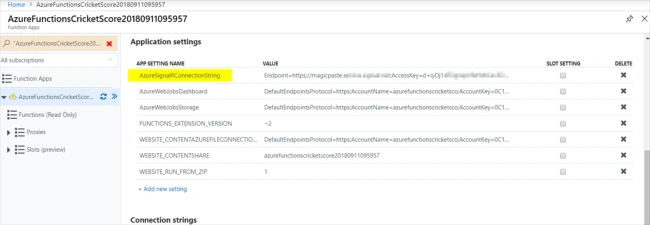
We have to create Appsettings Key called AzureSignalRConnectionString in order to connect to Azure SignalR Service from our Azure Functions. We will have to add the settings in local.settings.json for local testing and add it into Application Settings in Azure after we deploy it.
local.settings.json
local.settings.json
- {
- "IsEncrypted": false,
- "Values": {
- "AzureWebJobsStorage": "UseDevelopmentStorage=true",
- "AzureWebJobsDashboard": "UseDevelopmentStorage=true",
- "FUNCTIONS_WORKER_RUNTIME": "dotnet",
- "AzureSignalRConnectionString": "Endpoint=https://magicpaste.service.signalr.net;AccessKey="
- },
- "Host": {
- "LocalHttpPort": 7071,
- "CORS": "*"
- }
- }
We are now done with the coding for the Azure functions, we can start testing it locally first before deploying into Azure Portal. In the local.settings.json, we have defined the localhttpport 7071 and allowed cross domains request by putting CORS : *
Run the Application by pressing F5 which will create the host and deploy the functions in localhost.
Run the Application by pressing F5 which will create the host and deploy the functions in localhost.
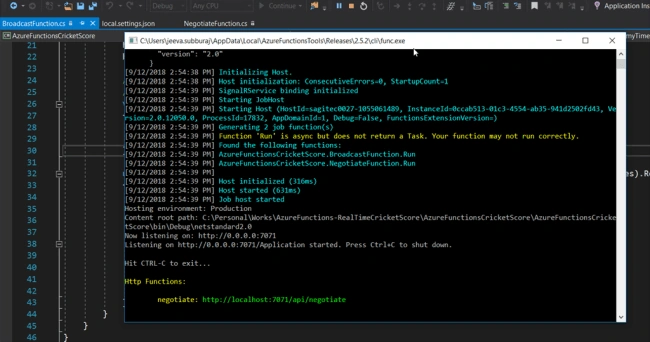
As you see above, Azure Functions are now hosted in local, we can run the negotiate function using the following URL which will return the JWT Token to connect to SignalR Service.

Now, that it worked in localhost, we can deploy the Azure Functions into Azure Portal.
Publishing Azure Function App
In Visual Studio, Right click on the solution and Select the Publish option from the Menu.
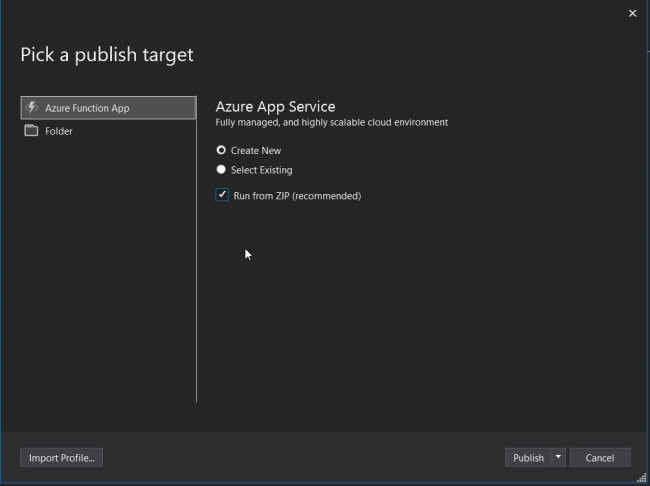
Check the Run from ZIP checkbox and click the Publish button.
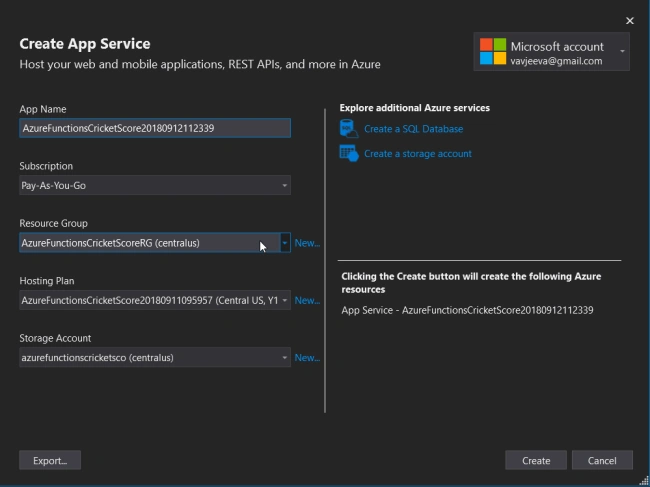
Click on the Create button to create the Azure hosting plan storage account under your Azure subscription. After the account is created, clicking the publish button any time will ship the files into the portal and deploy the Azure Functions.
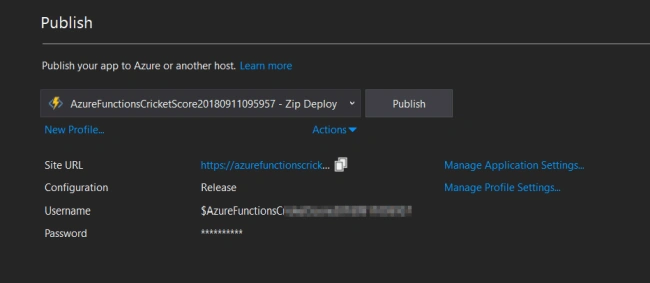
You can log in to Azure Portal to check the deployed Azure Functions.
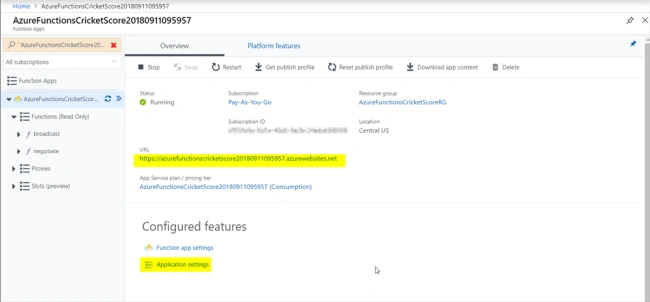
We also need to add the AzureSignalRConnectionString key in Application Settings.
We have completed publishing Azure Functions in the Portal. Let us now create a Chrome extension signalr client to receive the cricket score in real time. The timer trigger broadcast function will run every minute and push the cricket score to all connected clients.
Creating Chrome Extension
SignalRClient.js
SignalRClient.js
- const apiBaseUrl = 'https://azurefunctionscricketscore20180911095957.azurewebsites.net';
- const hubName = 'broadcasthub';
- getConnectionInfo().then(info => {
- const options = {
- accessTokenFactory: () => info.accessKey
- };
- const connection = new signalR.HubConnectionBuilder()
- .withUrl(info.endpoint, options)
- .configureLogging(signalR.LogLevel.Information)
- .build();
- connection.on('broadcastData', (message) => {
- new Notification(message, {
- icon: '48.png',
- body: message
- });
- });
- connection.onclose(() => console.log('disconnected'));
- console.log('connecting...');
- connection.start()
- .then(() => console.log('connected!'))
- .catch(console.error);
- }).catch(alert);
- function getConnectionInfo() {
- return axios.post(`${apiBaseUrl}/api/negotiate`)
- .then(resp => resp.data);
- }
Manifest.json
In the manifest.json, we defined the list of scripts to load (axios, signalr, and signal client).
In the manifest.json, we defined the list of scripts to load (axios, signalr, and signal client).
- {
- "name": "Real Time Cricket Score Demo",
- "version": "1.0",
- "description":
- "Real time Cricket Score Update from Serverless Azure Functions pop up on the desktop.",
- "icons": {"16": "16.png", "48": "48.png", "128": "128.png"},
- "permissions": [
- "background",
- "tabs",
- "notifications",
- "http://*/*",
- "https://*/*"
- ],
- "background": {
- "persistent": true,
- "scripts": ["axios.min.js","signalr.js","signalrclient.js"] },
- "manifest_version": 2,
- "web_accessible_resources": [
- "48.png"
- ]
- }
To install the Chrome extension in your local machine, launch Chrome and open the extensions from the menu. Click the load unpacked extension and select the folder in which the Chrome extension is placed.
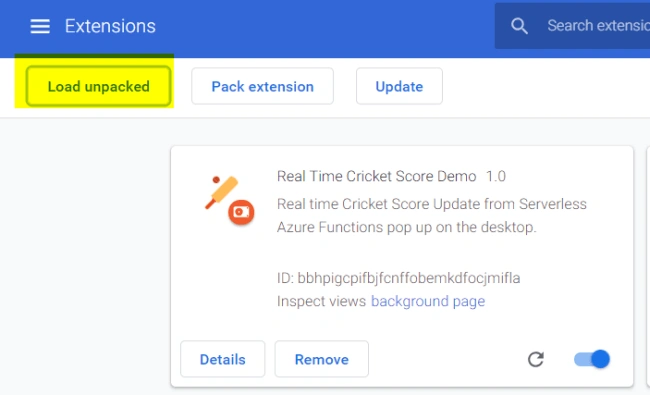
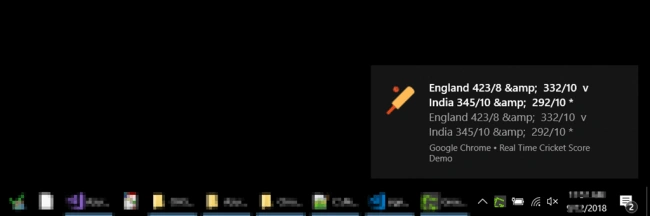
After the extension is installed, a broadcast Azure function will execute based on the schedule and broadcast the latest score to the newly connected client as below.
Conclusion
With a few lines of code, we have created the serverless Azure functions, which will fetch the data from the API endpoint and broadcast the messages to all connected clients in real time using Azure SignalR. In this article, I have hard coded the API key in the program but ideally, it should be stored in Azure Key Vault and read it from there. I hope this article helps you get started with Azure Functions. I have uploaded the entire source code in my github repository.
Happy Coding!


Ankur MistryTOP 100Posted Sep 13, 2018, 4:09 PM EDT
Wow learn something new
Abhishek MishraTOP 100Posted Sep 13, 2018, 7:06 AM EDT
Awesome.Nice one