
The following procedure shows how to create an application that searches for data in a database in a GridView without writing code.
Step 1
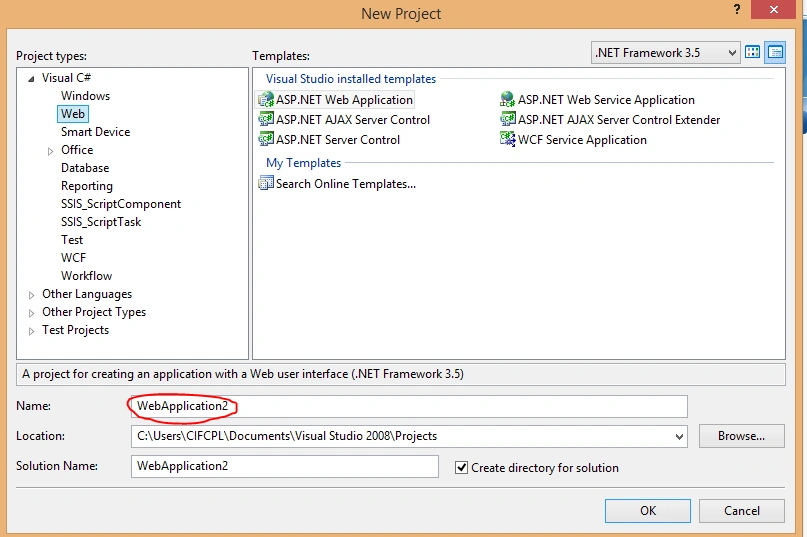
Go to a new project then select new project.
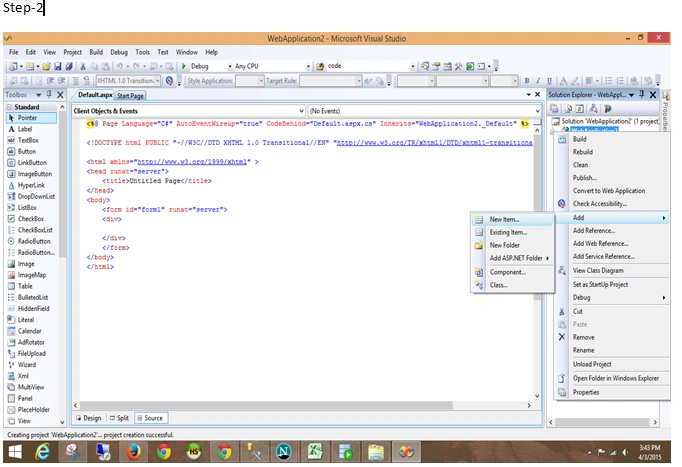
 Right-click on the project (WebApplication2) then select Add New Item.
Step 2
 Step 3
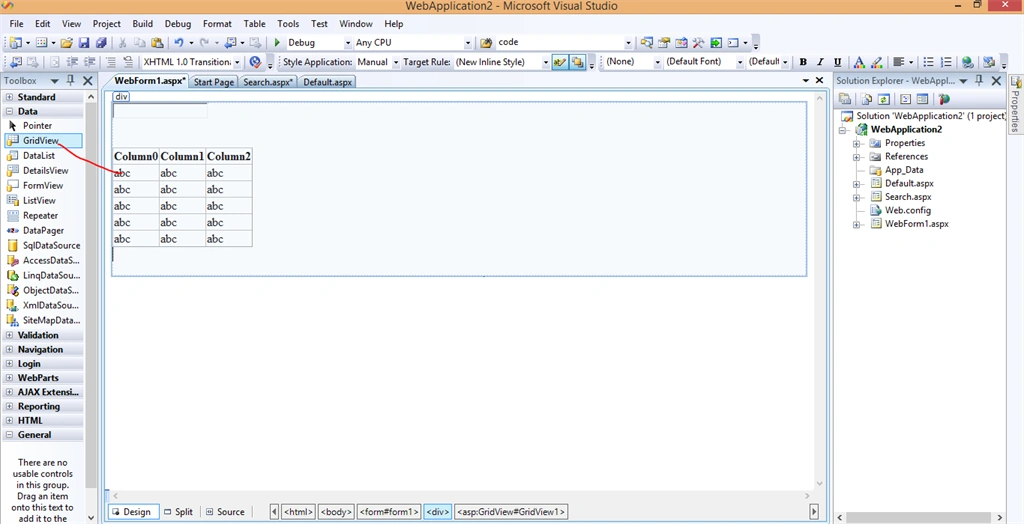
Drag & Drop one TextBox and one GridView.
 Step 4
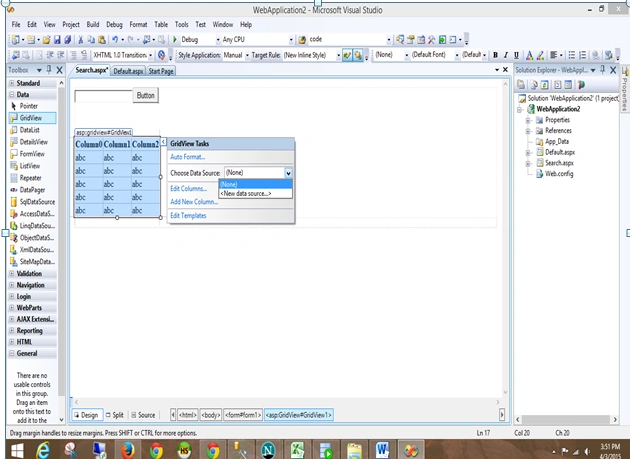
Add a data table as shown in the following images.
 Step 5
Choose a data source type as in the following:
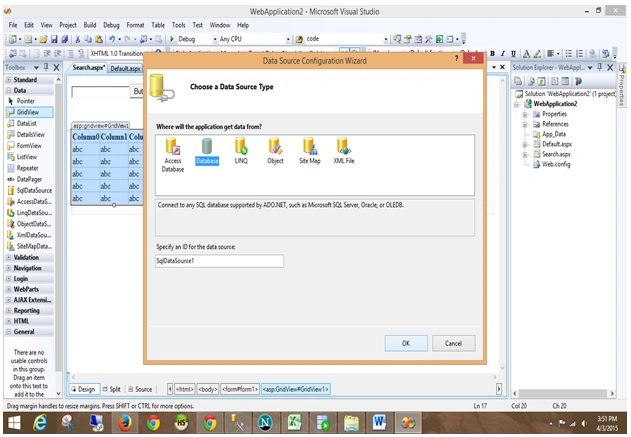 Step 6
Choose your data connection as in the following:
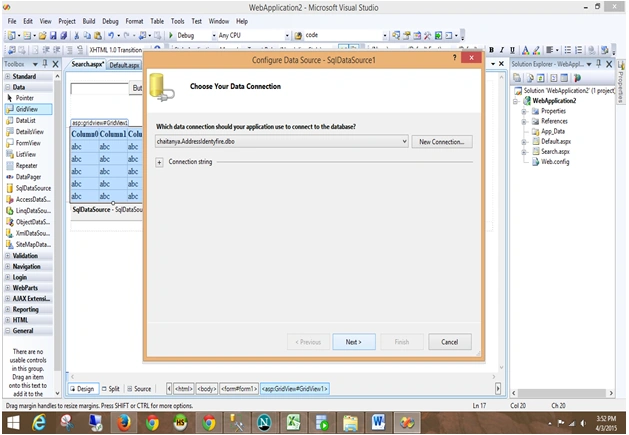
Step 7
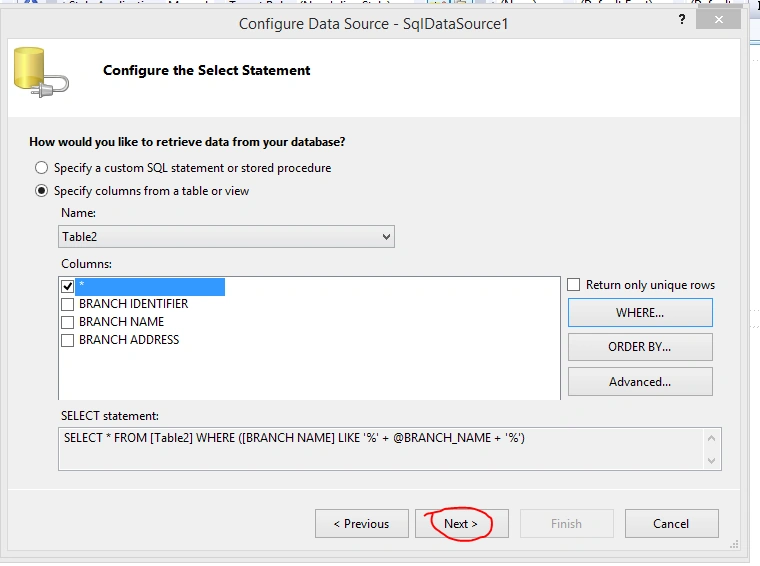
Configure a select statement as in the following:
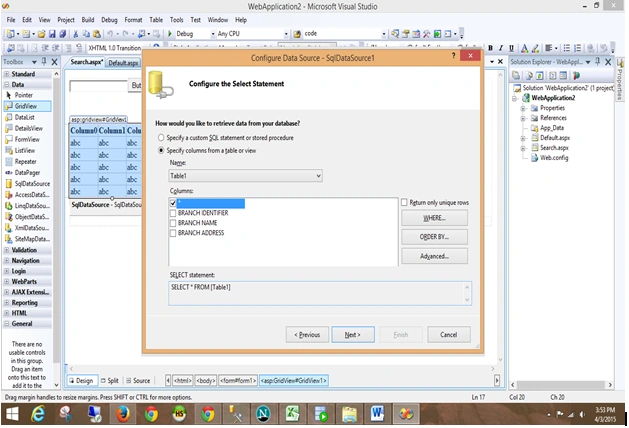 Step 8
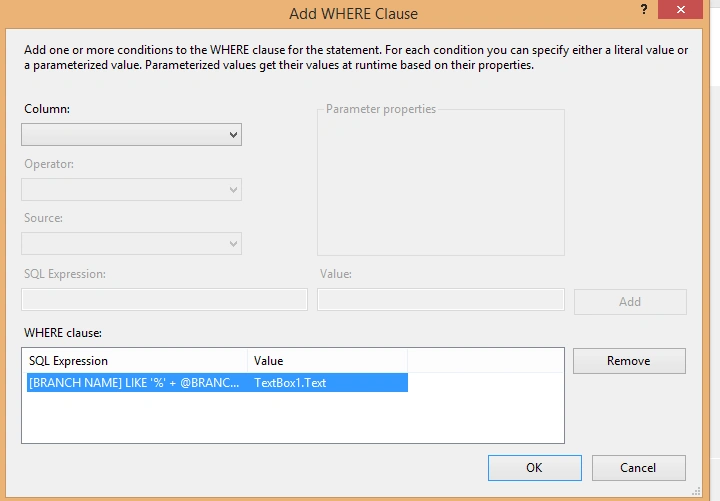
Add a where clause as in the following:
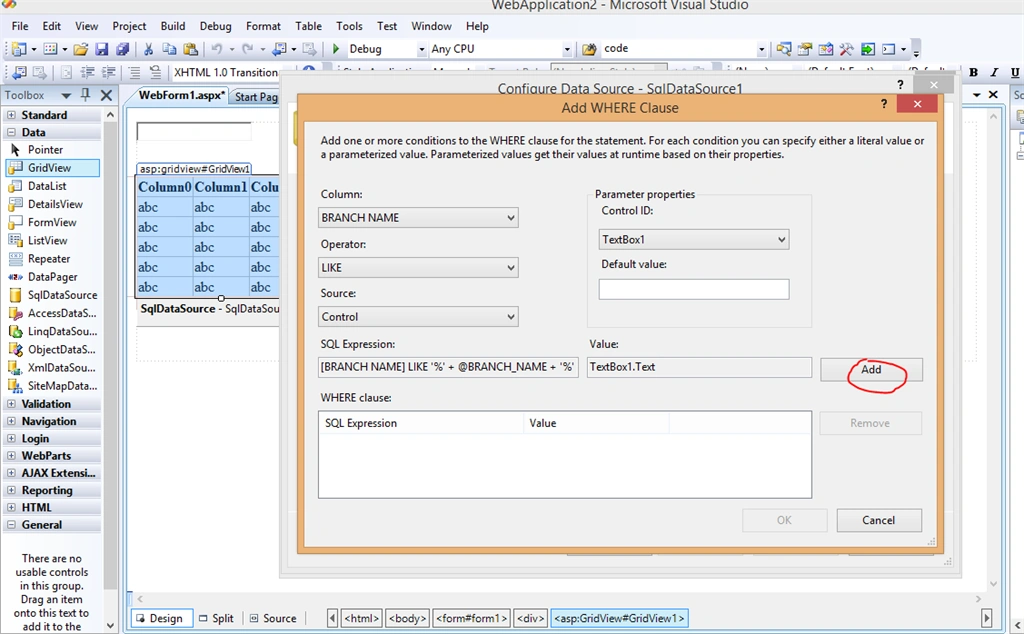
 Step 9
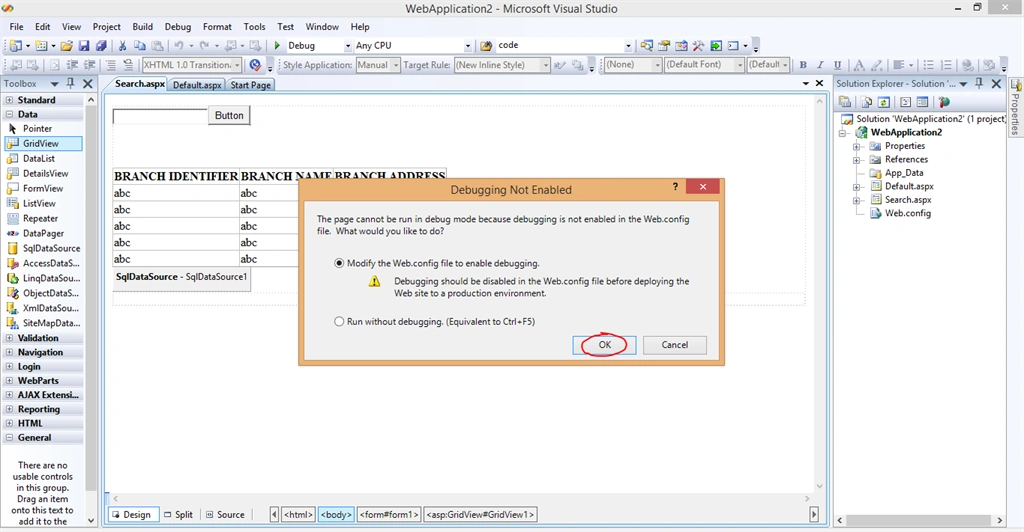
 Step-Run
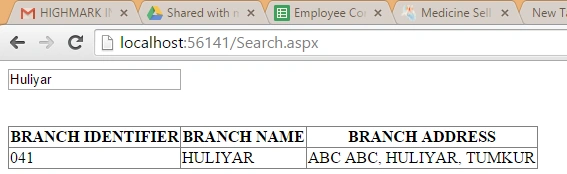
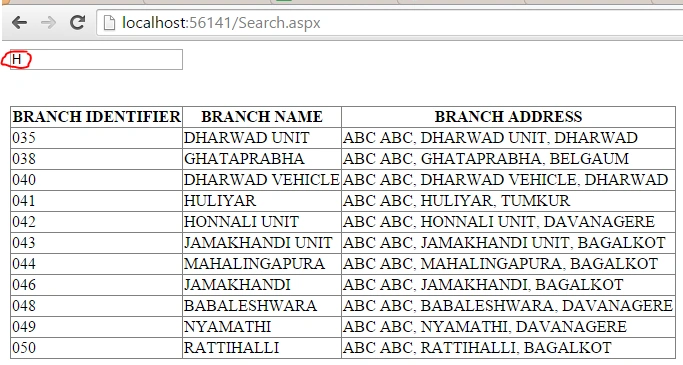
 Step-Output


Sankar Ganesh MPosted Apr 7, 2015, 4:18 AM EDT
Thanks! Good to know... any idea about how this performs under heavy user loads or high volume of data
Akhil GargPosted Apr 6, 2015, 1:47 PM EDT
nice..
Gowtham RajamanickamTOP 100Posted Apr 5, 2015, 7:09 PM EDT
thanks for sharing
Gowtham RajamanickamTOP 100Posted Apr 5, 2015, 7:09 PM EDT
good work
Santhakumar MunuswamyPosted Apr 5, 2015, 4:48 PM EDT
Good work
Pankaj Kumar ChoudharyTOP 100Posted Apr 5, 2015, 4:30 PM EDT
Nice explain @Vinod Sir........