
This article shows how to search text inside a div using jQuery.
The following is the aspx:
- <%@ Page Language="C#" AutoEventWireup="true" CodeBehind="Default2.aspx.cs" Inherits="Contains_In_jQuery.Default2" %>
- <!DOCTYPE html>
- <html xmlns="http://www.w3.org/1999/xhtml">
- <head runat="server">
- <title>Search Text Inside DIV text</title>
- <script src="Scripts/jquery-2.1.4.min.js"></script>
- <script type="text/javascript">
- $(function () {
- $('#btnCheck').click(function () {
- var str = $("#divtxtAll").text();
- var txt = $('#txtword').val();
- if (str.indexOf(txt) > -1) {
- alert('Search Text Found');
- return true;
- } else {
- alert('Div Does not contains word');
- return false;
- }
- });
- })
- </script></head>
- <body>
- <form id="form1" runat="server">
- <div>
- <table style="width: 100%; text-align: center; background-color: yellow; border: solid 5px Green;">
- <tr>
- <td style="background-color: red; color: white; text-align: center; font-size: 12pt; font-family: Arial; font-weight: bold;">Find Your Text</td>
- </tr>
- <tr>
- <td></td>
- </tr>
- <tr>
- <td style="background-color: #0094ff; color: white; text-align: left; font-size: 12pt; font-family: Arial; padding-left: 20px; padding-top: 10px; padding-bottom: 10px;">
- <div id="divtxtAll">
- <b>How are You?
- <br />
- Noida, short for the New Okhla Industrial Development Authority, is a planned [2] city in India under the management of the New Okhla Industrial Development Authority (also called NOIDA). It is part of National Capital Region of India. Noida came into administrative existence on 17 April 1976 and celebrates 17 April as "Noida Day".<br />
- A Brief compendium of its achivements, in the years passed by, here we strive to present you the matchless facilities available in NOIDA.
- <br />
- <br />
- Shopping Malls In Noida<br />
- Spice World Mall<br />
- CenterStage Mall, Sector-18, Noida<br />
- Shopprix mall, C-134B, Sector 61,<br />
- Supertech Shopprix, C-134B, Sector-61<br />
- Sab Mall, Atta Market, Sector 27 </b>
- </div>
- </td>
- </tr>
- <tr>
- <td></td>
- </tr>
- <tr>
- <td style="height: 50px; vertical-align: middle;">Enter Text to Search:
- <input type="text" id="txtword" />
- <input type="button" id="btnCheck" value="Search Text" /></td>
- </tr>
- </table>
- </div>
- </form>
- </body>
- </html>

Image 1.
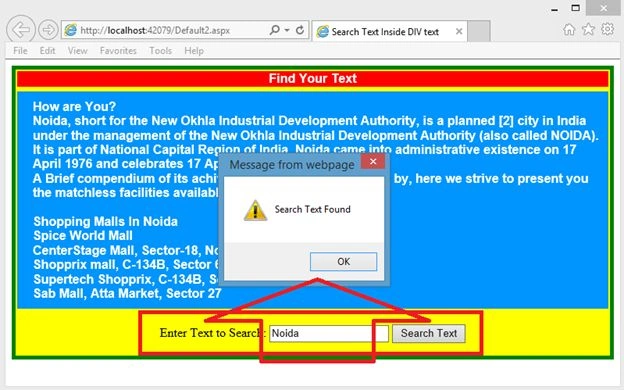
Image 2.
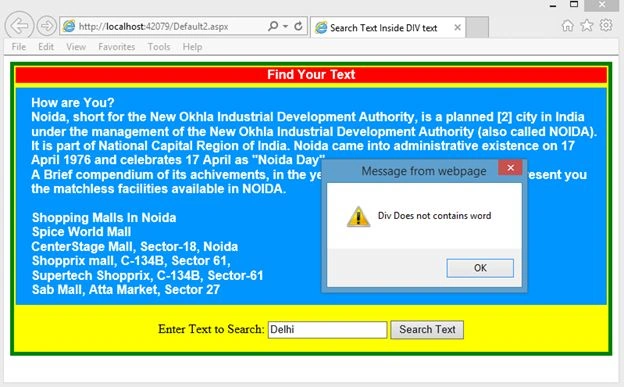
Image 3.
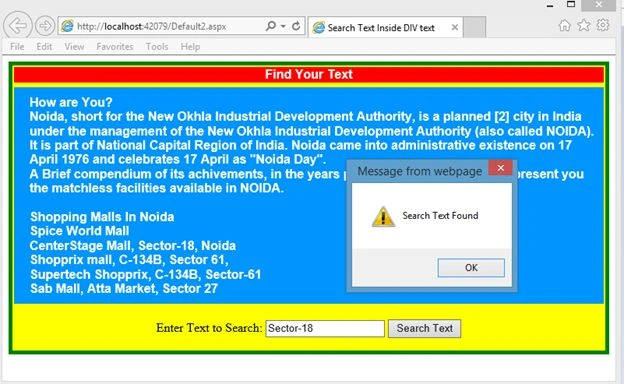
Image 4.


Abhishek KumarPosted Oct 15, 2015, 8:54 PM EDT
Sr i have a problem i want to drag and drop column and insert these column values from their original files(csv) into sql server table as the same sequence they dragged.. Please help me sr..
Santhakumar MunuswamyPosted Jul 23, 2015, 10:56 AM EDT
Thanks for nice article:)
Rahul Kumar SaxenaTOP 100Posted Jul 21, 2015, 11:40 PM EDT
Thanks Sharad...
Rahul Kumar SaxenaTOP 100Posted Jul 21, 2015, 11:40 PM EDT
Thanks Sibeesh Venu bro...
SharadPosted Jul 21, 2015, 8:42 PM EDT
Excellent...
Sibeesh VenuTOP 100Posted Jul 21, 2015, 5:35 AM EDT
Nice Share.