
Here are the steps to setup Online Microsoft Dynamics CRM and create contact data using web service:
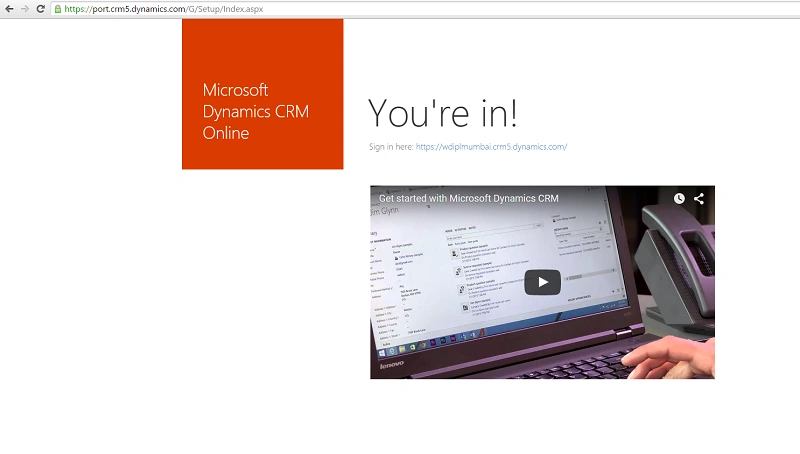
Step 1: Click here to setup your Online Microsoft Dynamics CRM setup. Here are the steps.
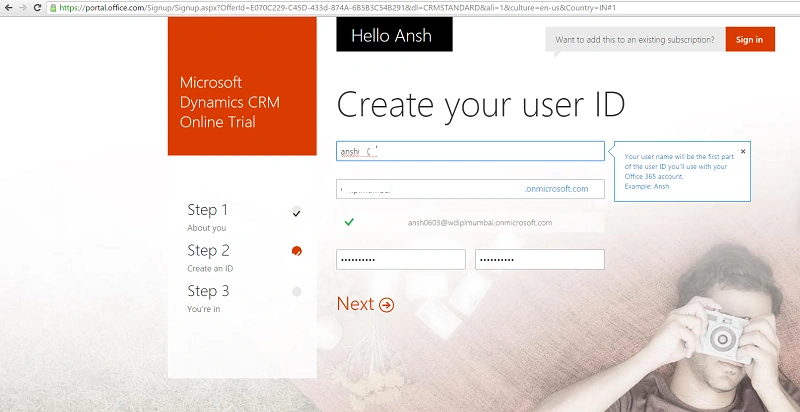
Step 2: Create your User ID and password.
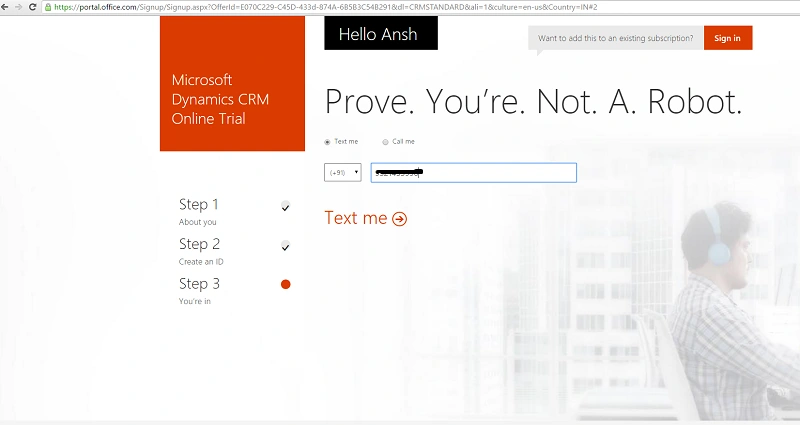
Step 3: Select Text me or Call me option and enter your contact number so you will get the code by sms or by phone call.
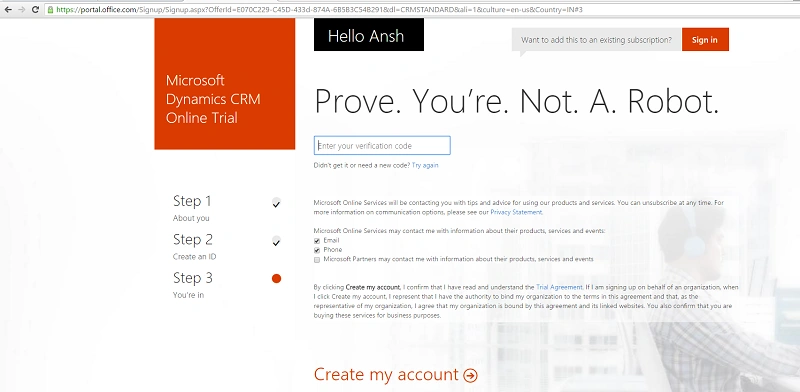
Step 4 : Enter the verification code and complete the setup.
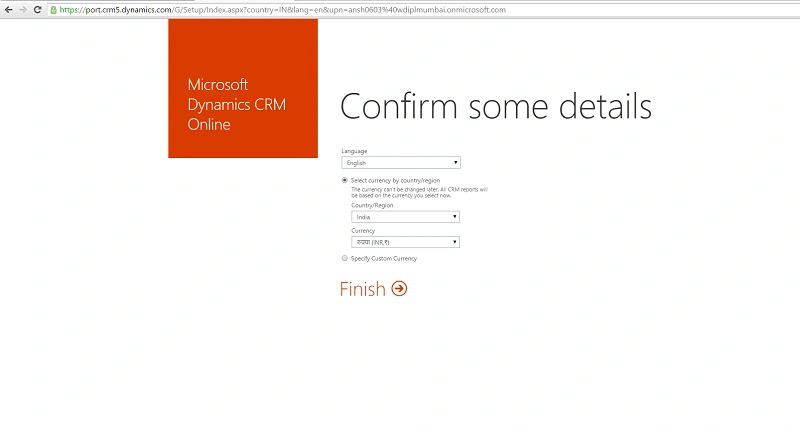
Step 5: Click the link sign in here and this will redirect you on Microsoft Dynamics CRM.
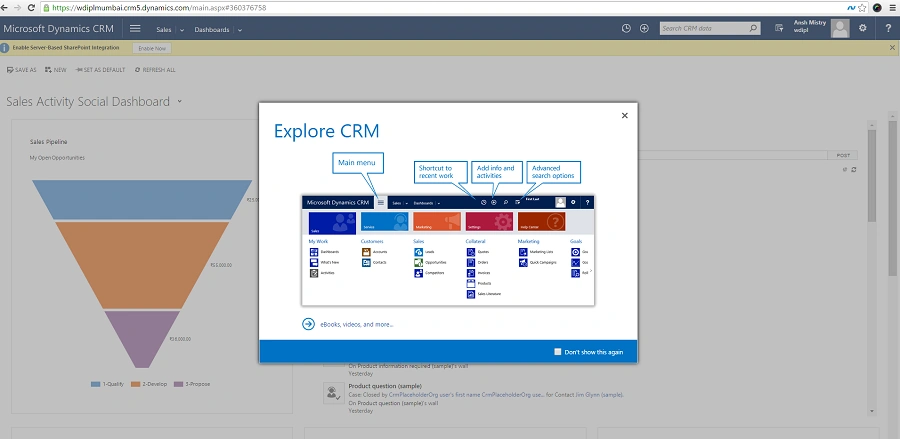
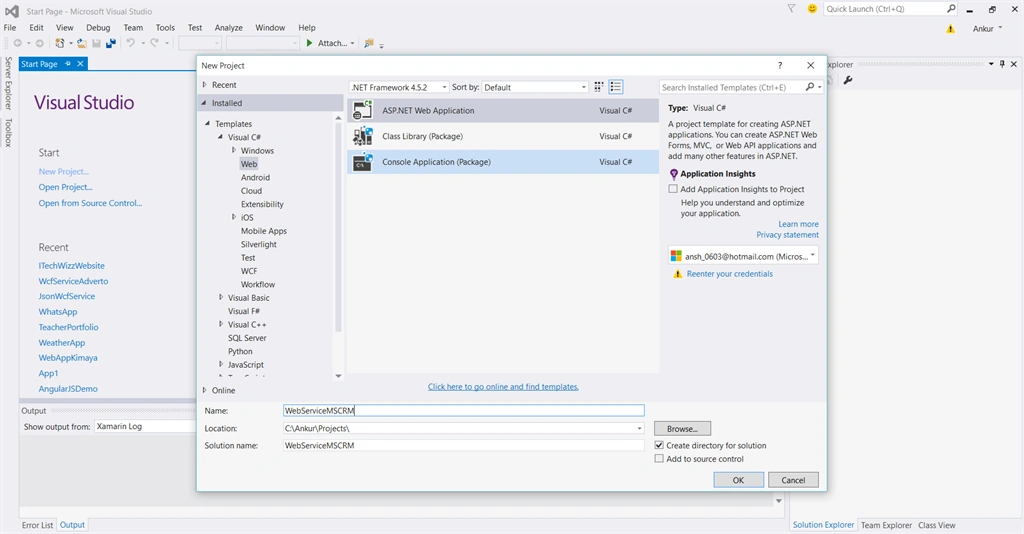
Step 6: Now we have to create a web service that will insert the contact details into CRM.
For that create a new project as shown below:
For that create a new project as shown below:
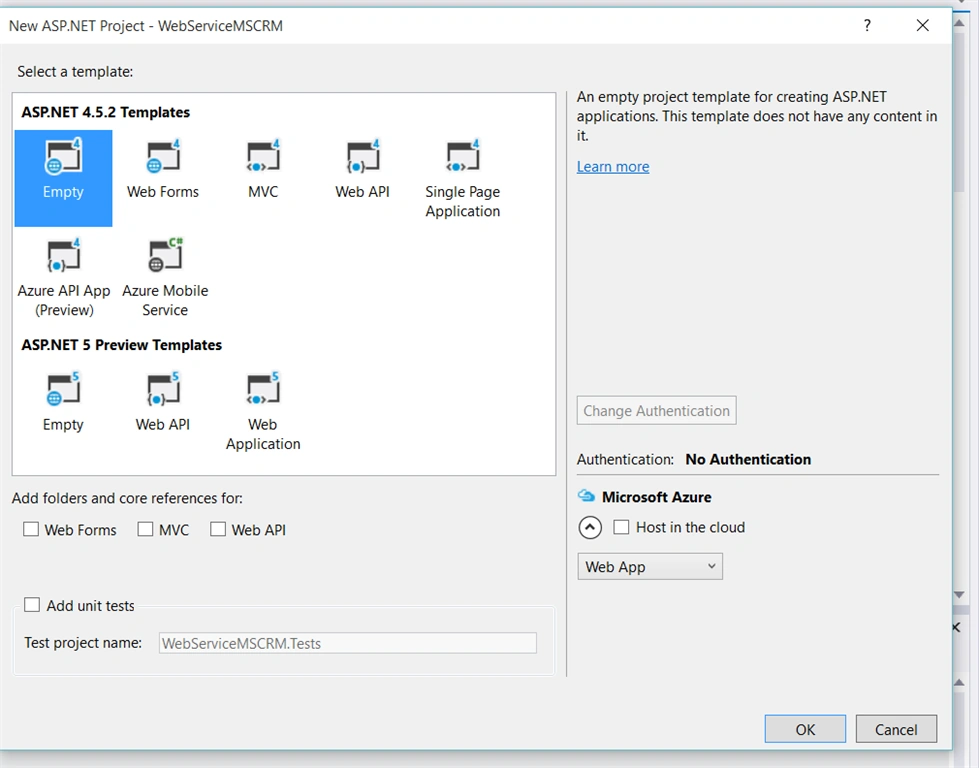
Step 7: Select Empty template and give a name 'WebServiceMSCRM',
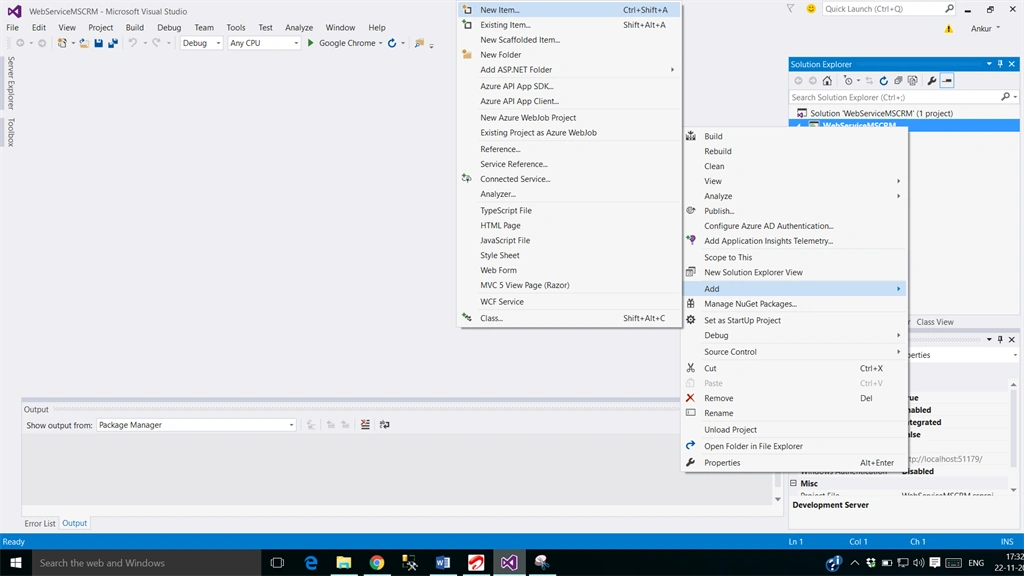
Step 8: Now right click on project and click on add, new item, then web services (ASMX).
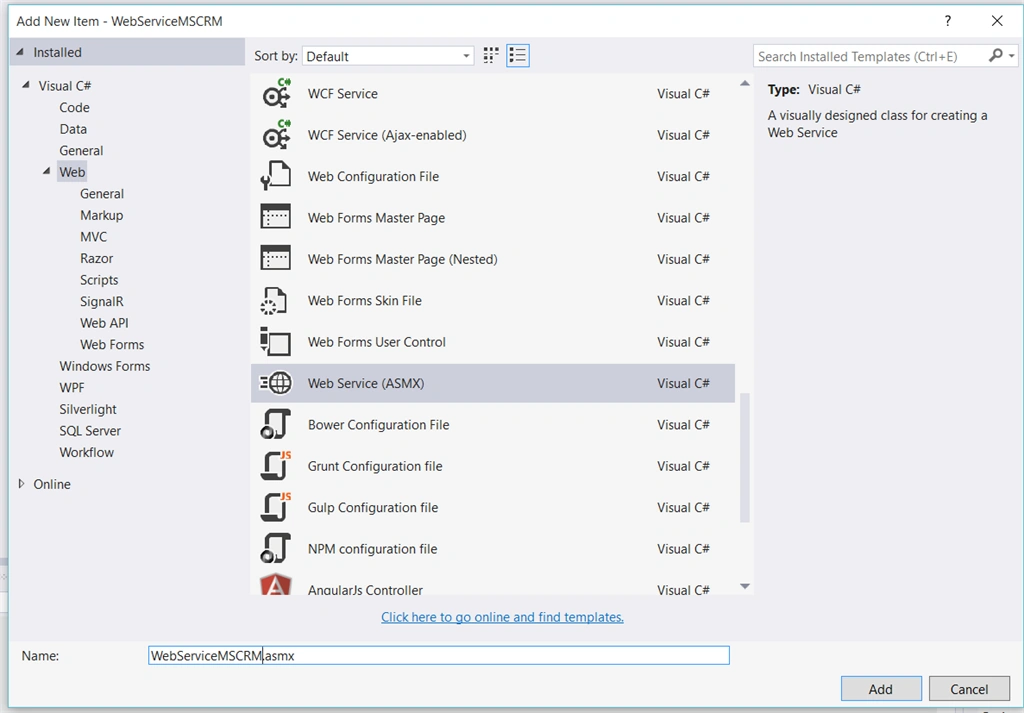
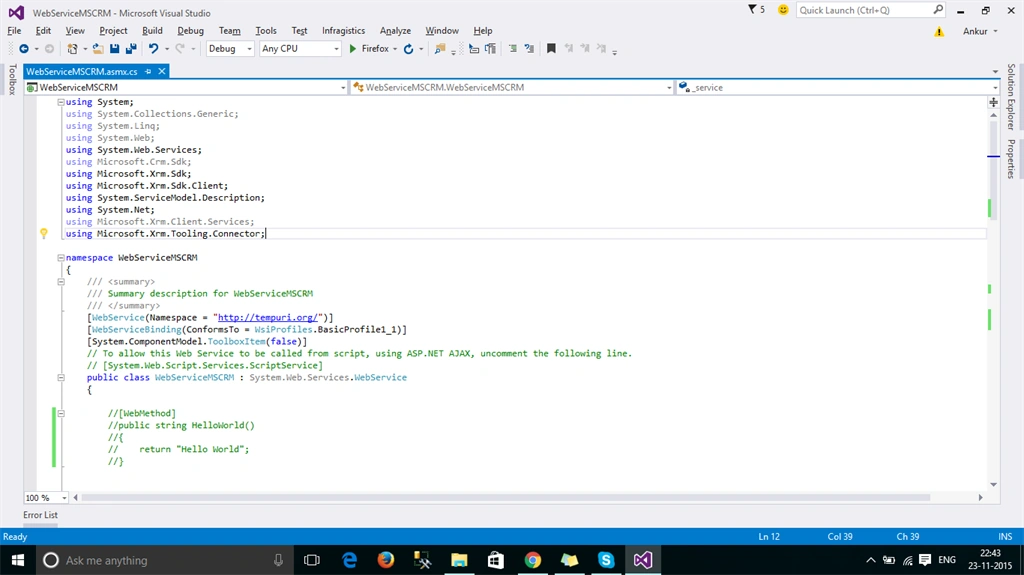
Step 9: Now open WebServiceMSCRM.asmx file.
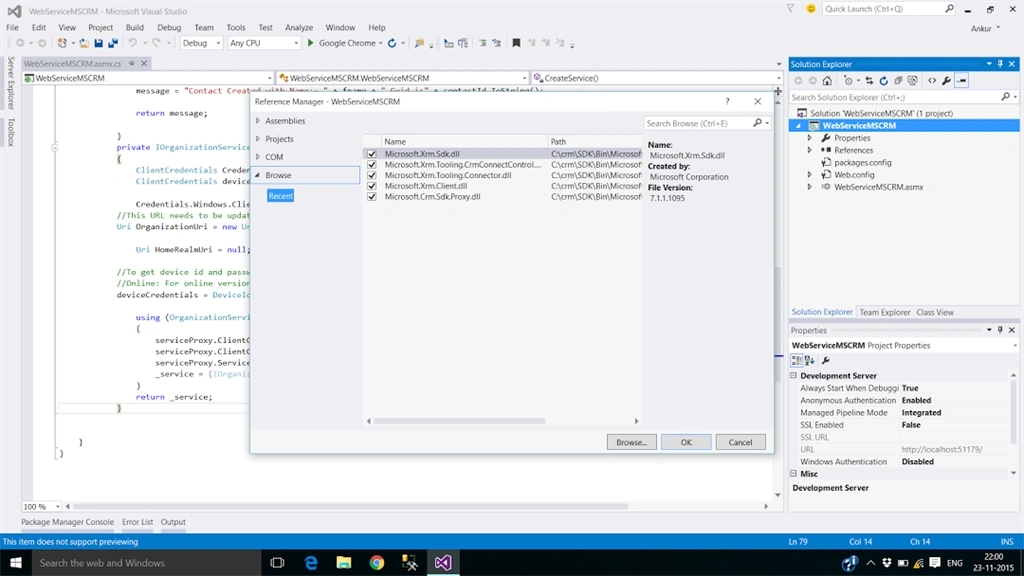
Step 10: Now we have to download the Microsoft Dynamics CRM Software Development Kit (SDK) for CRM Online and on-premises CRM 2015 and add reference in our project as shown below:
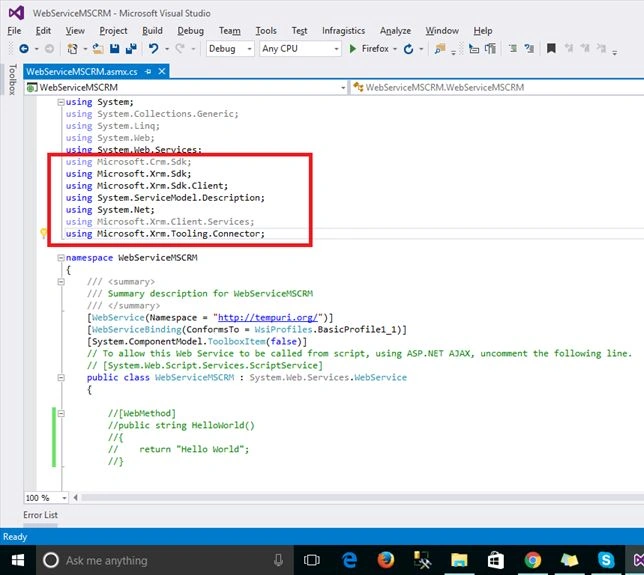
Step 11: Create Web method using IOrganizationService as shown below:
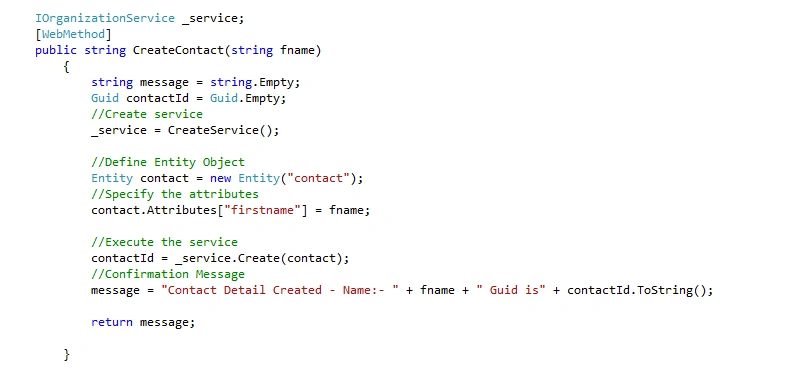
Step 12: Now create the CreateService function as below,
Provide your url that match the servername and organization in Organizationuri section.
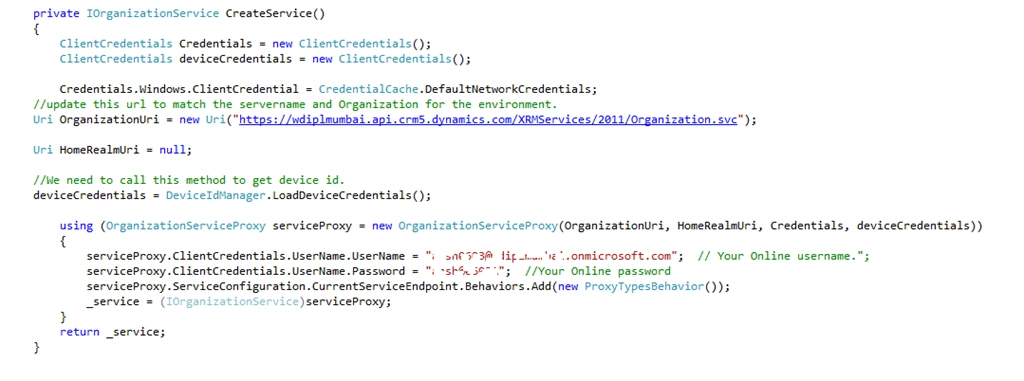
Provide Username and password to get devicc id.
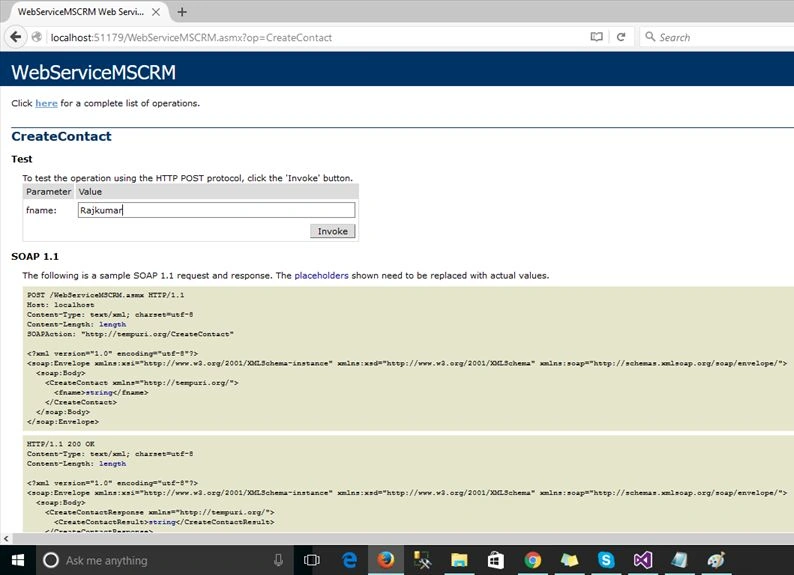
Step 13: Now run the service and call CreateContact method and provide ContactFirstName as shown below:
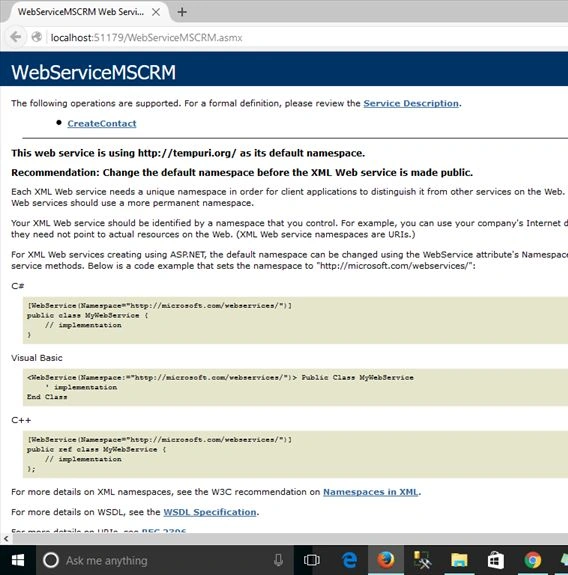
Step 14: Enter name and click on Invoke button.
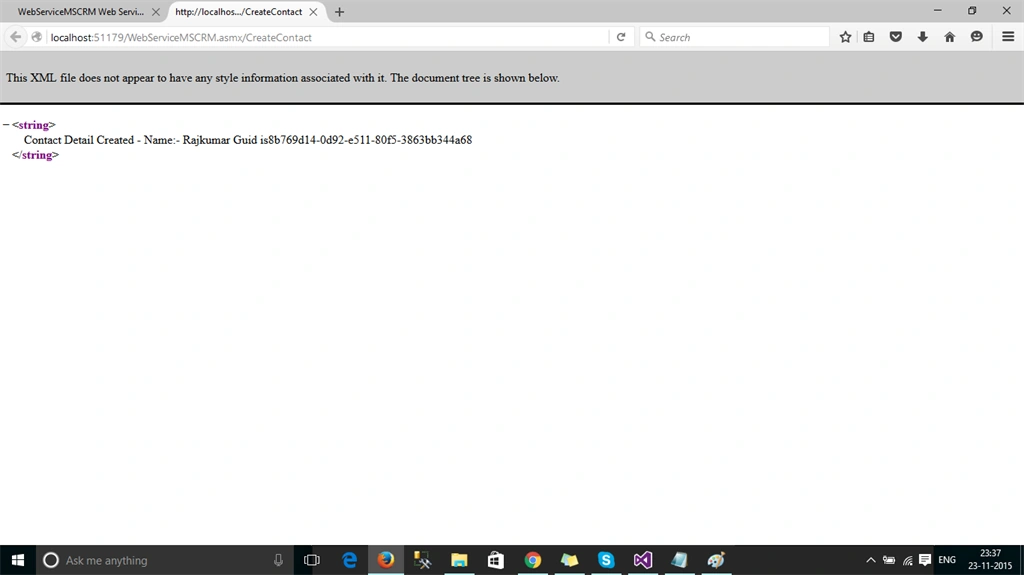
Step 15: Now check your Microsoft dynamics CRM, go to Sales, then Contacts and it will insert the contact details in CRM.
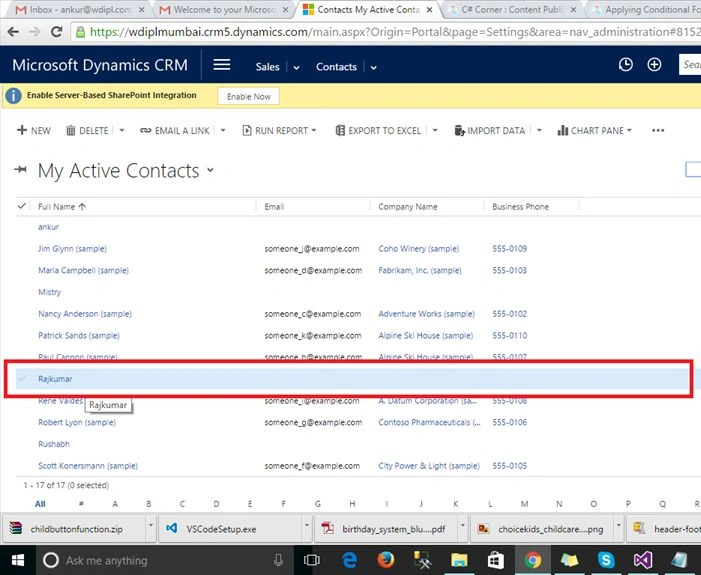
You can use this service in your website contact page and insert the contact details in Microsoft Dynamics CRM.
This will help your organization to manage the sales lead.
This will help your organization to manage the sales lead.



ranjith kumarPosted Apr 12, 2017, 10:00 PM EDT
Is .asmx format available in MS Dynamics CRM 2016 version. Can I use this webservice file in HTML website page(using javascript) to create contact in CRM.
Bhuvanesh MohankumarPosted Apr 30, 2016, 11:13 AM EDT
Good one...
Rushabh ParekhPosted Nov 25, 2015, 8:51 PM EST
Awesome it is thank you for publishing very helpful
supriya tarsePosted Nov 25, 2015, 8:47 PM EST
Nice article
Ankur MistryTOP 100Posted Nov 25, 2015, 2:26 AM EST
thank you
Bhalchandra mithbavkarPosted Nov 24, 2015, 9:17 PM EST
Nice article
Rahul LadPosted Nov 23, 2015, 11:58 PM EST
Useful article
Ankur MistryTOP 100Posted Nov 23, 2015, 11:56 PM EST
Thank you all
Sneha PurohitPosted Nov 23, 2015, 11:52 PM EST
Very useful (Y)
Mukesh KumarPosted Nov 23, 2015, 11:47 PM EST
Good Job
MannanPosted Nov 23, 2015, 11:46 PM EST
Nice post sir, it will help us,thanks for post...
Hitesh KalalPosted Nov 23, 2015, 11:40 PM EST
Thank you for uploading it's very helpful article.
Mayank SharmaPosted Nov 23, 2015, 11:38 PM EST
the way u posting here , is just awesome.. Good Post as always :-)
Banketeshvar NarayanPosted Nov 23, 2015, 11:14 PM EST
Nice Share