
In this article we can explore the following code:
- Retrieve Name & Type of all Servers in the Farm
Farm
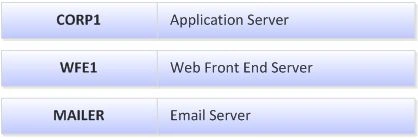
A SharePoint Farm consists of multiple servers with roles associated with each. For example a typical 500 user Farm can contain:
- Web Front End Server
- Application Server
- Database Server
- Email Server
- Searcy Index Server
The following is a typical output from a Server Farm.
Code
Here we are using the Server Object Model code to retrieve the farm information.
For getting a Farm instance, we can use the SPFarm.Local property.
using Microsoft.SharePoint.Administration;
SPFarm farm = SPFarm.Local;
For iterating through the servers, we can use the Servers property of the Farm object.
foreach (SPServer server in farm.Servers)
{
}
For retrieving the Name, Role and Type we can use the instance properties of SPServer.
-
server.Name
-
server.Role
-
server.TypeName
The following is the console application code:
using System;
using System.Collections.Generic;
using System.Linq;
using System.Text;
using Microsoft.SharePoint;
using Microsoft.SharePoint.Administration;
namespace EnumFarmServers
{
class Program
{
static void Main(string[] args)
{
SPSecurity.RunWithElevatedPrivileges(delegate()
{
SPFarm farm = SPFarm.Local;
foreach (SPServer server in farm.Servers)
{
Console.WriteLine(server.Name);
Console.WriteLine(server.Role);
Console.WriteLine(server.TypeName);
Console.WriteLine();
}
});
Console.ReadKey(false);
}
}
}
Central Administration
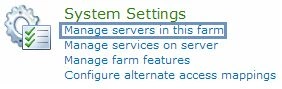
We can always retrieve this information from Central Administration as well.
Note
The console application source code is attached.
Squadron
Please note that the code above is integrated with Squadron (free administration tool for SharePoint).
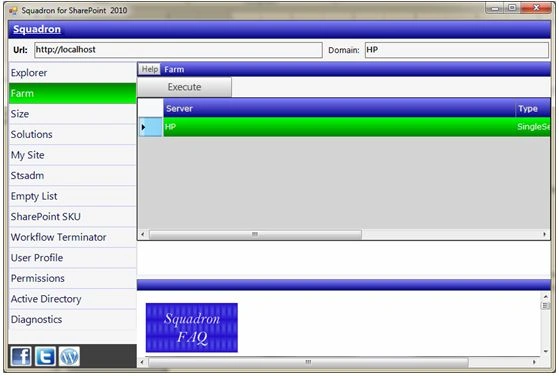
You can download the tool from:
http://www.sharepointcto.com/Squadron/Default.aspx
References
Summary
In this article we have explored the C# Server Object Model code to retrieve Farm Server Information. In the real world scenarios we can use this information to quickly understand the server topology.


Vijay SPosted Apr 7, 2015, 1:58 AM EDT
Informative