
Central Administration is a special SharePoint Web Application and it is automatically provisioned during the configuration of SharePoint through the SharePoint Product Configuration Wizard.
There should be a single central administration site for the entire farm, where farm administrators can manage the service applications, sites, securities and deployments. In SharePoint 2016, the central administration is categorized into ten sections and we will see summary about each of the item below,
- Application Management
- System Settings
- Monitoring
- Backup and Restore
- Security
- Upgrade and Migration
- General Application Settings
- Apps
- Office 365
- Configuration Wizards
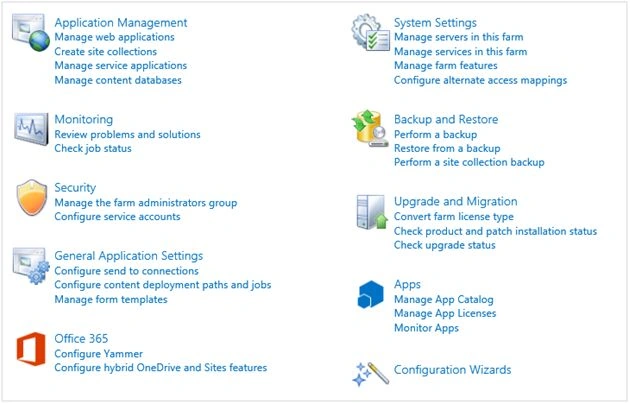
Figure 1: 10 Sections of SharePoint Server 2016 Central Administration
The summary about each section of Central Administration is listed below,
Application Management: http://<servername:port>/applications.aspx
This page contains the links to the pages, there the administrators can manage the web applications, site collections, content databases, and service applications.
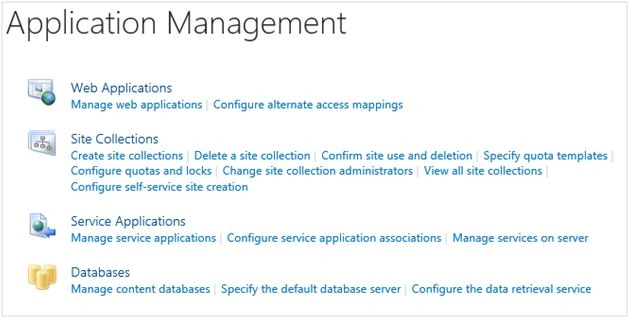
Figure 2: Application Management
System Settings: http://<servername:port>/systemsettings.aspx
This page contains the links to the pages, there the administrators can manage the servers, services on server, features, solutions, email configurations, mobile configurations and farm-wide settings
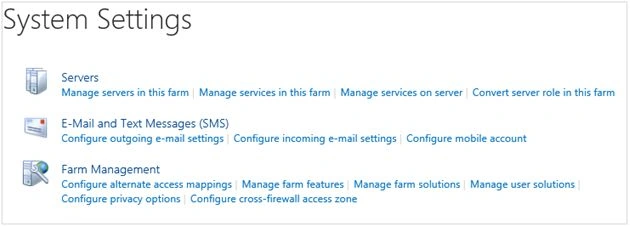
Figure 3: System Settings
Monitoring: http://<servername:port>/monitoring.aspx
This page contains the links to the pages, there administrators can track the jobs, view the reports, manage the logs, and view the health and status of your SharePoint farm
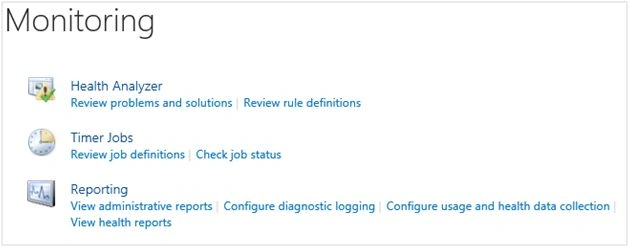
Figure 4: Monitoring
Backup and Restore: http://<servername:port>/backups.aspx
This page contains the links to the pages, there administrators can perform a backup or restore operations for Site Collections, sites, lists, or view history and status details.
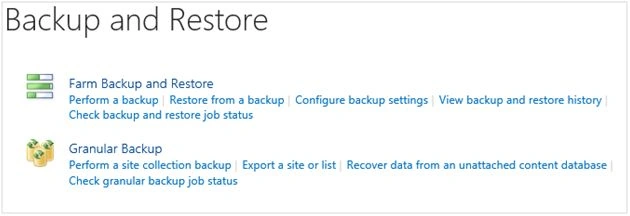
Figure 5: Backup and Restore
Security: http://<servername:port>/security.aspx
This page contains the links to the pages, there administrators can manage user settings, policy settings and general security settings.
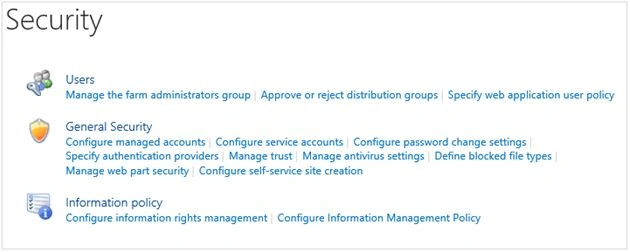
Figure 6: Security
Upgrade and Migration: http://<servername:port>/upgradeandmigration.aspx
This page contains the links to the pages, there administrators can view the status of upgrade, patch installation, database and also have the options for upgrade SharePoint, manage licenses, enable Enterprise features and more.
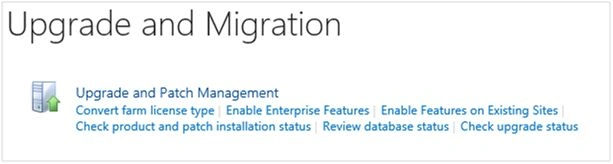
Figure 7: Upgrade and Migration
General Application Settings: http://<servername:port>/generalapplicationsettings.aspx
This page contains the links to the pages, there administrators can configure general application and feature settings
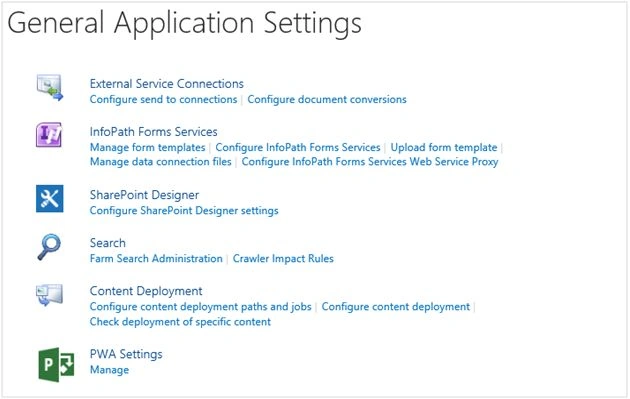
Figure 8: General Application Settings
Apps: http://<servername:port>/apps.aspx
This page contains the links to the pages, there administrators can manage and monitor your Apps
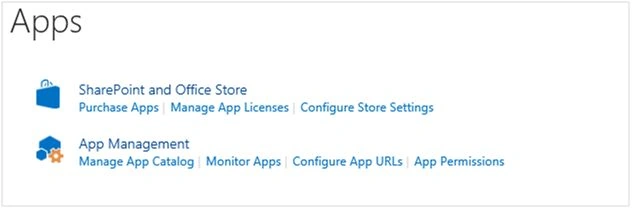
Figure 9: Apps
Configure Office 365: http://<servername:port>/office365configuration.aspx
This page contains the links to the pages, there administrators can configure settings to access or bind to the office 365 features
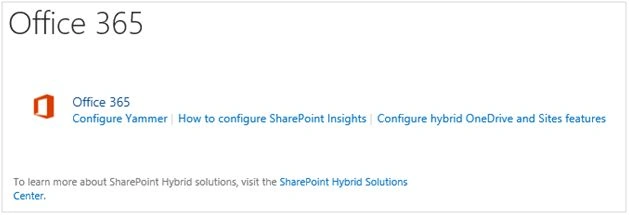
Figure 10: Office 365
Configuration Wizards: http://<servername:port>/configurationwizards.aspx
This page contains the links to the pages, there administrators can use wizards to help configure advanced scenarios
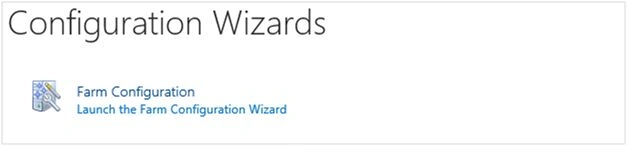
Figure 11: Configuration Wizards
Each section in Central Administration can do different operations and this feature of controlling the entire SharePoint Server is not available in SharePoint Online.


Gowtham RajamanickamTOP 100Posted Apr 9, 2016, 9:44 PM EDT
expecting more from 2016
Gowtham RajamanickamTOP 100Posted Apr 9, 2016, 9:44 PM EDT
nice article
Humayun Kabir MamunPosted Mar 26, 2016, 8:54 PM EDT
Nice...
Vignesh ManiTOP 100Posted Mar 26, 2016, 4:54 AM EDT
good
Abhay ShankerPosted Mar 26, 2016, 3:39 AM EDT
Nice Share
Vinodh NarayananPosted Mar 26, 2016, 1:03 AM EDT
good one
Debasis SahaTOP 100Posted Mar 25, 2016, 8:41 PM EDT
Nice one..
Sibeesh VenuTOP 100Posted Mar 25, 2016, 8:34 PM EDT
Nice Share
Kumaresh RajalingamPosted Mar 25, 2016, 5:48 PM EDT
Good one
Prasham SabadraPosted Mar 25, 2016, 1:55 PM EDT
Thanks for Sharing :)