
Introduction
If you're already using Windows 10 then you are certainly familiar with Microsoft Edge, the new Web browser in Windows 10.
By default, Edge does not show the Home button.
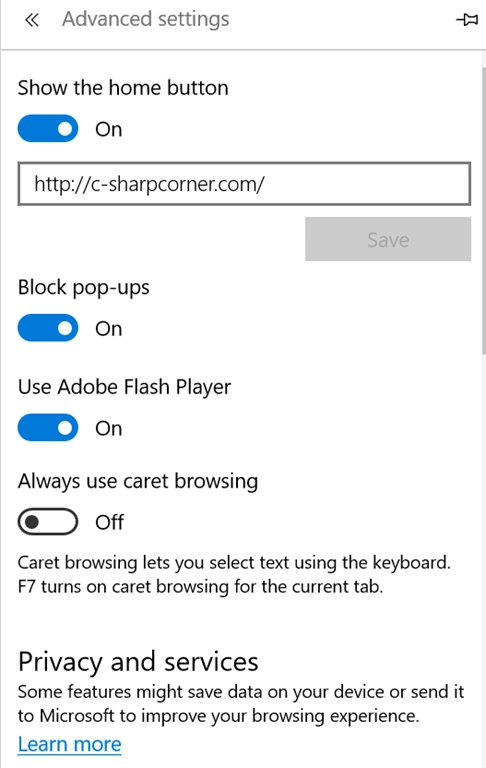
To show the Home button, click on "..." in the header toolbar, the right-most area, select Settings from the menu then select Advanced Settings at the bottom.
In the Advanced Settings window, turn on "Show the home button".
Summary
In this article, we learned about the show home button in Microsoft Edge.


Santhakumar MunuswamyPosted Jul 16, 2015, 11:45 AM EDT
Thanks for your information sir
Chervine BhiwooPosted Jul 16, 2015, 7:05 AM EDT
Nice tip. Thanks for sharing
Vipul MalhotraPosted Jul 16, 2015, 4:39 AM EDT
Thanks for sharing sir
Nilesh JadavPosted Jul 16, 2015, 2:54 AM EDT
Thank you for sharing sir !
Upendra Pratap ShahiPosted Jul 16, 2015, 12:49 AM EDT
nice info sir..
Rajeesh MenothPosted Jul 16, 2015, 12:41 AM EDT
Good information sir
Sibeesh VenuTOP 100Posted Jul 15, 2015, 11:28 PM EDT
Thanks for the information sir