
For some reasons, SharePoint 2013’s prerequisite installer can't find which server manager to use and fails installation of prerequisite files.
So, what you should do is: Go to Windows/System32, find servermanager.exe, duplicate it and then rename it to "servermanagercmd.exe".
After this, re-run prerequisite installer, it will work perfectly:
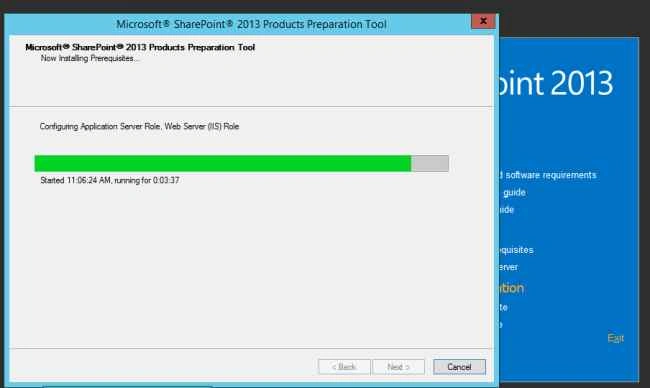
If it doesn’t work then you haven’t enabled downloading setup files remotely in MMC (group policy editor) settings.
To do this, follow the below given steps:
- Add “GP Editor” Snapin in MMC.
- Then, go to Computer Configuration, Administrative Templates, then System.
- Update “Specify settings for optional” policy as Enabled.
- Update “Contact Windows Update” as selected.
- Click Apply.
- Make sure IIS Admin Service also works in Server Manager.
That's it!


Vaikesh K PPosted Sep 2, 2015, 10:08 PM EDT
Nice work
Santhakumar MunuswamyPosted Sep 2, 2015, 11:00 AM EDT
Nice share
Mohammed IbrahimPosted Sep 2, 2015, 7:29 AM EDT
thanks for sharing information
RakeshPosted Sep 2, 2015, 2:59 AM EDT
Good share sir
Sibeesh VenuTOP 100Posted Sep 2, 2015, 2:45 AM EDT
Nice Share
Karthikeyan KPosted Sep 1, 2015, 10:52 PM EDT
Good one sir..Thanks for sharing
Vinodh NarayananPosted Sep 1, 2015, 10:45 PM EDT
nice one sir