
Introduction
In this tutorial, I am going to explain MySQL Help and Show Commands with examples.
In MySQL, we have to use many commands. Some commands are used to show statements. These commands provide general information related to our database. The output from the show table contains a column of table names. This statement lists any views in the database.
Below are some examples of help and show commands with syntax that provide general information about our database and tables.
SHOW STATEMENTS
- USE <database_name>;
- Show databases list the databases name in MySQL.
Syntax
SHOW DATABASES;
SHOW DATABASES LIKE '%dml%';
SHOW TABLES FROM <database_name> LIKE <table_name>;
Show Tables lists the NON-TEMPORARY table's name from a given database.
Syntax
SHOW TABLES;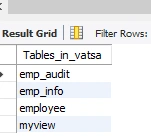
USE order_by;
   SHOW COLUMNS FROM <table_name>;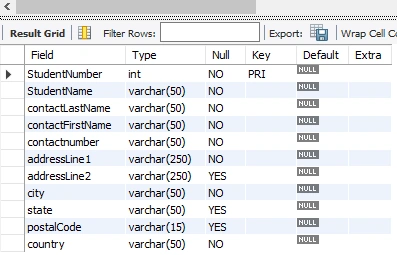
DESCRIBE
In MySQL, the describe command shows table functionality.
Syntax
DESCRIBE <table_name>;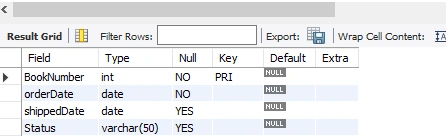
Help STATEMENTS
SELECT USER(), NOW(), VERSION(), DATABASE();
SHOW GRANTS FOR root@localhost;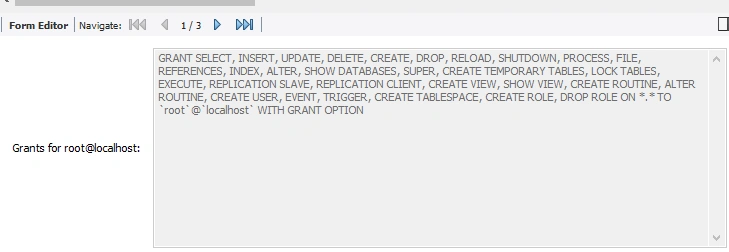
SHOW INDEX FROM emp_info;SHOW INDEX FROM emp_info FROM vatsa;SHOW PROCESSLIST;
STATUS
In MySQL, the Status command is used to get the status information from the server.
SHOW STATUS ;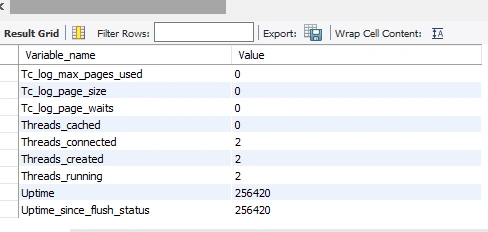
SHOW TABLE STATUS FROM <database_name>;
VARIABLES
Show variables show the values of MySQL system variables. Show variable displays the values that are used for new connections to MySQL.
Syntax
SHOW VARIABLES;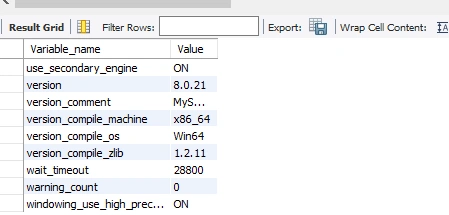
Conclusion
In this article, I have discussed the concept of MySQL Help and Show Commands with various examples.
I hope you enjoyed this article. Follow C# Corner to learn more new and amazing things about MySQL.
Thanks for reading this article.

Join the conversation! Your thoughts help the community grow.