Specify SQL Statements in QTP Tool in Testing
In this article I discuss how to specify SQL Statements in QTP
You can manually specify the database connection string and the SQL statement. First insert a Database Checkpoint, as in:
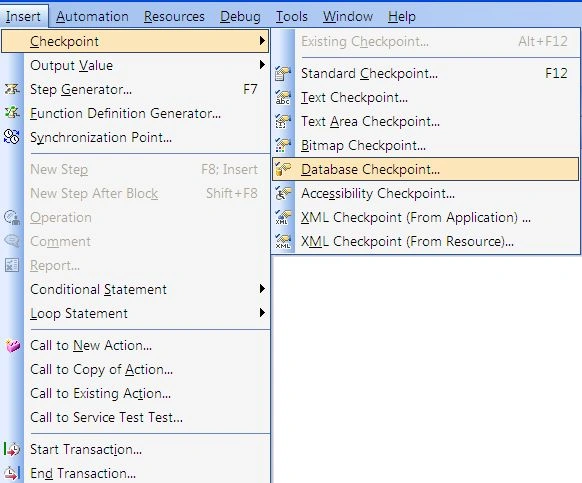
To specify SQL statements:
- Choose Specify SQL statement in the Database Query Wizard. The following screen opens:
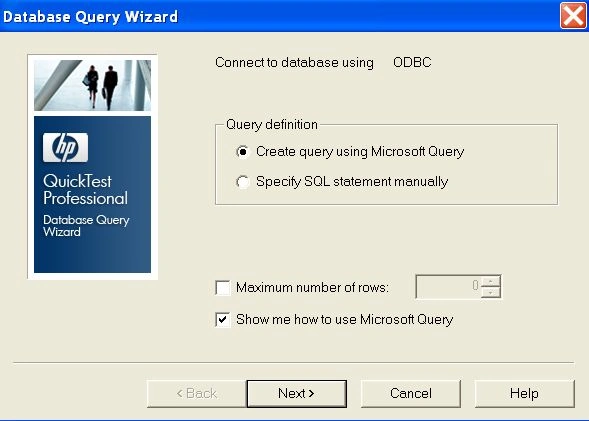
- Specify the connection string and the SQL statement and click Finish.
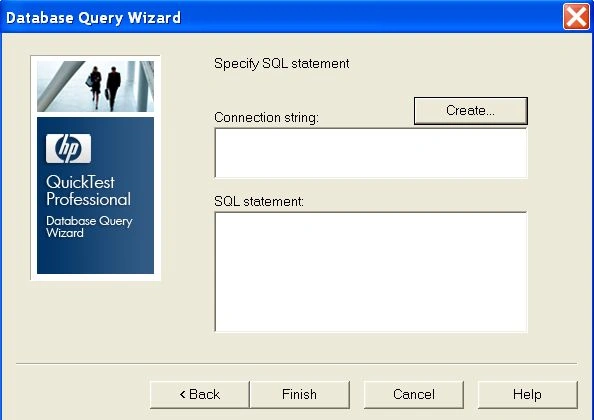
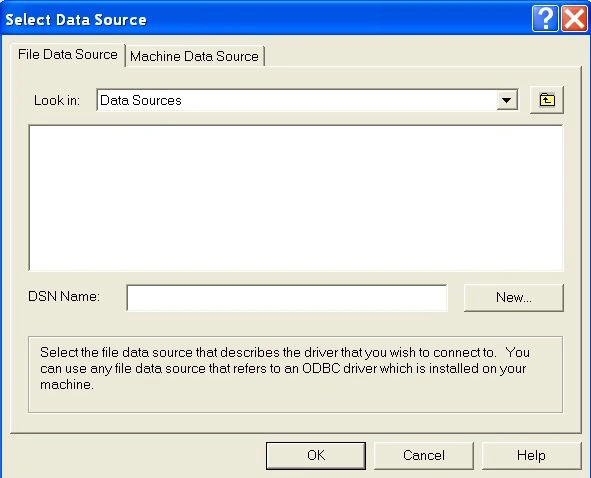
Connection String - Enter the connection string or click create to open the ODBC select data source dialog box. You can select a .dsn file.
SQL statement - Enter the SQL statement.
Quick Test takes several seconds to capture the database query and restore the Quick Test window.


Join the conversation! Your thoughts help the community grow.