
If you are new to windows azure and you do not know how to start with azure or from where should you start then I am going to explain it in a simple way. Please visit the website and it looks like the following,
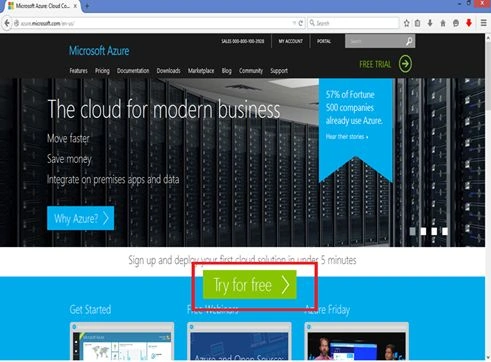
Click on try for free. It will open a link.
Scroll down the website and you will find the following options:
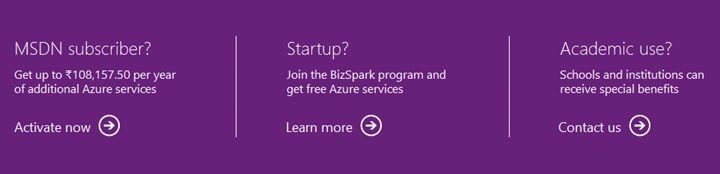
Note: The URL may vary as per your locale. In above URL there is /en-us/ in middle of URL.
en-us locale means this website is being displayed in English of US locale. You can change the url as per your locale.
Click on Activate now under MSDN Subscriber. It will open the following link.
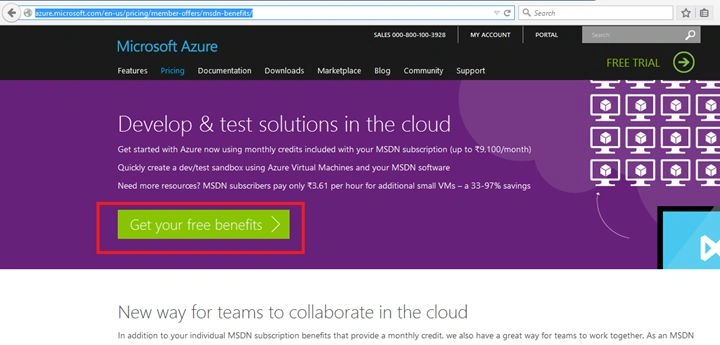
Click on Get your free benefits link. It will redirect to the page for your login credentials.
After that it will redirect you for portal management some screenshots for portal managemts are as folows:

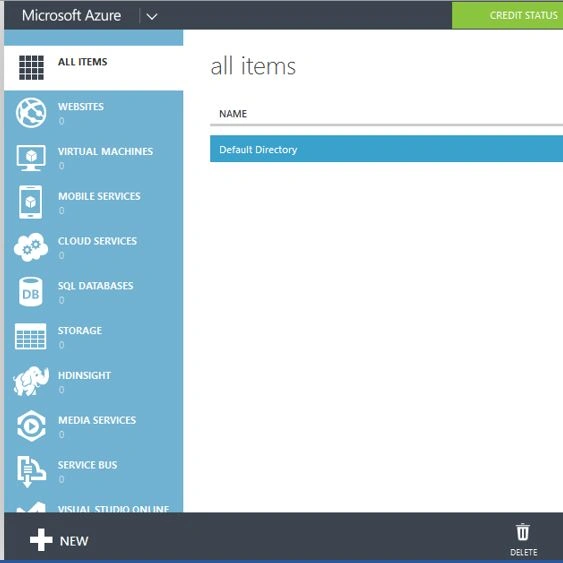
Here is the dashboard with no services created yet. Now you can create the following things using the Dashboard:
Websites, Virtual Machines, Mobile services, Cloud Services, SQL Databases, Storage, HDINSIGHT etc.
To create a website
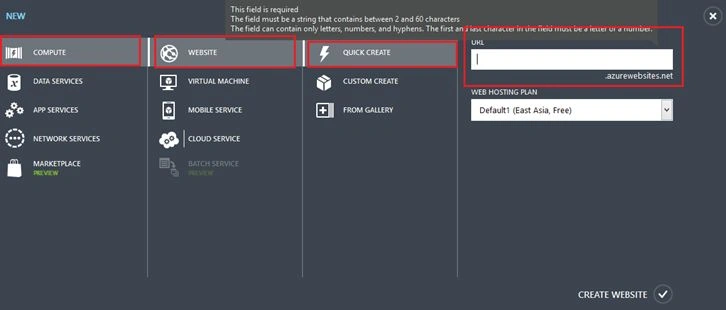
Click on New, Compute, Website, then click Quick Create.
Provide the URL. The URL name will be suffixed by azurewebsites.net.
Choose the data center.
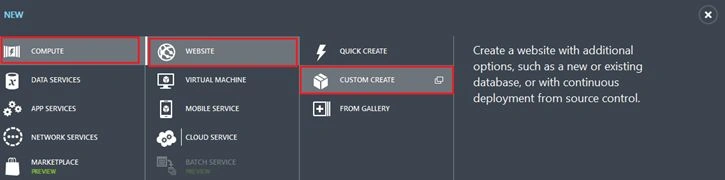
You can also create custom websites. To create custom website please follow the steps:
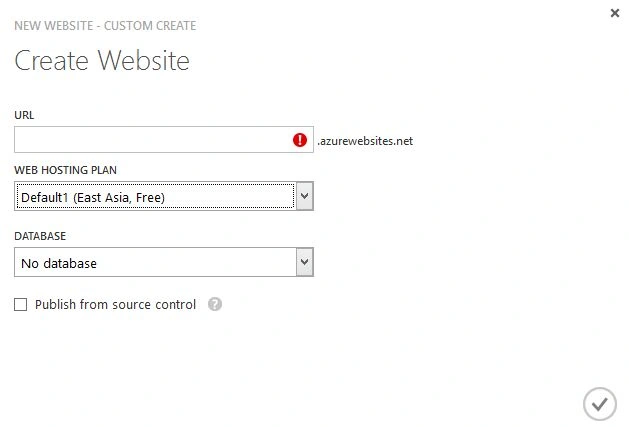
Click on New, COMPUTE, WEBSITE, then click CUSTOM CREATE.
It will open a new window
We can also use template for websites

It will open a Web Apps Gallery.

You can choose any web app. You can install some popular CMS like Orchard, WordPress, Joomla, MonoX, mojoPortal, etc.
I have explained here only to create a website but you can do a lot of things. You can create Websites, Virtual machines, Mobile services, cloud services, SQL Databases, Media Services, Storage, HDINSIGHT, Service Bus, Visual Studio Online and much more.
Starting With Windows Azure
In this article you will learn how to start with Windows Azure.


Gowtham RajamanickamTOP 100Posted Apr 27, 2016, 12:47 AM EDT
good article..
Banketeshvar NarayanPosted Nov 30, 2015, 10:47 PM EST
Thanks Santhakumar Munuswamy
Santhakumar MunuswamyPosted Nov 30, 2015, 10:31 PM EST
Good One
Banketeshvar NarayanPosted Nov 30, 2015, 6:38 AM EST
Thanks Suman
Suman VermaPosted Nov 30, 2015, 12:48 AM EST
nice one
Yaduveer SainiPosted Nov 29, 2015, 11:18 PM EST
Nice Article Banketeshvar Narayan
Banketeshvar NarayanPosted Nov 29, 2015, 9:27 PM EST
Thanks Aishwarya
Aishwarya DPosted Nov 29, 2015, 8:47 PM EST
Nice Share
Banketeshvar NarayanPosted Nov 27, 2015, 10:40 PM EST
Thanks Aqib
Muhammad Aqib ShehzadPosted Nov 27, 2015, 12:33 AM EST
Great job, nice info shared for startups
Banketeshvar NarayanPosted Nov 25, 2015, 7:31 PM EST
Thanks Mukesh
Mukesh KumarPosted Nov 25, 2015, 7:23 PM EST
Good Job Banke
Banketeshvar NarayanPosted Nov 24, 2015, 11:30 PM EST
Thanks Prasham Sabadra
Prasham SabadraPosted Nov 24, 2015, 9:21 PM EST
Nice Introduction. Thanks for Sharing!
Banketeshvar NarayanPosted Nov 24, 2015, 9:16 PM EST
Thanks Raja T
Raja TPosted Nov 24, 2015, 8:14 PM EST
Nice, Thanks for sharing