
PPWe will create a WPF application and use SpeechSynthesizer class and methods to enter text in Textbox and then convert into speech.
Step 1: Create New Project and go to '
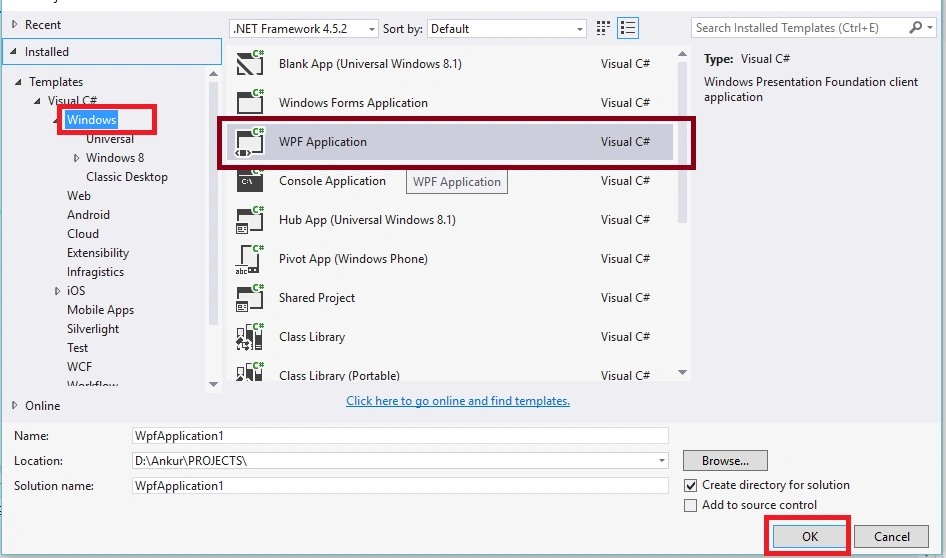
Create New Project, Select File, New, then Project'.
Select Windows and Create WPF application as per the following screen,
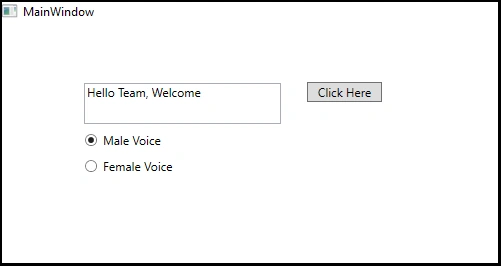
Step 2: From the toolbox add 1 Textbox, 1 button and 2 Radiobuttons and design your layout as in the following,
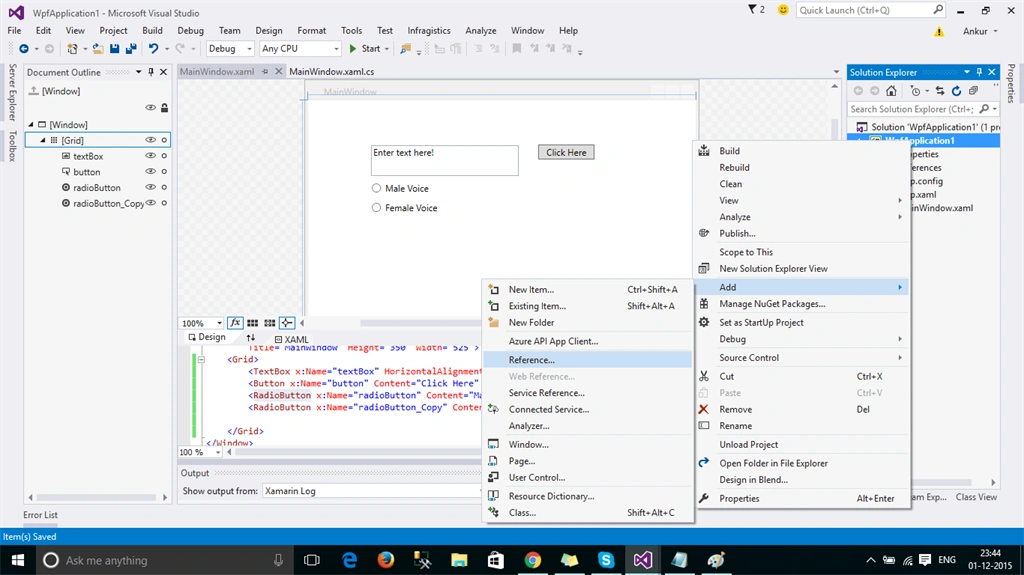
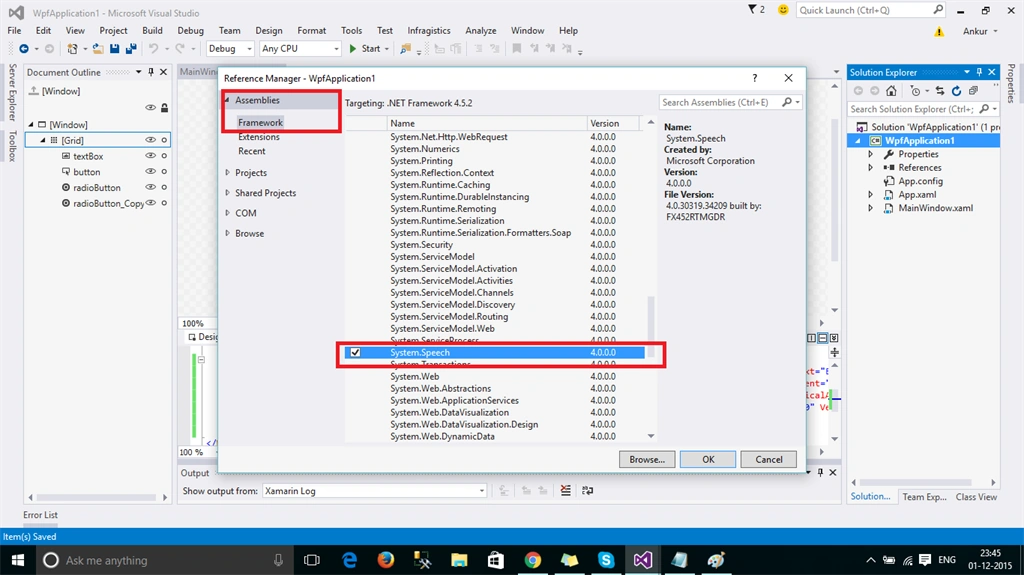
Step 3: Right click on Project and add reference 'System.speech'
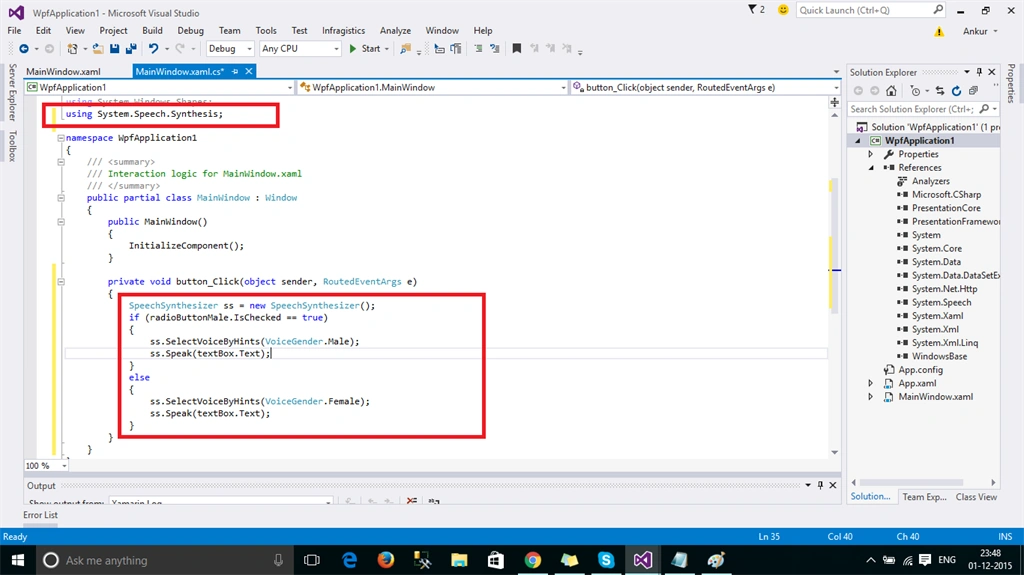
Step 4: Add the Namespace: System.Speech.Synthesis in your .cs file and add code on button click event as per the following screen,
Use SelectVoiceByHints Method and pass VoiceGender.Male or for VoiceGender.Female.
Use Speak method for TextToSpeech.
code : button_Click
- private void button_Click(object sender, RoutedEventArgs e)
- {
- SpeechSynthesizer ss = new SpeechSynthesizer();
- if (radioButtonMale.IsChecked == true)
- {
- ss.SelectVoiceByHints(VoiceGender.Male);
- ss.Speak(textBox.Text);
- }
- else
- {
- ss.SelectVoiceByHints(VoiceGender.Female);
- ss.Speak(textBox.Text);
- }
- }
Step 5: Now run the application and enter some text in textbox and check on 'Male Voice' and hit 'Click Here' Button. Also check for 'Female Voice' option.
For more details download the attached code.
Hope you liked this article.


Santhakumar MunuswamyPosted Dec 25, 2015, 9:09 PM EST
Thanks for sharing
Ankur MistryTOP 100Posted Dec 5, 2015, 2:22 AM EST
Thanks
Vinodh NarayananPosted Dec 5, 2015, 12:05 AM EST
Good one
Mayank SharmaPosted Dec 3, 2015, 3:52 AM EST
Atleast we get information how to start from basics. Good work Sir.
Ankur MistryTOP 100Posted Dec 2, 2015, 6:55 PM EST
Thanks for the guidance Sir, i will explain in more detail.
Mahesh ChandTOP 10Posted Dec 2, 2015, 3:23 PM EST
Good points Afzaal. Community is all about teaching, learning, and improving everyday.
Afzaal Ahmad ZeeshanTOP 100Posted Dec 2, 2015, 7:31 AM EST
Don't take me wrong, but "basic" is not an article. If you just want to share the code snippet, post it in code section. You can also post it as a blog. Article must have enough content in it.
Ankur MistryTOP 100Posted Dec 2, 2015, 7:16 AM EST
Thanks Afzaal, this is a basic steps, i read your article its in detail and thanks for sharing
Afzaal Ahmad ZeeshanTOP 100Posted Dec 2, 2015, 7:05 AM EST
Good start Ankur, but you missed many "important" points here. You forgot to mention the "VoiceInfo", how to get InstalledVoices and many more. Can I ask you to update the article to include some more details? You can read my article to learn more about this, http://www.c-sharpcorner.com/UploadFile/201fc1/an-app-that-reads-out-text-for-you/ I hope you will find many more concepts worth discussing.
Abhishek BhatPosted Dec 2, 2015, 2:00 AM EST
Please update the title..it says TextToSpeech using WCF.
supriya tarsePosted Dec 2, 2015, 12:24 AM EST
Nice
Bhalchandra mithbavkarPosted Dec 2, 2015, 12:01 AM EST
Thank you for information