
Introduction
This article helps you to understand how to use the SQL Profiler by the step by step process and it’s very simple and also easy to understand even for the beginners.
What is SQL Profiler
Microsoft SQL Server Profiler is a graphical user interface to SQL Trace for monitoring an instance of the Database Engine or Analysis Services. You can capture and save data about each event to a file or table to analyze later.
Why to use SQL Profiler
The SQL Profiler is used for the following reasons,
- Check the Performance of the SQL Server Database Engine.
- Helps to debug Transact-SQL statements
- Debug the stored procedures.
- Can also analyze the performance of queriesexecuting.
- Stress testing and quality and many more.
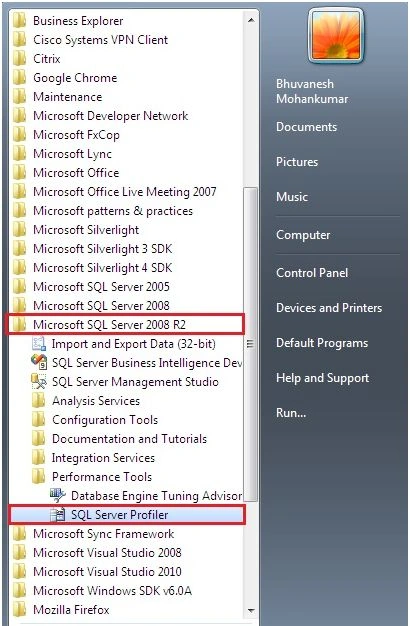
1. Access SQL Profiler: Go to SQL Server, Performance Tools, then SQL Server Profiler.
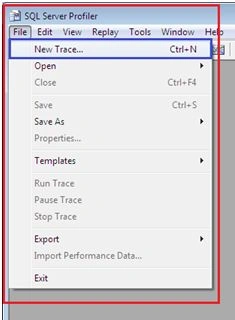
2. TRACE: Create new Trace.
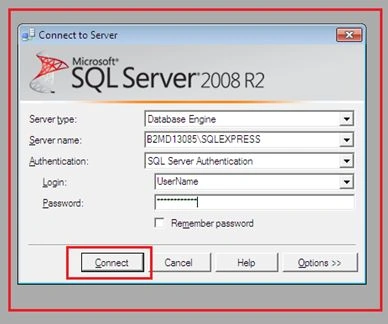
3. Connect to Database using Credentials,
4. Trace Properties: Here are the properties of Trace.
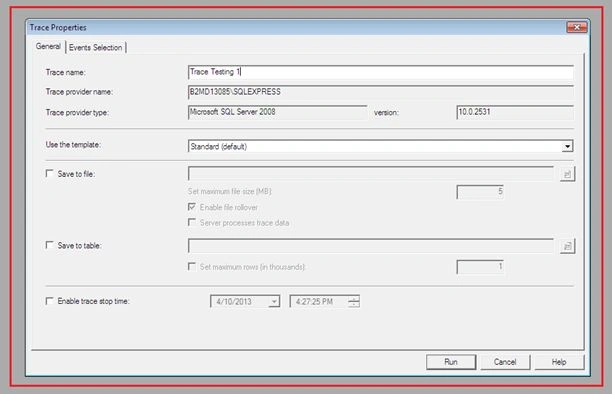
Specify the Trace Name & Template:
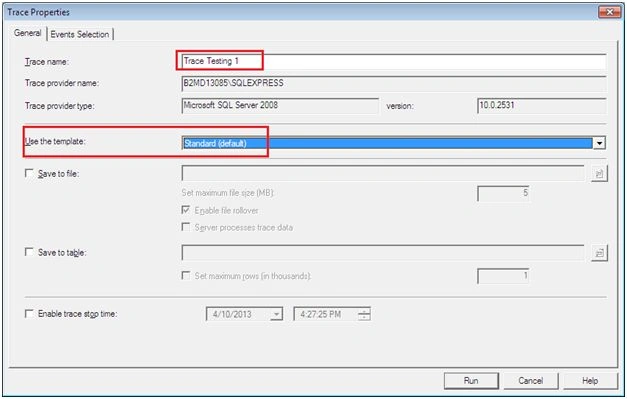
5. Event Selection settings,
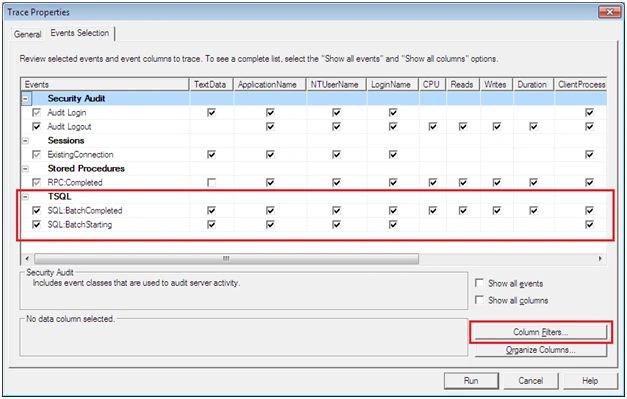
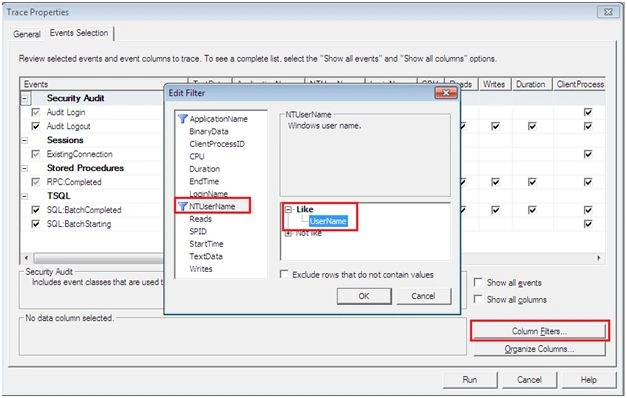
6. Column Filter: Use Column Filter option to trace what all type of query needs to be traced and also from which user the transactions need to be traced.
I selected the User level [DB Username] level tracking.
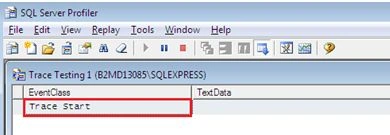
7. Execute: Click “RUN”, Trace is ready to track all the transaction details.
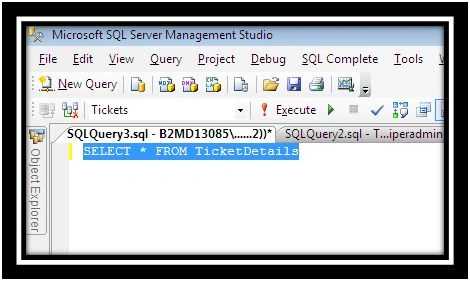
8. Query Execution: Connect to database and execute the query
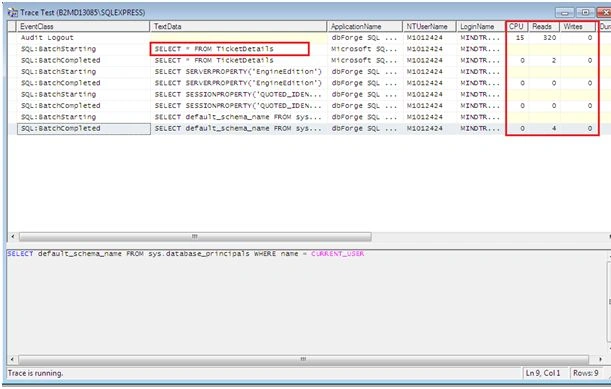
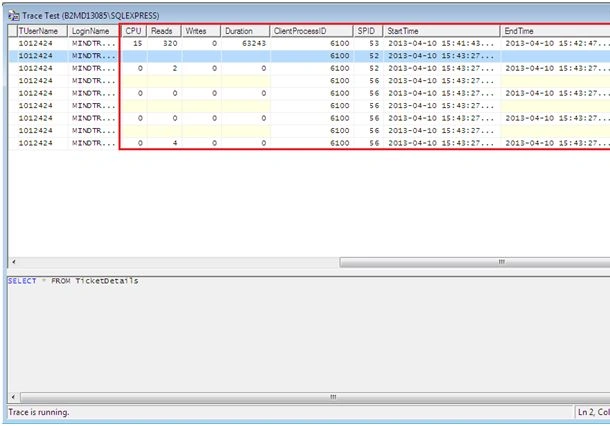
9. Trace Details
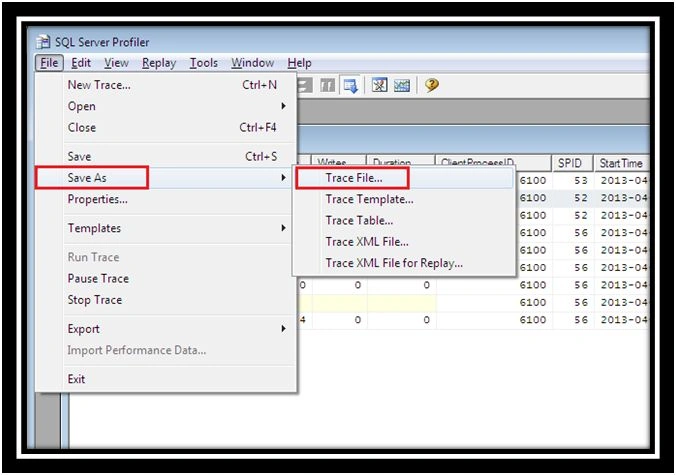
10. Save Trace Records: Save the Trace File for future analysis.


Bhuvanesh MohankumarPosted Jun 9, 2016, 8:54 PM EDT
Thanks @Murugan
Bhuvanesh MohankumarPosted May 22, 2016, 11:44 PM EDT
Thanks Vignesh Mani
Bhuvanesh MohankumarPosted May 22, 2016, 11:43 PM EDT
Thanks Vignesh Mani
Vignesh ManiTOP 100Posted May 21, 2016, 12:37 PM EDT
nice
Bhuvanesh MohankumarPosted May 19, 2016, 2:45 AM EDT
Thanks Hari Shanker
Bhuvanesh MohankumarPosted May 19, 2016, 2:44 AM EDT
Thanks Yashwant Vishwakarma
Bhuvanesh MohankumarPosted May 19, 2016, 2:44 AM EDT
Thanks Aqib Shehzad
Bhuvanesh MohankumarPosted May 19, 2016, 2:44 AM EDT
Thanks Kuppurasu Nagaraj
Hari ShankerPosted May 18, 2016, 10:11 PM EDT
Nice article
Yashwant VishwakarmaPosted May 18, 2016, 9:32 PM EDT
Superb article, Keep writing bro :)
Muhammad Aqib ShehzadPosted May 18, 2016, 8:29 PM EDT
nice share
Kuppurasu NagarajTOP 100Posted May 18, 2016, 9:44 AM EDT
Nice Sharing..
Bhuvanesh MohankumarPosted May 18, 2016, 9:10 AM EDT
Thanks Prasanna M
Bhuvanesh MohankumarPosted May 18, 2016, 9:10 AM EDT
Thanks @Debasis saha
Bhuvanesh MohankumarPosted May 18, 2016, 9:10 AM EDT
Thanks Thiruppathi R
Bhuvanesh MohankumarPosted May 18, 2016, 9:10 AM EDT
Thanks Pankaj Kumar Choudhary for that great works, still I am a learner :)
Prasanna MuraliPosted May 18, 2016, 6:40 AM EDT
Nice one...
Debasis SahaTOP 100Posted May 18, 2016, 6:20 AM EDT
Good One..
Thiruppathi RPosted May 18, 2016, 6:16 AM EDT
Superb...
Pankaj Kumar ChoudharyTOP 100Posted May 18, 2016, 4:55 AM EDT
Really You are a Multi talented Person Have a deep knowledge of many technology That makes you all rounder in technology field Keep It up............