
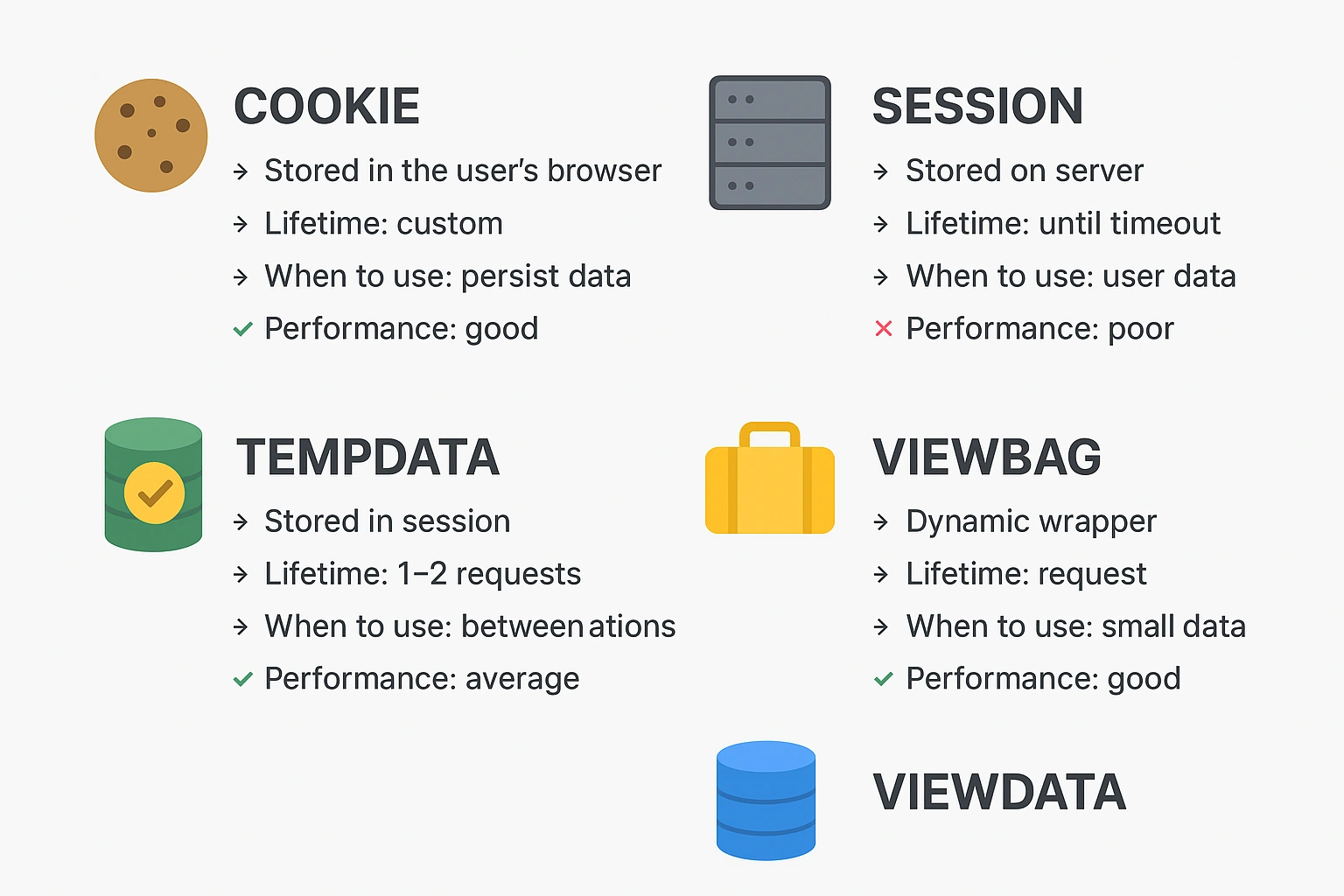
ASP.NET MVC provides multiple ways to store and transfer data between requests and views. Each mechanism serves a specific purpose, has different lifetimes, and impacts performance differently.
This article explains:
What Cookie, Session, TempData, ViewBag, and ViewData are
When to use each
Performance impact
Which one is best for performance
Comparison table
1. Cookie
What it is
A cookie is a small piece of data stored in the user's browser .
It is sent with every request to the server.
Lifetime
You define it — minutes, days, or months.
When to use
✔ To store small data that must persist across requests, even after browser restart
✔ Remember user preferences (theme, language)
✔ Track login status (auth cookie)
Performance
Very efficient for the server (stored on client side)
But large cookies slow down requests (added to every HTTP call)
Should keep size < 4 KB
2. Session
What it is
Session stores data on the server , specific to each user.
Lifetime
Until browser closes or session timeout (default 20 minutes).
When to use
✔ Temporary user state like cart items, user ID, tokens
✔ Sensitive data (not safe to store in cookie)
Performance
Heavy on server memory
Too many sessions may affect performance
Expensive in load-balanced environments unless using distributed session state
3. TempData
What it is
Stores data for one request , or until it is read once.
Used internally with Session.
When to use
✔ Redirect scenarios
✔ Show success/error messages after POST → Redirect → GET
✔ Passing data between two controller actions
Performance
Stored in Session, so cost is similar
But used temporarily and lightweight
4. ViewBag
What it is
A dynamic wrapper around ViewData.
Used to pass data from Controller to View only.
Lifetime
Only for current request .
When to use
✔ Small, non-important data
✔ Title, dropdown lists, flags, UI messages
Performance
Stored in memory
Very lightweight
Faster than Session/TempData
Not for large objects
5. ViewData
What it is
A dictionary-based structure for sending data from Controller to View .
Lifetime
Only during the request.
When to use
✔ Same as ViewBag, but strongly-typed access is missing
✔ Good for passing small data collections
Performance
Also lightweight
Similar to ViewBag in performance
Performance Comparison (Best to Worst)
| Feature | Storage | Lifetime | Performance | Best Use |
|---|---|---|---|---|
| ViewBag | Memory | Request | ★★★★★ (fastest) | Pass small data to a view |
| ViewData | Memory | Request | ★★★★★ | Same as above |
| TempData | Session | 1–2 requests | ★★★☆☆ | Redirect scenarios |
| Cookie | Browser | Custom | ★★★☆☆ (depends on size) | Persist data on browser |
| Session | Server memory | Minutes | ★★☆☆☆ (heaviest) | User-specific data |
Which One Is Best for Performance?
Fastest
✅ ViewBag / ViewData (request-level only, no persistence)
Good-performance and persistent
✅ Cookie (small data only)
Heavy / avoid unless needed
❌ Session (high memory cost)
When Should You Use What? (Simple Guide)
| Scenario | Best Choice |
|---|---|
| Keep user logged in | Cookie |
| Shopping cart | Session |
| Display success message after redirect | TempData |
| Pass dropdown data to view | ViewBag / ViewData |
| Store theme or language preference | Cookie |
| Pass small data from controller to view | ViewBag |

Join the conversation! Your thoughts help the community grow.