
Introduction
I have already provided the Use HTML and CSS file in the Windows Phone Apps article. So you can see for Windows Phone Apps.
Now In this article, you will see the use of HTML and CSS files in Android apps.
First, create an Android Application Project in Eclipse.
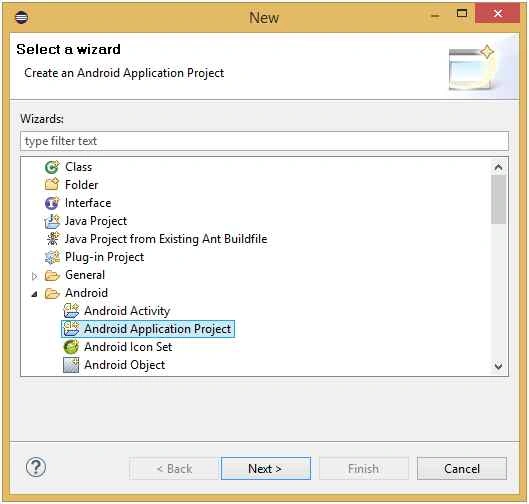 Layout XML file
Then open the Layout XML file. Drag the first Linear Layout then WebView Element to the Relative Layout of the Activity.
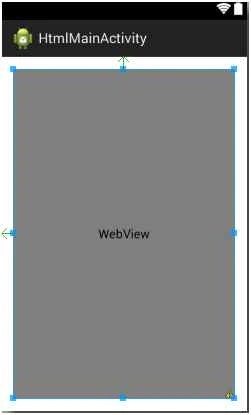 XML File Code
- <RelativeLayout
- xmlns:android="http://schemas.android.com/apk/res/android"
- xmlns:tools="http://schemas.android.com/tools"
- android:layout_width="fill_parent"
- android:layout_height="fill_parent"
- android:keepScreenOn="true"
- android:paddingBottom="@dimen/activity_vertical_margin"
- android:paddingLeft="@dimen/activity_horizontal_margin"
- android:paddingRight="@dimen/activity_horizontal_margin"
- android:paddingTop="@dimen/activity_vertical_margin">
- <LinearLayout
- android:layout_width="fill_parent"
- android:layout_height="fill_parent"
- android:orientation="vertical" >
- <WebView
- android:id="@+id/webview"
- android:layout_width="fill_parent"
- android:layout_height="fill_parent" />
- </LinearLayout>
- </RelativeLayout>
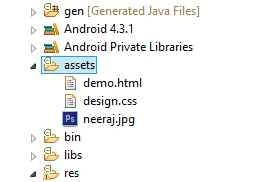
- import android.app.Activity;
- import android.os.Bundle;
- import android.view.Menu;
- import android.view.MenuItem;
- import android.webkit.WebView;
- public class HtmlMainActivity extends Activity {
- WebView webview;@Override
- protected void onCreate(Bundle savedInstanceState) {
- super.onCreate(savedInstanceState);
- setContentView(R.layout.activity_html_main);
- webview.loadUrl("file:///android_asset/demo.html");
- }@Override
- public boolean onCreateOptionsMenu(Menu menu) {
- // Inflate the menu; this adds items to the action bar if it is present.
- getMenuInflater().inflate(R.menu.html_main, menu);
- return true;
- }@Override
- public boolean onOptionsItemSelected(MenuItem item) {
- // Handle action bar item clicks here. The action bar will
- // automatically handle clicks on the Home/Up button, so long
- // as you specify a parent activity in AndroidManifest.xml.
- int id = item.getItemId();
- if (id == R.id.action_settings) {
- return true;
- }
- return super.onOptionsItemSelected(item);
- }
- }
- webview.loadUrl("file:///android_asset/demo.html");
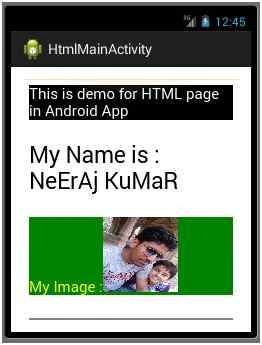


Sibeesh VenuTOP 100Posted Jul 29, 2015, 2:08 AM EDT
Nice Share.
Debasis SahaTOP 100Posted Jul 29, 2015, 1:29 AM EDT
nice one..
Rajeesh MenothPosted Jul 28, 2015, 8:13 PM EDT
Good ONe
Nilesh JadavPosted Jul 28, 2015, 8:06 PM EDT
NIce article sir
Pankaj Kumar ChoudharyTOP 100Posted Jul 28, 2015, 8:02 PM EDT
Nice Explain Neeraj..........
RakeshPosted Jul 28, 2015, 7:05 PM EDT
Nice one
Gopi ChandPosted Jul 28, 2015, 7:04 PM EDT
Good work
Afzaal Ahmad ZeeshanTOP 100Posted Jul 28, 2015, 12:35 PM EDT
Interesting use of WebView control, Neeraj.