
Here is Part 1
In this article we will be seeing how to use LINQ in SharePoint 2010 to add,
update and delete the list item.
In SharePoint 2010 you have the ability to use LINQ syntax to query the list
instead of using CAML query. In order to work with LINQ we need a command line
tool called SPMetal.exe.
This tool is used to generate the entity classes that is required to perform
object oriented queries towards SharePoint server. It is also required to get
the intellisense when we are working in Visual Studio 2010.This tool resides in
14\bin folder.
Creating the entity classes:
- Open Command Prompt as an administrator.
- Change the path to C:\Program Files\Common Files\Microsoft Shared\Web Server Extensions\14\BIN.
- Run the following command to generate the
entity classes.
Spmetal.exe /web:http://servername:2010/sites/test/ /code:C:\MyEntities.cs
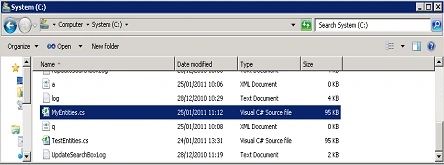
Inserting a new list item using LINQ:
- Open Visual Studio 2010.
- Go to File => New => Project.
- Select Console Application from the installed templates.
- Right click on the solution, select "Add an existing item".
- Add the MyEntities.cs class to the solution.
- Replace the code with the following.
class Program
{
static void Main(string[] args)
{
// Create an instance
MyEntitiesDataContext myEntitiesDataContext = new MyEntitiesDataContext("http://serverName:2010/sites/test/");// Get the list from the site
EntityList<Item> listItems = myEntitiesDataContext.GetList<Item>("CustomList");//Create a new item
Item newItem=new Item ()
{
Title="Test3"
};
// Insert the new list item to the list
listItems.InsertOnSubmit(newItem);//Submit the changes
myEntitiesDataContext.SubmitChanges();
}
} - Build the solution.
- Hit F5.
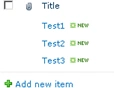
Updating a list item:
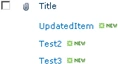
- Replace the code with the following.
class Program
{
static void Main(string[] args)
{
// Create an instance
MyEntitiesDataContext myEntitiesDataContext = new MyEntitiesDataContext("http://serverName:2010/sites/test/");// Querying the list item that has to be updated
var updateItem=(from item in myEntitiesDataContext.CustomList
where item.Title=="Test1"
select item).First();
updateItem.Title = "UpdatedItem";// Submit the changes
myEntitiesDataContext.SubmitChanges();
}
} - Build the solution.
- Hit F5.
Deleting the list item:
- Replace the code with the following.
class Program
{
static void Main(string[] args)
{
// Create an instance
MyEntitiesDataContext myEntitiesDataContext = new MyEntitiesDataContext("http://serverName:2010/sites/test/");// Get the list from the site
EntityList<Item> listItems = myEntitiesDataContext.GetList<Item>("CustomList");// Querying the list item that has to be deleted
var updateItem=(from item in myEntitiesDataContext.CustomList
where item.Title=="Test3"
select item).First();// Deleting the list item
listItems.DeleteOnSubmit(updateItem);// Submit the changes
myEntitiesDataContext.SubmitChanges();
}
} - Build the solution.
- Hit F5.


Humayun Kabir MamunPosted Jan 24, 2016, 5:55 PM EST
Nice...
Raymund MacaalayPosted Mar 2, 2011, 11:50 AM EST
Great article but I have a question on InsertOnSubmit. What if you have a Lookup field on Item List which is for example ItemType that looks up on ItemType List how would I do this now? Item newItem=new Item () { Title="Test3" ItemType=????????? }; // Insert the new list item to the list listItems.InsertOnSubmit(newItem); db.SubmitChanges(); as Item will be an ItemTypeItem type.